





Master Your Refurbished iPhone 13: 15 Essential Tips and Tricks

29/08/2025

14 Mins
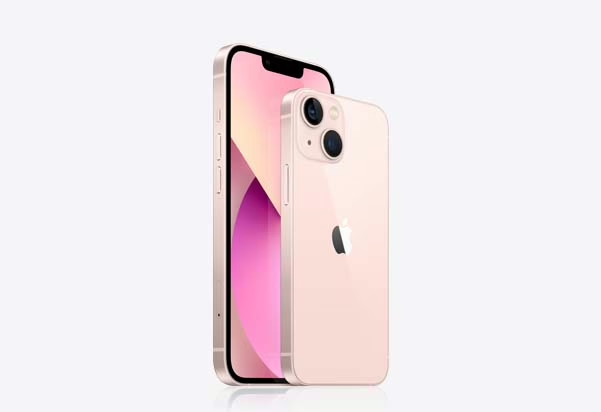
Master Your Refurbished iPhone 13: 15 Essential Tips and Tricks
So, you’ve chosen a Refurbished iPhone 13 from Used Mobiles 4 U—congratulations on making a smart and sustainable choice. Buying refurbished not only saves you money but also gives you access to premium Apple technology without compromise. The iPhone 13 is still one of Apple’s best-performing models, with its balance of power, style, and innovative features. What many people don’t realise is just how much is hidden beneath the surface. With the right know-how, you can transform your everyday experience into something faster, smarter, and more personal.
This guide walks you through 15 essential tips and tricks that will help you get the absolute most out of your Refurbished iPhone 13. Whether you’re looking to improve battery life, personalise your camera settings, or unlock features you didn’t even know existed, these tips will make your device feel brand new again.
1. Make Your Videos Cinematic
One of the most exciting features of the iPhone 13 is Cinematic Mode, designed to give your videos a professional, movie-like feel. This feature uses depth control to blur the background and highlight your subject, creating footage that looks as if it was shot with an expensive camera. Even better, you can change the focus points after filming—ideal for storytelling or creating social media content that stands out. Simply open the Camera app, swipe across to Cinematic, and press record. After filming, open the video in Photos, tap Edit, and adjust the focus wherever you like.
For content creators, vloggers, or anyone who enjoys capturing special moments, Cinematic Mode turns ordinary clips into something much more polished. It’s particularly useful if you want to impress with smooth focus transitions and that Hollywood-style look. Even on a Refurbished iPhone 13, this feature works flawlessly because it’s fully built into the phone’s hardware and software. Whether you’re recording family memories or experimenting with creative projects, Cinematic Mode is one of the best reasons to love your iPhone 13.
2. Add Your Personal Touch to Your Photos
The iPhone 13’s camera is already outstanding, but with Photographic Styles, you can give your pictures a unique and consistent look that reflects your personal style. Unlike traditional filters that apply a blanket effect across the whole photo, Photographic Styles allow you to fine-tune aspects like tone and warmth while keeping skin tones natural. This means your images will look professional without seeming over-edited.
To set this up, go to Settings > Camera > Photographic Styles. From there, you can choose a preset such as Rich Contrast, Vibrant, Warm, or Cool. Each style offers a distinctive mood, and you can adjust further to create a signature look. Once chosen, your phone will remember it and automatically apply the style whenever you take a photo. This consistency is especially helpful if you regularly post to Instagram or other platforms, giving your feed a polished and unified appearance without hours of editing.
For photographers, influencers, or anyone who loves sharing moments, Photographic Styles save time while boosting creativity. And the best part? They’re fully available on your Refurbished iPhone 13, giving you the same tools as a brand-new model. Whether you prefer dramatic shots, bright colours, or warmer tones, this feature lets your photos truly reflect your personality.
3. Copy Text Instantly with Live Text
The Live Text feature is one of those tools that quickly becomes indispensable. Instead of retyping information from signs, documents, or even screenshots, your iPhone 13 can detect text within images and let you copy, paste, translate, or search instantly. To use it, open the Camera app and point it at text. A yellow highlight will appear around the recognised words—just tap, and you can copy them straight into Notes, Messages, or Safari.
This feature also works on existing photos. For example, if you’ve taken a picture of a menu while travelling, you can extract and translate the text later. It supports multiple languages, making it an invaluable companion for students, professionals, and travellers alike. Whether you’re saving a phone number from a poster, capturing meeting notes, or translating a restaurant menu abroad, Live Text simplifies tasks that used to take far longer.
Even on a Refurbished iPhone 13, Live Text functions exactly as it should, because it’s powered by iOS and Apple’s A15 Bionic chip. There’s no compromise in speed or accuracy, which means you’ll enjoy the same seamless experience as someone using a brand-new phone. For many users, Live Text quickly becomes one of the most practical features they never knew they needed.
4. Use Focus Modes to Stay on Track
We live in a world full of distractions, and it can be difficult to stay focused on work, study, or even just enjoying downtime. That’s where Focus Modes on the iPhone 13 come in. Building on the Do Not Disturb function, Focus Modes allow you to customise which apps and people can reach you during specific times. You could have a Work mode that only lets emails and Slack notifications through, a Personal mode that prioritises messages from close friends, or a Sleep mode that silences everything except emergencies.
To set one up, go to Settings > Focus. You’ll see several preset options, but you can also create your own. Each mode can be linked to your Home Screen, so when Work mode is enabled, you might only see work-related apps. This reduces temptation and helps you maintain better habits. What’s even more useful is that Focus Modes can sync across all your Apple devices, so your iPad or Mac will also adjust automatically.
For anyone who struggles with balancing work and leisure, this feature is a game-changer. On your Refurbished iPhone 13, it works just as seamlessly, ensuring you stay productive when you need to and fully present during personal time. It’s about taking control of your digital life, and Focus Modes are one of the simplest yet most effective tools Apple has provided for that purpose.
5. Balance Speed and Battery with Smart Data
The iPhone 13 supports lightning-fast 5G, but not everyone needs maximum speed at all times. Constantly using 5G can drain your battery quickly, especially if you’re not streaming or downloading large files. This is where Smart Data Mode steps in. It intelligently switches between 4G and 5G depending on your activity, giving you a balance between performance and efficiency.
To enable this, head to Settings > Cellular > Cellular Data Options > Data Mode. You can then choose options like “Allow More Data on 5G” for full-speed performance, or “Standard” and “Low Data Mode” for conserving power. When you’re just browsing or checking emails, the phone may default to 4G. But the moment you start a video call or a high-speed download, it will switch back to 5G automatically.
This clever feature extends battery life while still ensuring you have the power of 5G whenever you truly need it. For anyone who travels often, commutes, or relies on their phone all day, Smart Data Mode is incredibly useful. On a Refurbished iPhone 13, this works exactly the same as it does on a new one, giving you control over how your phone balances speed and battery. It’s yet another example of Apple combining convenience with performance, helping you get more from your device.
6. Tailor Your Control Center
The Control Center is one of the most frequently used parts of the iPhone, giving you quick access to essential tools like Wi-Fi, Bluetooth, volume, and brightness. But many users don’t realise it can be customised to fit their needs. By tailoring it, you can add shortcuts for the features you use most—whether that’s screen recording, low power mode, calculator, or even accessibility tools.
To do this, go to Settings > Control Center and scroll through the options. Tap the green plus icons to add features and use the three-line icons to rearrange their order. Once set, simply swipe down from the top-right corner of your screen to access them instantly. This saves time compared to digging through menus and makes your iPhone feel truly personal.
For example, students might prioritise Notes and Screen Recording, while travellers could add Wallet and Alarm. Customisation makes daily use much smoother. Even better, on a Refurbished iPhone 13, the Control Center works just like it would on a new phone. The more you tailor it to your lifestyle, the more efficient and enjoyable your iPhone experience becomes. This small adjustment often makes one of the biggest differences in everyday convenience.
7. Unleash Creative Potential with ProRAW & ProRes (Pro models)
For serious photographers and videographers, the iPhone 13 Pro and Pro Max take things further with Apple ProRAW for photos and ProRes for video. These formats capture more detail and data, giving you much greater flexibility when editing. ProRAW combines the benefits of standard RAW files with Apple’s smart image processing, while ProRes is a professional-grade video codec used in film production.
To enable them, go to Settings > Camera > Formats and switch on ProRAW or ProRes. Once active, you’ll see the options appear in the Camera app. While these files are larger in size, they provide incredible editing potential. For example, you can fine-tune exposure, colour, and detail without losing quality—something content creators and professionals value highly.
Of course, not everyone needs these formats daily, but if you’re passionate about photography or videography, it’s a huge advantage. Even if your phone is a Refurbished iPhone 13 Pro, these features remain intact, as Apple includes them at the hardware level. That means you can create content of the highest quality without investing in extra equipment. For creators looking for more control and flexibility, this is one of the most valuable tools available.
8. Extend Battery Lifespan with Optimised Charging
Battery health is one of the biggest concerns for iPhone users, particularly when using the device for years. Thankfully, Apple has included Optimised Battery Charging, which reduces wear by slowing down how your iPhone charges when it reaches around 80%. The idea is simple: instead of keeping your battery at full charge for long periods (which stresses lithium-ion batteries), your phone will learn your daily habits and complete charging just before you typically unplug it.
To activate this, go to Settings > Battery > Battery Health and toggle on Optimised Battery Charging. You’ll notice that overnight charging becomes smarter—your iPhone may pause at 80% while you sleep, finishing the final 20% closer to when your alarm is set. Over time, this extends battery life significantly, ensuring your phone lasts longer before it needs a replacement.
For those who rely on their phone heavily, whether for work, study, or entertainment, this feature is a lifesaver. On your Refurbished iPhone 13, Optimised Charging works exactly as it does on a brand-new device, helping you protect the investment you’ve made. With proper care, your refurbished iPhone can maintain strong battery performance for years, proving that choosing refurbished is not only cost-effective but also a smart long-term decision.
9. Mirror Your Screen to a TV
Sometimes your iPhone screen just isn’t big enough, especially if you’re showing off holiday photos, watching a film, or presenting slides. Luckily, with Screen Mirroring, you can wirelessly project your iPhone 13’s display onto a larger screen, such as a smart TV or Apple TV. This feature is simple yet incredibly versatile, making your device far more useful in both personal and professional settings.
To use it, swipe down from the top-right corner of your screen to open the Control Center, tap Screen Mirroring, and select your compatible device from the list. Your iPhone’s screen will instantly appear on the TV, allowing you to stream videos, share content, or mirror apps in real-time. This is especially handy for families wanting to enjoy media together, teachers presenting in classrooms, or professionals giving client demonstrations without needing extra cables.
The beauty of this feature is that it’s completely wireless and effortless. Even on a Refurbished iPhone 13, Screen Mirroring works just as seamlessly because it’s part of Apple’s AirPlay technology. Whether you’re entertaining, working, or teaching, the ability to instantly expand your iPhone’s display onto a bigger screen adds a level of convenience you’ll quickly come to appreciate.
10. Control App Permissions with Privacy Settings
Privacy has become one of the most important issues for smartphone users today, and Apple takes it seriously with the iPhone 13. By heading into Settings > Privacy, you can manage exactly what data each app can access. This includes permissions for location, photos, microphone, camera, and more. Having this control means you decide how much information third-party apps can collect, ensuring your personal data remains protected.
For example, you might allow a navigation app to use your location only while the app is in use, rather than always. Similarly, you can limit access to your photo library, granting apps permission to only specific images instead of the entire album. These small changes go a long way in protecting your privacy without affecting functionality.
Apple has even added app tracking transparency, which forces apps to ask before tracking your activity across other apps and websites. By reviewing permissions regularly, you maintain a higher level of security and peace of mind. On a Refurbished iPhone 13, you’ll benefit from these same advanced privacy features as someone using a brand-new device. This ensures you can enjoy your refurbished phone with confidence, knowing your data remains under your control at all times.
11. Snap Quick Screenshots
Screenshots are one of the simplest yet most used features on any smartphone, and the iPhone 13 makes capturing them quick and easy. Whether you’re saving a snippet of an article, grabbing an image from social media, or preserving an important confirmation screen, all it takes is a quick button press. To take a screenshot, press the side button and the volume up button simultaneously. You’ll hear a shutter sound, and a preview will appear in the bottom-left corner of the screen for editing or sharing.
From there, you can crop, draw on, or add text to your screenshot before saving it. If you dismiss the preview, the image will automatically be saved to your Photos app. For those who need screenshots often, such as students, business professionals, or content creators, this is an essential tool that saves time and captures exactly what you need.
Even on a Refurbished iPhone 13, the screenshot process is lightning-fast and reliable, thanks to Apple’s consistent design across models. It’s a small feature that many of us take for granted but one that highlights how smooth and intuitive iOS can be. Once you’ve mastered quick screenshots, you’ll wonder how you ever managed without them.
12. Use AirDrop for Fast File Sharing
Sharing files between Apple devices doesn’t need cables, emails, or third-party apps thanks to AirDrop. This feature allows you to send photos, videos, documents, and links instantly to nearby iPhones, iPads, and Macs. It’s fast, secure, and incredibly convenient, especially when you’re in a group setting.
To use AirDrop, swipe down to open the Control Center, press and hold the network panel, then tap AirDrop. You can set your device to be discoverable by Contacts Only or Everyone. Once activated, simply select the content you want to share, tap the share icon, and choose the recipient’s device from the AirDrop list. They’ll receive a prompt to accept, and the file transfers instantly.
AirDrop is perfect for quickly sharing holiday snaps with friends, sending files to colleagues, or even passing along a website link. Because it uses both Wi-Fi and Bluetooth, it doesn’t rely on mobile data, making it efficient and secure. On a Refurbished iPhone 13, AirDrop performs just as smoothly as on a new device. This feature is a reminder of why Apple’s ecosystem is so powerful—your devices communicate seamlessly, saving time and effort while making collaboration easier.
13. Try Dark Mode for a Softer Look
Staring at a bright screen for hours can be tiring on your eyes, particularly at night. Apple introduced Dark Mode to solve this, and it remains one of the most popular features among users. Dark Mode shifts the colour scheme of iOS and supported apps to darker tones, reducing glare and making content easier to read in low-light environments. It can also help conserve battery life on OLED displays like the one on the iPhone 13.
To activate Dark Mode, head to Settings > Display & Brightness and select Dark. You can also set it to Automatic, which will switch between light and dark modes depending on the time of day or sunrise and sunset. Many third-party apps, including social media platforms, also follow this system preference, ensuring consistency across your device.
Dark Mode is not just about aesthetics—it provides a more comfortable viewing experience and makes your phone feel fresh and modern. Whether you prefer it full-time or just in the evenings, it’s worth experimenting with to see how it changes your daily use. On a Refurbished iPhone 13, Dark Mode works perfectly, helping you enjoy smoother browsing while giving your device a sleek, customised appearance.
14. Customise Your Safari Experience
Safari, Apple’s built-in browser, has gained a number of customisation options on the iPhone 13. These changes may seem small, but they can dramatically improve your browsing experience. By tapping the AA button in the Safari search bar, you can switch to Reader Mode, which strips away distractions like ads and sidebars for cleaner reading. You can also adjust font size, background colour, and layout to suit your preferences.
Another useful trick is creating tab groups. If you often browse multiple sites for work, study, or hobbies, you can save tabs into organised groups and return to them later. This keeps your browsing clutter-free and makes switching between tasks much easier. You can also install Safari extensions from the App Store, adding even more functionality like ad blockers or productivity tools.
Customising Safari transforms it into a powerful tool tailored to your needs. And just like every other feature, these options are available on your Refurbished iPhone 13, giving you the same premium browsing experience as on a brand-new device. Whether you’re a casual user or someone who spends hours researching online, personalising Safari can make a surprising difference in how enjoyable and efficient your browsing becomes.
15. Express Yourself with Memoji
Finally, let’s talk about one of the most fun features of the iPhone 13—Memoji. These animated characters allow you to create a cartoon-like version of yourself (or anyone else) and use it in messages and FaceTime calls. You can personalise everything from skin tone and hairstyle to accessories, outfits, and even headgear. Once created, your Memoji can mirror your facial expressions in real-time, making conversations more lively and expressive.
To set one up, go to Messages, open the Animoji icon, and tap the plus button to create your own. From there, you can adjust every detail until it feels like a true digital version of you. Memoji stickers are also automatically generated, letting you add fun reactions to messages or social media posts without needing to type a word.
It’s a playful but surprisingly popular feature, particularly among younger users who enjoy adding personality to their chats. Even professionals can use Memoji for light-hearted communication with colleagues or clients. On your Refurbished iPhone 13, Memoji works flawlessly, giving you the same expressive tools as any other user. It’s a reminder that iPhones aren’t just about productivity—they’re also about fun, creativity, and making technology feel more personal.
Final Thoughts
The iPhone 13 continues to be one of Apple’s best devices, offering a balance of performance, features, and design that stands the test of time. By learning these 15 tips and tricks, you’ll unlock its full potential and enjoy a smoother, smarter experience every day.
Choosing a Refurbished iPhone 13 from Used Mobiles 4 U means you’re not only saving money but also gaining access to all the same premium features that make the iPhone 13 so loved worldwide. From cinematic video recording to privacy protection, from battery optimisation to fun features like Memoji, your refurbished device is every bit as capable as a brand-new one.
If you’re ready to experience the power of a Refurbished iPhone 13, browse our collection today. At Used Mobiles 4 U, we carefully test and grade every device, ensuring you receive quality you can trust. Why pay more when you can enjoy the same features for less?







