





The Ultimate Used iPhone 14 Setup Guide (2026 Edition)

13/03/2026

5 Mins
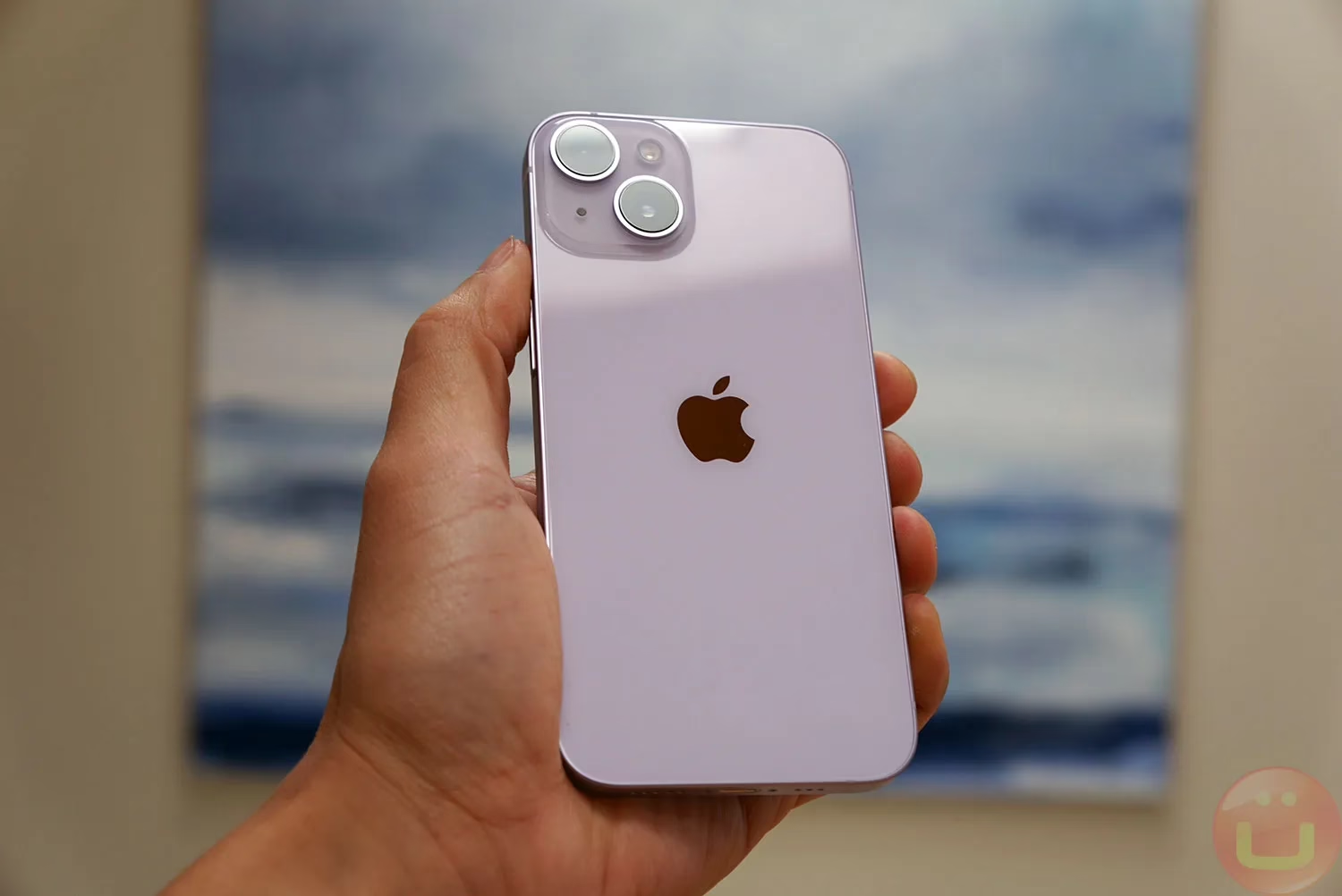
The Ultimate Used iPhone 14 Setup Guide (2026 Edition)
How to Set Up, Customise, Protect & Get the Most From Your Device
Buying a used iPhone 14 is one of the smartest ways to enjoy premium Apple technology without paying flagship prices. You get powerful performance, advanced safety features, excellent cameras, and long-term iOS support — all at a much more affordable cost.
Whether you’ve just ordered your device or you’re considering purchasing a used iPhone 14, this complete setup guide will help you get the absolute most from it. From choosing storage to optimising battery life and customising your experience, we’ll walk you through everything step by step.
Why the Used iPhone 14 Is Still a Smart Buy in 2026
Even in 2026, the iPhone 14 remains an incredibly capable smartphone. Thanks to Apple’s long software support cycle and powerful hardware, a used iPhone 14 still delivers excellent everyday performance.
Here’s why it continues to be a popular choice:
-
A15 Bionic chip with 5-core GPU
-
6.1-inch Super Retina XDR display
-
Dual 12MP camera system
-
4K Dolby Vision video recording
-
Crash Detection and Emergency SOS
-
Strong battery performance
-
Ongoing iOS updates
When professionally tested and quality-checked, a used iPhone 14 performs almost identically to a brand-new model — just at a significantly lower price.
Choosing the Right Storage Before Setup
When buying a used iPhone 14, selecting the correct storage size is important because Apple devices do not support expandable memory.
Available storage options include:
-
128GB
-
256GB
-
512GB
128GB – Ideal for Everyday Users
Perfect if you:
-
Stream music instead of downloading
-
Use cloud storage
-
Don’t record large amounts of 4K video
-
Mainly use social media and messaging apps
For many buyers, 128GB on a used iPhone 14 is more than enough.
256GB – Great for Long-Term Use
This option works well if you:
-
Take lots of photos and videos
-
Record in 4K regularly
-
Download films or games
-
Plan to keep your phone for several years
512GB – Maximum Flexibility
Best suited for:
-
Content creators
-
Heavy mobile gamers
-
Business professionals storing files locally
Choosing the right storage ensures your used iPhone 14 remains fast and frustration-free long term.
Unboxing & First Setup
Once your used iPhone 14 arrives:
-
Inspect the condition (based on the cosmetic grade you selected).
-
Fully charge the device before setup.
-
Hold the side button to power it on.
You’ll be greeted by Apple’s “Hello” screen — the beginning of the setup wizard.
Transferring Data to Your Used iPhone 14
Apple makes upgrading simple.
Upgrading From Another iPhone
If you’re moving from an older device:
-
Place both phones side by side.
-
Follow on-screen Quick Start instructions.
-
Scan the animation.
-
Choose direct transfer or iCloud transfer.
Your apps, photos, contacts, and settings will move across seamlessly.
Switching From Android
Download the “Move to iOS” app on your Android device before starting the setup process. This allows you to transfer key data directly to your used iPhone 14.
Securing Your Device Properly
Security should be one of the first things you configure.
Set Up Face ID
The Face ID system on the used iPhone 14 is fast and reliable.
Go to:
Settings > Face ID & Passcode
-
Scan your face in good lighting.
-
Create a secure passcode.
Enable Find My iPhone
This protects your device if it’s ever lost or stolen.
Settings > Apple ID > Find My
Turn On Two-Factor Authentication
Protect your Apple ID with an added security layer.
Optimising Battery Life From Day One
Battery performance is strong, but smart settings will help your used iPhone 14 last even longer.
Enable Optimised Battery Charging
Settings > Battery > Battery Health & Charging
This reduces long-term battery wear.
Use Dark Mode
Settings > Display & Brightness
Dark mode can slightly reduce battery usage while also being easier on the eyes.
Manage Background App Refresh
Turn off unnecessary background activity to improve daily battery life.
Customising Your Home Screen
One of the best parts of setting up a used iPhone 14 is making it feel personal.
Add Widgets
-
Long press the home screen.
-
Tap the “+” symbol.
-
Add weather, calendar, battery, or smart stack widgets.
Set Up Focus Modes
Focus modes allow you to filter notifications during work, sleep, or personal time.
Settings > Focus
Customise Your Lock Screen
You can:
-
Change font styles
-
Add lock screen widgets
-
Create multiple wallpapers
Getting the Most From the Camera
The camera system is one of the biggest strengths of the used iPhone 14.
Features include:
-
12MP Main Camera
-
12MP Ultra Wide
-
Night Mode
-
Photonic Engine
-
Cinematic Mode
-
Action Mode
Recommended Camera Settings
Settings > Camera
-
Enable Grid for better composition
-
Turn on HDR
-
Record in 4K at 30fps for a balance of quality and storage
With proper settings, your used iPhone 14 can produce stunning photos and videos comparable to much newer devices.
Must-Have Accessories
Protecting your investment is essential.
Protective Essentials
-
Shock-resistant case
-
Tempered glass screen protector
A high-quality case ensures your used iPhone 14 remains in excellent condition.
Charging Accessories
-
20W fast charger
-
MagSafe charger
-
Wireless charging stand
Using certified accessories helps preserve battery health.
Emergency & Safety Features
The used iPhone 14 includes advanced safety tools.
Crash Detection
Automatically contacts emergency services after serious collisions.
Emergency SOS
Quickly call emergency services by pressing the side button combination.
Medical ID
Store critical medical information accessible from the lock screen.
Improving Performance Over Time
To keep your used iPhone 14 running smoothly:
-
Keep iOS updated
-
Restart weekly
-
Avoid low-quality chargers
-
Maintain at least 10–15% free storage
Managing Storage Efficiently
Go to:
Settings > General > iPhone Storage
You can:
-
Offload unused apps
-
Review large files
-
Enable iCloud Photos
Good storage habits help your used iPhone 14 stay fast and responsive.
Privacy & Data Controls
Apple devices are known for strong privacy features.
Visit:
Settings > Privacy & Security
Review:
-
App tracking permissions
-
Location access
-
Microphone & camera access
Taking control of privacy settings ensures your used iPhone 14 works for you — not advertisers.
Used iPhone 14: Complete Buying, Setup & Care Guide
To extend the life of your device:
-
Avoid extreme temperatures
-
Clean regularly with microfiber cloth
-
Remove dust from charging port carefully
-
Avoid frequent full battery drain cycles
With proper care, a used iPhone 14 can easily last several more years.
Common Mistakes to Avoid
-
Skipping security setup
-
Ignoring updates
-
Buying ultra-cheap charging cables
-
Filling storage completely
-
Never backing up
Avoiding these mistakes helps your used iPhone 14 perform like new.
Why Buying Used Makes Sense
Choosing a used iPhone 14 is not just about saving money.
Benefits include:
-
Lower cost vs brand new
-
Reduced electronic waste
-
Professionally tested hardware
-
Warranty included
-
Same core Apple experience
You enjoy flagship-level performance at a much more accessible price point.
Final Thoughts
The iPhone 14 remains one of the best-value smartphones available today. When purchased as a used iPhone 14, it becomes an even smarter investment.
With proper setup, security configuration, battery optimisation, and accessories, your device can deliver years of reliable performance.
If you’ve recently purchased a used iPhone 14, following this guide ensures you’re getting every bit of value from your device.
And if you’re still considering one, now you know exactly how to make the most of it from day one.







