





Unlocked vs Sim-Free iPhone – What It Means

28/01/2026

7 Mins
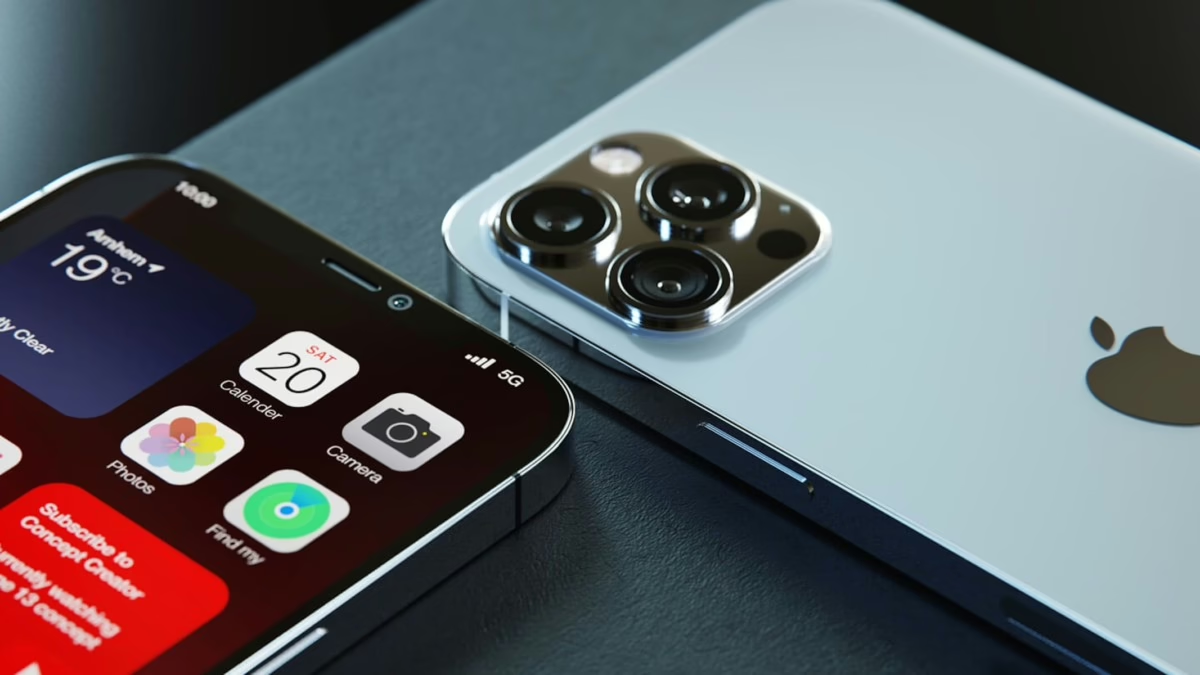
Unlocked vs SIM-Free iPhone: What It Means in the UK (and what to buy)
You’re about to buy a refurbished iPhone, you’ve found a good price, and then you hit the listing buzzwords: “SIM-free”, “unlocked”, “network free”. Same thing, right?
Not always. In the UK, unlocked vs sim free iphone can sound like two names for the same freedom to use any mobile service provider, but the labels get used loosely, especially on second-hand listings.
This guide clears it up in plain English, then shows you how to check an iPhone before you pay the upfront cost, so you don’t end up with a phone that won’t take your SIM. James Waterston (Owner, 25 years in the industry) has seen most “it said unlocked!” situations start with one small assumption.
What “unlocked” and “SIM-free” actually mean when you’re buying an iPhone in the UK
People often use “SIM-free” and “unlocked” as if they’re interchangeable, because in many cases the end result feels the same: you can put your SIM card in and get on with life.
The difference is in what the words are trying to describe:
- SIM-free is about how it was sold (usually handset-only, no airtime contract).
- Unlocked is about whether it’s restricted to one network carrier (EE, O2, Vodafone, Three, or any MVNO that runs on them).
On a brand-new iPhone from a major retailer like the Apple Store, especially factory unlocked models, SIM-free and unlocked often line up. On the used market, they don’t always.
Here’s a quick way to think about it: SIM-free is like buying a car without a finance deal, unlocked is like getting both sets of keys. Most of the time you get both, but you shouldn’t assume.
For a deeper explainer of how sellers use the terms, see difference between unlocked and SIM-free.
SIM-free iPhone meaning: sold without a network contract, but that doesn’t always prove it’s unlocked
In UK retail language, SIM-free usually means a contract-free purchase where you pay upfront for the handset and choose your own SIM-only deal, rather than committing to a monthly plan. Networks and retailers like to highlight this because it sounds simple, and it is, when you’re buying new.
Some shops also use SIM-free to mean there’s no SIM in the box and no airtime plan attached. ID Mobile puts it plainly in their guide to SIM-free phones.
Where people get caught out is the second-hand chain of custody. Example: someone buys an iPhone on a contract, later sells it and writes “SIM-free” because they’re not including their SIM or their contract. But the phone may still be network-locked with network restrictions if it was never unlocked by the original network.
So, treat “SIM-free” as a clue about the sale type, not a final verdict about the lock status.
iPhone unlocked: what it lets you do day to day (any UK SIM, better deals, easier resale)
An unlocked iPhone is an iPhone that isn’t restricted to one mobile network.
That matters in everyday ways:
- Swap networks freely: move between EE, O2, Vodafone, Three, and smaller providers like giffgaff, VOXI, SMARTY, Tesco Mobile, and iD Mobile, perfect for switching networks.
- Use eSIM and dual-SIM setups: keep a work number and a personal number, or add a travel eSIM without changing your main SIM card.
- Jump on SIM-only offers: when prices change, you can switch without buying another handset.
- Sell it more easily later: “unlocked” is simpler to explain and more widely wanted.
One important line in the sand: unlocking is about the network lock. It’s not the same as Apple’s Activation Lock (iCloud). A phone can be unlocked to all networks and still be unusable if it’s iCloud locked.
How to tell if an iPhone is truly unlocked before you pay
Buying refurbished can be a smart move, but you’re also relying on somebody else’s description. The goal is simple: after the phone unlocking process, verify the phone accepts a SIM from a different network than the one it was last used on.
If you’re buying from a private seller, especially a carrier-locked phone listing, you need to do a bit more legwork. If you’re buying from a reputable refurbished seller, you should still check the basics, but you’ll also have returns and a warranty as a safety net.
Quick checks you can do in minutes (Settings, SIM swap test, and what sellers should confirm)
- Check Settings for lock status (when available)
On many iPhones you can go to Settings, then Mobile Data (or Mobile Service), and look for a line like “Carrier Lock”. This wording, which can change by iOS version, indicates if the device is restricted by a software code from the carrier, so don’t treat this as the only check. - Do a SIM swap test
If possible, insert a SIM from a different mobile network. If the phone connects to that mobile network and you can make a call or use mobile data, that’s strong evidence it’s unlocked. This test also verifies device compatibility with GSM network, CDMA network, LTE connectivity, and 5G network support across various frequency bands. - Ask the seller what network it was on
A genuine seller should know if it was EE, O2, Vodafone, Three, or another provider, and they should be willing to say “yes, it’s unlocked to all networks”. - Meet where you can get signal
Testing a SIM in a basement flat is like test-driving a car in first gear only. Meet somewhere you can confirm bars of signal and make a quick call to ensure device compatibility. - Separate “unlocked” from other risks
Network lock is one issue. A handset can also be blacklisted or linked to unpaid finance. Treat those as separate checks.
Apple’s own listings show how “SIM-Free” is used on official stock, for example on Apple UK refurbished iPhone listings.
Red flags that have nothing to do with “unlocked” but still matter
The biggest trap isn’t always a network lock, it’s activation lock (iCloud). If the phone is still tied to someone else’s Apple ID, you may not be able to set it up at all. You want to see the phone fully wiped and ready for the “Hello” setup screen, with no prompts for someone else’s login.
Also watch for:
- Too-cheap pricing with pressure: “Need it gone today” often means “don’t check it”.
- Vague repair history: a poor-quality screen replacement can cause touch issues, Face ID problems, or battery drain, even if the phone is unlocked.
- No returns, no proof: if there’s no way back and the listing text is slippery, walk away.
If you’re buying refurbished for peace of mind, choose a seller with a written warranty and a clear returns policy. That’s often worth more than saving a tenner.
Which should you buy, unlocked or SIM-free, and what to ask a refurbished seller
For most UK buyers, the simplest aim is: buy an iPhone 14 that’s factory unlocked, regardless of whether the listing also calls it SIM-free. Many start life locked due to carrier subsidy, but unlocked gives you full flexibility.
Think in real situations:
If you switch networks often for better network coverage, unlocked saves you hassle. If you’re gifting an iPhone to a family member, unlocked avoids the “it doesn’t work with my SIM” phone call. If you travel for international travel, unlocked makes it easy to add an eSIM or pick a local SIM, dodging roaming fees. If you’re buying for a teenager on a rolling SIM-only deal or pay-as-you-go data plan, unlocked keeps your options open when their usage changes.
Refurbished sellers like Used Mobiles 4U often see customers coming from contracts who want control back, handset first, SIM-only next, and no surprises.
Best choice for most UK buyers: an unlocked iPhone, with proof, warranty, and a clear returns policy
Unlocked wins because it protects your future choices, preserves iPhone resale value as a long-term investment, not just today’s setup.
Before you buy, ask these questions (and expect clear answers):
- Is it unlocked to all UK networks?
- Is the IMEI clean? (not reported lost or stolen, not barred)
- Is iCloud fully signed out? (Activation Lock off)
- What battery health should I expect for this grade?
- What warranty is included and how do returns work?
- What’s in the box? (cable, plug, SIM tool)
If a seller can answer those calmly and in writing, you’re in a much safer place.
Conclusion
Unlocked vs SIM-Free iPhone isn’t just wordplay; it’s the difference between a phone that works with your SIM today and a phone that stays flexible next month. SIM-free is about how it was sold, unlocked is about whether any UK network can use it.
Your next step is simple: verify unlocked status, check iCloud is off, and keep proof of what you were promised, especially when buying used. If you’re buying a refurbished iPhone 13, pick a seller with a warranty and returns, then test as soon as it arrives.
FAQs
Are all SIM-free iPhones unlocked in the UK?
Not always. New retail SIM-free iPhones are usually unlocked, but second-hand listings from a network carrier can misuse the term.
Can a network-locked iPhone be unlocked?
Often, yes, through the original mobile network, but rules and eligibility vary depending on your data plan. Don’t assume it’s quick or free.
Does unlocked mean it’s not iCloud locked?
No. Network unlocking and iCloud Activation Lock are separate. Always check iCloud is signed out.
Author –
James Waterston, Owner (25 years in the industry)
Looking for a refurbished phone?
Shop professionally tested refurbished iPhones and Samsung phones with 18 month warranty, 30 day returns and free UK delivery.
Browse Refurbished Phones






