





Samsung S9 Plus in 2026: A UK Buyer’s Guide

17/04/2026

16 Mins

If you're looking at a samsung s9 plus in 2026, you're probably trying to balance price, quality, and risk. That's sensible. The S9 Plus is old now, but it still has a lot going for it if you buy carefully: a premium screen, solid build quality, a capable dual camera, and enough performance for everyday use.
The catch is age. Software support is limited, batteries are often worn, and some faults show up only after a few days of use. That means the phone can still be a good buy for the right person, but it isn't the right buy for everyone. For a teen's first mobile, a backup handset, or someone who mostly wants calls, WhatsApp, maps, music, and photos, it can still make sense. If you want the latest Android features or the longest security life, it probably doesn't.
A customer in this position usually asks the same thing at the counter: "Is it still worth it, or am I buying a problem?" The honest answer is that a good refurbished S9 Plus can still be useful, but only if the battery, screen, cameras, and charging port have been properly checked.
Is the Samsung S9 Plus a Good Buy in 2026
Yes, the samsung s9 plus can still be a good buy in 2026, but only for a specific type of buyer.
If you want a cheap phone that still feels like a proper flagship in the hand, the S9 Plus has appeal. It was a premium model when it launched, and you still notice that in the display, the glass-and-metal build, and details like the stereo speakers and headphone jack. A lot of newer low-cost mobiles feel more basic even when they're technically newer.
It makes the most sense for:
- Parents buying a first mobile: It still handles calling, messaging, maps, school apps, and streaming without feeling painfully slow.
- Light users: If your day is mostly browsing, email, YouTube, banking, and photos, it can still do the job.
- Backup phone buyers: It's a far nicer emergency handset than many cheap new alternatives.
- Buyers who care about screen quality: This is still one of the stronger reasons to choose it.
It makes less sense for:
- Anyone worried about long-term software support
- Heavy gamers who want newer graphics performance
- People who need all-day battery confidence without checking battery condition first
- Anyone who'd rather avoid age-related repair risk
Practical rule: Buy the S9 Plus for its hardware quality, not because it's the cheapest option on the page.
If your budget is tight, it's worth comparing it with other cheap Samsung phones in the UK. In many cases, the decision comes down to this: older flagship quality versus newer budget simplicity. The S9 Plus still wins on feel and screen. It loses on age and software lifespan.
A Look Back at the S9 Plus Specs and Design
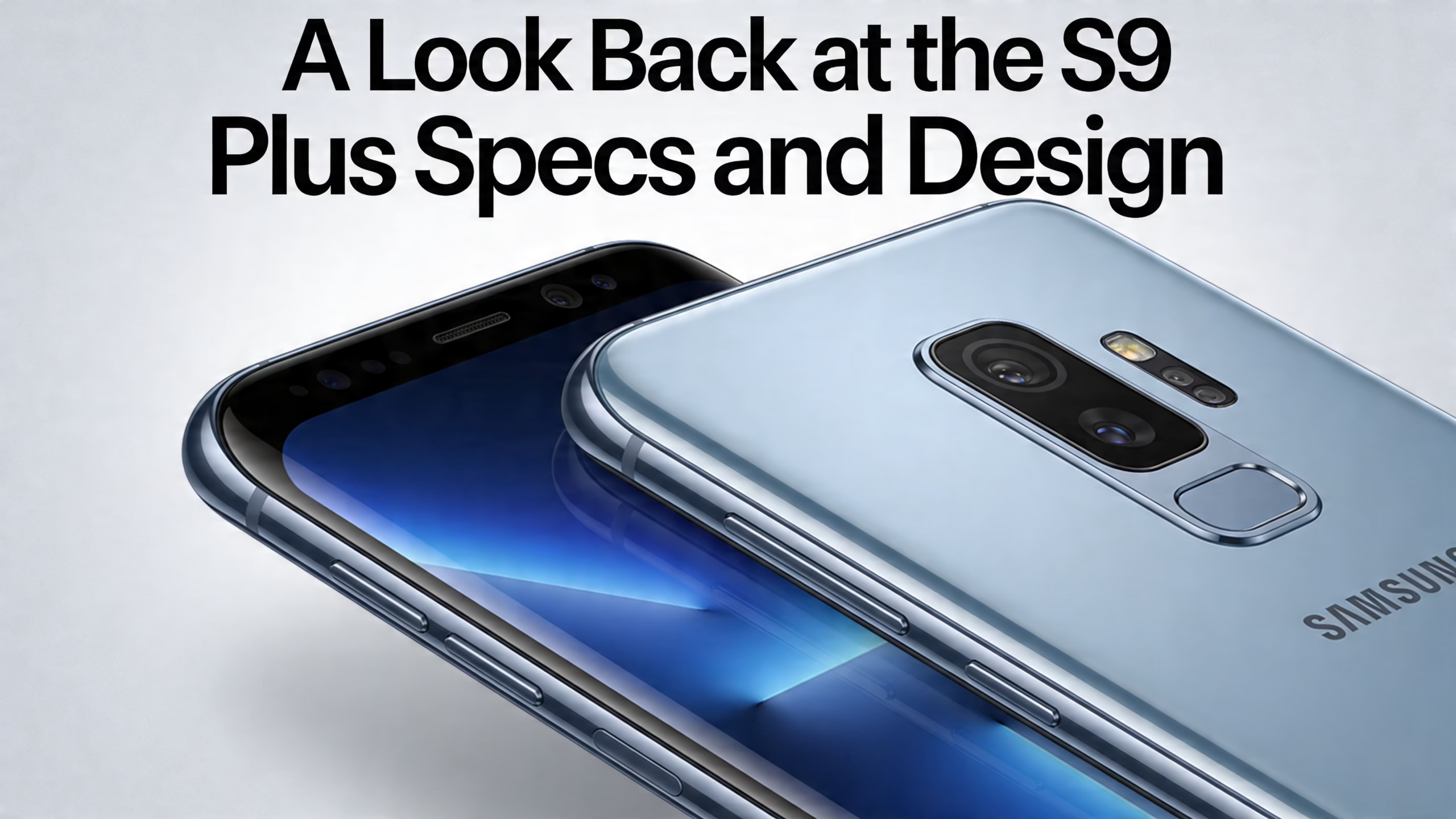
The Samsung Galaxy S9 Plus was unveiled on 25 February 2018, and it was the final Galaxy S model to feature an iris scanner and a notification light, according to Samsung Galaxy S9 details on Wikipedia. That date matters because it tells you exactly what you're buying in 2026: a former flagship from a very different stage in Samsung's design and software history.
What still feels good today
The 6.2-inch 1440p Super AMOLED curved display is the first thing that stands out. It still looks expensive. Colours are rich, blacks are deep, and the curved edges give it that old Samsung flagship look that many people still like.
The phone also keeps features that disappeared from a lot of later models:
- 3.5mm headphone jack
- MicroSD expansion
- Stereo speakers tuned by AKG with Dolby Atmos
- Rear fingerprint scanner in a more sensible position than the S8 Plus
Those details matter more than spec-sheet nostalgia. In day-to-day use, they make the phone easier to live with. You can plug in wired headphones without adapters, add storage cheaply, and access the phone without the awkward finger stretch that annoyed plenty of S8 owners.
How the build compares with newer budget phones
The S9 Plus continues to surprise people. Pick it up beside a typical lower-cost modern mobile and the difference is obvious. The frame and finish still feel premium, and the display is still stronger than many cheaper newer panels.
That doesn't mean it's perfect. The curved glass looks smart, but it can be more awkward with some screen protectors and easier to damage if dropped. Older premium phones also tend to hide wear differently. Tiny chips around the frame, micro-scratches on the glass, and worn charging ports are more common than on a newer basic handset.
The S9 Plus still feels like a flagship because it was one. What changes in 2026 isn't the design. It's the amount of wear each individual handset has picked up.
Features that matter in real use
A spec list only matters if it changes how the phone feels in the hand. On the S9 Plus, these are the bits that still matter most:
If you're buying on feel as much as function, that's the S9 Plus argument in one go. It still looks and feels better than many cheap new phones. The question is whether you're happy to accept the age that comes with it.
Real-World Performance and Software Limits
For ordinary use, the S9 Plus is still capable. The global version uses the Exynos 9810 processor with 6GB of RAM, and that combination was top-tier at launch, with the 6GB of RAM especially helping long-term multitasking, as noted in Droid Life's Galaxy S9 Plus specs coverage.
What everyday use feels like
In practice, that means the phone still handles the basics well:
- Messaging and social apps: WhatsApp, email, browser tabs, and maps are fine.
- Streaming: YouTube, iPlayer, and music apps are still comfortable on it.
- Navigation: The large display still works well in the car.
- General multitasking: The 6GB RAM helps more than many buyers realise.
That RAM matters because older Android phones with less memory tend to start showing their age faster. Apps reload more often, switching between tasks feels rougher, and background activity gets cut more aggressively. The S9 Plus avoids some of that.
A lot of customers don't need benchmark numbers. They need to know whether the phone stutters every time they open the camera after Spotify and maps are running. On a healthy S9 Plus, everyday use is still respectable.
Where the limits start
The main problem isn't raw speed. It's software age.
The S9 Plus is upgradable to Android 10, and that's where official major version support stops. In simple terms, the phone still works, but you shouldn't expect newer Android features that arrive on more recent Samsung models. Over time, some apps may also become less happy on older software versions.
That doesn't mean every app suddenly stops. It means you're buying a phone that's already on borrowed time from a software point of view. Banking, work, and authentication apps are the ones to watch most closely because they tend to be less forgiving than basic messaging or browser use.
What I'd tell a cautious buyer
If you're buying a samsung s9 plus in 2026, think of it as a usable older handset, not a future-proof one. It's a phone for someone who needs value now and understands the trade-off.
A sensible buyer should ask:
- Do I need the latest Android features?
- Will I use this for sensitive work or business accounts?
- Am I buying it as a main phone or a second phone?
- Would a slightly newer refurbished Samsung be a safer long-term choice?
If the phone is for a teen, a parent, or a spare line, the answer may still be yes. If it's for heavy work use, I'd usually steer people toward a newer model from the same family, and it's worth comparing current refurbished Samsung Galaxy phones before deciding.
If your priority is smooth daily use on a budget, the S9 Plus still gets by. If your priority is modern software life, it doesn't.
The Camera System Through a 2026 Lens
The camera is one of the strongest reasons some people still look for an S9 Plus. It isn't because it has the most lenses. It doesn't. It's because Samsung gave it hardware that still matters in real use.
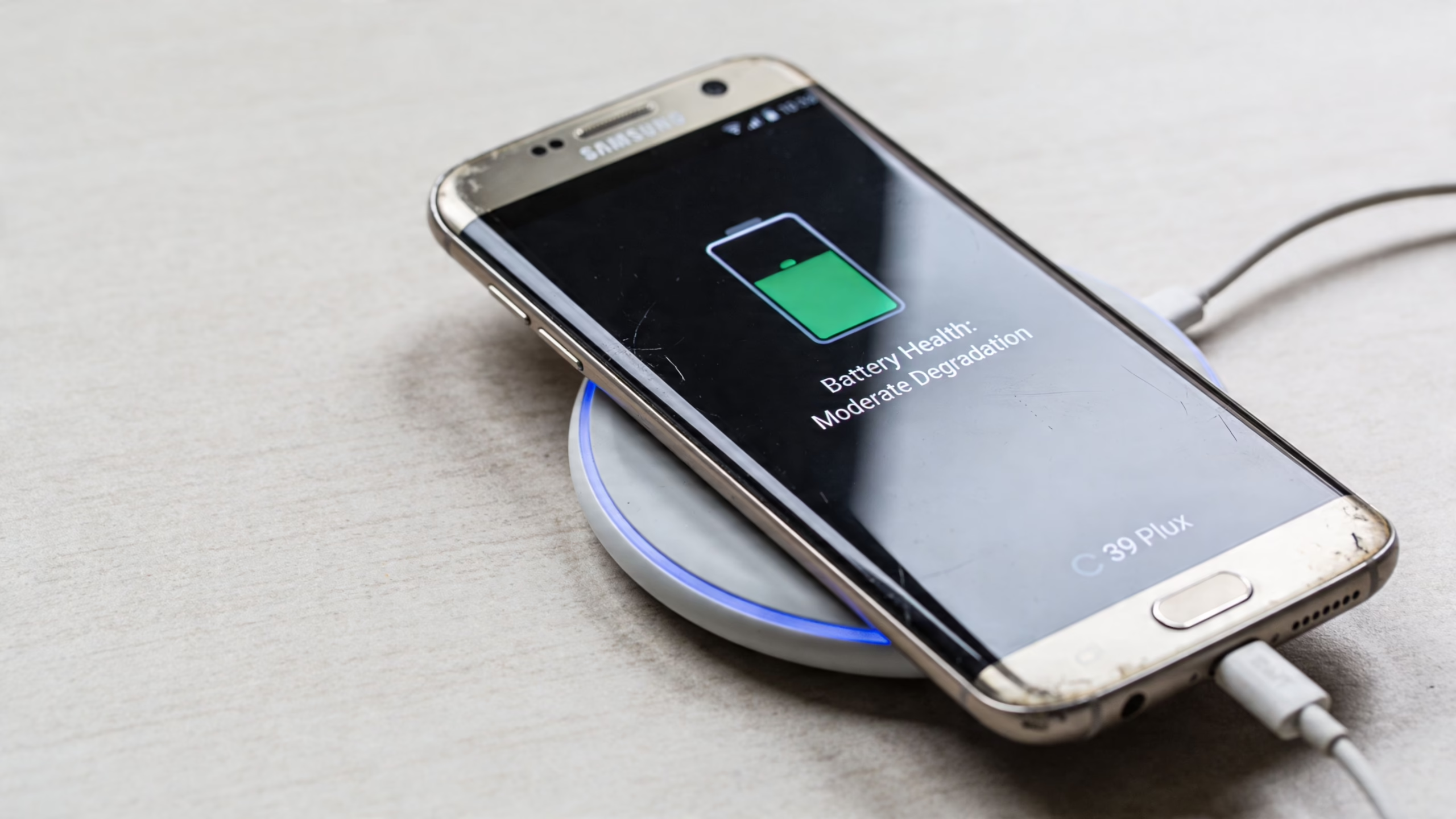
The S9 Plus has a dual 12MP rear camera system, and the key part is the main lens with variable aperture, switching between f/1.5 and f/2.4. Samsung states that the f/1.5 setting allows 28% more light in than the S8, which is why it still does well in dim scenes like a pub, evening street, or overcast day, as shown on Samsung's Galaxy S9 specifications page.
Where it still holds up
A customer recently asked about an S9 Plus for concert nights, family meals out, and dog photos on walks. That's the sort of use where this camera still makes sense.
In daylight, results are still pleasing. Colours have that classic Samsung look, and the telephoto lens is useful in a way many cheap phones still don't match. On budget handsets, extra cameras are often there to pad out the spec list. On the S9 Plus, the second rear camera is useful.
Low light is where the phone still earns respect. The variable aperture isn't marketing fluff. In darker scenes, it helps the camera gather more light without relying entirely on software tricks.
Where newer phones can beat it
Modern budget phones often lean heavily on software processing. Sometimes that works in their favour. You may get brighter night shots or a more forgiving point-and-shoot result from a newer handset, even if the actual camera hardware is less interesting.
The S9 Plus tends to reward a steady hand and realistic expectations. If the scene is very dark and moving, or if you're shooting children, pets, or nightlife, you won't always get the magic you hoped for. Its camera can still be very good, but it won't hide every mistake for you the way newer image processing sometimes can.
Some older flagship cameras age well because the hardware started strong. The S9 Plus is in that group.
The bits people still enjoy
The extras are still part of the appeal:
- Telephoto lens: Better for portraits and proper zoom framing than digital crop alone.
- 4K video: Still useful for casual filming.
- Super Slow-mo: Fun, though it works best in good light and with a bit of patience.
- Live Focus style shooting: Still handy for portraits and product shots.
A small business owner using a refurbished S9 Plus for item photos, listings, and quick video clips can still get decent results. Parents will also find it perfectly capable for school plays, birthday snaps, and everyday family use, as long as they remember they are using an older camera system.
Camera checks on a used handset
When a refurbished S9 Plus arrives, test the cameras straight away:
- Open the Camera app and switch between lenses
- Check focus in bright light and indoor light
- Record a short video and play it back through the speakers
- Try the flash
- Inspect the camera glass for scratches or haze
If one lens looks softer than the other, or the camera hunts for focus, don't assume it's normal ageing. It may need attention.
Battery Life and Common Faults on Used Models
This is the part buyers need to take seriously. A samsung s9 plus can still be nice to use, but age catches up with every battery and every charging port eventually.
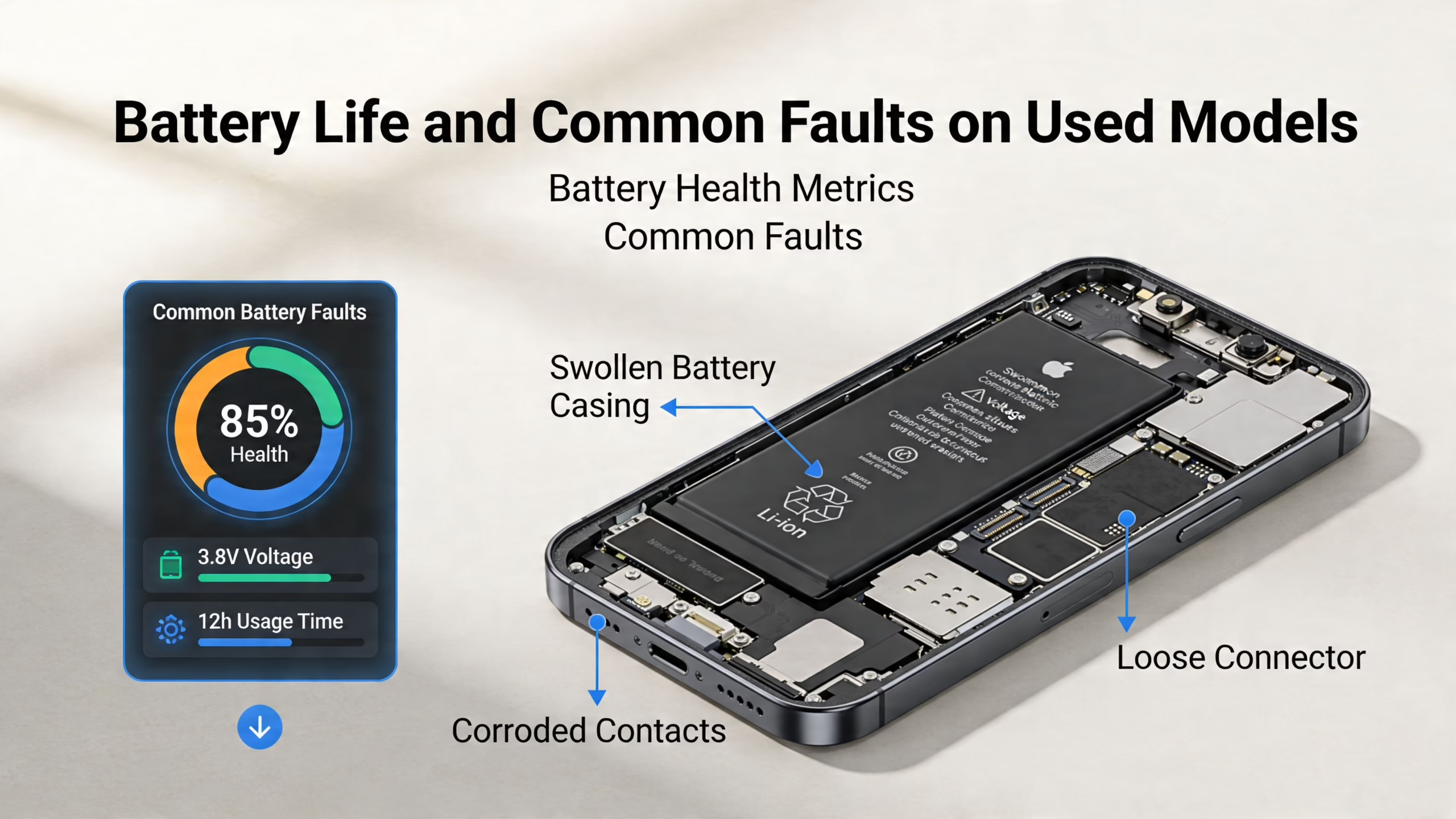
According to Android Authority's reporting on common Galaxy S9 Plus problems, 60-70% of second-hand S9 Plus units show significant battery degradation after 5-7 years, and a battery replacement in the UK typically costs £50-£80. The same source also notes that screen issues such as black crush at low brightness are common.
What battery wear looks like in real life
Battery wear doesn't always show up as a phone that dies instantly. More often, it looks like this:
- The charge drops faster than expected
- The phone gets warm during normal use
- Battery percentage jumps down suddenly
- The handset struggles in cold weather
- Performance feels less stable when charge is low
A customer recently brought in an S9 Plus that "wouldn't fast-charge properly". In that case the port was packed with lint, and careful cleaning solved it. But the bigger lesson was simple: on a phone this old, the charging port and battery both need checking because either can cause the same complaint.
Common faults I’d watch for first
Older Samsung flagships have patterns. On the S9 Plus, these are the ones worth checking early.
Battery and charging issues
The battery is the first thing I'd ask about on any S9 Plus in 2026. If the seller can't tell you whether it has been replaced or tested properly, assume it may be tired.
Also inspect charging behaviour:
- Does the cable fit firmly?
- Does charging cut in and out if the cable moves?
- Does it charge slowly even with a known good plug and cable?
If the connection feels loose, the problem could be dirt, wear, or port damage.
Display wear and black crush
AMOLED screens look excellent, but they can show age in specific ways. Burn-in is the obvious one. You may see faint ghost shapes from status bars, keyboards, or app interfaces.
Black crush is a different issue. Dark areas can look blotchy or lose detail at low brightness. That matters most if you use your mobile at night or keep brightness turned down indoors.
Workshop view: A bright, colourful demo image doesn't tell you much. Always test an older OLED screen on a dark grey image at low brightness as well.
Audio, buttons, and call reliability
On an older handset, little things matter. Make a test call. Record a voice note. Check the loudspeaker. Press every button more than once.
A phone can look tidy and still have:
- A weak earpiece
- Intermittent microphone problems
- Sticky power or volume buttons
- Patchy signal performance in certain areas
If you're buying used tech in the UK, poor call stability is one of the faults buyers often notice only after a few days, especially if they live in places with weaker coverage to begin with.
What to check before moving your data
Before you sign in fully and start transferring everything, do a proper health check first. That's especially important because setting up accounts, banking apps, and photos takes time, and nobody wants to repeat it.
Test these basics as soon as the phone arrives:
- Battery behaviour over a few charge cycles
- Charging port fit with more than one cable
- Screen at low brightness for black crush and burn-in
- Front and rear cameras
- Wi-Fi, Bluetooth, and mobile signal
- Speakers, microphone, vibration, and buttons
If you do need to reset the handset during troubleshooting, back it up first. A factory reset wipes local data. On Samsung, the path is typically Settings > General management > Reset > Factory data reset. Read the screen carefully before you confirm.
Your Checklist for Buying a Refurbished Samsung S9 Plus
Buying a refurbished S9 Plus is much safer when you treat it like an inspection job, not a bargain hunt. Condition labels help, but they don't tell the whole story. A cleaner-looking phone can still have a tired battery, and a more marked one can be perfectly sound internally.
Understanding refurbished grades
This table gives a practical way to think about grading.
The grade mainly describes appearance. It doesn't replace proper testing.
Checks to do on the day it arrives
Before you move SIM, photos, or banking apps over, test the hardware.
- Screen test: Open a plain image, then lower brightness and look for uneven dark patches, burn-in, or touch issues. This Samsung Galaxy screen test guide is a useful way to work through that properly.
- Charging check: Plug in a known good USB-C cable and gently move it. If charging drops in and out, don't ignore it.
- Camera check: Test both rear lenses and the front camera indoors and in daylight.
- Call test: Make a real call, not just a voice note.
- Speaker and mic: Use Voice Recorder and play the clip back.
- Buttons and biometrics: Press every button and try fingerprint recognition several times.
If you're moving from another Android phone, only transfer your data after those checks pass. If you're moving from iPhone, the same rule applies. Always back up first.
Back up before any reset, update, or account removal. That's the safest habit with any used mobile.
Questions worth asking before you buy
Some questions sound basic, but they save a lot of trouble:
- Is the handset compatible with UK networks?
- Has the battery been tested or replaced?
- What does the warranty cover?
- Has the phone been factory reset and data-wiped?
- Are all cameras, speakers, and ports tested?
If the answers are vague, walk away.
Setup mistakes people often make
A few mistakes turn a simple purchase into a frustrating week.
- Rushing the data transfer: People copy everything over before checking the basics, then have to wipe the phone again.
- Ignoring the return window: Small faults are often easiest to spot in the first few days.
- Assuming cosmetic grade means battery quality: It doesn't.
- Not checking the screen at low brightness: At low brightness, some S9 Plus panels show their age.
A calm setup is usually best. Charge the phone fully. Test it on Wi-Fi. Make one or two calls. Try maps, camera, Bluetooth, and speaker. Then move your main data across.
Price Expectations and Modern Alternatives
The S9 Plus only makes sense if the price reflects the compromises. If it's close in price to a newer refurbished Samsung, I'd usually lean newer. If it's much cheaper and properly tested, then the value case becomes stronger.
The comparison isn't just "old versus new". It's old flagship versus newer budget phone, and sometimes old Samsung versus refurbished iPhone.
When the S9 Plus is the better value
The S9 Plus still has a clear edge if you care about:
- Display quality
- Premium feel
- Useful extras like the headphone jack and microSD
- A camera that still does respectable work in mixed lighting
For some buyers, that matters more than having the latest software. A teenager isn't always bothered about Android version numbers. They notice whether the phone feels nice, whether videos look good, and whether the camera is decent.
When a newer model makes more sense
A newer budget Samsung often gives you simpler ownership. The battery is likely to be fresher. Software support is usually better. You may also get a phone that's easier to repair or replace parts for.
A newer refurbished Samsung can also be the smarter middle ground. You give up some of the S9 Plus charm, but you often gain a bit more breathing room on updates and general longevity.
Here’s a practical comparison:
A realistic buyer example
A parent looking for a first phone often compares an older Galaxy S model with a newer lower-end phone. If the child mainly uses calls, Spotify, YouTube, Snapchat, and maps, the S9 Plus can still feel nicer to use. If the parent wants fewer future worries, a newer model may be worth the extra spend.
The same goes for adults buying a backup phone. If it's a secondary device, the S9 Plus is easier to justify. If it's your one and only daily handset for work, travel, banking, and long days away from a charger, I'd think more carefully.
What else to compare before deciding
Before buying, compare the S9 Plus against:
- A slightly newer Galaxy S handset
- A newer refurbished Samsung FE model
- The current best refurbished iPhones if you're open to switching
- A brand-new entry or mid-range Android phone
Don't just compare by storage and cosmetic grade. Compare by ownership experience:
- How old is the battery likely to be?
- How long do you expect to keep it?
- Is the phone for a light user or a heavy one?
- Would you rather have stronger hardware now or fewer compromises later?
That's the key decision.
Final Thoughts and Getting Advice
The samsung s9 plus still has a place in 2026, but it's a narrower place than it had a few years ago. It suits buyers who want a premium-feeling older Samsung for everyday basics and who understand that age affects batteries, screens, and software more than launch reviews ever suggested.
If you're buying one for a teenager, as a backup mobile, or as a low-cost main phone for light use, it can still be a sensible choice. If you want longer software life, stronger battery confidence, and fewer age-related unknowns, a newer refurbished model is usually the safer bet.
The best buying habit is simple. Check the seller, check the warranty, and test the phone properly before moving everything over.
If you're still unsure whether a refurbished Samsung S9 Plus is the right fit, you can browse the latest options at Used Mobiles 4 U or contact the team for straightforward advice.
Written by James Waterston, 24 years in the mobile phone industry from customer service through to Sales Director of a global repair and recycling company. Now running Used Mobiles 4 U for over 8 years.
LinkedIn:
James Waterston on LinkedIn
Looking for a refurbished phone?
Shop professionally tested refurbished iPhones and Samsung phones with 18 month warranty, 30 day returns and free UK delivery.
Browse Refurbished Phones






