





How to Sell My MacBook in the UK: A 2026 Guide

08/04/2026

16 Mins

If you’ve got a MacBook on the desk that you no longer use, or you’re pricing up an upgrade and typing “sell my macbook” into Google, the main things to get right are simple. Check exactly which model you have, assess its condition accurately, wipe it properly, and choose the selling route that matches your priorities.
For most UK sellers, the biggest mistakes are not technical. They are pricing it from wishful thinking instead of sold listings, understating battery wear, or forgetting to remove the Apple ID before handing it over. MacBooks do hold value well. MacBooks and iMacs average annual depreciation of 10 to 20%, and timing the sale correctly and choosing the right platform can increase final resale value by as much as 20 to 40% according to Des3Tech’s resale analysis.
If you want the highest price, private sale usually wins, but it takes more work. If you want less hassle, a trade-in or buyback service is often the better fit. The right choice depends on whether your priority is money, speed, or convenience.
Thinking It's Time to Sell Your MacBook
A lot of people reach this point the same way. The MacBook still works, but it’s no longer your main machine. Maybe you’ve bought a newer model. Maybe the battery is getting tired. Maybe it’s been sitting in a drawer since you switched to an iPad or a work laptop.
That is usually the right moment to look at a sale rather than waiting until the machine feels old to everyone else. Apple laptops stay desirable for longer than many Windows models, but buyers still judge them on timing, condition, and how easy you make the purchase.
What matters before you list it
There are four practical jobs to sort out first:
- Confirm the exact model. Buyers care about the year, chip, RAM, and storage.
- Check the actual condition. Cosmetic wear, battery state, and whether everything works all affect the result.
- Prepare it properly. Data security matters just as much as price.
- Pick the right selling route. Private sale, trade-in, and local shop sales all suit different people.
A customer at the counter will often say, “It’s just a MacBook Air.” In practice, that is not enough detail. A 2020 M1 MacBook Air and a later model can look similar on the outside but land at very different prices. If you are still deciding whether to keep your current laptop or change model, this quick comparison of the MacBook Air vs Pro helps frame the difference in resale and day-to-day use.
Tip: If you are unsure whether to sell now or wait, decide based on your next purchase date, not on sentiment. Old tech rarely becomes easier to sell by sitting unused.
Why the process feels harder than it should
Selling a MacBook is not difficult, but it has more moving parts than selling a case or accessory. You are handling personal data, a valuable item, and a buyer who expects clear specs. That is why the process feels stressful when rushed.
Handled properly, it is straightforward. You identify the machine, check its health, wipe it securely, price it from real sold listings, and present it truthfully. That is what gets clean sales and fewer problems later.
First Steps Assessing Your MacBook's Condition and Value
A MacBook that looks clean on the kitchen table can still be £100 to £300 apart in real UK resale value once you confirm the exact spec, battery condition, and any hidden faults. That gap catches sellers out all the time.

Find the exact model details
Start with Apple menu > About This Mac and note the full specification, not just “MacBook Air” or “MacBook Pro”.
Write down:
- Model name
- Year
- Chip or processor
- Memory
- Storage
- Serial number
In the UK market, this matters most with the move from Intel to Apple silicon. An M1 MacBook Air still gets strong interest because it holds up well for everyday use, while many Intel models need sharper pricing to attract serious buyers. Storage and RAM also change the result quickly. A base model and an upgraded model from the same year can look identical in photos but sell for very different amounts.
If you want a grounded benchmark, compare your machine against current listings for second hand Apple laptops. That gives you a better feel for what buyers see on sale in the UK, especially for M-series models.
Check battery health before you set a price
Battery wear has a direct effect on buyer confidence. A tidy MacBook with a tired battery often sits unsold or ends in haggling.
On recent macOS versions, go to Apple menu > System Settings > Battery. For more detail, open System Information and check the cycle count and condition if your model shows it.
Pay attention to:
- Cycle count
- Battery condition
- Any service warning
- How long it holds charge in normal use
Apple explains Mac notebook battery cycle counts and expected lifespan in its Mac battery support guidance. That is the reference I use when a customer wants to know whether their battery wear is normal or likely to put buyers off.
One practical point. UK private buyers usually accept honest battery wear if the price reflects it. Trade-in firms tend to be stricter because they need predictable grading.
Inspect it like a buyer at collection
Good photos can hide a lot. An in-person buyer will not.
Put the MacBook under strong light and check the machine slowly from every angle. Open and close the lid. Test every port. Plug in the charger. Type on every key. Click the trackpad across the full surface. Play audio through the speakers. Then check the webcam and microphones with a quick video call or voice recording.
Look closely for:
- Screen wear, including pressure marks, dead pixels, coating wear, or bright spots
- Body damage, such as dents on corners or heavy scratches near ports
- Keyboard issues, especially repeated keys, shine, or uneven feel
- Trackpad problems, including inconsistent click response
- Port damage, loose USB-C ports are common on harder-used machines
- Accessory condition, especially a frayed charger cable or non-original power adapter
A plain white background and a dark background help reveal screen issues fast. I use that test in the shop because it catches faults that disappear on a normal desktop wallpaper.
Record the condition properly
Before you price anything, make your own short condition sheet. It saves time later and keeps your listing accurate.
| Area | What to note |
|---|---|
| Model | Exact MacBook model and year |
| Chip | Intel, M1, M2, or other |
| Battery | Condition and cycle count |
| Cosmetic | Scratches, dents, worn edges |
| Function | Screen, keyboard, speakers, ports, webcam |
| Extras | Charger, cable, box, proof of purchase, AppleCare |
That note also helps you decide where to sell. A clean, popular M-series MacBook often does well in a private sale. A machine with battery wear, cosmetic damage, or a minor fault may be better suited to a trade-in or local shop offer if you want a quicker, lower-risk sale.
Be realistic about faults and data risk
I regularly see sellers price from the best case scenario, then lose money later when a buyer spots a fault they missed. The usual pattern is loose USB-C ports, poor battery health, light screen marks, or a sticky key that only shows up during proper use.
Be just as careful with your accounts and personal data while you assess the laptop. If you need a refresher on how to protect online privacy and secure your digital life, sort that before you hand any machine to a buyer or trade-in service.
Honest grading wins. In practice, accurate condition notes and a realistic view of UK pricing matter more than trying to make the MacBook sound flawless.
Getting Your MacBook Ready for Its New Owner
This is the part you do not rush.
Warning: erasing your MacBook permanently deletes files, photos, saved passwords, messages, and app data. Back up first. If there is anything on the laptop you may need later, sort that before touching reset options.
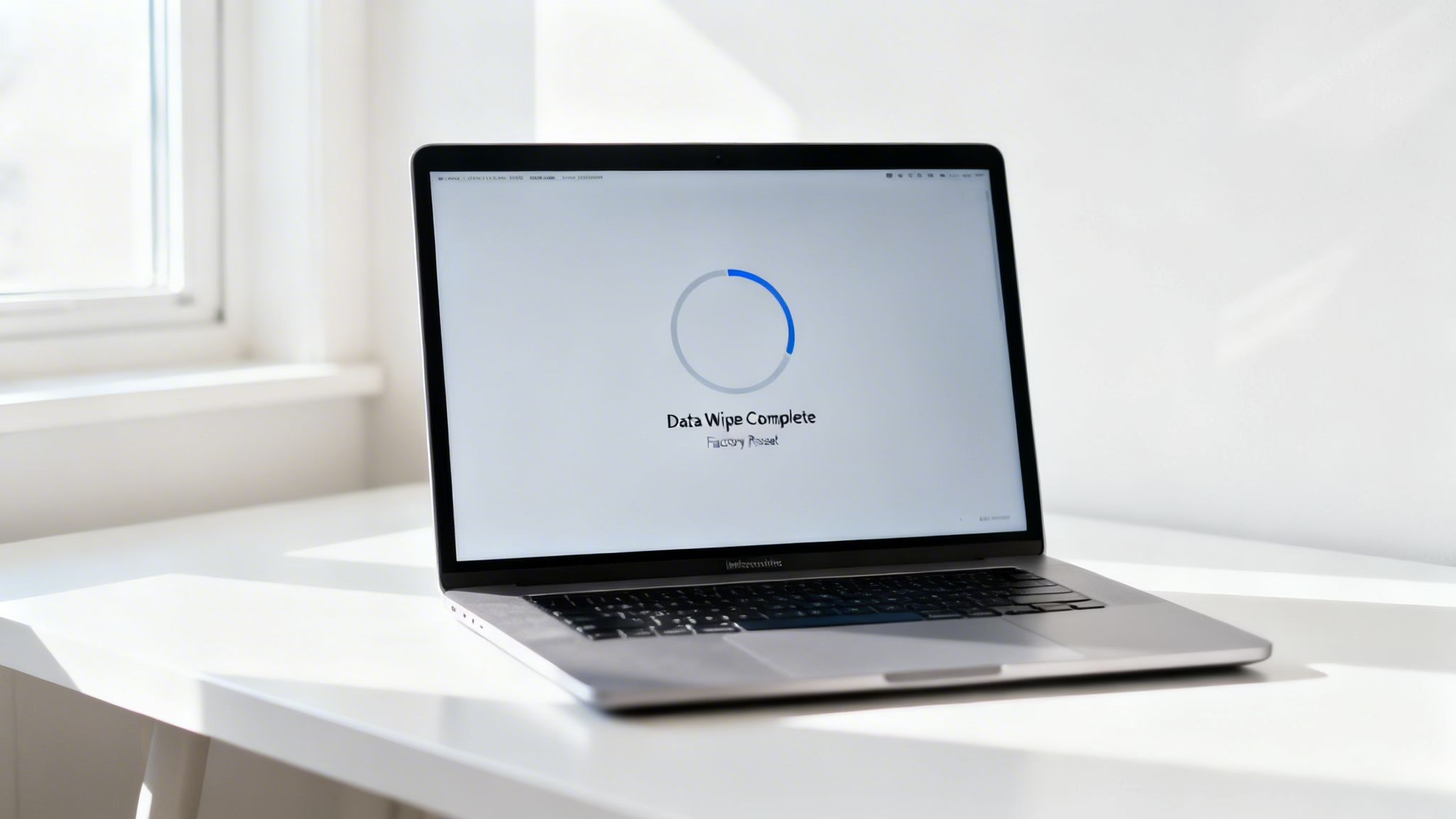
Start with a full backup
The safest route is a complete Time Machine backup to an external drive. That gives you a recoverable copy of your files rather than hoping everything important is already in iCloud.
The path is typically Apple menu > System Settings > General > Time Machine if your macOS version supports that menu structure. Follow the prompts to select an external drive and start the backup.
If you only want copies of key files, you can also manually copy documents, photos, and other folders to external storage, but a full backup is safer.
Sign out before you erase
A MacBook can be physically fine and still be worthless to the next owner if it remains tied to your Apple ID. The single biggest mistake sellers make is leaving their device tied to an Apple ID, which renders the MacBook unsellable and represents a complete loss, as noted in SecureMac’s step-by-step preparation guide.
Do these sign-outs before erasing:
iCloud and Apple ID
Go to Apple menu > System Settings > [your name] > Sign Out.Find My
This is usually disabled as part of signing out of Apple ID, but double-check.Media app authorisations
Open the relevant app and review account settings if you still use older authorisations for purchased media.Messages and other linked services
Sign out of any account that should not stay attached to the machine.
If you want a broader refresher on digital housekeeping before a device changes hands, this guide on how to protect online privacy and secure your digital life is worth reading.
Use the right erase method for your Mac
The correct reset route depends on whether your MacBook uses Apple silicon or Intel.
For Apple silicon Macs
That includes models such as M1 and M2.
Go to Apple menu > System Settings > General > Transfer or Reset > Erase All Content and Settings.
Follow the on-screen steps carefully. This is the simpler route for most recent MacBooks.
For Intel Macs
Restart and enter Recovery. On many Intel models, that means holding Command + R during startup.
Then:
- Open Disk Utility
- Erase the internal drive
- Reinstall macOS
- Let the Mac restart to the setup screen
The recommended finish is specific. Erase the drive, reinstall macOS, then shut down with Command-Q at the setup assistant’s region selection screen. That leaves the machine in an out-of-box state ready for the next owner, as described in the SecureMac guidance already mentioned above.
Tip: Do not complete the setup with a temporary user account “for testing”. If the Mac boots to the country or region screen, that is exactly where you want it.
Document the machine before it leaves you
Before packing it away, note the information a buyer may ask for:
- Model and year
- RAM
- Storage
- Processor or chip
- Serial number
- Warranty or AppleCare status
You can check most of that in Apple menu > About This Mac. Apple’s own coverage checker can help with warranty status if needed.
This is also the point where some people decide that listing, messaging, shipping, and post-sale questions are more work than they want. If that sounds familiar, services that specialise in old tech buybacks can be the simpler route. For a general overview of the process, this guide on how to sell old technology is a useful reference.
A common handover mistake
One seller brought in a MacBook that had already been “reset”. The desktop looked clean, but the Apple ID was still linked underneath. That meant the next user would have hit Activation Lock during setup.
That sort of mistake causes returns, delays, and bad disputes. A proper erase is not just about deleting files. It is about leaving the laptop ready for someone else to use immediately.
Where to Sell Your MacBook in the UK
Once the MacBook is clean, reset, and ready, the next question is where to sell it. Sellers often lose time here, not because the options are unclear, but because each route suits a different kind of person.
Some people want the highest possible price and do not mind messages, offers, packaging, and the occasional awkward buyer. Others want a fair figure and a clean handover.
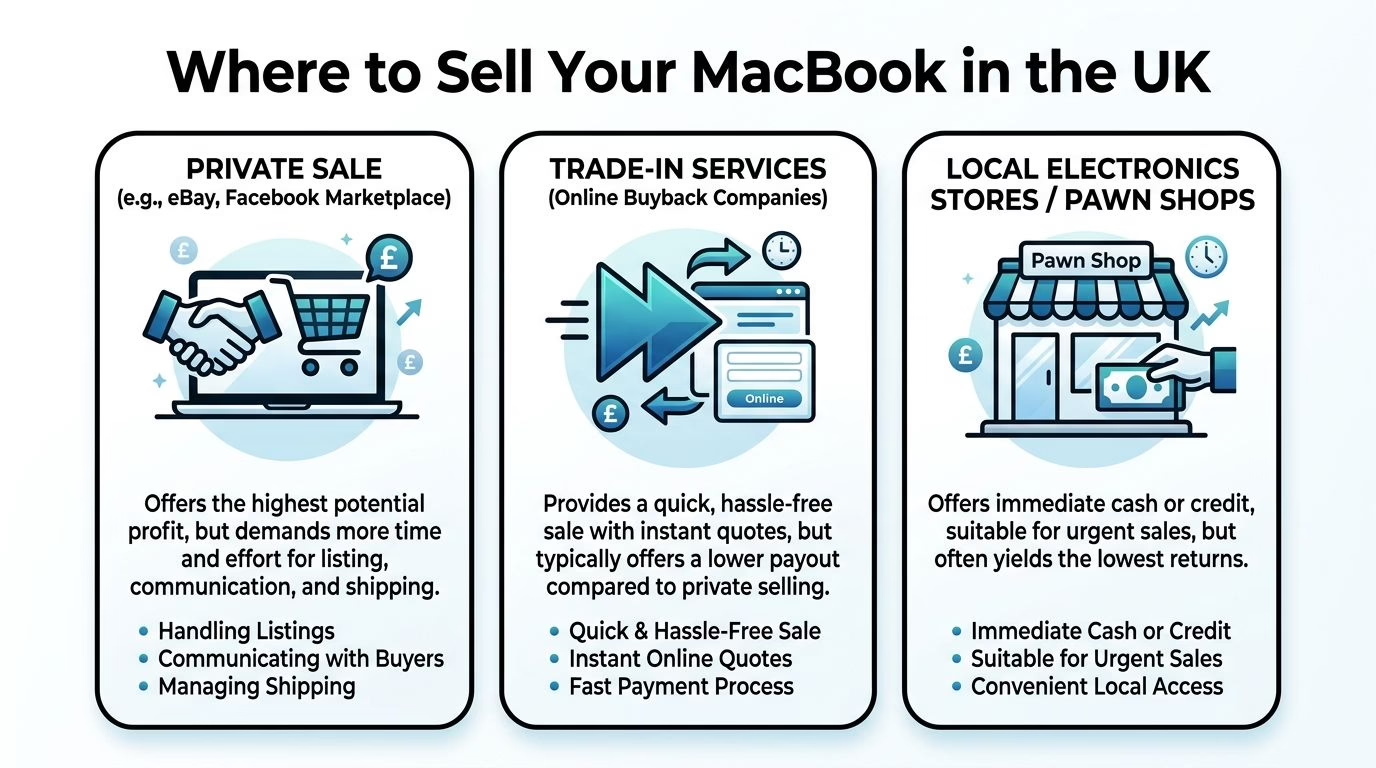
Private sale
This usually means eBay, Facebook Marketplace, or Gumtree.
The main upside is price. You are selling direct to the end buyer, so there is no reseller margin in the middle. If your MacBook is in strong condition, private sale often gives you the best return.
The trade-off is effort and risk. You have to:
- Write the listing
- Take decent photos
- Answer questions
- Handle negotiation
- Package the item safely
- Manage shipping or meetups
With local collection, personal safety and payment method matter. With online platforms, seller protection rules, disputes, and returns matter.
Trade-in and online buyback services
This route suits sellers who value speed and predictability. You enter the device details, receive a quote, send the MacBook in, and get paid once checks are complete.
That does not usually produce the highest figure. A trade-in company needs room for testing, refurbishment, admin, warranty support, and resale. The benefit is a simpler process and less day-to-day hassle.
Used Mobiles 4 U offers a UK trade-in route through its Sell Your Tech service, which is one example of this category rather than a separate kind of sale. If you are weighing similar services, this roundup on where to sell laptops can help you compare options.
Local shops and high street resale counters
This option appeals to people who want an answer on the spot. You bring the laptop in, it is assessed, and you decide there and then.
It can be useful if:
- You need a fast sale
- You prefer face-to-face handover
- You want someone else to confirm the condition in person
The downside is usually weaker pricing than a well-run private sale. Local convenience has value, but it can come at a cost.
Comparing MacBook Selling Options
| Method | Potential Price | Speed | Convenience | Security |
|---|---|---|---|---|
| Private sale | Usually highest | Slower | More work | Varies by platform and payment method |
| Trade-in service | Usually lower than private sale | Faster | Simple process | Stronger if the company is established |
| Local electronics store or pawn-style buyer | Often lowest | Fast | Easy in person | Depends on the business and paperwork |
Tip: Pick the route that matches your tolerance for admin. Chasing the highest price is rarely worth it if you do not want weeks of messages and back-and-forth.
What tends to work best in practice
For newer M-series MacBooks in tidy condition, private sale often makes sense if you can take good photos and communicate clearly. Buyers know what those models are and actively search for them.
For older machines, business-owned laptops, or anything with cosmetic wear, a trade-in can be less stressful. It avoids long conversations with buyers who expect a near-perfect device for a bargain price.
A customer with a used MacBook Pro recently asked which route to choose. The laptop was clean, fully working, but had noticeable edge wear and no original box. In that case, private sale was still possible, but a trade-in route reduced the chance of complaints about condition after delivery. That kind of trade-off matters more than theory.
Pricing Strategy and Creating a Great Listing
Set the price badly and the rest of the listing has to work twice as hard. Price a MacBook sensibly, show it properly, and buyers in the UK usually decide quickly whether it is worth pursuing.

Start with sold prices, then adjust for your exact machine
Asking prices are often fiction. Sold listings are much more useful.
Check recent completed sales on eBay for the same MacBook and match the details as closely as possible. In our shop, this is still the quickest way to stop a seller overpricing a base model or underselling a higher-spec machine.
Look for matches on:
- Model year
- Chip
- RAM
- Storage
- Battery condition
- Cosmetic condition
- Included charger, box, and accessories
UK buyers pay close attention to M-series specification. An M1 MacBook Air with 8GB RAM and 256GB storage sits in a very different bracket from a 16GB or 512GB version, even if they look almost identical in photos. Battery health matters too. A machine with high cycle count, a weak battery report, or an obvious service warning will need a lower asking price to attract serious interest.
A good rule is to place your price near the middle of recent sold examples, then adjust for condition and convenience. Add a little headroom if collection is easier for you and you expect offers. Price tighter if you want a quick sale.
Build trust in the first 10 seconds
Buyers scan before they read. The title and first lines need to answer the basic questions straight away.
A clear title looks like this:
Apple MacBook Air 13-inch M1 2020 8GB 256GB Space Grey, Good Condition
Then use the description to confirm the details without fluff. State what it is, how it works, what cosmetic wear it has, and what the buyer receives.
Include:
- Full model and key specs
- Battery cycle count or battery condition
- Any marks, dents, scratches, or replaced parts
- Whether the charger is original
- Whether the MacBook has been erased and reset
- Collection or postage terms
- Payment terms if selling privately
If there is a fault, say it plainly. A light mark on the lid, a worn key, or a slightly loose hinge is far less damaging than a buyer feeling misled later.
Photos often decide whether someone messages you
A clean, honest set of photos can lift a listing faster than clever wording. Poor photos make even a decent MacBook look risky.
Photograph the laptop in good natural light and keep the background simple. If you want a practical guide, this tutorial on how to take professional product photos is useful.
Show:
- Lid closed
- Lid open
- Screen powered on
- Keyboard and trackpad
- Left and right side ports
- Underside
- Charger and any included extras
- Every noticeable scratch, dent, or worn area
Close-up fault photos save time. Serious buyers appreciate them, and they cut down on the back-and-forth that stalls a sale.
Write for a cautious buyer, not an optimistic seller
Many weak listings fail because they leave gaps. If the buyer cannot tell whether Activation Lock is off, whether the charger is included, or whether the battery is healthy, they either move on or offer less.
Use plain wording and short sections. This format works well:
| Listing element | What to include |
|---|---|
| Title | Exact model, chip, RAM, storage, colour |
| Opening line | Honest summary of condition and working order |
| Body text | Battery details, cosmetic wear, included items, reset status |
| Photos | Clear angles plus close-ups of any flaws |
| Delivery | Tracked, insured post or collection details |
For UK postage, be specific. State whether you will post to mainland UK only, whether the parcel will be insured, and how the MacBook will be packed. A damaged laptop, or a dispute over delivery, can erase the margin of the sale very quickly.
A listing example that works in practice
A seller might describe a machine as “great condition” and leave it there. That usually invites low offers.
A stronger version is more concrete: “MacBook Air 13-inch M1, 2020, 8GB RAM, 256GB SSD, Space Grey. Fully working. Battery health normal. Light wear on one rear corner shown in photos. Includes genuine Apple charger. Erased, signed out of iCloud, and ready for setup.”
That kind of listing gives the buyer fewer reasons to hesitate. In the UK second-hand market, especially for M-series MacBooks, reducing uncertainty is often what protects the final sale price.
Pro Tips to Maximise Your MacBook's Resale Value
Once the basics are done, a few details can make the difference between an average result and a strong one. These are the points sellers often miss because they seem minor on their own.
Presentation still affects price
A MacBook does not need to be perfect, but it should feel cared for. Clean the screen properly. Wipe the keyboard. Clear dust from the hinge and ports. Remove stickers and residue carefully.
Buyers notice neglect quickly. Even if the hardware is fine, a dirty machine creates doubt about how it was treated.
Original accessories help as well. Charger, cable, and box all make the sale feel more complete. They also reduce the buyer’s mental list of extra things they need to source after purchase.
Timing can help or hurt
If you know you will sell, do not leave it until after a fresh Apple launch has filled the market with similar trade-ins. Selling before the next announcement cycle is often easier than joining a rush of other sellers afterwards.
For UK sellers trying to optimise return, selling at the right time through the right channel can increase resale value by 20 to 40% according to the Des3Tech data cited earlier in the article. The key point in practice is simple. Sell while the laptop is still comfortably desirable, not when support concerns or hardware fatigue are becoming part of the conversation.
Use diagnostics as proof
If you want to reassure buyers, run Apple Diagnostics before listing. A clean diagnostic result gives confidence that the MacBook is not hiding a major hardware issue.
For eco-conscious sellers in particular, there is a practical upside. Running Apple Diagnostics and providing the report can increase offers by an average of £50 to £150 for 2020 to 2023 MacBook Pro models, according to BankMyCell’s report on trade-in value and repairability.
That does not mean every buyer will pay more, but it gives them a reason to trust the machine.
Tip: A screenshot or photo of a clean diagnostic result works best when paired with a full condition description, not as a substitute for one.
Business owners should check the tax position
This point is often missed in general sell my macbook guides.
If the MacBook was used by a small business and you claimed capital allowances on it, selling the machine may affect your tax position. A balancing charge can claw back some relief if the sale proceeds exceed the tax written-down value. The tax side depends on how the asset was treated in your accounts, so it is worth checking with your accountant before completing the sale.
That matters most when a business upgrades equipment regularly and assumes resale money is extra cash back. Sometimes it is. Sometimes it needs to be reflected properly in the books.
One practical shop-floor view
The sellers who do best are not always the ones with the newest MacBooks. They are usually the ones who present the machine clearly, reset it properly, disclose wear transparently, and sell before urgency forces a quick decision.
That combination beats guesswork nearly every time.
Finalising the Sale and Next Steps
Selling a MacBook well comes down to doing the quiet parts properly. Confirm the exact model, assess its condition accurately, back it up, remove your Apple ID, reset it correctly, and choose the selling route that fits how much time and effort you want to put in.
If private sale feels worthwhile, a careful listing and realistic pricing usually produce the best return. If it feels like more admin than you want, a trade-in route is often the calmer option.
Written by James Waterston, 24 years in the mobile phone industry from customer service through to Sales Director of a global repair and recycling company. Now running Used Mobiles 4 U for over 8 years.
LinkedIn:
https://uk.linkedin.com/in/james-waterston-9039a21a
If you’d rather skip the listing, messaging, and postage side of the process, Used Mobiles 4 U offers a simple UK route for selling old tech, and the team can also help if you’re replacing your laptop with a refurbished device.







