





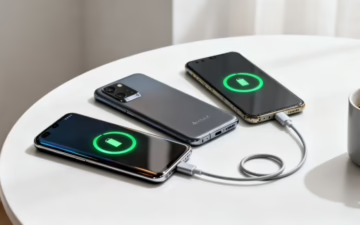
Finding the Best Android Phones for Battery Life
This guide will help you find an Android mobile with great battery life, whether you're buying a new or a quality used model. We will explain what really affects a battery's performance and suggest simple ways to get more power from your phone, helping you choose a device that lasts all day.
Finding an Android Phone That Lasts All Day
Choosing a mobile with great battery life means looking beyond just the battery size, which is measured in milliamp-hours (mAh). While a bigger number is a good start, other factors like the processor's efficiency, the type of screen, and how well the software is optimised play a huge role. This is especially true when you're considering a used or refurbished device.
This guide is designed to cut through the technical jargon and show you what really matters. We will look at:
- The key technical factors that affect how long your battery lasts.
- Comparisons of top-performing new and refurbished models.
- How to check battery health when buying a used mobile.
- Simple tips to get more power from any Android phone.

A Quick Look at Our Top Android Phones for Battery Life
Before we get into the details, this table gives you a quick summary of our top picks. It highlights what each phone brings to the table, helping you see the key differences at a glance.
| Phone Model | Battery Size (mAh) | Typical Real-World Use | Charging Technology | Ideal for |
|---|---|---|---|---|
| Samsung Galaxy S23 Ultra | 5,000 | 18-20 hours | 45W Wired, 15W Wireless | Power users needing all-day performance for heavy tasks and photography. |
| Google Pixel 7a | 4,385 | 14-16 hours | 18W Wired, 7.5W Wireless | Everyday users wanting a reliable camera and clean software experience. |
| Motorola Moto G54 Power | 6,000 | 20-24 hours+ | 30W Wired | Budget-conscious users who prioritise maximum battery endurance above all else. |
| Asus Zenfone 9 | 4,300 | 16-18 hours | 30W Wired | Those who prefer a compact phone without sacrificing battery performance. |
These phones represent some of the best options available right now for different needs and budgets. Now, let's look at the details to see which one is the right fit for you.
What Really Determines Your Mobile's Battery Life
When you're looking for a phone with great battery life, it’s easy to focus on one number: the battery size, measured in milliamp-hours (mAh). While a bigger figure like 5,000mAh often points to longer stamina, it’s only telling half the story. Several other factors work behind the scenes to decide how long your phone actually lasts on a single charge.
A phone's efficiency is just as important as its battery capacity. Think of it like a car – a huge fuel tank is great, but a gas-guzzling engine will empty it quickly. For a mobile, the processor (or chipset) is the engine. Modern, efficient chips are designed to sip power, not drain it.

The Screen Is a Major Power Drain
The display is almost always the most power-hungry part of any mobile. Its technology and how you use it can have a massive impact on your daily battery usage. Key things to look out for are:
- Screen Type: OLED screens are more energy-efficient than older LCD panels. Because each OLED pixel produces its own light, they can be switched off completely to show true black, saving power. LCDs rely on a single backlight that’s always on when the screen is active.
- Refresh Rate: A high refresh rate (like 90Hz or 120Hz) makes scrolling feel very smooth, but it uses more battery. That’s why many modern phones use an adaptive refresh rate, slowing it down for static content (like an email) and speeding it up for gaming.
- Brightness: This one’s simple but significant. A very bright screen will drain the battery much faster. Using adaptive brightness helps the phone manage this for you.
Software Optimisation and Your Usage
How well the Android software manages power is crucial. A phone with brilliant software optimisation can make a smaller battery last longer than a competitor with a huge battery and inefficient code. Manufacturers like Google and Samsung invest heavily in fine-tuning their software to reduce unnecessary background activity.
For example, a customer, Sarah, bought a refurbished Android mobile with a large 5,000mAh battery but noticed it was draining faster than her old one. She checked her settings by going to Settings > Battery > Battery usage and found a social media app was constantly running in the background. By restricting its background activity, she immediately saw a big improvement in her daily battery life.
Ultimately, your personal usage habits have the final say. Video streaming, playing graphics-heavy games, and using GPS for navigation consume a lot of power. In contrast, light use like browsing, messaging, and making calls is far less demanding.
Comparing Top Performers for All-Day Endurance
When your day is packed from morning to night, you need a phone that can keep up. Here, we'll take a closer look at premium Android models built for stamina. These devices blend big batteries with powerful hardware and smart software to deliver all-day performance, making them some of the best Android phones for battery life you can buy.
Our focus is on real-world performance. Lab tests might tell you how long a phone can loop a video, but not how it holds up during a busy day of commuting, meetings, and navigating to a new restaurant. We'll explore how features like fast charging and efficient processors make a difference when you need it most.

The Premium Powerhouses
At the top end of the market, brands like Samsung and Google lead the way. These phones are designed for power users who demand the best in every department, including battery endurance.
Samsung Galaxy S-Series (Ultra Models)
The 'Ultra' models in Samsung's S-Series are consistently strong performers. They usually pack a hefty 5,000mAh battery, but their real strength is combining a power-sipping processor with a top-tier Dynamic AMOLED screen that has an adaptive refresh rate.
- Processor Efficiency: Their custom chipsets are engineered to balance raw power with low energy consumption.
- Display Smarts: The screen can automatically drop its refresh rate from a smooth 120Hz down to just 1Hz for static images. This saves a surprising amount of power throughout the day.
- Fast Charging: With support for 45W wired charging, you can get a significant power boost in a short amount of time.
Google Pixel Pro Series
Google's Pixel Pro phones have an edge in software optimisation. Since Google designs both the Android operating system and the phone, the two work together to manage power efficiently.
- Adaptive Battery: This clever feature learns your habits and prioritises battery for the apps you use most, while restricting those you rarely touch. You can find it under Settings > Battery > Adaptive preferences.
- Clean Software: Pixels come with "stock" Android, free from the extra apps that can sometimes run in the background and drain power on other phones.
A key takeaway is that premium phones achieve great battery life through a balanced approach. It's not just about cramming in the biggest battery possible; it's about making every component work as efficiently as possible. This is why a high-end refurbished model often remains one of the best Android phones for battery life, even after a year or two of use.
A Real-World Scenario: A Busy Professional
Let's look at a practical example. Mark is a sales consultant who's always on the road. His day involves constant emails, calls, using Google Maps for navigation, and connecting his laptop to his phone's hotspot. For him, battery life is essential.
He chose a refurbished Samsung Galaxy S23 Ultra. The large battery easily gets him through a packed day, and fast charging means he can plug it in during a quick coffee stop and gain enough power for the rest of his journey. By opting for a refurbished model, he got a top-tier device with excellent battery performance for a fraction of the original price. This is a common story for people hunting for the best android phones for battery life without the premium price tag. For more information about looking after your phone, check out our top tips to maintain a used mobile phone.
Finding Excellent Value in Mid-Range Models
You don't need to spend a lot to get a phone with incredible battery life. While top-of-the-line models have their perks, the mid-range market has become very competitive, offering some of the best Android phones for battery life without the flagship price.
Manufacturers achieve this by making smart choices. They combine large batteries—often 5,000mAh or even 6,000mAh—with energy-efficient processors and sensible screen technology. This balanced approach creates a device that can easily last a full day, and often well into a second, on a single charge.
The Mid-Range Advantage
So, how do these more affordable phones often manage to outperform their expensive siblings in the battery department? It comes down to a clever mix of hardware and software decisions that prioritise longevity over raw power.
- Massive Batteries: It’s common to find mid-range phones with physically larger battery cells than premium ones. Since they don’t need to be very thin, there’s simply more room inside for a bigger power source.
- Efficient Processors: The chipsets in these phones are built for reliability and efficiency. They handle everyday tasks like browsing, social media, and streaming perfectly well while using very little power.
- Sensible Screens: Mid-range phones often use Full HD+ displays instead of the ultra-sharp Quad HD+ screens found on top-tier models. For most people, the difference in sharpness is barely noticeable on a mobile screen, but the battery savings are significant.
This focus on practical performance makes them an excellent choice for a huge range of users, from individuals who want a reliable daily phone to businesses needing dependable handsets for their teams.
Standout Models in the Mid-Range
Several brands have a reputation for producing long-lasting, value-packed phones. Motorola, in particular, has long been a leader here with its G-series Power models, which are built from the ground up for maximum endurance.
The key difference in the mid-range is the focus on battery capacity as a headline feature. While premium phones have to balance battery with other top-spec features, these value-focused models make endurance their main selling point, delivering practical benefits for everyday users.
A Real-World Scenario for Businesses
Consider a small business owner like Chloe, who runs a local delivery service. She needs to equip her team of five drivers with reliable phones for navigation and communication that last an entire shift.
Chloe decided to purchase a set of refurbished Motorola G-series phones. The choice was a practical one:
- Cost-Effective: Buying refurbished allowed her to get five excellent handsets for the price of two new premium models, keeping her costs down.
- Exceptional Battery: The large batteries meant her drivers never had to worry about running out of power mid-delivery.
- Durability: These phones are built to be sturdy, making them suitable for a life on the road.
By choosing refurbished mid-range models, Chloe found a perfect solution that balanced cost, reliability, and performance. If you are looking for even more affordable options, check out our guide on the best budget Android phones.
Understanding Battery Health in Refurbished Phones
Opting for a refurbished phone is a smart way to get one of the best Android phones for battery life without paying the full price. But it's natural to wonder about the battery. After all, batteries are consumable parts and their performance fades over time. Any reputable seller knows this and has a strict process to make sure the device you get still has plenty of life in it.

Here, we'll walk you through what to look for when you're considering a refurbished mobile, from understanding battery health percentages to the peace of mind that a good warranty provides.
What Does Battery Health Mean?
When you see a 'battery health' percentage, it shows the battery's current maximum capacity compared to when it was new. A battery with 90% health can hold 90% of the charge it could straight out of the box.
Here’s a rough guide to what those numbers mean:
- 100%: This is a new or replacement battery.
- 90-99%: Excellent condition. You would struggle to notice any difference in day-to-day use.
- 80-89%: Still considered good for a used device. It will deliver reliable performance and should comfortably see most people through a full day.
- Below 80%: At this point, the battery has seen better days. Trustworthy sellers will almost always replace a battery that drops below this level before putting the phone up for sale.
At Used Mobiles 4 U, we test every single device to ensure its battery meets our high standards, giving you confidence in its performance from the moment you unbox it.
The Importance of a Warranty
A warranty is your safety net. It gives you peace of mind that if the battery (or anything else) doesn't perform as it should, you’re covered. A standard 12-month warranty on a refurbished phone is a great sign—it shows the seller is confident in their testing and the quality of their products. It covers unexpected faults and gives you a similar level of security to buying new. Knowing how a warranty works is an important part of troubleshooting a used phone.
Choosing a refurbished model from a trusted source isn’t just about saving money; it’s about making a sustainable choice. Modern batteries are built to last for several years, and buying a quality used device helps to reduce electronic waste. For anyone wanting to get more life out of their current device, knowing your options for a quick phone battery replacement can also be incredibly useful.
Practical Tips to Maximise Your Android's Battery
Once you have your phone, making a few simple tweaks in the settings can boost its day-to-day battery performance. These are practical, easy-to-follow tips that will help you get the most out of every charge. They are useful for any Android owner but can be especially effective for a refurbished device.
Important Warning: Some of these tips involve changing app permissions or settings. While the risk is low, it’s always a good habit to ensure your important data is backed up before making significant changes to your phone's software.
Manage Your Screen Settings
The screen is usually the biggest power drain on any mobile. Getting it under control is the quickest way to see an immediate improvement in how long your battery lasts.
- Lower the Brightness: Manually turning down your screen brightness helps. Even better, switch on Adaptive Brightness. Your phone will learn your preferences and adjust the brightness for you. You'll find this at Settings > Display > Adaptive brightness.
- Use a Shorter Screen Timeout: Set your screen to switch off after a short period of inactivity, like 30 seconds. This stops it from wasting power when you’ve put it down. Head to Settings > Display > Screen timeout to change it.
- Enable Dark Mode: If your phone has an OLED screen, using Dark Mode can save a surprising amount of energy. This is because OLED pixels are lit individually, so black pixels are simply turned off. You can usually schedule this via Settings > Display > Dark theme.
Control Power-Hungry Apps
Some apps are known for draining your battery by constantly running in the background. Finding and managing these is key to a longer-lasting battery.
You can see which apps are the worst offenders by going to Settings > Battery > Battery usage. If an app you rarely use is near the top of the list, it’s a good idea to restrict its background activity. To do this, tap on the app in the list and select an option like 'Restricted'.
Use Built-In Battery Saver Modes
Nearly all Android phones come with a built-in Battery Saver or Power Saving mode. This feature is useful when you know you have a long day ahead and might not get near a charger. It typically works by:
- Limiting background app activity.
- Reducing visual effects.
- Slightly slowing down the processor.
- Turning off 'always on' display features.
You can turn this on manually from your quick settings panel or schedule it to activate automatically when your battery hits a certain level, like 20%. This is often found under Settings > Battery > Battery Saver.
Your Android Battery Questions, Answered
When it comes to your phone's battery, there are plenty of questions and a few myths. Getting straight, practical answers can help you look after your device properly. Here, we tackle some of the most common queries we hear.
Is It Safe to Leave My Phone Charging Overnight?
Yes, it is safe. Modern mobiles are clever enough to manage their own power. They have built-in systems that automatically stop charging once the battery hits 100%. This prevents any risk of overcharging or damage.
How Can I Check the Battery Health on My Android?
Unlike iPhones, most Android phones don't have a simple, built-in "Battery Health" percentage to check. However, you can still get a good idea of its condition.
- For Samsung phones: Go to Settings > Battery and device care > Diagnostics > Phone diagnostics and tap on Battery status.
- For other Androids: Your best option is to download a reputable app like AccuBattery from the Google Play Store. It gives you a deeper look into your battery's capacity and health over time.
Does Fast Charging Damage My Battery?
Fast charging does create more heat, which can affect long-term battery health. However, phone makers have built in safeguards to protect your device.
You will notice that charging speed slows down as the battery gets closer to full. This is designed to manage heat and reduce stress on the battery. While using a slower charger might be slightly better for your battery over many years, the convenience of fast charging outweighs the minor impact for most people.
Ready to find a mobile that lasts? At Used Mobiles 4 U, all our refurbished Android phones are rigorously tested to ensure they meet high standards for battery performance, and every device comes with a 12-month warranty for complete peace of mind.
Browse our range of quality refurbished Android phones today
Written by James Waterston — 24 years in the mobile phone industry from customer service to Sales Director of a global repair & recycling company; now running Used Mobiles 4 U for 8+ years. LinkedIn







