





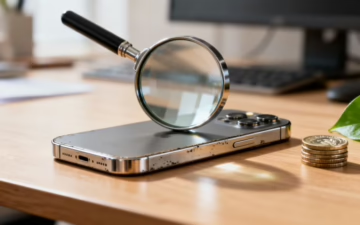
Your Practical Guide to Buying a Refurbished iPhone 15 Pro
This guide explains what to look for when buying a refurbished iPhone 15 Pro in the UK. It covers cosmetic grades, battery health, warranties, and the key checks to perform when your mobile arrives, helping you buy with confidence.

Choosing a refurbished mobile is a popular option for UK shoppers, and it’s easy to see why. A refurbished iPhone 15 Pro gives you top-tier features—like the A17 Pro chip and titanium frame—for a fraction of the original price.
Before we get into the details, it helps to be clear on what exactly a refurbished phone means. In short, it's a pre-owned mobile that has been professionally tested, repaired if needed, and restored to full working order.
What to Check Before You Buy
Here’s a practical checklist to follow when choosing a refurbished iPhone 15 Pro. These are the key points that separate a great purchase from a risky one.
1. The Cosmetic Condition (Grade)
Retailers use grades like ‘Like New’, ‘Excellent’, or ‘Good’ to describe a phone’s appearance. It’s important to remember these grades are only about cosmetics—every device, regardless of grade, is tested to be 100% functional.
- Like New: Looks practically untouched. No visible scratches or marks.
- Excellent (or Very Good): May have faint micro-scratches, usually invisible when the screen is on. This is often the best balance of value and condition.
- Good: Will have more noticeable signs of use, like light scratches or small scuffs on the frame. It's the most budget-friendly option.
For example, a customer named David wanted a powerful mobile for his son but knew it would live in a sturdy case. He chose a refurbished iPhone 15 Pro in 'Good' condition, saving the most money without worrying about minor cosmetic marks that would be covered anyway. To learn more, see our guide on what each refurbished grade actually means.

2. Battery Health Guarantee
Battery life is a common concern with used mobiles. A trustworthy seller will guarantee a minimum battery health level. Look for a promise of at least 80% maximum capacity. Any lower, and Apple considers the battery to be degraded.
You can check this on the iPhone by going to Settings > Battery > Battery Health & Charging. If a phone’s battery is below the 80% threshold, a professional refurbisher will fit it with a new one, restoring its health to 100%. Our guide on refurbished iPhone battery health explains this in more detail.

3. Warranty and Returns Policy
A warranty is your safety net. Avoid any seller that doesn't offer one. A reputable UK business will provide a 12-month warranty as standard, covering hardware faults that aren't caused by accidental damage.
A clear returns policy (usually 14-30 days) is also essential. This allows you to send the mobile back for a full refund if it isn’t what you expected, giving you peace of mind when buying online. This protection is something you simply don't get from a private seller on a marketplace.
For a full breakdown, check our guide on what a refurbished iPhone warranty in the UK covers.
What to Do When Your Phone Arrives
Once your refurbished iPhone 15 Pro is delivered, take a few minutes to check it over before transferring your data.

- Inspect the cosmetic condition: Check the screen, frame, and back of the phone under a light. Make sure its appearance matches the grade you ordered.
- Test the core functions: Power it on and test the screen's touch response, all the buttons (including the Action button), the front and back cameras, speakers, and microphones.
- Check battery health: Go to Settings > Battery > Battery Health & Charging to confirm the maximum capacity is 80% or higher.
- Test your SIM card: Insert your SIM to make sure it connects to your network for calls and mobile data. This confirms the phone is unlocked.
Warning: Back Up Before You Transfer
Always back up your old mobile before moving your data to the new one. This is the only way to prevent accidental data loss during the transfer process. You can find help in our guide on how to safely transfer your data to a new iPhone.
If you run into any problems during these checks, our guide to troubleshooting a used iPhone may help, or you can contact the seller immediately.
Why a Refurbished iPhone 15 Pro is a Smart Buy
The most obvious benefit is cost. A refurbished iPhone 15 Pro can save you hundreds of pounds compared to buying new. This makes its high-end features more accessible.
| Feature | Why It Matters on a Refurbished Model |
|---|---|
| A17 Pro Chip | Flagship performance for gaming and apps at a mid-range price. |
| Pro Camera System | Access professional-grade photography without paying the "new phone" premium. |
| Titanium Frame | Enjoy a lighter, more durable design that feels premium for a lower cost. |
| USB-C Port | Get the modern, universal charging standard found on the latest models. |
| Software Support | With iOS updates expected until around 2030, your mobile will stay secure and current. |
Choosing refurbished is also a more sustainable option, as it extends the life of a device and reduces e-waste. By following this practical advice, you can find a high-quality refurbished iPhone 15 Pro that offers fantastic value and reliability.
For more reasons to buy refurbished, see our article on why quality refurbished iPhones are a smart choice.
Written by James Waterston — 24 years in the mobile phone industry from customer service to Sales Director of a global repair & recycling company; now running Used Mobiles 4 U for 8+ years. LinkedIn







