





Cheap Dell Laptops: A UK Buyer’s Guide for 2026

12/04/2026

17 Mins
If you're looking at cheap Dell laptops right now, you're probably trying to solve a simple problem. You need a laptop that works well enough for school, home admin, remote work, or a small business, but you don't want to waste money on something slow, worn out, or badly described.
The short answer is this. In the UK, the best place to find cheap Dell laptops is usually the refurbished market, not flashy new listings and not US-focused Dell Outlet pages that don't tell you the UK cost or warranty situation looks like. A good refurbished Dell can give you the right balance of price, performance, and backup if something goes wrong. The trick is choosing the right Dell range, buying from a seller that explains grading properly, and paying attention to the parts that affect day-to-day speed.
A lot of buyers get distracted by the sticker price and miss the bigger picture. On a used laptop, condition, battery behaviour, storage type, RAM, warranty, and returns matter as much as the processor name on the listing. Get those right and a cheap Dell laptop can be a sensible buy. Get them wrong and the bargain disappears.
Finding a Reliable Laptop on a Budget
A parent wants a laptop for homework, Teams calls, and a bit of YouTube. A sole trader needs something for invoices, web tabs, and email. Someone working from the kitchen table just wants a machine that starts quickly and doesn't freeze when a spreadsheet is open. That's where the search for cheap Dell laptops begins.
The good news is that there are plenty of solid Dell machines in the UK refurbished market. The better route for many buyers is to skip the vague auction-style listings and focus on refurbished laptops from UK sellers that clearly explain condition, warranty, and returns.
That matters because a cheap laptop isn't really cheap if you have to replace the charger, sort a failing battery, or pay for a repair a few weeks later. A realistic budget buy is one that still feels dependable once it's on your desk.
What most buyers need
For everyday use, many buyers don't need a premium machine. They need a laptop that:
- Starts quickly: Boot time affects how the laptop feels more than most buyers expect.
- Handles several tabs at once: School portals, banking, email, and shopping sites all stack up.
- Connects without fuss: HDMI, USB ports, and decent Wi-Fi save headaches.
- Has some cover if it fails: A warranty matters more than a shinier lid.
A lot of this comes down to making a sensible buying decision rather than chasing the absolute lowest price. If you want a simple way to think about value instead of headline cost, basic finance principles are useful here. The laptop with the lowest upfront price isn't always the one that costs you least over time.
Practical rule: Buy for the job the laptop needs to do on a normal Tuesday, not for the most optimistic version of yourself.
Why a Dell is a Smart Choice for a Budget Laptop
You find a cheap used laptop online, the photos look fine, and the price is low enough to tempt you. Then the practical questions start. Can you still get a charger for it in the UK? Is the battery tired? If something fails in three months, are you dealing with a UK refurbisher with a proper warranty, or trying to make sense of advice aimed at Dell buyers in the US?
That is one reason Dell stays near the top of the list for budget buyers. In the UK refurbished market, Dell machines are common, parts are usually easier to source than for lesser-known brands, and ex-business stock turns up in steady numbers. Dell has also been building laptops since 1984, which helps explain why there is still so much older stock in circulation.

In practice, that wider supply gives buyers better odds of finding a machine that fits the job instead of settling for whatever happens to be listed cheaply that week. It also makes repair and replacement less painful. A used Dell charger, battery, keyboard, or dock is usually easier to track down through UK refurbishers and parts sellers than the equivalent for a more obscure budget brand.
Dell also makes sense because the range spans both home and business use. That matters more in the second-hand market than it does on a showroom shelf. Business buyers cycle through large numbers of Latitudes and Precisions, and that creates a healthy stream of refurbished stock for UK buyers who care more about reliability than shiny design. Consumer lines such as Inspiron are still relevant, but significant value often sits in well-kept business machines that were expensive when new and are now sold at sensible money.
From a technician's point of view, the advantages are fairly concrete:
- Parts and accessories are easier to find: Chargers, docks, replacement batteries, and keyboards are commonly available in the UK.
- Ex-business models are plentiful: That usually means better build quality than a brand-new ultra-cheap consumer laptop.
- Servicing is often more straightforward: Many older Dell models give decent access to storage, memory, or the battery.
- Resale is usually easier: Dell is a familiar name, so buyers are less wary if you need to move it on later.
There are trade-offs. Some cheaper Dell consumer models are built to hit a price, not to last for years of heavy use. Some older slim models have limited upgrade options or worn batteries that make the headline price look better than the actual cost. In these instances, UK-based certified refurbishers often beat the confusion of Dell Outlet pages aimed at US customers. A clear warranty, a tested battery, and an honest condition grade usually matter more than saving another £30 upfront.
Depreciation is what makes Dell particularly attractive second-hand. A laptop that was mid-range or business-grade a few years ago can now sit in the same price band as a weak new budget machine, while offering better build quality, a better keyboard, and more usable ports. That is often the smarter buy if total cost matters. Paying slightly more for a properly refurbished Dell with a UK warranty can work out cheaper than buying the absolute lowest-priced machine and replacing the charger, battery, or even the whole laptop within a year.
Dell is a preferred choice among under-30s and students, according to verified market data. That familiarity helps in the used market because support is easier to find, accessories are common, and resale tends to be less awkward.
For a budget buyer, the main point is simple. Dell gives you more ways to buy sensibly. In the UK refurb market, that usually means clearer condition reporting, better warranty support, and lower ownership costs over time than the cheapest listing first suggests.
Decoding Dell Laptop Families Inspiron Latitude and XPS
If you search cheap Dell laptops without knowing the range names, the listings blur together quickly. Inspiron, Latitude, and XPS can all look similar in photos, but they're aimed at different buyers.
The easiest way to sort them is by job.
Dell Laptop Families at a Glance
Inspiron for day-to-day home use
Inspiron is the range many households end up buying. It's usually the easiest one to understand and the least intimidating for non-technical buyers.
If the laptop is mainly for web browsing, schoolwork, documents, online shopping, and streaming, an Inspiron often does the job well. Refurbished Inspirons can be especially good for:
- Students
- Parents buying a shared home laptop
- People replacing an ageing machine that has become too slow
The downside is that cheaper Inspirons can feel more basic in the hinges, casing, and keyboard than business models. That's not always a problem, but it matters if the laptop will be opened and closed all day.
Latitude for buyers who want the sensible option
Latitude is Dell's business line, and this is often where the best refurbished value sits. These laptops were originally bought for offices and fleets, so they're often designed around reliability, easier servicing, and practical features rather than showroom looks.
For many buyers, a used Latitude is the smarter purchase than a newer low-end consumer model. You may get a machine that feels more solid, has a better keyboard, and handles work tasks with less fuss.
If someone wants a laptop for actual work rather than casual use, Latitude is usually the first range I'd tell them to check.
XPS for premium buyers shopping second-hand
XPS is Dell's more premium line. These are often slimmer, nicer to look at, and more expensive when new.
Second-hand, they can be tempting because the original price drops hard enough to bring them into reach. They suit buyers who care about display quality, size, and build feel. The trade-off is that premium machines can be less forgiving when something goes wrong. Repairs aren't always as budget-friendly, and a nicer design doesn't always mean a better deal for basic use.
A simple way to choose
If you're stuck, use this quick filter:
- Choose Inspiron if the budget is tight and the workload is light to moderate.
- Choose Latitude if reliability, typing comfort, and work use matter most.
- Choose XPS if you want premium feel and are happy to be pickier about condition.
That one decision narrows the search far faster than comparing random listings one by one.
Where to Find the Best Deals on Cheap Dell Laptops
Where you buy matters as much as what you buy. Cheap Dell laptops turn up everywhere, but the buying experience is very different depending on whether you're looking at a private seller, a marketplace trader, or a UK refurbisher with proper grading and support.

A common frustration for UK buyers is that Dell Outlet pages often dominate search results while being geared toward the US. Verified market data tied to Dell Outlet's US listing shows this gap clearly. In the UK, refurbished laptop sales grew 28% year on year to £450m, Dell held 15% market share, and only 40% of queries were answered via non-local sites, according to the verified data set associated with Dell Outlet's US-focused search experience at outlet.us.dell.com. For practical buying, the bigger issue is simpler. Those pages don't give UK pricing in pounds, VAT clarity, or local delivery and warranty details.
Start with the seller, not the laptop photo
Many people do this backwards. They spot a Dell with a tidy photo, then try to work out whether the seller is trustworthy. It works better the other way round.
Check the seller first:
- UK-based grading: Look for clear terms such as Like New, Very Good, or Good.
- Warranty detail: Not vague reassurance. Actual stated cover.
- Returns policy: You want a proper process, not a message saying "contact us if needed".
- Full specification listing: Processor, RAM, storage, screen size, and condition should all be spelled out.
A good listing reads like an inventory record. A bad one reads like a guess.
The main places buyers look
There isn't one perfect source. Each route has trade-offs.
A practical buying routine
When helping someone choose a used laptop, the process is usually very simple:
- Pick the Dell family first. Inspiron, Latitude, or XPS.
- Set your minimum spec. This stops you drifting into weak listings.
- Read the warranty before the cosmetic grade. Performance and support matter more than tiny marks.
- Check whether the seller is speaking to UK buyers properly. Pounds, VAT position, delivery details, and warranty terms should all be easy to find.
- Compare two or three similar machines, not twenty random ones. That makes differences in value much easier to spot.
If you're browsing UK refurbished stock, this guide to refurbished laptops at Used Mobiles 4 U gives a good example of the kind of clear product presentation and grading buyers should expect from a specialist seller.
The safest cheap laptop is rarely the cheapest listing on the page. It's the one with the fewest unanswered questions.
What doesn't work well
The worst buys usually come from listings with one or more of these problems:
- Missing RAM or storage details
- No battery or charger mention
- No clear photos of the actual device condition
- No returns wording
- Very broad phrases like "works great" with no test information
Those are the laptops that tend to create after-purchase surprises. On a cheap Dell laptop, clarity is part of the value.
Key Specs to Prioritise on a Tight Budget
Many buyers don't need to become laptop experts. They just need to know which specs make a real difference and which ones are mostly noise in a listing.
A customer recently asked about two machines for a small business setup. One looked newer and cleaner, but it had a lower spec processor and less headroom for work. The other was a refurbished business Dell with stronger internals. For spreadsheets, email, browser tabs, and basic admin, the second machine was the better buy even if it looked a bit less exciting on the outside.
Start with storage and memory
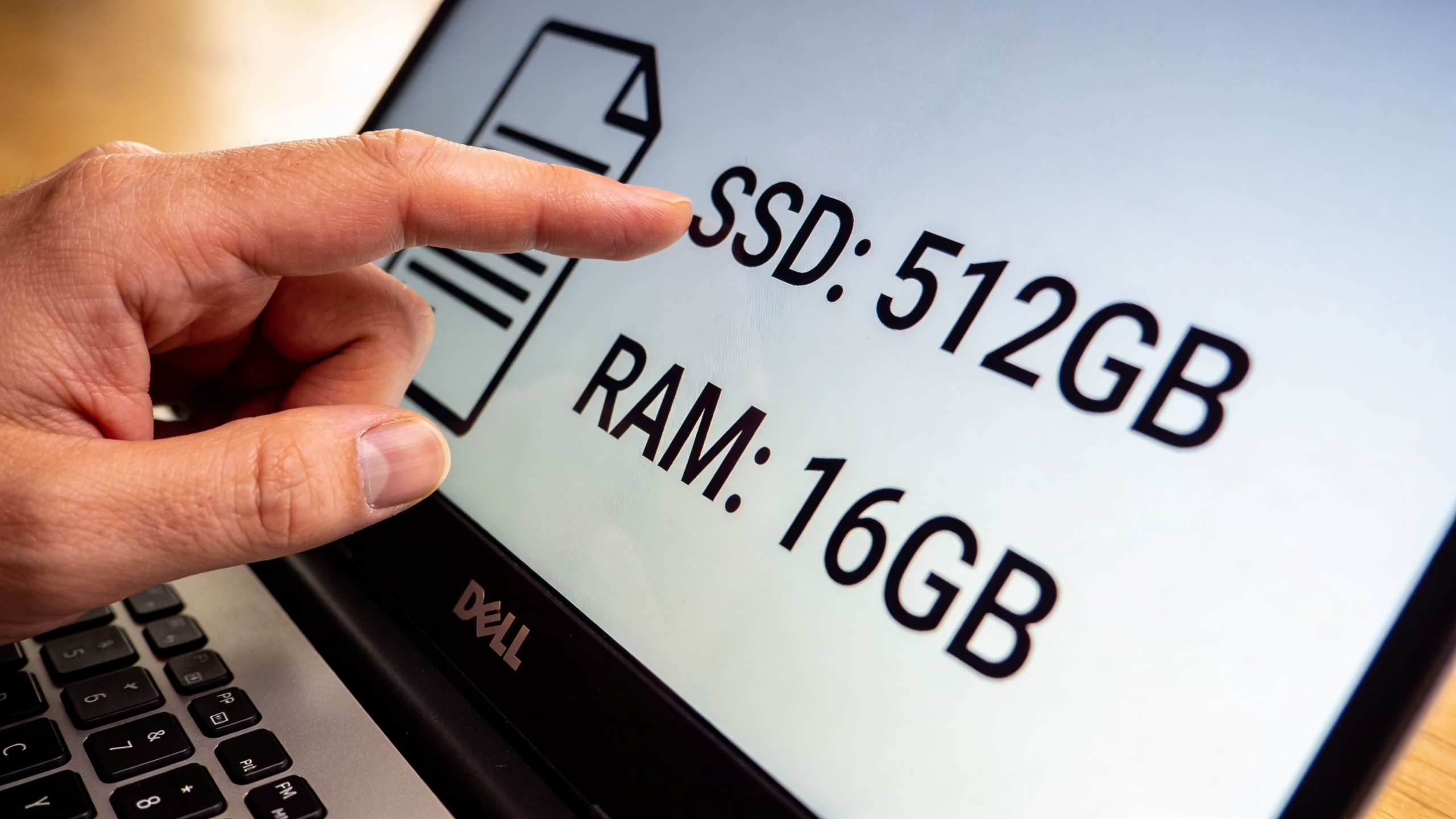
If you're shopping cheap Dell laptops, SSD storage matters a lot. It affects boot speed, app launches, and how responsive the laptop feels when you're opening files or waking it from sleep. If a listing still uses an old hard drive, be cautious unless the price and use case make complete sense.
For memory, 8GB RAM is the practical floor for general use. If the laptop is for business work, a lot of tabs, or heavier multitasking, more memory is worth having.
If you're unsure why storage type matters so much in day-to-day use, this short guide on the advantages of SSD explains it in plain terms.
When an i5 is worth paying for
Verified performance data for UK-sourced refurbished Dell Latitude 3540 systems shows a strong example of what better internals can do in practice. These machines are listed in the £250-£400 range with 12-month warranties, and the configuration cited includes a 13th Gen Intel Core i5-1335U, 16GB DDR4-3200 RAM, and 256GB SSD. The same verified data reports Geekbench 6 scores of 2,400 single-core and 9,800 multi-core, with 15-20% faster Excel pivot table processing and Python data analysis work than i3 equivalents, based on the RTINGS-linked source at rtings.com.
For many people, that means this. If the laptop is doing proper work rather than just browsing, an i5-class machine is often where the frustration drops away.
What those specs mean in real use
Here is the plain-English version.
- Processor: An i3 is often fine for basic use. An i5 gives more breathing room when work gets heavier.
- RAM: More RAM helps when you keep several things open at once.
- SSD: This is one of the biggest contributors to a laptop feeling fast.
- Screen: Full HD is worth looking for if you read documents for long periods.
- Ports: USB-C and HDMI are practical, not flashy. They save adapter hassle.
Business models often give better value
That same verified Dell Latitude 3540 data adds some useful context. The laptop's 55Wh battery is cited at 8-10 hours of light productivity, compared with 5-6 hours on prior generations, with USB-C PD charging at 65W in 60 minutes. It also notes an FHD anti-glare IPS display at 300 nits, vPro with Intel AMT for management use, and Dell durability testing showing zero hinge failures after 25,000 cycles in the cited benchmark summary.
Those details won't matter equally to every home user, but they do show why business Dell laptops can be stronger buys in the refurbished market. They are often built to keep going through regular daily use.
Don't pay extra for "newer-looking" if the older business model has the better processor, more RAM, and SSD storage. That's usually where the best value is found.
A simple shortlist for budget buyers
If the laptop is for normal home or school use, try to prioritise:
- An SSD rather than an HDD
- At least 8GB RAM
- A recent enough i3 or an i5 if your budget allows
- Full HD screen if you read or type a lot
- Useful ports, especially HDMI and USB-C if available
Those are the specs that tend to make a used laptop pleasant rather than irritating.
Understanding Refurbished Grades Warranties and Returns
A lot of hesitation around cheap Dell laptops isn't really about Dell. It's about uncertainty. Buyers worry that "refurbished" might mean worn out, badly repaired, or impossible to return.
In practice, the difference comes down to how the seller grades stock and whether the warranty is worth anything.
Verified resale data shows why the refurbished market is so active. Standard Dell laptops depreciate at 15-45% per year, with the first year often dropping 25-50% or more of original value. A 2 to 3-year-old Inspiron or Latitude often holds just 15-30% of original price, and a £600 three-year-old Inspiron can resell for £90-£180 depending on condition and spec, according to the verified depreciation analysis at gadgetsalvation.com. That depreciation is exactly why buyers can find strong value, but it also means condition matters a lot.
What grades usually mean in real life
Refurbished grading is mostly about cosmetics, not whether the laptop works. That's the part many people misunderstand.
A typical grading ladder works roughly like this:
- Like New: Very light or almost no visible wear.
- Very Good: Light signs of use, usually minor marks.
- Good: More noticeable wear, but still fully functional.
A "Good" laptop can still be the best buy if the seller has tested it properly and backed it with a proper warranty. Many buyers would be better off accepting a few lid marks in exchange for better RAM, storage, or processor spec.
Why the warranty matters more than tiny scratches
The verified depreciation data also notes that certified refurbishers can extend usability with 12-month warranties and factory testing. That's what separates a proper refurbished buy from a gamble.
When reading a listing, check:
- How long the warranty lasts
- Who handles the claim
- Whether the battery and charger are included
- Whether dead-on-arrival issues are covered clearly
- How returns are handled if the laptop arrives not as described
If you want a good benchmark for how to compare refurbished stock, this round-up of the best refurbished laptops in the UK is useful for seeing how condition and support are normally presented by specialist retailers.
A used laptop with a clear 18 Month Warranty is often a safer buy than a cheaper private sale with no backup at all.
Don't rely on model name alone
A Dell model name doesn't tell you the whole story. Two laptops with the same family name can have very different age, condition, battery wear, and spec.
It's always worth checking any available serial or service-based warranty information where possible. Even though the linked example is for another brand, a guide to a serial number warranty check shows the kind of verification mindset that helps when you're trying to confirm coverage and hardware identity on refurbished tech generally.
Returns are part of the product
Buyers often look at returns as an afterthought. They shouldn't. A clear return route tells you a lot about the seller's confidence in what they're shipping.
What tends to work well:
- A written returns policy
- A fair inspection window
- No vague language around faults
- A straightforward contact route
What tends to go badly:
- "Sold as seen" style wording
- No grading explanation
- No mention of testing
- No proper warranty language
On a budget laptop, trust is built from the boring details. That's exactly where a good refurbisher stands out.
Extra Savings Trade-ins and Bulk Buys
A buyer in the UK often sees a very cheap Dell on a marketplace, then spots a slightly pricier one from a refurbisher with a proper warranty and return policy. The second machine can be the cheaper buy once you factor in battery replacement, charger quality, courier returns, and the time lost sorting faults.
That matters even more if you're buying for a household with more than one student or for a small business replacing several machines at once. The first price is only part of the bill.
Trade-ins help if you plan the timing
Old laptops still have value, even when they feel slow day to day. A working Dell with a decent screen, intact charger, and no BIOS lock is easier to move on than many buyers expect.
Trade-in value is rarely spectacular, but it can take the sting out of the next purchase. The trick is selling before the machine drops into the bracket where the battery is tired, Windows support is ending, and buyers start treating it as parts stock. If you're clearing out older kit before upgrading, this guide on where to sell laptops is a practical starting point.
In practice, the laptops that hold value best are the ones with business-friendly specs and no obvious headaches. An ex-office Latitude with 16GB RAM, an SSD, and clean condition usually attracts more sensible interest than a scruffy consumer model with flashy trim and weak internals.
Bulk buying only saves money if the order is consistent
I see the same mistake with small firms. They buy five "cheap Dell laptops" from three different sellers, then end up with different chargers, mixed keyboard wear, uneven battery health, and one odd machine that nobody wants to use.
A short checklist avoids most of that:
- Keep to one model family. It makes docks, chargers, sleeves, and spare parts much easier to manage.
- Match the core spec. Staff notice quickly when one machine has half the storage or less memory than the others.
- Ask about battery condition. On used stock, this affects day-to-day use more than many listing titles suggest.
- Check what is included. Genuine charger, VAT invoice, and Windows activation matter in business orders.
- Read the warranty wording. A clear UK return route is more useful than a vague promise buried in a listing.
For UK buyers, this is also where local refurbishers tend to beat the confusing US-focused Dell Outlet experience. You usually get clearer grading, easier communication, and warranty terms written for the UK market rather than for a customer trying to work out cross-border support.
Where savings are real, and where they aren't
Some cost-cutting choices work well. Others only look cheap for a week.
These usually save money:
- Buying ex-business Dell models from a UK refurbisher with a written warranty
- Using trade-ins or resale value to reduce the net upgrade cost
- Standardising several purchases around the same model
- Paying a bit more for SSD, RAM, and battery condition instead of cosmetic tidiness
These usually cost more later:
- Buying the oldest machine in the search results because the headline price is under £100
- Choosing a low-end new laptop over a better-specced refurbished Latitude
- Ignoring charger quality, battery wear, or missing accessories
- Mixing random models in a business fleet and creating support headaches
Cheap is easy to spot. Cheap to own takes a closer look.
Looking for a refurbished phone?
Shop professionally tested refurbished iPhones and Samsung phones with 18 month warranty, 30 day returns and free UK delivery.
Browse Refurbished Phones






