





Component to HDMI Converter: Your UK Guide & Fixes

01/07/2026

11 Mins
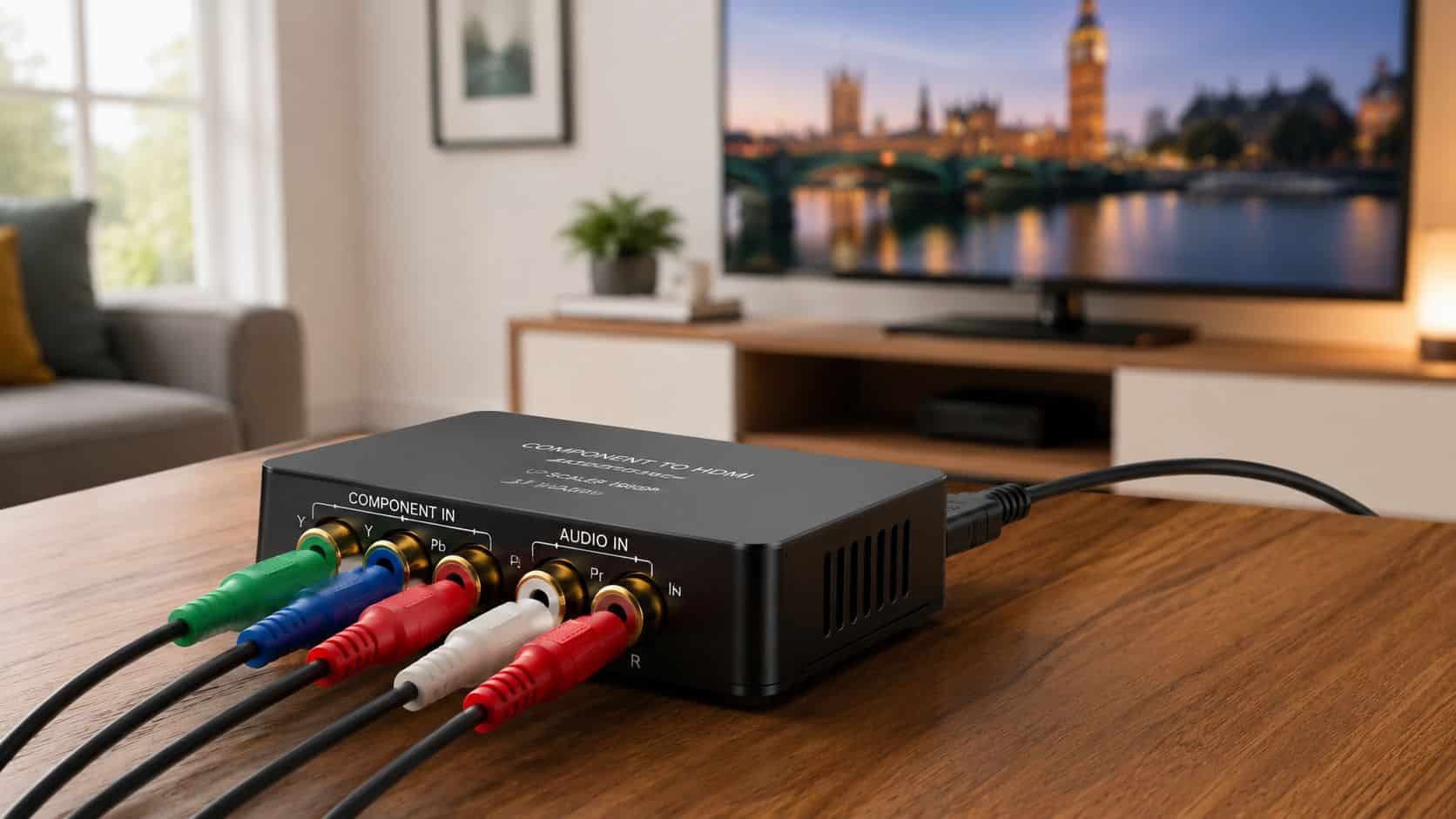
If you’re staring at an older DVD player, Wii or PlayStation 2 and a newer TV with HDMI only, a component to HDMI converter is usually the right fix. It takes the older analogue picture and sound, turns it into a digital HDMI signal, and lets you keep using kit that still works perfectly well.
The key is buying the right type. A proper powered converter works. A cheap cable on its own usually doesn’t.
The Short Version Before You Buy
A component to HDMI converter is for older devices that use five plugs: red, green and blue for video, plus red and white for audio. It’s most useful if you want to keep using a PS2, Wii, older DVD player, set-top box or similar kit on a modern TV.
- Who needs one: Anyone connecting legacy AV gear to an HDMI-only screen, especially for retro gaming or older film collections.
- What matters most: Buy a powered active converter, not a passive cable. If it needs USB power, that’s normal.
- Best use case: Casual retro gaming, DVDs, older family video equipment, and spare-room TVs where replacing everything would be wasteful.
- What to avoid: Listings that are vague about input and output, or products that don’t clearly mention component input and HDMI output.
- Practical buying tip: If you’re already keeping older kit going, the same value mindset often applies elsewhere too, whether that’s consoles or phones. If you’re clearing out older gaming gear, our guide on selling a PS4 is worth a look.
Practical rule: If the box doesn’t clearly say it converts component video plus stereo audio into HDMI, keep scrolling.
Understanding How a Component to HDMI Converter Works
A component to HDMI converter is basically a translator. Your older device sends out an analogue signal through the red, green and blue YPbPr video cables, and the converter changes that into a digital HDMI signal that a newer TV understands.
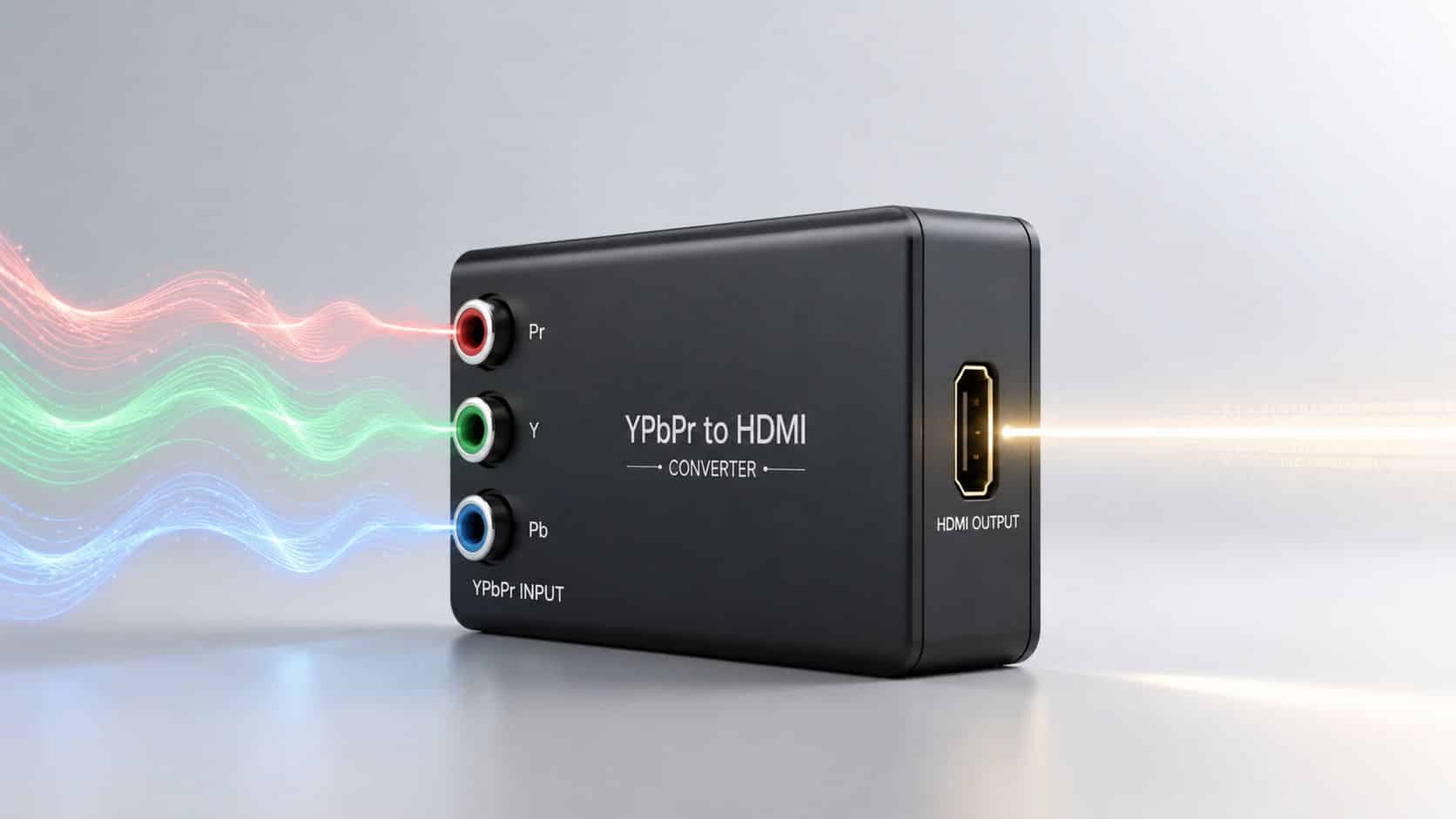
That process is active, not passive. In plain English, the box has to do real work, which is why most decent converters need power through USB or a small mains adaptor. If somebody tries to sell you a simple lead with component on one end and HDMI on the other, that’s usually where frustration starts.
Video and audio are handled separately first
One thing that catches people out is that component only carries video through the red, green and blue plugs. Sound still comes through the separate red and white RCA leads, so the converter has to take both parts and combine them into one HDMI output.
If you leave the red and white audio leads disconnected, you may still get a picture but no sound. If you mix up the colours, you can get strange colours, no image, or a picture that looks badly tinted.
A proper converter doesn’t just change the plug shape. It changes the signal format so the TV can actually display it.
Why these boxes still matter in the UK
There’s still a real market for them. The global HDMI converter market was valued at $1.8 billion in 2025, and over 15% of UK households still use component-enabled devices, which helps explain why these converters are still easy to find and still worth buying for the right setup, as noted in this HDMI converter market report.
That tracks with what many people actually own. A lot of homes still have a working old console, DVD player, projector or AV receiver tucked away somewhere, and the TV is the only bit that changed.
If you’re comparing connectors and want a decent example of the kind of well-made adapter hardware that tends to cause fewer headaches, it’s worth looking at quality electronics from XTREME EDEALS. Not because it’s the same product type, but because build quality and clear compatibility labelling matter far more than flashy marketing.
How to Choose the Right Converter for Your Needs
The right converter depends less on the box itself and more on what you’re connecting. Retro gaming, old DVDs and CCTV feeds don’t all need the same thing, even if they use similar cables.
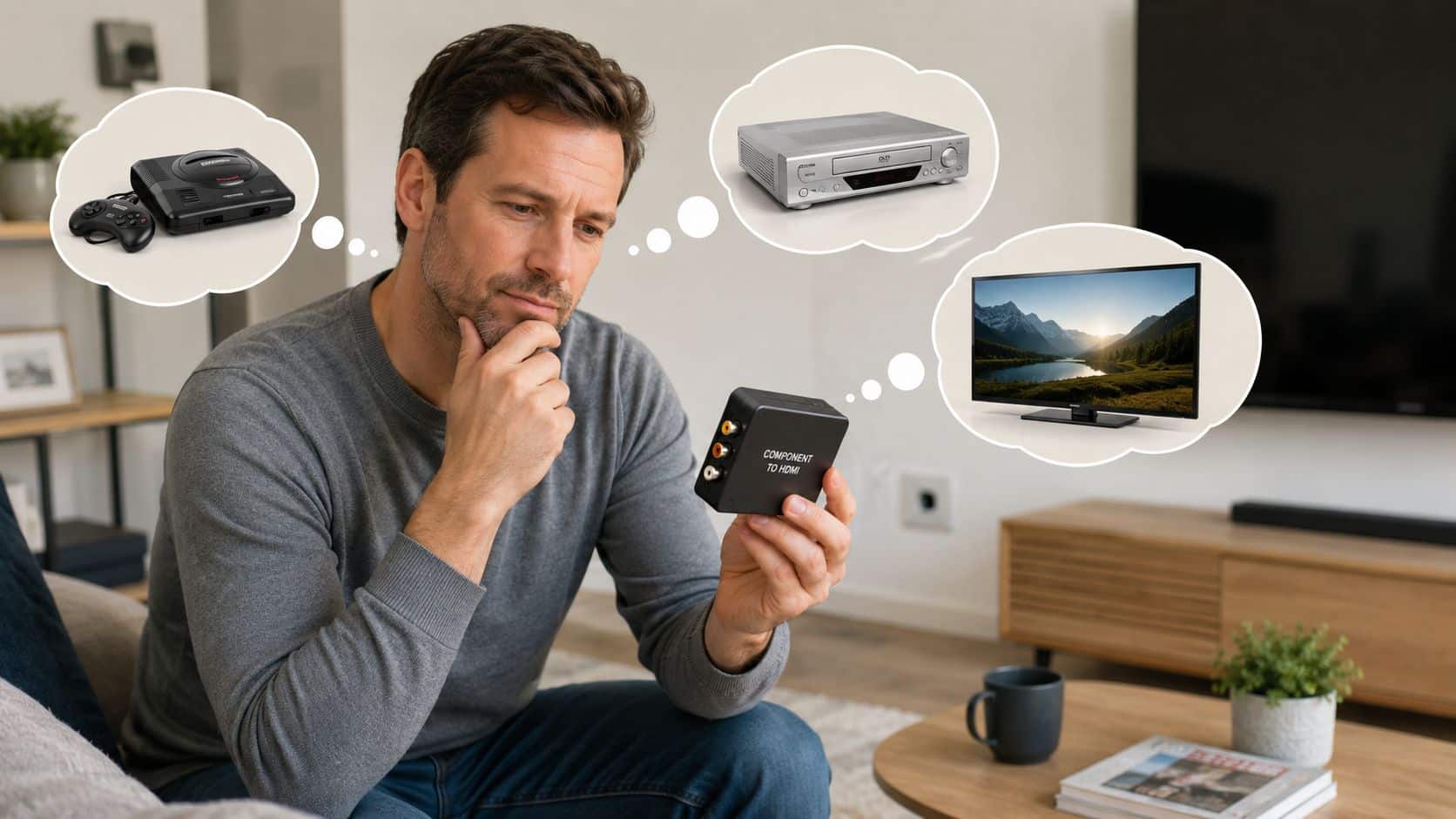
For gaming, lag matters. A good component to HDMI converter can scale legacy signals up to 1080p with approximately 21 milliseconds of scaler-only lag, which is generally playable for most gaming use, as shown on the StarTech CPNTA2HDMI product page.
Choose based on what you actually watch or play
A common example we see is someone trying to connect an old Nintendo Wii or PS2 to the family smart TV in the lounge. They don’t need studio-grade image processing. They need a stable picture, sound that works first time, and no half-hour of cable swapping every weekend.
- For retro gaming: Prioritise low lag, stable output and predictable setup. A converter that outputs at 1080p is fine, but the main thing is that it handles the signal cleanly and doesn’t add obvious delay.
- For DVDs and older video gear: You can be a bit less strict about lag. What matters more is picture stability, decent colour handling and proper audio pass-through.
- For occasional use: If this is for a spare room or holiday setup, don’t overthink it. Buy a known powered converter and a decent HDMI lead, then keep expectations realistic.
- For CCTV or fixed installations: Reliability matters more than clever features. You want solid connections, clear labelling and a box that doesn’t run hot or lose sync.
What works and what usually disappoints
The best converters tell you exactly what they accept and what they output. They make it obvious where the component inputs go, where the stereo audio goes, and how they’re powered.
The worst ones tend to have vague listings, poor translation, or no mention of power at all. In practice, that usually means one of two things. Either it isn’t a true converter, or it’s built to such a low standard that faults appear quickly.
Buyer note: “1080p” on the listing doesn’t automatically mean the picture will look brilliant. It usually just means the box can output a format your TV accepts.
One useful comparison if you’re mixing old screens and new kit
Sometimes people are doing the opposite job and trying to feed a modern HDMI source into an older VGA display. If that’s your situation elsewhere in the house or office, a clearly labelled 1080p HDMI to VGA converter is the same kind of sensible purchase. The rule is the same. Buy the right active adapter for the signal direction you need.
- Choose a simple powered converter if:
• you want to play older consoles casually
• you’re connecting one device straight to one TV
• you want the least hassle
- Choose a higher-quality branded unit if:
• the device gets regular use
• you’re picky about picture stability
• you don’t want to troubleshoot random dropouts later
If I had to give one recommendation, I’d lean towards a proper branded powered converter over the very cheapest no-name option every time. It saves more annoyance than it costs.
How to Set Up Your Converter A Step-by-Step Guide
Setup is usually straightforward once you know that every cable has a job. Most problems come from one missed connection, usually power or the TV input.
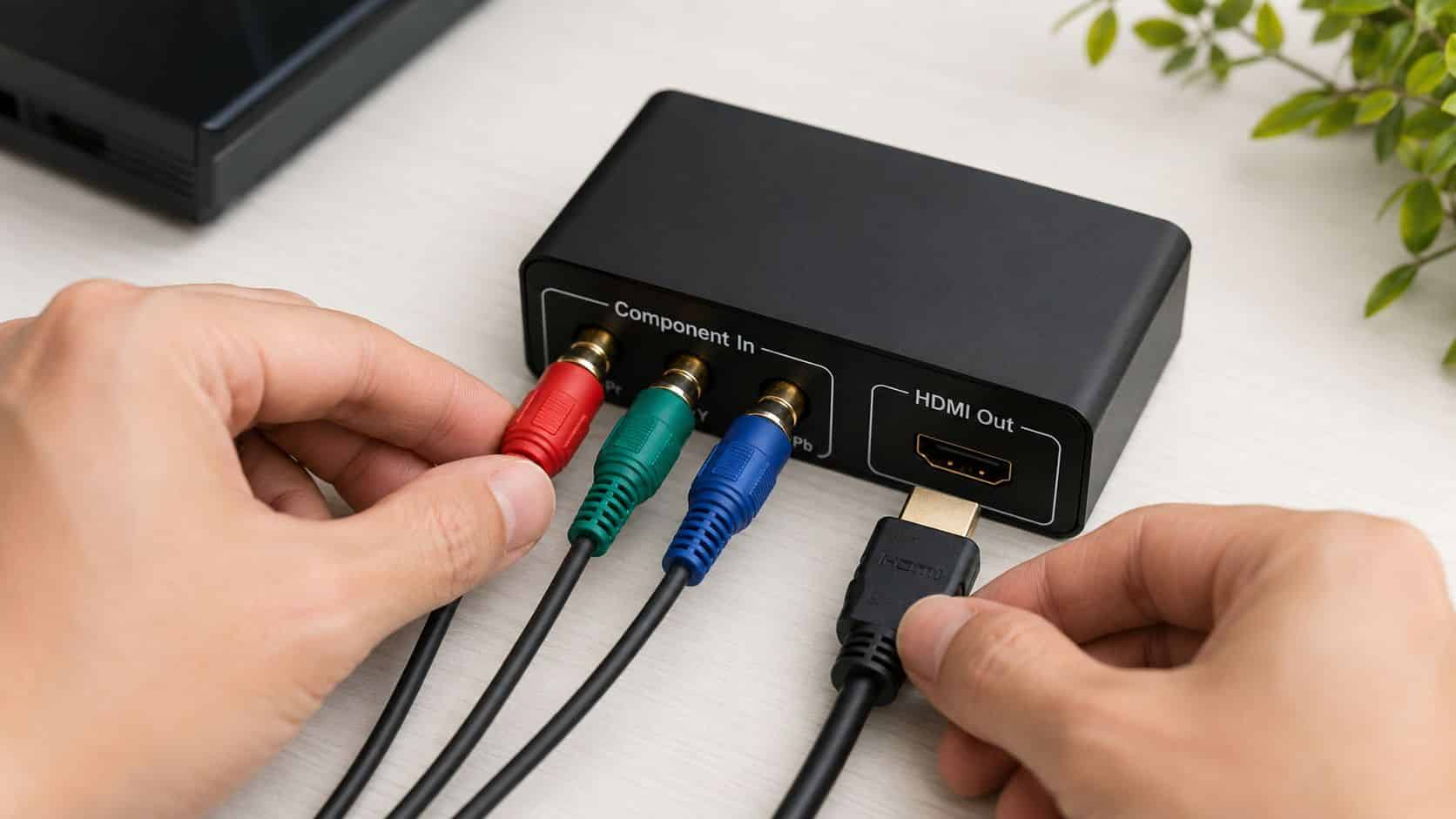
How to Connect Your Component to HDMI Converter, Quick Steps
- Turn everything off first. That includes the console, DVD player or set-top box, plus the TV. It avoids confusion while you’re plugging things in.
- Connect the component video leads. Match the red, green and blue plugs from the source device to the same coloured inputs on the converter.
- Connect the audio leads. Plug the red and white RCA audio cables into the converter’s audio input. If these are missing, you won’t get sound through HDMI.
- Run an HDMI cable from the converter to the TV. Use any free HDMI port on the television and make a note of which one you used.
- Connect the converter’s power. If it uses USB power, plug that in properly. This is the bit many people miss, and without power the box often does nothing at all.
- Switch the TV to the correct HDMI input. Use the TV remote and select the HDMI port you connected a moment ago.
- Check the source device output settings if there’s still no picture. Some older devices need to be set to component output mode rather than another video mode before the converter can work properly.
If you’ve got picture but no sound, go back to the red and white plugs first. That’s the most common simple miss.
For gaming, it’s also worth turning on your TV’s game mode if it has one. That won’t change the converter itself, but it can make the overall setup feel more responsive.
What We Commonly See Common Problems and Fixes
When people ask why a component to HDMI converter “doesn’t work”, the converter isn’t always the real issue. More often it’s power, the wrong TV input, mixed-up cables, or a source device sending the wrong type of signal.
No picture or a black screen
One thing we regularly notice is that the USB power lead hasn’t been connected, or it’s plugged into a TV USB port that doesn’t stay on reliably. The converter may light up briefly, then drop out or never start properly.
Another possibility is compatibility around copy protection and signal handling. For a stable signal, converters need to comply with HDCP 1.1 and use TMDS technology to turn analogue signals into digital ones. If the TV isn’t HDCP-compliant with the converter’s output, a blank screen can happen, which is covered on the DataPro component to HDMI converter page.
If your display stays dark, start with the simple checks before assuming the box is faulty. You can also Troubleshoot your black screen if the symptom looks familiar across other devices too.
- Check power first: Make sure the converter is actually powered and the indicator light is on.
- Confirm HDMI input: The TV must be set to the exact HDMI socket you used.
- Re-seat every plug: Component and RCA plugs that feel connected can still be slightly loose.
Picture is odd, flickering or the colours look wrong
Our technicians often see colour issues caused by the red video plug and red audio plug being confused. It’s easy to do because both are red, but they don’t do the same job. One belongs with green and blue for picture, and the other sits with white for sound.
Flicker or sparkles usually point to a cable or connection issue rather than some deeper electronics fault. Try a different HDMI lead, reconnect the component cables firmly, and avoid pulling cables tight behind the TV.
Good converters still need good cables. A weak HDMI lead can make a decent converter look bad.
No sound even though the picture is fine
This is normally the easiest fix. Check that the red and white RCA audio plugs are going into the converter’s audio input, not left hanging or plugged into the TV by mistake.
Also make sure the source device itself isn’t muted and the TV hasn’t switched to a different audio setting. If the converter is only receiving video, it can’t magically invent sound.
Our Experience Refurbishing This Model at Used Mobiles 4U
We don’t refurbish component to HDMI converters in the way we refurbish phones, but we do spend all day dealing with the same kind of customer problem. Someone has older tech they still want to use, newer kit that doesn’t quite match it, and they need the most sensible fix rather than the flashiest one.
That overlap is why these little AV boxes come up so often in conversation at the counter. The same customer buying a refurbished iPhone or replacing a worn Android handset is often also trying to keep an older console, DVD setup or spare-room TV going without wasting money.
What our technicians notice in the real world
One thing we regularly notice is that people expect a converter to improve poor source quality. It won’t. If the original device outputs a soft or noisy picture, the converter can make it viewable on HDMI, but it won’t turn an old signal into modern sharpness.
Our technicians often see the same logic with handsets. A phone with tired battery health, a worn charging port or a weak camera module still benefits from proper testing and the right repair, but it doesn’t become a different model. Converters are similar. They solve compatibility, not magic.
- Heavy use signs: Bent RCA plugs, loose sockets and cheap HDMI leads are common causes of faults in mixed old-and-new setups.
- Repair versus replace thinking: If the source device still works and does the job you want, a converter is often the sensible route. If the source device is already unreliable, replacing that device may make more sense than building around it.
- What careful techs check: We always think in signal chain order. Source device, output setting, cables, power, converter, TV input. That saves time.
- Nearby alternatives: If the device already has a better native output option, use that instead. A converter should solve a real compatibility gap, not add extra points of failure for no reason.
How this links to phone buying and value
There’s a direct parallel with refurbished phones. A properly tested, clearly graded device with healthy battery performance, reliable charging, working cameras and no hidden faults gives a better outcome than the cheapest listing with vague descriptions.
That’s why buyers ask about refurbished iPhones, battery condition and grading rather than just chasing the lowest price. It’s also why practical extras matter, such as understanding iPhone battery health and knowing when it’s better to repair or replace your phone.
A common example we see is a household trying to stretch value across all their tech at once. They’ll keep an older games console with a converter for the kids’ room, then put their budget into a better replacement phone where daily reliability matters more.
Our Verdict Is It a Worthwhile Purchase in 2026
Yes, for the right person it’s still a worthwhile buy in 2026. If you’ve got a working older console, DVD player or other component-based device and you just want it to work on a modern TV, a proper powered component to HDMI converter is a sensible fix.
It suits people who care more about practicality than perfection. Retro gamers, families with older media gear, and anyone trying to avoid binning useful electronics will get the most value from it.
It’s less suitable if your old device is already unreliable, the picture quality was poor to begin with, or there’s a modern replacement that does the same job more simply. In those cases, buying around the problem can end up costing more time than it saves.
There’s also a wider value point here. In the UK, where sustainability matters more to many buyers, keeping older devices going fits the same mindset that’s pushed refurbished tech into the mainstream. Over 25% of secondary smartphone sales in 2024 were refurbished devices, which reflects that demand for value and reduced e-waste, as shown in this refurbished smartphone market overview.
Bottom line: Buy one if it solves a real compatibility problem and the device you’re keeping is still worth using. Skip it if you’re trying to rescue hardware that’s already on its last legs.
If you want the short answer, a component to HDMI converter is worth buying when it extends the life of something you already own and still enjoy using. Buy a powered one, keep expectations realistic, and it’ll usually do exactly what you need.
Written by James Waterston, 24 years in the mobile phone industry from customer service through to Sales Director of a global repair and recycling company. Now running Used Mobiles 4U for over 8 years.
LinkedIn: James Waterston
If you’re weighing up repair, replacement or a smarter used option, take a look at Used Mobiles 4 U for tested SIM-free phones, clear grading, solid battery standards, UK support and practical buying advice that keeps the cost sensible.
Meta description: Component to HDMI converter guide for UK buyers. Learn what works, what to avoid, setup steps, common fixes and when it’s worth buying.
Looking for a refurbished phone?
Shop professionally tested refurbished iPhones and Samsung phones with 18 month warranty, 30 day returns and free UK delivery.
Browse Refurbished Phones






