





How to Sell Your iPhone: Top Tips for Getting the Most Cash in the UK

17/10/2025

14 Mins
Selling your old iPhone is actually super easy. It’s all about three simple things: saving your stuff, wiping the phone clean, and then finding someone nice to buy it. Getting your phone ready properly not only keeps your secrets safe but also helps you get more pocket money for it.
Getting Your iPhone Ready for Its New Owner
Before you give your iPhone to someone else, you need to get it ready for its new home. It's a bit like moving house; you wouldn't leave your toys and pictures behind for the next person to find. Tidying up your phone is the most important step to keep your information safe and make the phone look good to buyers.
There are three main jobs to do to make sure selling your phone is easy and safe. Following these steps will make sure you don't lose any of your favourite photos and that nobody can get into your accounts.
Back Up All Your Important Stuff
First things first: save everything you want to keep. All those photos, contacts, videos, and messages need a safe place to go before you wipe the phone clean. The easiest way to do this is by using iCloud.
You can start a backup by going into your iPhone’s Settings, tapping on your name at the top, and then choosing 'iCloud' and then 'iCloud Backup'. Just make sure you’re using Wi-Fi and tap 'Back Up Now'. It might take a little while, but it’s worth it to know all your things are safe and sound.
If you'd rather have a copy on your computer, you can plug your iPhone into a computer and use iTunes (on older computers) or Finder (on newer Macs) to make a full backup. This gives you a complete copy of all your stuff saved right on your computer.
Sign Out and Wipe Everything Clean
Once all your stuff is saved, it’s time to cut all the ties between the iPhone and your accounts. This is a really important step so the new owner can't see your information or have problems setting the phone up.
Start by signing out of your Apple ID and iCloud. You can do this in the Settings app by tapping your name and scrolling right to the bottom to 'Sign Out'. This simple step disconnects your account from the phone and, importantly, turns off 'Find My iPhone', which is a must-do for the next owner.
Wiping your iPhone is more than just deleting a few pictures. A factory reset erases absolutely everything and makes the phone's software just like it was when it was brand new. This makes sure none of your private information gets left behind.
After you've signed out, you can do a factory reset. Go to Settings > General > Transfer or Reset iPhone > Erase All Content and Settings. This will completely wipe the phone, making it fresh and ready for its new life.
For an even bigger clean-up of your online stuff, you can check out this ultimate guide to deleting your digital footprint for complete online privacy.
Finally, don't forget to give the phone a quick clean. A gentle wipe with a soft cloth, like one for cleaning glasses, can make it look much more shiny and new. It's the little things that help!
Finding Out What Your iPhone Is Worth
Okay, you're ready to sell your iPhone. So, what’s the big question? "How much money can I actually get for it?" Picking a price for your old phone is a bit tricky—ask for too little, and you lose out on money. Ask for too much, and nobody will want to buy it.
How much your iPhone is worth really depends on a few key things. Think of it like this: a newer, shinier toy that’s in perfect condition is always worth more than an older one that's been played with a lot. Your phone is the same.
The biggest things that change the price are:
- The Model: A newer iPhone 15 Pro will be worth more than an older iPhone 11.
- Storage Space: A phone with more gigabytes (GB) can hold more photos and games, so it usually costs more.
- Its Condition: Is the screen perfect, or does it have a few scratches? A phone that looks brand new will get you the most money.
- The Colour: You might not believe it, but some colours are more popular and can be worth a little bit more!
Getting these details right is your first step to figuring out what your iPhone is really worth.
Checking Your iPhone's Value
Figuring out a price isn’t just guesswork. There are a few clever ways to get a good idea of what people will pay.
A quick and easy way is to use a website that tells you how much it's worth, like the one on our Sell Your Tech page. You just put in your iPhone's details and get a price straight away—no fuss.
Another smart idea is to do a bit of detective work on sites like eBay. Search for your exact model and see what prices they have recently sold for. This shows you what real people are actually paying right now. Apple also has its own trade-in scheme, which can give you an idea of the price, but it’s often lower than what you could get by selling it somewhere else.
Knowing your phone’s value is your superpower. It helps you set a fair price that gets buyers interested quickly without you losing out. A sensible price is the secret to a good sale.
How Condition Affects the Price
How your iPhone looks makes a massive difference to its final price. A small scratch might not seem like a big deal, but it can lower the value quite a bit.
To give you a better idea, let's look at how much you might get for phones in different conditions. We’ve made a simple table to show how much a popular iPhone model could be worth based on how it looks.
Example iPhone Resale Values by Condition
As you can see, looking after your phone really helps you get more money for it. Even going from "Good" to "Very Good" can add a lot to your final price. To learn more about this, it's worth checking out the true price of second-hand iPhones to see how even small marks can change what a buyer will pay.
Where Is the Best Place to Sell Your iPhone?
Right, so you know what your iPhone is worth. The next puzzle is deciding where to actually sell it. You’ve got a few different options, and the best one really depends on how much work you want to do versus how quickly you want the money.
If you want to get the most money possible, selling it yourself on a site like Facebook Marketplace or Gumtree is often a good way to go. Just be ready to do all the work yourself. You'll have to do everything from making the advert and talking to buyers to arranging a safe way to hand it over.
On the other hand, you’ve got much easier options like trading it in with Apple or using a special phone recycling company. These are brilliant if you just want a quick sale without any of the usual bother.
Selling Your iPhone Yourself
Selling your phone on your own on places like eBay, Facebook Marketplace, or Gumtree can be really good. You get to set the price, so you could earn more than you would anywhere else. You’re in charge from start to finish.
But being in charge comes with a bit of a to-do list. You'll need to:
- Make a great advert: This means writing a good description and taking clear, bright photos that show off your phone.
- Answer questions from buyers: Be ready to reply to messages quickly and politely.
- Sort out the payment: You need to find a safe way to get paid that protects both you and the buyer.
- Arrange postage or collection: It's up to you to get the phone safely to its new owner.
It’s definitely more work, but for many people, the extra money makes it all worth it.
Trading In Directly With Apple
If you want the easiest option ever, trading in your old iPhone directly with Apple when you buy a new one is hard to beat. It’s super simple—you just tell them which model you have, and they give you money off your new purchase straight away.
The downside? You’ll probably get a lower price compared to selling it yourself. You're basically paying for it to be easy. Still, Apple's trade-in is a fantastic choice if you just want a simple, super-fast upgrade without the fuss of selling it yourself.
Choosing where to sell your iPhone is all about money versus ease. Selling it yourself can get you the most cash, but recycling companies are super easy and safe. Think about what's most important to you: getting the most money or having the least hassle.
Using a Phone Recycling Company
A fantastic middle option between getting the most money and doing the least work is using a trusted phone recycling company, like Used Mobiles 4 U. This way is designed to be as simple as possible while still giving you a good price for your old phone.
The way it works is really simple. You get a price online straight away, they send you a free postage pack to send your iPhone in, and once they’ve checked it, the money is sent right to your bank account—often on the same day. It’s fast, safe, and takes all the stress out of selling. To help you decide, we've explained the good and bad points in our guide on selling your iPhone versus trading it in.
Lots and lots of people in the UK have iPhones. They are so popular that there's always a huge demand for used ones, which is what makes recycling companies such a great choice.
How to Create an Advert That Sells
If you've decided to sell your iPhone yourself, your advert is everything. Think of it as a poster for your phone. A brilliant advert is your secret weapon to get lots of people interested and, more importantly, get the price you want. It needs to be clear, honest, and look great.
I always tell people to treat it like their phone’s dating profile; you want to show it off in the best possible way while being totally truthful. This is how you build trust with people and make them feel happy they’re getting a great phone, not a problem.
Writing a Description That Shines
Your description is your chance to answer every single question a buyer might have before they even ask. The trick here is to be really clear and honest from the start. People appreciate knowing exactly what they’re buying, and it helps you sell your phone much faster.
Make sure your description includes these key things:
- The exact model: Is it an iPhone 13 or an iPhone 15 Pro? Be specific.
- Storage space: How many gigabytes (GB) does it have? Say if it’s 128GB, 256GB, etc.
- The colour: Don't just say 'grey' – say if it's Space Grey, Gold, or another of Apple's special names.
- The condition: This is super important. Be completely honest about any small scratches. It's much better to mention a tiny mark on the corner!
Being honest about how it looks is so important. Saying something like, "There's a tiny scratch on the back, but you can't see it with a case on," shows you're trustworthy and not trying to hide anything. If you want to learn more, it’s worth finding out how to write great product descriptions that sell.
Taking Photos That Wow Buyers
Let's be honest: photos are the most important part of your advert. People want to see exactly what the iPhone looks like. Blurry or dark pictures are a big turn-off and will make them look somewhere else. You don’t need a fancy camera for this; the phone you have now will work perfectly!
My best tip? Use natural daylight. Find a spot near a window and put your iPhone on a plain background, like a clean table or even a piece of white paper. This simple trick makes the phone stand out and shows its true colour.
Great photos can make your phone sell 50% faster. A clear, bright picture taken in daylight makes your advert look professional and trustworthy, helping buyers feel more comfortable making an offer.
You need to take pictures from every single angle. Get photos of the front, back, and all four sides so buyers can see everything. And don't forget to take a close-up photo of the screen while it's turned on – this proves it works perfectly and has no broken bits. Our guide comparing selling places has more tips on what buyers look for, which you can read in our Used Mobiles 4 U vs eBay comparison.
Posting Your iPhone Safely
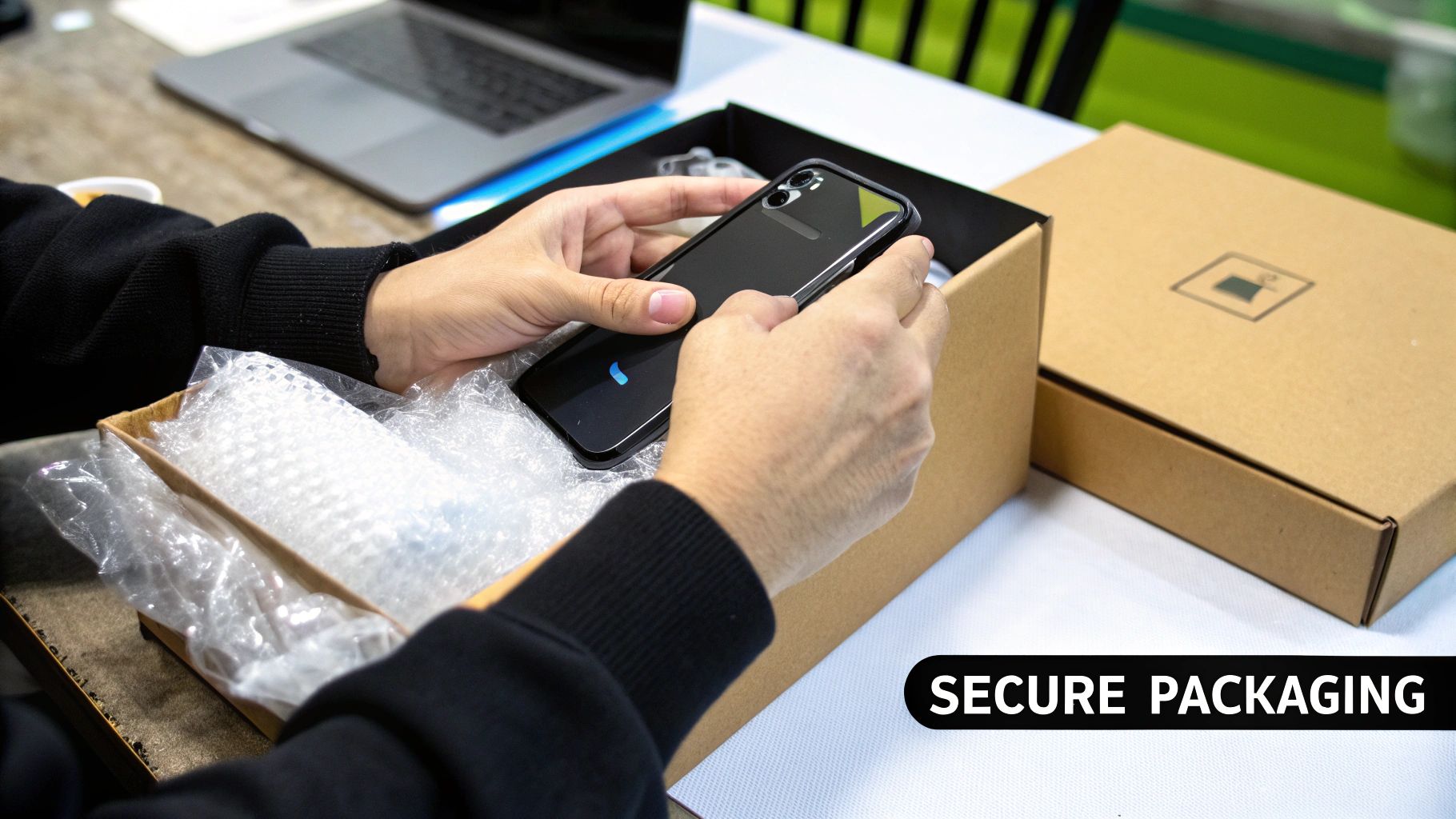
Hooray, you’ve sold your iPhone! Now for the final step: getting it safely to its new owner. Posting something so valuable can feel a little scary, but with a bit of care, it’s a piece of cake. This part is all about packing it up properly and choosing the right way to send it.
Wrapping your iPhone up well is the best way to make sure it arrives in one piece. Imagine it bouncing around in the back of a delivery van – you want it to be completely snug and safe. Bubble wrap is your best friend here.
Packing Your iPhone Like a Pro
Start with a strong box that isn't too big. If you still have the original iPhone box, that’s perfect as it holds the phone just right. Put the iPhone inside, and if you have the original box, pop that into a slightly bigger postal box for extra safety.
If you don't have the original box, no worries. Just follow these simple steps:
- Wrap the iPhone in a few layers of bubble wrap.
- Stick the bubble wrap with a bit of tape so it doesn't come undone.
- Put the wrapped phone inside your strong box.
- Fill any empty space with more bubble wrap or scrunched-up paper. The aim is to stop the phone from wiggling around at all.
Give the box a gentle shake. If you can’t feel or hear anything moving inside, you’ve done a perfect job. Now it's ready to be sealed up with strong packing tape.
Choosing the Right Postal Service
When you’re sending something as special as an iPhone, just sticking a stamp on it won’t be enough. You need a postal service that you can trust, which means two very important things: tracking and insurance.
Tracking is a must-have. It gives you a special number that lets you and the buyer watch the parcel's journey online, from the moment it leaves you until it arrives safely. This stops any worries about it getting lost.
Always choose a postal service that includes both tracking and enough insurance. This protects your money and the phone if anything goes wrong during delivery. It’s a small extra cost for a huge amount of peace of mind.
Insurance is your safety net. If the parcel gets lost or damaged, the postal service will pay you back the value of the phone. Services like Royal Mail’s Special Delivery offer a good amount of cover, which is perfect for an expensive item like an iPhone. You should always use it when sending gadgets.
Got Questions About Selling Your iPhone?
It's totally normal to have a few questions buzzing in your head when you decide to sell your iPhone. We get it. You want to be sure you're doing everything right.
We’ve gathered some of the most common questions we hear to help make things clear. Think of it as a quick chat to cover anything we might have missed, from what to do with a broken screen to how you'll get paid.
Can I Sell an iPhone with a Cracked Screen?
Yes, definitely! This is one of the most common questions we get, and the answer is always a big yes. A cracked screen doesn't mean your phone is worthless. Many places, especially special phone recycling companies like Used Mobiles 4 U, are happy to buy iPhones with broken screens or other problems.
Of course, the price you get will be lower than for a phone in perfect condition, but it's much better than letting it gather dust in a drawer. A damaged phone is still full of useful parts that can be used again. The main thing is to be honest about the crack when you ask for a price—it stops any surprises later and makes everything go smoothly.
Even a broken iPhone has value. Selling it to a recycling service is a smart way to get some cash for a phone that would otherwise be wasted.
It’s a brilliant way to give your old gadget a new life and put some extra money in your pocket at the same time.
How Quickly Will I Get My Money?
How fast the money arrives in your bank account really depends on how you choose to sell it. Each way has a different waiting time, so it’s good to know what to expect.
Selling to a friend or family member is often the quickest way—you might get cash straight away. If you use a website like eBay, you'll need to wait for the buyer to pay, and then it can take a few days for the money to come through services like PayPal.
With a recycling service, the process is usually super fast. Once they get your iPhone and check it matches what you told them, they often send the payment that very same day. For lots of people, that speed is a massive bonus.
Should I Include the Original Box and Charger?
If you still have the original box, charger, and any other bits that came with your iPhone, then definitely include them! It might not seem like a big thing, but it can make your phone look much better to a buyer.
Including the original box shows you've taken good care of the phone. It looks more professional, especially if you're selling it yourself on a site like Facebook Marketplace. Buyers love getting the complete, original set.
But don't worry if you can't find them. You can still sell your iPhone without any problems. Just make sure you say clearly in your advert that the box and charger aren't included, so the buyer knows exactly what they're getting.
Is It Safe to Sell My iPhone Online?
Selling your iPhone online is perfectly safe, as long as you are careful. The most important rule is to stick to well-known websites or companies that you can trust.
If you’re selling to another person, always use a safe way to get paid. Services like PayPal offer protection for both sellers and buyers, which is much safer than giving out your own bank details.
In the end, the safest and easiest way is often using a trusted company like Used Mobiles 4 U. They handle everything for you, which completely removes any risk of dealing with tricky buyers or payment problems. It gives you total peace of mind from start to finish.
Looking for a refurbished phone?
Shop professionally tested refurbished iPhones and Samsung phones with 18 month warranty, 30 day returns and free UK delivery.
Browse Refurbished Phones






