





Find Your Perfect Second-Hand Apple Laptop Today

08/10/2025

15 Mins

Finding the Right Second Hand Apple Laptop
Thinking about getting a second-hand Apple laptop? Good idea! It’s a really smart way to get a brilliant MacBook without paying the super high price for a brand-new one. You still get a powerful computer that’s made to last for ages.
Why a Pre-Loved MacBook is a Brilliant Choice
Have you ever wondered if buying a used laptop is a good idea? When we’re talking about Apple MacBooks, the answer is a big yes! Think of it like buying last year’s best football boots—they’re still amazing for scoring goals, but they cost a lot less than the shiny new ones just out of the box.
A second-hand Apple laptop lets you use amazing technology for much less than the original price. MacBooks are famous for being tough and fast, so even a model that’s a few years old can often work better than many new laptops from other brands. The fact they stay valuable for a long time tells you how good they are.
Big Savings and Top Quality
Let’s be honest, the best thing about buying a pre-loved laptop is the price. You can easily save hundreds of pounds compared to buying a new one from the Apple Store. This often means you can get a much more powerful laptop than you thought you could afford.
But this isn’t just about saving your pocket money. It’s about getting something that is really well-made. Apple is known for making top-quality gadgets, and their laptops are a perfect example.
- Super Fast: Even older MacBooks can handle homework, fun projects, and watching your favourite shows without any trouble.
- Built Like a Tank: Their strong metal bodies are made to be carried around in a backpack day after day.
- Lasts for Ages: Because they are so well-made, they just keep working for years. You won’t need to think about getting a new one for a long time.
To help you see the difference, let’s have a quick look.
New vs Second-Hand MacBook
| Feature | Brand-New MacBook | Second-Hand MacBook |
|---|---|---|
| Price | Very expensive, full shop price | Big savings (often 30-50% cheaper) |
| Condition | Perfect, never been touched | Can be different (from ‘Like New’ to having small marks) |
| Warranty | Comes with a 1-year Apple warranty | Depends on the seller (good sellers give 6-12 months) |
| Choice of Model | Only the very latest ones | A huge range of different models and types |
| Helping the Planet | Making it uses more energy | Much better for the environment |
Basically, a used MacBook lets you have that special Apple experience without the massive price tag.
Choosing a used MacBook isn’t about getting something worse. It’s about making a clever choice to get amazing tech that’s kind to your wallet and works brilliantly. ‘Used’ definitely doesn’t mean ‘used up’ when it comes to Apple.
Good for You and Good for the Planet
Choosing a second-hand computer is also a fantastic way to help the environment. Every time a gadget gets a new owner, it’s one less thing being thrown away. It’s like recycling, but for really cool tech.
Here in the UK, more and more people are realising how smart this is. As more people need laptops, they are looking for cheaper and eco-friendly choices, which is great news for the second-hand market. You can read more about the UK’s growing laptop market on expertmarketresearch.com. This just shows that buying a pre-loved MacBook is a popular, clever, and all-round good decision.
Where to Find Your Perfect MacBook
Right then, you’re ready to start looking for your perfect pre-owned MacBook. But where should you look? It’s a bit like choosing where to buy sweets – some shops are super reliable with everything in shiny packets, while others are more of a lucky dip. Let’s check out the best places.
Straight from Apple
The safest place to start your search is with Apple itself. They have a special part of their website called the Apple Certified Refurbished Store. Think of these laptops as the ones that got sent back for a tiny reason, and Apple’s own experts have fixed them up perfectly, put in a new battery, and given them a brand-new box.
They are pretty much like new and even come with a one-year promise (warranty), just like a brand-new one. The savings might not be as huge as other places, but if you want to be sure you’re getting the best, it’s the top choice. You know it’s a quality computer coming straight from the people who made it.
Trusted Shops and Online Experts
Besides Apple, lots of other brilliant shops specialise in pre-owned tech. These places are great because they know everything about refurbished gadgets. They check every laptop carefully, clean it up, and make sure it’s working perfectly before they sell it.
You’ll often find more types of models here, from slightly older MacBooks that are great for homework to more powerful ones for creative stuff. Most importantly, they also give you their own warranties. For example, you can often uncover deals on refurbished laptops at Used Mobiles 4U and other trusted shops who are proud of selling good quality stuff.
It’s really important to know the difference between ‘refurbished’ and ‘used’. A refurbished laptop has been properly checked, tested, and fixed if needed by an expert. A ‘used’ one, like from a person selling it online, is often sold just as it is, without any of those checks.
Being Safe on Online Marketplaces
What about places like Facebook Marketplace or Gumtree? You can sometimes find amazing bargains here, but you need to be a bit more of a detective. These are usually people selling their own old things, so the laptops won’t come with a warranty or any expert checks. It’s a bit more of a risk.
If you decide to try this, you have to follow these golden rules:
- Meet in Person: Never, ever pay for a laptop you haven’t seen. Plan to meet in a safe, public place like a coffee shop with Wi-Fi.
- Test It Really Well: Use the list we’ll look at in the next section to check the laptop from top to bottom before any money changes hands.
- Trust Your Tummy: If a deal seems too good to be true, it probably is. If the seller is being pushy or not answering your questions, just walk away.
Second-hand Apple laptops are more popular than ever in the UK, and even big brands are now selling refurbished ones. This shows that people want to save money and be kinder to the planet. Online marketplaces help you trust sellers by having checks and ratings, making it easier than ever to buy a great pre-owned laptop.
Your Super Important Checklist Before You Buy
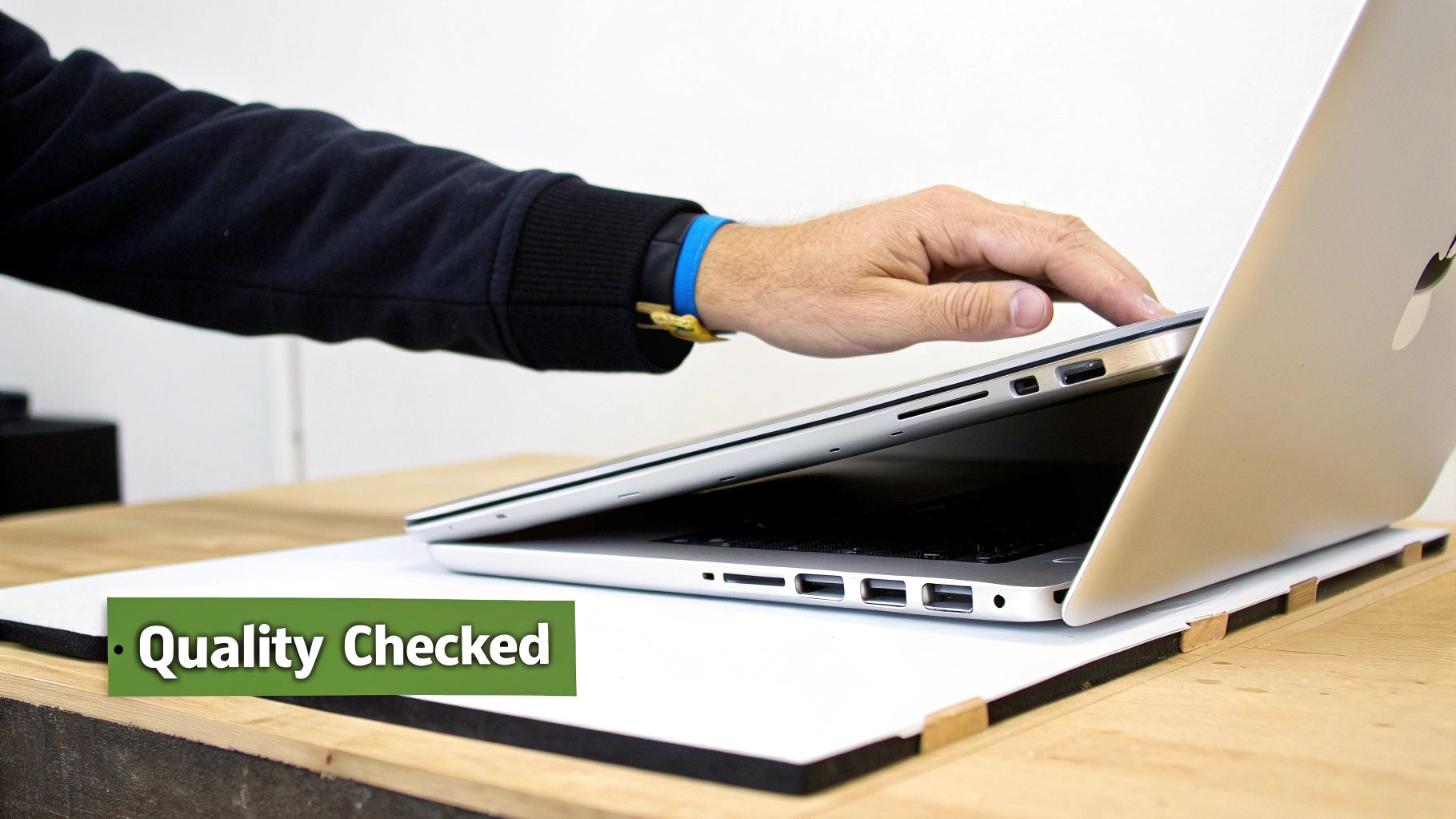
Okay, this is the most important part of the whole thing. Before you even think about handing over your money, it’s time to put your detective hat on. Giving a second-hand Apple laptop a proper check is the best way to make sure you’re getting a brilliant computer, not someone else’s problems.
Don’t worry, you don’t need to be a tech expert for this. I’ve made a simple guide to show you everything you need to check, from the screen right down to the battery.
Look and Feel First
Before you even turn it on, just have a good look at the outside. Pick the laptop up. How does it feel? Check the bits that connect the screen to the keyboard (they’re called hinges) by opening and closing the lid a few times—they should feel strong, not loose or wobbly.
Now, look for any big dents or deep scratches. Small scuffs are totally normal for a pre-loved laptop, but big bumps could be a sign that it’s been dropped. Turn it over and check that all the little rubber feet are still on the bottom; they’re small but help to keep it cool.
Screen and Keyboard Check
Time to turn it on. To check the screen properly, open a plain white page or find a completely white picture online. Look really closely for any dark spots or tiny dots that are stuck on the wrong colour. These are called ‘dead pixels’, and while one or two might not be a big deal, lots of them can be really annoying.
Next, the keyboard. Open a simple app like Notes and type a few sentences. Make sure you press every single key to check it works and feels right. Don’t forget the Caps Lock and the special keys along the top!
A quick warning: a sticky key or a flickering screen are huge red flags. These aren’t just small problems; they can be signs of bigger issues that could cost a lot to fix later.
Plugs and Connections
A laptop isn’t much use if you can’t plug anything into it. It’s a great idea to take a USB stick or your phone charging cable with you so you can test all the sockets (they’re called ports) right there.
- USB Ports: Plug something into every single USB port to make sure they all see the device.
- Headphone Jack: Plug in some headphones to check the sound is clear.
- Charging Port: Make sure the charger plugs in properly and the laptop shows that it’s charging.
- Camera and Mic: Open an app like FaceTime or Photo Booth. You should be able to see yourself clearly and hear your voice when you record a quick video.
Testing these basic things makes sure the laptop’s main parts are all working. It’s a lot like when you check if a refurbished phone is in good condition, because it all comes down to checking everything properly with your own hands.
The Super Important Battery Health
A laptop’s best feature is that you can carry it around, and that’s all about the battery. You’ll want one with plenty of life left in it. Luckily, checking this on a MacBook is super easy.
- Click the Apple logo in the top-left corner of the screen.
- Press and hold the Option (⌥) key on your keyboard.
- Click on ‘System Information’.
- In the new window, find and click ‘Power’ in the list on the left.
You’ll see a bit called ‘Health Information’. The two things to look at here are the Cycle Count and the Condition. Most MacBook batteries are made to last for about 1,000 charges. A low number is great news, and the condition should say ‘Normal’. If it says ‘Service Recommended’, it means the battery is getting old and won’t last very long, so you’ll need to think about the cost of getting a new one.
To make things even easier, here’s a quick table you can use when you’re checking out a laptop.
Quick MacBook Health Check
Use this checklist to check any used MacBook for common problems before you buy it.
| What to Check | How to Test It | What to Look Out For |
|---|---|---|
| Case & Hinges | Open and close the lid; check for big dents, scratches, and missing rubber feet. | Loose or wobbly hinges; deep dents that might mean it was dropped. |
| Screen | Open a plain white page or picture and look at the screen closely. | Dead pixels (stuck black or coloured dots), flickering, or uneven light. |
| Keyboard & Trackpad | Type on every key in a notes app; use the trackpad to click and move things. | Keys that don’t work or feel sticky; a trackpad that doesn’t feel right. |
| Ports | Plug in a USB stick, headphones, and the power cable into every socket. | Sockets that don’t see your device or a loose charger connection. |
| Camera & Mic | Open FaceTime or Photo Booth and record a short video. | A blurry or non-working camera; sound that is crackly or not there at all. |
| Battery Health | Hold ‘Option’ and click the Apple Menu > System Information > Power. | A charge count near 1,000 or a condition that says ‘Service Recommended’. |
| Wi-Fi & Bluetooth | Connect to a Wi-Fi network (like your phone’s hotspot) and a Bluetooth speaker. | Not being able to find or connect to networks or gadgets. |
Going through these checks might feel a bit fussy, but taking ten minutes to do it properly can save you from a lot of trouble and extra costs later on. Happy hunting!
Understanding Seller Grades and Warranties
When you’re looking for a second-hand Apple laptop, you’ll soon see labels like ‘Grade A’ or ‘Grade B’. It sounds a bit like getting a school report, and that’s not far off! These grades are just a simple way for sellers to tell you what the laptop looks like.
Understanding what they mean is your secret weapon to finding the perfect MacBook for your budget. It helps you know exactly what to expect, so there are no nasty surprises when it arrives. Let’s crack the code.
What Do Laptop Grades Actually Mean?
Think of it like this: a Grade A laptop is the star student. It’s going to look almost brand new, with hardly any signs that it has been used before. If you want a computer that looks perfect without the brand-new price, this is the grade to look for.
A Grade B laptop might have a few small scuffs or light scratches on its body. These are just little marks on the outside and won’t change how well the laptop works at all. For many people, this is the best choice, giving you great value for a computer with only tiny signs of use.
- Grade A (Like New): The best condition you can get. The laptop will look amazing, with maybe a tiny mark that’s hard to spot.
- Grade B (Good): You might see some light scratches or scuffs, but the screen will be in great shape. A brilliant mix of good price and good condition.
- Grade C (Fair): This laptop will show that it has been used before, with scratches or even small dents you can see easily. It will still work perfectly, but it won’t look as pretty!
Don’t be put off by a Grade B or C, especially if you’re trying to save money. These little marks often mean you can get a more powerful laptop for your money, and a simple case will cover most of them up anyway.
Why a Warranty Is Your Best Friend
Now, let’s talk about something really important: warranties. A warranty is basically the seller’s promise that if your laptop stops working properly within a certain time, they’ll fix it for you. It’s your safety net, and you should always have one.
Buying a second-hand Apple laptop without any warranty, especially from a person selling their own, is a huge risk. Good businesses will almost always include one, usually for 12 months, which makes you feel much safer. To get a better idea of what a good promise covers, you can learn more about how a warranty for refurbished phones works, as the same ideas apply to laptops.
The market for pre-loved Apple stuff in the UK is really busy. While Apple’s own refurbished store has top-quality stuff with a great warranty, you can often find even better prices from special online shops that also give you excellent cover. This big move towards planet-friendly tech that saves you money makes choosing a refurbished laptop a very smart idea. You can read more about the UK market for refurbished computers on researchandmarkets.com. Always, always check the warranty before you buy—it’s the clearest sign of a seller you can trust.
Smart Tips for Getting the Best Possible Price
Who doesn’t love saving a bit of pocket money? Getting a great deal on your second-hand Apple laptop feels like a real win. With a few clever tricks, you can get a brilliant computer and have some extra cash left over.
The secret to a good bargain is knowing when to look. The best time to search for a deal is right after Apple brings out its shiny new models. This usually happens in the autumn, and it’s when lots of people decide to sell their old laptops to help pay for a new one.
When lots of laptops go on sale at once, it means there are more used MacBooks to choose from, and sellers often want to sell them quickly. More choice for you almost always means lower prices!
How to Haggle Politely
If you’re buying from a person, you can often ask for a slightly lower price. This isn’t about being cheeky; it’s a normal part of buying second-hand things. Remember that checklist we talked about? Any small problems you found are your best friends here.
- Point out small marks: Did you see a little scratch on the corner or that the battery had been used a lot? You can politely mention it.
- Suggest a fair price: Try saying something like, “It’s a really great laptop, but I did notice this scratch. Would you be happy to take £20 off the price for it?”
Being friendly and sensible is the best way to do it. Most sellers will be happy to lower the price a little bit if you have a good reason, rather than not sell it at all.
Always Compare Prices
Before you agree to buy any second-hand Apple laptop, do a quick bit of homework. Spend five minutes looking at what similar models are selling for on different websites. This will give you a good idea of the normal price.
This way, you’ll know straight away if the laptop you’re looking at is a fantastic bargain or a bit too expensive. Seeing what other people are asking for helps you make a smart offer and makes sure you don’t pay more than you need to. For example, comparing the price of a certain model like an Apple MacBook Air 13-inch from 2017 on a trusted site gives you a good price to aim for.
By choosing the right time to buy, asking for a discount politely, and comparing prices, you can become a super-clever shopper. You’ll not only get an amazing MacBook but also the brilliant feeling of knowing you got the best possible deal.
Got Questions About Second-Hand MacBooks?
Still got a few questions buzzing around in your head? That’s perfectly normal. Buying a second-hand Apple laptop is a big decision, so let’s answer some of the most common worries to help you feel happy with your choice.
How Long Will a Second-Hand MacBook Actually Last?
This is a great question. Because MacBooks are so well-made, even one that’s a few years old can keep going for many more years. A MacBook that’s three or four years old and has been looked after could easily give you another four or five years of good work, sometimes even longer.
Think of it like a well-made bike—as long as it’s been cared for, it has plenty of adventures left in it. The most important thing is to check the battery and how it looks before you hand over any money.
Can I Still Get the Latest Software Updates?
Yes, definitely! Apple is great at giving its older laptops the latest macOS updates for a long, long time. Usually, a MacBook will get new software updates for about seven years after it was first sold.
This means you’ll still get all the cool new features and important safety updates for years, keeping your laptop feeling new and safe. It’s always a good idea to check the exact model you want to buy to see which is the latest macOS it can run.
One of the best things about Apple is how long they support their gadgets. It’s a huge reason why a second hand Apple laptop is such a smart choice—it won’t feel old-fashioned anytime soon.
What if I Run Out of Storage Space?
Running out of room for your files, photos, and games is a common worry, especially with older laptops that might have smaller hard drives. Don’t worry, you’ve got lots of choices.
Using an external hard drive (a small box that plugs in) is a simple and cheap way to get loads more space. Another great trick is to keep your files tidy. To keep your second-hand MacBook running well and to handle all your digital stuff, it’s a good idea to know some smart strategies to reclaim storage space on your Mac.
Is It Safe to Buy from a Private Seller?
It can be, but you have to be extra careful. A person selling their old laptop on a site like Facebook Marketplace won’t give you a warranty, which is your safety net if something goes wrong later.
If you decide to do this, you must follow our checklist exactly. Always meet in a safe, public place and test everything really well before you pay. For most people, especially if it’s your first time, staying with a trusted shop that gives you a 12-month warranty is the safest and least stressful choice.







