





How to Sell Old Technology for the Best Price in the UK

20/02/2026

13 Mins
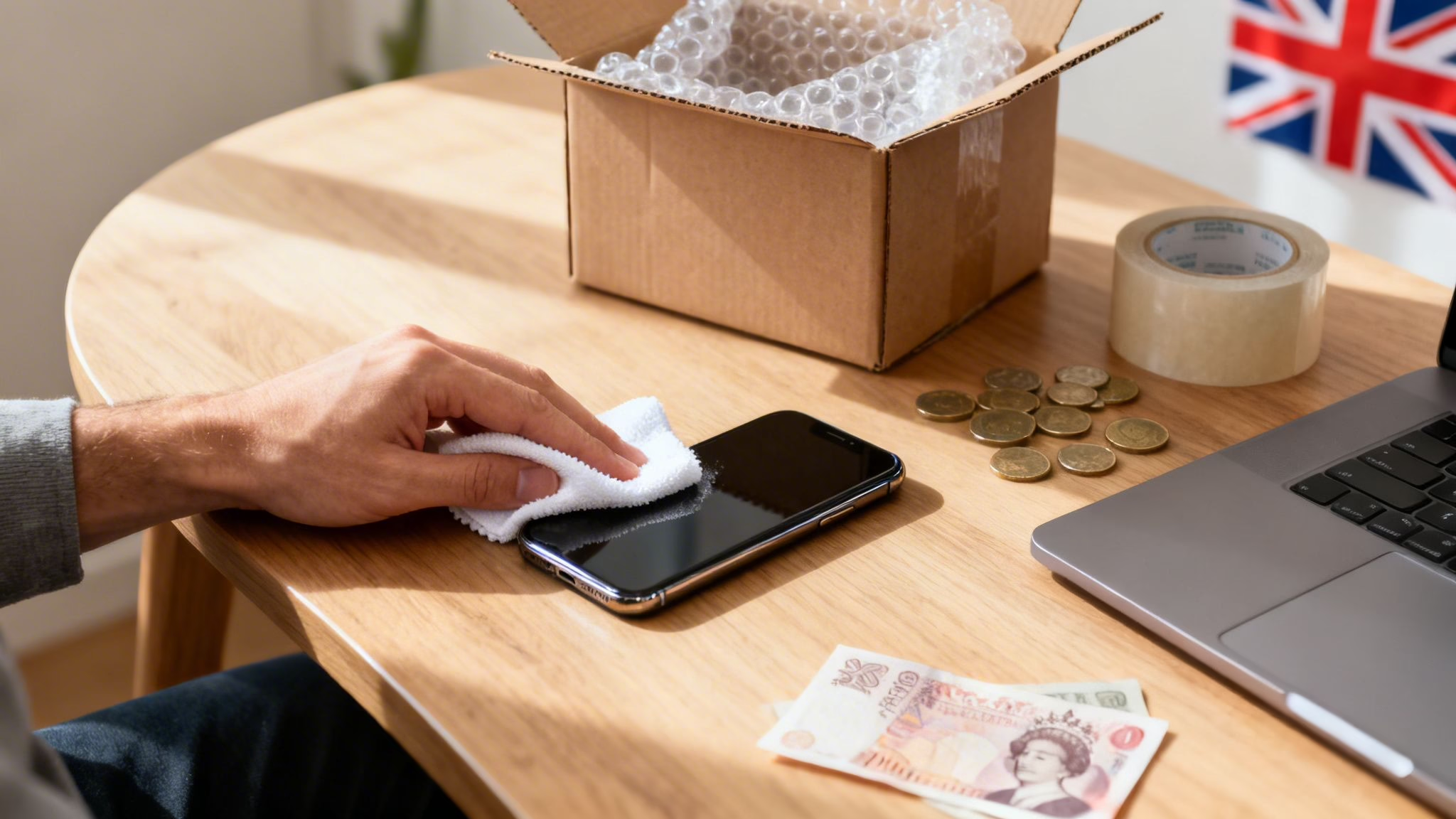
This guide will show you how to prepare your old mobile, tablet, or laptop for sale, find out what it's worth, and choose the best way to sell it safely in the UK. We'll cover everything from protecting your data to getting paid without any fuss.
Your First Steps to Selling Your Old Technology

The first step is getting your device ready and, most importantly, protecting your personal data. From there, we’ll get into figuring out what your tech is actually worth and finding the best place to sell it.
Whether you want a quick trade-in or you're happy to try an online marketplace, we’ll lay out the options. You'll also get practical advice on how to pack and post your device properly and make sure you get paid securely.
How to Prepare Your Device for a New Owner
Getting your device ready for its next owner is the most important step when you decide to sell old technology. It’s not just about protecting your data, but it also makes the item more appealing and helps you get a better price.
First things first, you must back up your data. If you skip this, you risk losing years of photos, contacts, and messages forever.

Backing Up Your Data Securely
Creating a full backup of your mobile or tablet is easier than it's ever been. All you need is a decent Wi-Fi connection and a few minutes.
- For an iPhone or iPad: The simplest way is to use iCloud. Go to Settings > [your name] > iCloud > iCloud Backup. Check the "Last successful backup" time. If it’s not recent, tap "Back Up Now" and let it finish.
- For an Android device: The exact path can vary, but you'll generally find it under Settings > Google > Backup. Make sure the "Back up to Google One" toggle is on and tap "Back up now".
Warning: Always double-check that your backup has finished successfully before you wipe the device. If you interrupt it or reset your mobile too early, that data could be lost for good.
Signing Out and Disabling Locks
Once your data is safely backed up, the next job is to sign out of all your accounts. This is vital for disabling security features like Apple's Activation Lock or Google's Factory Reset Protection (FRP), which can stop a new owner from using the device.
For example, a customer, Sarah, sold her old iPhone online but forgot to sign out of her iCloud. The buyer couldn't use the phone because it was still locked to Sarah's Apple ID. This caused delays and frustration for both of them, which could have been avoided.
To prevent this:
- On an iPhone: Go to Settings > [your name], scroll to the bottom and tap "Sign Out". You'll need your Apple ID password to turn off Find My.
- On an Android: Go to Settings > Accounts (or "Users & accounts"), find your Google account, and select "Remove account". Do this for any other accounts too.
Performing a Full Factory Reset
With your data backed up and accounts removed, you're ready to wipe the device. A factory reset erases all your personal content and settings, returning the device to its original state.
This is the only way to be certain that your information is not left for the new owner. It's a critical privacy step when you sell old technology.
- For an iPhone: The path you need is Settings > General > Transfer or Reset iPhone > Erase All Content and Settings. You'll be asked for your passcode to confirm. For more detail, see our guide on how to factory reset an iPhone.
- For an Android: You'll usually find this under Settings > System > Reset options > Erase all data (factory reset). The phone will show you what's about to be erased before you commit.
The Final Touch: A Physical Clean
The last job is a simple one, but it makes a huge difference. Give the device a good clean, as a well-cared-for gadget will always feel more valuable to a buyer.
Use a soft, lint-free microfibre cloth to wipe down the screen and body. If you have stubborn smudges, you can slightly dampen the cloth with a tiny bit of water, but never spray liquid directly onto the device.
Pay attention to the charging port and speaker grilles. You can carefully clear out any dust or lint with a soft brush or a wooden toothpick. This small effort elevates the presentation and shows the buyer they’re getting a quality item.
Written by James Waterston — 24 years in the mobile phone industry from customer service to Sales Director of a global repair & recycling company; now running Used Mobiles 4 U for 8+ years. LinkedIn
Valuing Your Tech for a Fair Market Price
Putting the right price on your old tech doesn't have to be difficult. Getting a fair value starts with being honest about its condition. A mobile that’s lived in a protective case will always be worth more than one that’s been in a pocket with keys.

Assessing Your Device's Condition
First, inspect your device as if you were buying it. Find a spot with bright light so nothing gets missed.
Look closely at the screen and the body. Are there deep scratches you can feel with a fingernail, or just light scuffs you only see when the screen is off? Don't forget to check the corners and edges for any dings from drops.
Functionality is just as important as appearance. Test every button, check the camera lenses for scratches, and make sure the charging port isn't wobbly. These details add up and decide the final value.
Understanding Device Grades
Most companies that buy used electronics use a grading system to sort devices by condition. The names might change slightly, but the general idea is the same. Understanding these grades helps you set realistic expectations.
We go into more detail in our guide to refurbished phone grades, but here’s a quick summary:
- Like New / Pristine: Looks and works as if it just came out of the box. No visible marks or scratches.
- Excellent / Very Good: Might have a few faint signs of use, like tiny scuffs you’d have to look for.
- Good: Shows moderate signs of use. You’ll probably see some visible scratches on the screen or small dents on the casing, but it’s fully functional.
- Fair / Average: Obvious signs of wear and tear, like noticeable scratches, dents, or scuffs. It still works perfectly but doesn't look new.
Being honest about which category your device fits into is key to a quick, hassle-free sale.
The Importance of Battery Health
For mobiles and laptops, battery health is a huge factor. A tired battery that drains in a few hours makes a device far less appealing.
On an iPhone, this is easy to check. Go to Settings > Battery > Battery Health & Charging. You'll see a "Maximum Capacity" percentage. If that number has dropped below 85%, it will almost certainly reduce the price you can get. This info isn't always so easy to find on Android mobiles.
Learning how to price items for resale properly stops you from leaving money on the table or pricing so high that you get no interest.
Researching the Current Market Value
Now it's time to find out what your device is fetching on the market. The world of used electronics moves fast, so what you paid for it two years ago is no longer relevant.
Start by getting an instant quote from trade-in sites like ours. Next, go to marketplaces like eBay and check the completed listings for your exact model, storage size, and condition. Don't look at active listings—you need to see what people have actually paid.
Don't forget to factor in the extras. Do you still have the original box, charging cable, and other accessories? Having these, especially the box, can add value and make your listing more attractive. It’s a simple touch that can make a difference when you sell old technology.
Written by James Waterston — 24 years in the mobile phone industry from customer service to Sales Director of a global repair & recycling company; now running Used Mobiles 4 U for 8+ years. LinkedIn
Where to Sell Your Tech in the UK
You’ve backed up, wiped, and priced your old device. Now you need to figure out where to sell it. In the UK, you have plenty of choices, and the best one depends on what you value most: the highest price, the quickest payment, or the least amount of effort.
Some routes get you cash almost instantly but you’ll probably get a lower price. Others give you the chance to earn more, but demand more time and patience. Let’s look at the main options.
Specialist Online Trade-in Services
For most people, this is the simplest and safest way to sell old technology. Companies like us, Used Mobiles 4 U, are set up to buy used devices directly from people.
The process is simple. You get an instant quote on our website, we send you a free postage pack, and once we receive and check the device, the money is sent to your bank. It removes the stress of dealing with individual buyers, haggling, and payment scams.
The price might be slightly less than a private sale, but the convenience and peace of mind are often worth it. If you want a quick, guaranteed sale without any drama, this is your best bet.
Online Marketplaces
Platforms like eBay, Facebook Marketplace, and Gumtree put you in front of millions of buyers. This route often gives you the best chance at the highest price because you set the terms.
Of course, that control comes with more work and a bigger risk. You'll be responsible for taking good photos, writing a detailed description, answering questions, and handling packaging and postage, all while paying platform fees.
The biggest drawback is the risk of time-wasters, low offers, and scams. It’s a good option, but only if you’re prepared to put in the effort.
Manufacturer Trade-in Programmes
Most of the big names, like Apple and Samsung, have their own trade-in schemes. These are handy if you’re already planning to buy a new device from them, as they'll discount its value from your new purchase.
The trade-off is that the value they offer is often lower than what you could get elsewhere. It's a smooth experience, but you're paying for simplicity with a lower return. Always compare their offer with a quote from a specialist service first.
High Street Retailers and Kiosks
Shops like CEX or local mobile repair stores will buy your old tech for cash or store credit on the spot. This is the fastest way to get paid.
However, that speed comes at a cost. These shops have overheads to cover, so their offers are usually the lowest. This option is best when you need cash immediately and aren't too concerned about getting the maximum value.
Comparing UK Tech Selling Options
Deciding where to sell is a personal choice based on your priorities. If you're still weighing things up, our guide on where to sell your phone for the best price goes into more detail to help you decide.
Written by James Waterston — 24 years in the mobile phone industry from customer service to Sales Director of a global repair & recycling company; now running Used Mobiles 4 U for 8+ years. LinkedIn
Shipping and Getting Paid Securely

You’re on the home stretch. Your device is ready, you’ve found a buyer, and now you just need to send it off and get your money. This final stage is where things can go wrong if you're not careful.
Getting this part right is crucial. Poor packaging can lead to damage, and carelessness with payments could mean you don't get paid at all.
Packaging Your Device for Safe Transit
Your packaging is the main defence against knocks and drops. A flimsy envelope won't be enough when you sell old technology.
Start with a sturdy, small cardboard box that’s slightly bigger than the device.
- Wrap It Up Well: Wrap your device generously in bubble wrap and secure it with tape.
- Fill the Gaps: Place the wrapped device in the box and stuff any empty space with more bubble wrap or scrunched-up paper so it cannot move around.
- Seal It Tight: Tape the box shut along all seams with strong packing tape. Give it a gentle shake – if you hear anything moving, add more padding.
A well-packaged item shows the buyer you’re a careful seller, setting a good impression from the moment it arrives.
Choosing the Right Shipping Service
When posting valuable electronics, you need a service that offers both tracking and insurance. It’s your safety net.
For anything valuable, I recommend a service like Royal Mail Special Delivery Guaranteed by 1pm. It costs a little more but gives you end-to-end tracking, requires a signature on delivery, and includes insurance cover. It protects you if the parcel gets lost or damaged.
Navigating Payments on Marketplaces
If you’ve sold on a platform like eBay, payment security is your top priority. The golden rule is simple: never ship your device until you have confirmed the payment has cleared in your account.
Scammers often use fake payment confirmation emails that look real. Always log in directly to your PayPal or bank account to see the funds for yourself.
To stay safe, stick with trusted payment methods.
- PayPal Goods & Services: This provides protection for both you and the buyer, giving you a process to follow if something goes wrong.
- Avoid Bank Transfers: Be cautious of buyers who insist on a direct bank transfer. Once that money is sent, it's very difficult to get it back if there's a problem.
This is where a trade-in service is a great option. When you sell to a reputable company like ours, the payment is guaranteed. There's no risk of scams or fake emails. Once we check your device, the payment is processed securely.
Written by James Waterston — 24 years in the mobile phone industry from customer service to Sales Director of a global repair & recycling company; now running Used Mobiles 4 U for 8+ years. LinkedIn
The Financial and Environmental Benefits of Selling
Selling your old tech is a smart move for your wallet and the planet. That old mobile in a drawer has real cash value, and trading it in can make your next upgrade more affordable. At the same time, you’re doing something good for the environment.
When you give your device a new life, you're taking part in the circular economy. Instead of letting it become e-waste, you're putting it back into use for someone who needs it. This simple act helps tackle one of the fastest-growing waste streams in the world.
Unlocking the Financial Value in Your Drawer
Every gadget holds on to some value. Even a mobile with a cracked screen has parts inside that can be salvaged and reused. Selling it turns a forgotten object into money.
The demand for reliable, affordable refurbished tech has never been stronger. That high demand helps keep the value of your used devices up, making now a great time to sell old technology.
Making a Positive Environmental Impact
The environmental case for selling your old tech is just as strong as the financial one. Making a new smartphone is resource-heavy, involving mining for metals and using huge amounts of energy.
Selling your old device helps offset all of that. When someone buys a refurbished mobile instead of a new one, it directly cuts the demand for new manufacturing.
- Conserving Resources: You help extend the life of materials like gold, silver, and cobalt.
- Reducing E-Waste: You stop a usable device from being dumped, where its components could leak toxic materials.
- Lowering Your Carbon Footprint: The carbon footprint of a refurbished phone is much lower than a new one. You can learn more about the environmental impact when you sell your phone in our guide.
Choosing to sell old technology is a decision that pays off on multiple levels. You get a fair price for something you're not using, and you contribute to a more responsible way of consuming electronics. It's a clear win-win.
Written by James Waterston — 24 years in the mobile phone industry from customer service to Sales Director of a global repair & recycling company; now running Used Mobiles 4 U for 8+ years. LinkedIn
A Few Common Questions We Get Asked
Here are answers to a few questions we often hear from people looking to sell their old tech.
Can I sell my mobile if it’s broken?
Yes, absolutely. Most specialist trade-in companies, including us, buy mobiles with common issues like a cracked screen or a poor battery.
The price will be lower than for a perfect device, but it’s always worth getting a quote. Even a non-working mobile has value for its internal parts. If you sell it on a marketplace, just be completely clear about the damage in your listing.
How can I be sure my personal data is gone for good?
Running a full factory reset is the secure way to wipe your device. As long as you’ve signed out of your iCloud or Google account first, this process permanently scrubs your personal information.
The exact steps can vary, but you'll usually find the option here:
- For iPhones: Go to Settings > General > Transfer or Reset iPhone > Erase All Content and Settings.
- For Androids: Look in Settings > System > Reset options > Erase all data (factory reset).
This is the most important step for protecting your privacy. For help, you can check our guide on how to transfer data to a new phone.
Is it better to trade in or sell privately?
This depends on whether you want to get the highest price or save time and avoid hassle. Selling privately might get you a little more money, but it’s a lot more work creating listings, answering questions, and handling postage.
The biggest drawback of selling privately is the risk of time-wasters and payment scams. A trade-in service gives you a guaranteed price, convenience, and the security of dealing with a proper business. For most people, the speed and peace of mind make it the obvious choice.
Ready to turn your old tech into cash the easy way? Get an instant, no-obligation quote from Used Mobiles 4 U today. We offer competitive prices, free postage, and fast, secure payment. Get your free quote now.
Written by James Waterston — 24 years in the mobile phone industry from customer service to Sales Director of a global repair & recycling company; now running Used Mobiles 4 U for 8+ years. LinkedIn
Looking for a refurbished phone?
Shop professionally tested refurbished iPhones and Samsung phones with 18 month warranty, 30 day returns and free UK delivery.
Browse Refurbished Phones






