





How to Test a Refurbished iPhone USB-C Port

24/07/2026

6 Mins
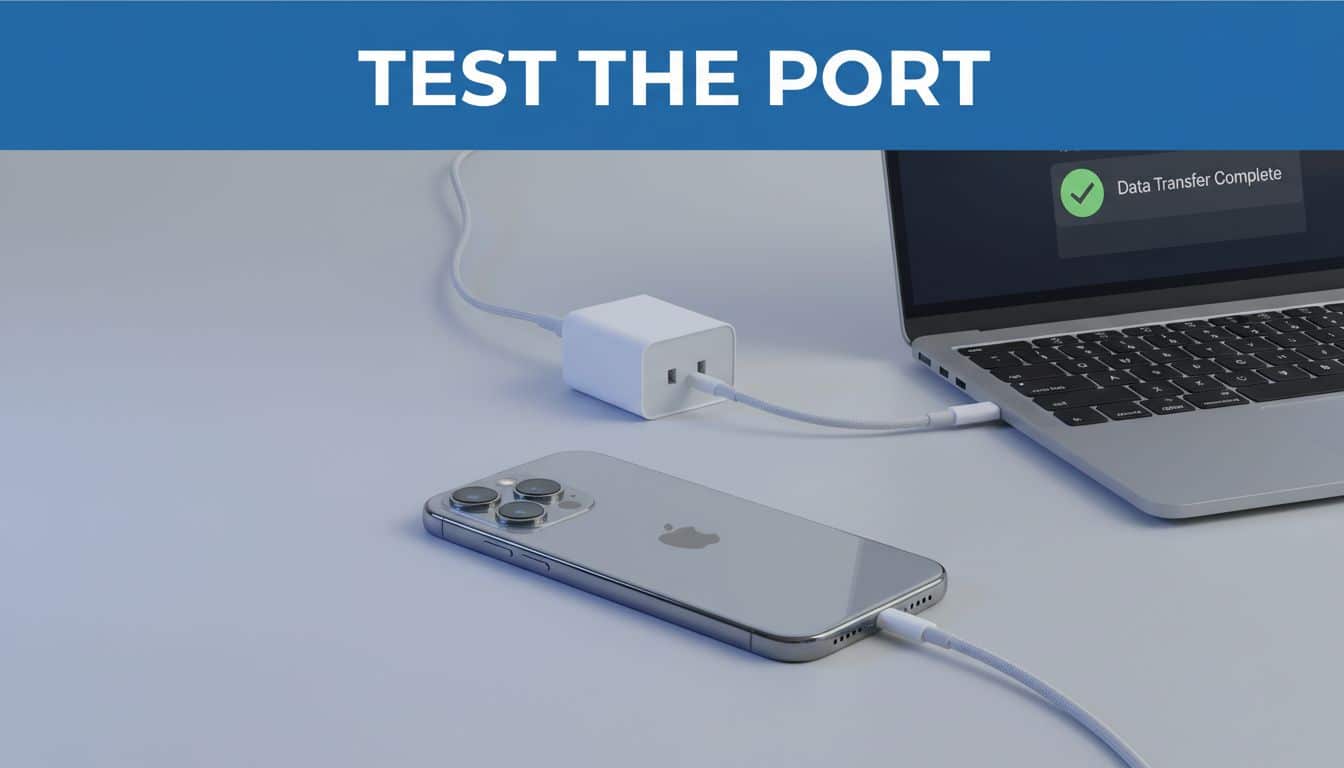
A USB-C port can look spotless yet fail as soon as the cable moves. Before you pay, test refurbished iPhone USB-C port performance with a wall charger and a computer, not a quick glance at a battery icon.
Key Takeaways
- A reliable port holds the cable firmly, charges without cutting out, and works with more than one known-good lead.
- Test charging first, then confirm data transfer to a computer.
- A cable that only works at one angle can indicate compacted debris or a worn connector.
- Cosmetic marks near the port are less important than a straight frame and stable charging.
- Avoid trying to dig into a port with metal tools, especially before discussing the issue with the seller.
How to Test Refurbished iPhone USB-C Port Reliability
You only need a few items: a known-good USB-C cable, a suitable mains charger, and a laptop or desktop computer. If you are collecting a phone in person, bring your own cable. It removes doubt about whether the seller’s lead is faulty.
- Inspect the port in bright light. Turn the iPhone off if possible, then look into the USB-C opening with a torch. Check for packed lint, bent internal parts, corrosion, or a connector sitting at an odd angle. A few marks around the outer edge are normal on a used phone.
- Insert the cable slowly. The connector should slide in fully and sit securely. It should not feel loose, scrape heavily, or spring back out. USB-C is reversible, so both cable orientations should feel the same.
- Start a wired charge. Connect the phone to a wall charger and watch for the charging symbol. Leave it connected for five to ten minutes. The battery percentage does not need to jump quickly, but charging should remain steady.
- Move the cable gently at the plug. Do not bend it hard. A light movement should not stop and restart charging. If the phone disconnects when the lead tilts slightly, treat it as a warning sign.
- Repeat with another cable and charger. A damaged cable can mimic a port problem. Testing two combinations helps separate a handset fault from an accessory fault.
- Check the data connection. Connect the iPhone to a computer, unlock it, and follow the trust prompt if it appears. The computer should recognise the phone so you can view photos, create a backup, or manage the handset. USB-C cables differ in their data capability, as this USB-C cable capability discussion explains, so use a cable you know transfers data.
- Test after a short period of use. Leave the phone charging while you open the camera, browse the web, and play a short video. Excessive heat, repeated disconnects, or a loose plug need investigation before you accept the phone.
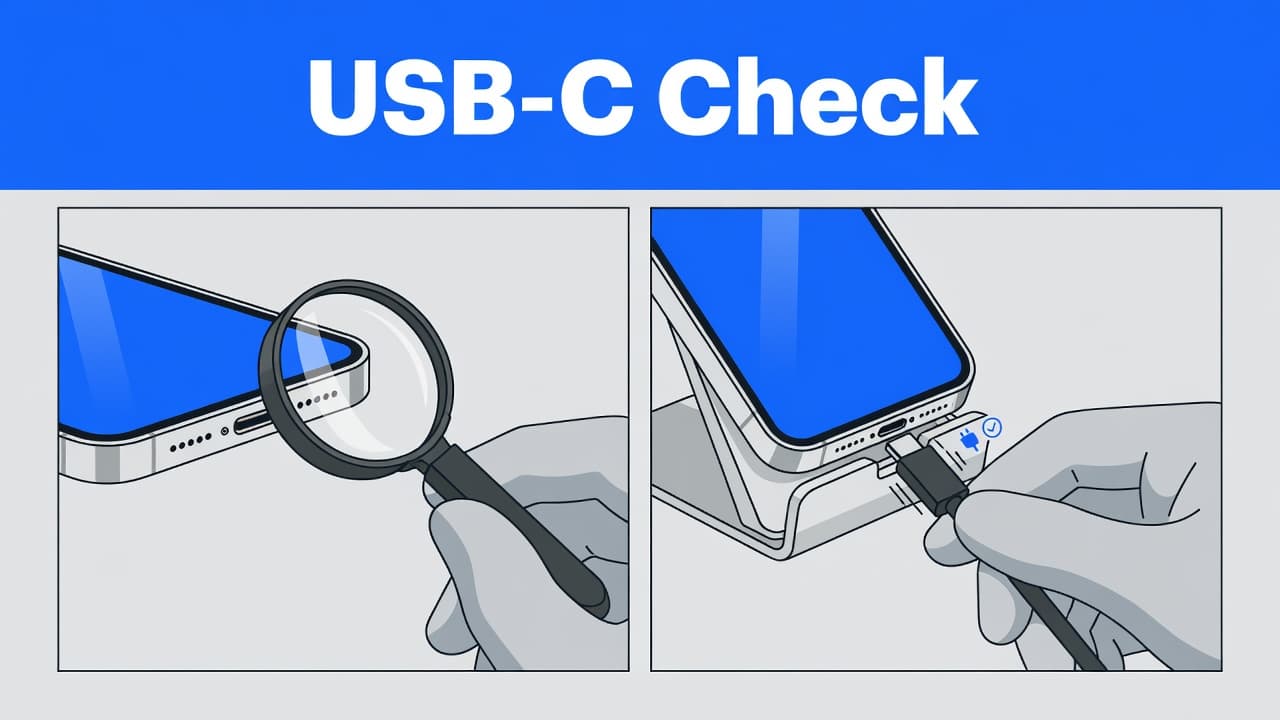
A port that charges only when you hold the plug in one position has not passed a proper test, even if the battery percentage rises.
Use this routine to test refurbished iPhone USB-C port function before the return window closes. It is more useful than relying on a seller’s claim that the phone was charging when listed.
What a Healthy USB-C Connection Should Prove
Wired charging is only the first check. A sound USB-C port should also maintain a dependable data connection. On an iPhone 15 or newer model, that matters for local backups, photo transfers, restoring a handset, and connecting some accessories.
If a computer cannot see the iPhone, try another data-capable cable before assuming the port has failed. Some USB-C leads only supply power, while others have limited data support. A practical USB-C charging and data connection guide can help explain why the lead matters as much as the socket.
Do not judge the port by charging speed alone. USB-C makes cable sharing easier with newer laptops, tablets, and Android phones, but it does not automatically mean every cable or plug charges at the same rate.
We also recommend checking wireless charging where the model supports it. A phone that charges on a MagSafe pad but fails with a cable still has a fault. Wireless charging is convenient, but a wired connection remains important for quick top-ups and computer backups.
Our Experience Refurbishing This Model at Used Mobiles 4U
On the bench, iPhone 15 models usually show their age around the USB-C opening, frame corners, and rear glass. Fine scratches by the port do not concern us if the housing is straight, the display sits evenly, and the connection stays stable.
One thing we regularly notice is packed pocket lint. It can prevent a USB-C lead from seating fully, which makes the port feel loose. Careful cleaning may resolve debris, but it cannot repair a worn or damaged connector.
Our technicians often see a clear difference between cosmetic wear and structural damage. The biggest difference between grades is usually the finish of the frame and back glass. However, a bent housing is more serious than surface marks because it can stress the display, affect wireless-charging alignment, and point to a hard drop.
When checking these devices, we pay close attention to battery health, Face ID, touch response, cameras, microphones, speakers, mobile signal, wireless charging, and USB-C data connection. A refurbished phone should work properly as a daily mobile, not merely switch on at the counter.
What We Commonly See
- Buyers usually choose an iPhone 15 when moving from an iPhone 11, 12, or 13 and want USB-C without Pro-model pricing.
- The most common concern is battery condition, rather than minor marks on the rear glass.
- The main thing we check before resale is whether charging remains stable with a properly seated cable.
- Customers often compare an iPhone 15 with a newer Android phone when USB-C convenience matters.
- We sell tested stock with a minimum 85% battery health standard, clear cosmetic grading, secure data wiping, and UK warranty support.
For buyers comparing the best refurbished iPhones in the UK, the iPhone 15 is often the point where USB-C becomes a practical upgrade rather than a specification on a box.
When a Port Fault Should Change Your Decision
A little dust is one thing. A cable that will not stay connected, fails during data transfer, or needs pressure to charge is another. Ask the seller to inspect and resolve the problem before completing the purchase.
If you are viewing second-hand iPhones in the UK, check the frame as well as the port. A phone that rocks on a flat table, has a lifted screen, or shows deep cracks around the charging area may have suffered impact damage. The port issue could be part of a wider problem.
Buyers hunting for cheap refurbished iPhones sometimes focus on the lowest price and overlook this test. A cleaner back panel does not compensate for an unreliable connection, tired battery, or unclear warranty. The same applies across refurbished smartphones in the UK, including Samsung, Google, and Motorola models.
A repair can make sense if debris is the only issue and the phone is otherwise healthy. Replacement often makes more sense when a loose port comes with a weak battery, bent frame, cracked display, or signs of liquid exposure. Several faults can turn a repair into poor value.
If you plan to buy a refurbished iPhone, compare battery health, storage, grade, return terms, and testing standards alongside the price. Our refurbished iPhone buying guide helps you compare those details before choosing between models.
Avoid These Charging-Port Mistakes
Do not scrape inside the port with a pin, paperclip, knife, or SIM tool. USB-C connectors have delicate internal contacts. A quick attempt at cleaning can create a fault that was not there before.
Avoid treating the phone as fully tested because it charges from a power bank. A short power-bank test can hide intermittent faults. Use a wall charger and a computer where possible.
Finally, do not assume all refurbished iPhone deals in the UK include the same testing or warranty cover. Ask whether the handset is SIM-free, whether battery health is stated, and what happens if the port develops a fault soon after delivery. A USB-C tutorial covering charging and data is useful if you want a clearer picture of why cable quality affects the result.
Final Checks Before You Commit
A reliable USB-C port should charge consistently, hold the cable securely, and connect to a computer without repeated dropouts. Test those three points before accepting a refurbished iPhone 15 or any other USB-C mobile.
For used iPhones UK buyers can trust, a straight frame, sound battery health, clear grading, and proper testing matter more than tiny cosmetic marks. If the port feels uncertain, leave it with the seller rather than hoping it improves at home.
Written by James Waterston, 24 years in the mobile phone industry, now running Used Mobiles 4U. This guide reflects the charging, cable, and data checks we make before refurbished phones go back on sale.
Looking for a refurbished phone?
Shop professionally tested refurbished iPhones and Samsung phones with 18 month warranty, 30 day returns and free UK delivery.
Browse Refurbished Phones






