





Used iPhone 13 Tips, Tricks, and Hidden Features You’ll Love

29/08/2025

5 Mins
Used iPhone 13 Tips, Tricks, and Hidden Features You’ll Love
At Used Mobiles 4 U, we often find that many customers who purchase a used iPhone 13 are thrilled by the device’s sleek design and smooth performance, but don’t always realise just how much the phone can do beyond the basics. Apple has always been known for tucking away clever little functions, shortcuts, and customisations that make life easier once you know they exist. From hidden privacy settings to power-saving automations, the iPhone 13 is packed full of features that can help you get more from your investment.
Whether you’ve upgraded to a used iPhone 13 from an older handset, or you’re simply curious about what your refurbished device is capable of, this guide will show you everything you need to know. We’ve expanded on the most useful tips and tricks, explained why they matter, and given real examples of how you can apply them in day-to-day life. The best part is that all of these features work just as well on a refurbished or used iPhone 13 as they do on a brand-new model—proving that buying used doesn’t mean you miss out.
Let’s dive into the tips that will help you unlock the hidden power of your iPhone 13.
1. Stop Apps from Tracking You
Privacy has become one of the most important talking points for smartphone users. Apps and advertisers are constantly looking for ways to gather data on what you do online. While some people don’t mind personalised adverts, others prefer to keep their browsing activity private. If you’ve just bought a used iPhone 13, one of the first things you should do is stop apps from tracking you.
To do this, head into Settings → Privacy → Tracking. There, you’ll see an option labelled “Allow Apps to Request to Track.” If you switch this off, apps won’t even be able to ask your permission to follow your movements across different apps and websites. It’s a quick change, but it makes a big difference to your digital privacy.
Imagine scrolling through a clothing website, then suddenly being bombarded with adverts for the same item on social media—it’s a bit unsettling. By turning off app tracking, you significantly reduce this kind of behaviour. This is especially reassuring if you share your phone with family members, or if children occasionally use your used iPhone 13, as it prevents apps from building a marketing profile on them too.
The iPhone 13 was one of the first devices to benefit from Apple’s stronger privacy policies, and this hidden setting proves that. At Used Mobiles 4 U, we recommend every customer explore these privacy options after setting up their refurbished handset. It ensures that your used iPhone 13 feels safe, secure, and fully in your control from day one.
2. Check Your Warranty Status
Knowing where you stand when it comes to warranty is always important, especially if you’ve chosen a refurbished or used iPhone 13. Many customers assume that buying used means saying goodbye to warranty coverage altogether, but that’s not always the case. Depending on the original purchase date, your phone might still be covered under Apple’s limited warranty or even AppleCare+. Checking only takes a minute and can save you unexpected costs later.
To find this information, open the Settings app, tap on your Apple ID profile, and then select your device. You’ll see details of the warranty status, whether you’re still within coverage, and the expiry date. If you happen to have AppleCare active, you’ll know exactly what repairs or services you can claim without extra charges.
This feature is particularly valuable for owners of a used iPhone 13. For instance, if you purchased the phone only a few months after its original release, there’s a good chance that some warranty time may still remain. Even if your coverage has ended, knowing this gives you a clear idea of what support you have available and when it might be worth investing in additional protection.
At Used Mobiles 4 U, we always carry out quality checks and grading before reselling, but we also encourage customers to check warranty details themselves. It’s a simple habit that ensures you’re prepared for any eventualities. Ultimately, being aware of your warranty status adds another layer of confidence when owning a used iPhone 13, making your experience even smoother.
3. Automate Low Power Mode
Battery anxiety is something almost every smartphone user has experienced at some point. The iPhone 13 boasts excellent battery life compared to older models, but heavy use—like streaming, gaming, or video calls—can still drain it quickly. That’s where Low Power Mode comes in. While many people know they can turn it on manually, fewer realise you can automate it to activate at a specific percentage. For anyone with a used iPhone 13, this is one of the most practical hidden features you can set up.
Using the Shortcuts app, go to Automation → Create Personal Automation → Battery Level, and select when you’d like Low Power Mode to kick in (say, 20%). Once created, this automation ensures your phone automatically reduces background activity, dims brightness, and limits unnecessary processes as soon as the battery dips.
Why is this particularly useful for a used iPhone 13? All batteries naturally lose a little of their maximum capacity over time, even when refurbished. By automating Low Power Mode, you’re extending the working day of your battery without needing to constantly monitor it yourself. This can make the difference between your phone lasting until you get home or dying just before an important call.
At Used Mobiles 4 U, we always remind customers that small tweaks like this help preserve the longevity of their phones. Not only does it reduce stress, but it also means your used iPhone 13 continues to feel dependable in every situation, just like it did on its very first day.
4. Let Siri Share What You See
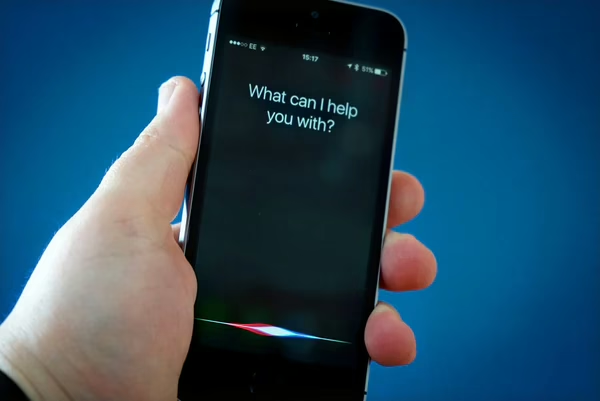
Sharing content is second nature for most of us, whether it’s sending a funny article, sharing directions, or recommending a playlist. With the iPhone 13, Siri has become much smarter at handling these tasks. Instead of manually copying links or taking screenshots, you can simply say: “Hey Siri, share this with [Name].” Siri will then send the webpage, song, or map you’re viewing directly to your chosen contact. If Siri can’t share the item directly, it automatically generates a screenshot and sends that instead.
This feature might seem small, but it saves valuable time. Imagine you’re rushing through emails, stumble upon something important, and want to share it before you forget. With one voice command, it’s done. For anyone using a used iPhone 13, Siri’s efficiency proves that you’re not missing out on the latest conveniences. Apple has worked hard to make Siri more intelligent, and this functionality demonstrates that commitment.
For example, say you’re browsing new accessories for your used iPhone 13—instead of copying a link and switching apps, Siri can instantly forward the product page to your partner for a quick opinion. The same applies to travel: spot a location in Maps, ask Siri to share it, and your contact receives it in seconds.
Looking for a refurbished phone?
Shop professionally tested refurbished iPhones and Samsung phones with 18 month warranty, 30 day returns and free UK delivery.
Browse Refurbished Phones






