





Used iPhone 13 Tips & Tricks: The Complete Guide to Getting the Most Out of Your Device

31/05/2026

4 Mins
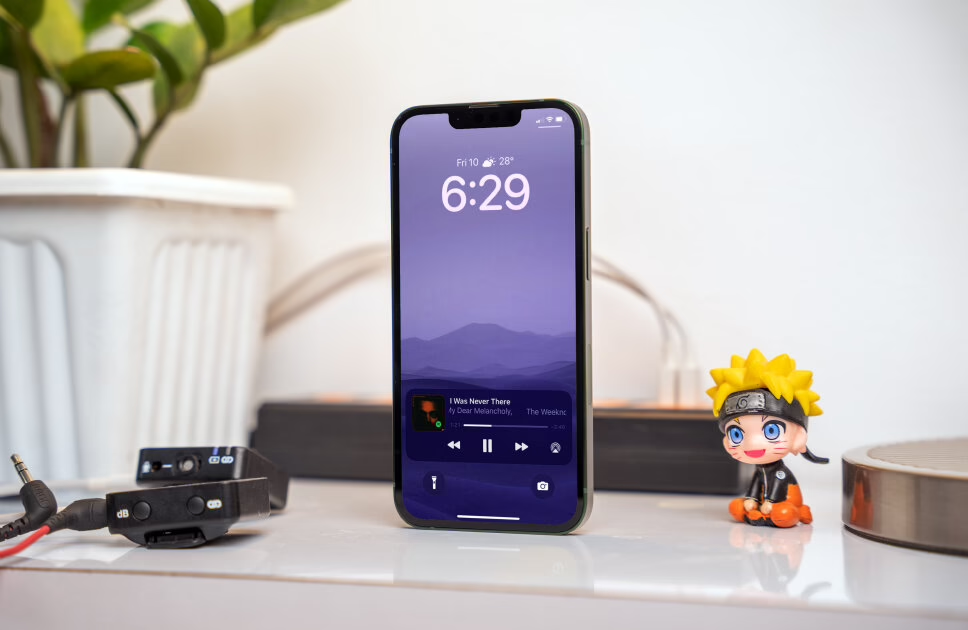
Used iPhone 13 Tips & Tricks: The Complete Guide to Getting the Most Out of Your Device
The iPhone 13 continues to be one of the best-value smartphones you can buy today—especially when purchased refurbished. With powerful hardware, impressive cameras, and Apple’s long-term software support, it still delivers a premium experience without the premium price tag.
At Used Mobiles 4 U, we see more and more customers choosing a iPhone 13 as a smart upgrade. Whether you’re switching from Android, upgrading from an older iPhone, or simply want great performance at a lower cost, this device ticks all the boxes.
But here’s the thing: most users only scratch the surface of what their phone can actually do.
In this guide, we’ll walk you through essential tips and tricks so you can get the absolute most out of your device.
1. iPhone 13 Cinematic Mode: Shoot Like a Pro 🎬
One of the standout features of the used iPhone 13 is Cinematic Mode, designed to bring a film-style depth effect to your videos.
Instead of everything being in focus, Cinematic Mode intelligently blurs the background and shifts focus between subjects automatically—just like in professional filmmaking.
How to use it:
- Open the Camera app
- Swipe to Cinematic
- Start recording
Pro tips:
- Tap subjects to change focus manually
- Edit focus after recording
- Use good lighting for best results
2. iPhone 13 Camera Tips: Photographic Styles Explained 📸
The used iPhone 13 includes Photographic Styles, a smarter way to customise your photos.
Unlike filters, these adjust tones while preserving natural skin tones.
Styles include:
- Rich Contrast
- Vibrant
- Warm
- Cool
This helps you create a consistent look across all your photos.
3. iPhone 13 Live Text Feature: Copy Anything Instantly ✍️
With a used iPhone 13, you can take advantage of Live Text to copy text from images instantly.
Use it for:
- Notes
- Phone numbers
- Documents
Simply tap the text icon in photos or the camera view.
4. iPhone 13 Battery Tips: Make It Last Longer 🔋
Battery life on a used iPhone 13 is strong, but you can optimise it further.
Tips:
- Enable Low Power Mode
- Reduce brightness
- Disable unused background apps
- Use Smart Data Mode
Check battery usage in Settings to monitor performance.
5. iPhone 13 Focus Modes: Stay Productive 🧘
Focus Modes help you stay distraction-free on your used iPhone 13.
You can:
- Block notifications
- Customise alerts
- Set schedules
Perfect for work, sleep, or downtime.
6. iPhone 13 Customisation: Personalise Your Home Screen 📱
Make your used iPhone 13 feel truly yours.
Customisation options:
- Widgets
- App layouts
- Hidden apps
Press and hold the home screen to start customising.
7. iPhone 13 Hidden Features: Back Tap Shortcuts 👆
The used iPhone 13 includes a hidden feature called Back Tap.
Double or triple tap to:
- Take screenshots
- Open apps
- Activate shortcuts
Enable it in Accessibility settings.
8. iPhone 13 Night Mode Tips: Better Low-Light Photos 🌙
The used iPhone 13 excels in low-light conditions.
For best results:
- Keep the phone steady
- Use longer exposure
- Avoid movement
Night Mode works automatically.
9.iPhone 13 Storage & iCloud Tips ☁️
Keep your used iPhone 13 running smoothly by managing storage.
Use iCloud to:
- Back up photos
- Sync data
- Save space
Enable it in Settings for automatic backups.
10. iPhone 13 AirDrop & Sharing Tips 📤
With a used iPhone 13, sharing files is quick and easy using AirDrop.
Send:
- Photos
- Videos
- Files
No cables or apps required.
11. Scan Documents Easily on Your iPhone 13 📄
Turn your used iPhone 13 into a scanner.
Steps:
- Open Notes
- Tap camera
- Scan document
Ideal for work or personal use.
12. Siri Tips for Your iPhone 13 🎤
Use Siri to get more from your used iPhone 13.
Try:
- Setting reminders
- Sending messages
- Controlling settings
13. iPhone 13 Privacy Settings 🔒
Protect your data on a used iPhone 13.
Manage:
- App permissions
- Location access
- Camera and mic usage
14. iPhone 13 Multitasking: Picture-in-Picture 📺
Watch videos while using other apps on your used iPhone 13.
Just swipe up while watching a video to enable it.
15. iPhone 13 Storage Optimisation 💾
Free up space on your used iPhone 13 by:
- Deleting unused apps
- Offloading apps
- Optimising photos
16. iPhone 13 Face ID Tips 👀
Face ID on a used iPhone 13 is secure and fast.
Use it for:
- Payments
- App logins
- Password autofill
17. iPhone 13 Typing Tricks ⌨️
Improve typing speed with:
- Swipe gestures
- Text shortcuts
- One-handed mode
18. iPhone 13 Screen Recording 🎥
Record your screen easily.
Add Screen Recording to Control Centre and tap to start.
19. iPhone 13 Dark Mode Benefits 🌙
Enable Dark Mode for:
- Less eye strain
- Better night use
- Slight battery savings
20. iPhone 13 Software Updates 🔄
Keep your used iPhone 13 updated for:
- Security
- Performance
- New features
Why Choose a iPhone 13?
Choosing a used iPhone 13 is a smart way to get premium performance without overspending.
Benefits:
- Affordable pricing
- High performance
- Eco-friendly choice
At Used Mobiles 4 U, every phone is fully tested and reliable—so you can buy with confidence.
Final Thoughts on the Used iPhone 13
The used iPhone 13 is packed with features that can improve your everyday experience.
By using these tips and tricks, you can:
- Boost productivity
- Take better photos
- Extend battery life
- Get more value from your device
Whether you’re new to iPhone or upgrading, this device still delivers outstanding performance.
Looking for a refurbished phone?
Shop professionally tested refurbished iPhones and Samsung phones with 18 month warranty, 30 day returns and free UK delivery.
Browse Refurbished Phones






