





What to Look for When Buying Used iPhone: A 2026 Guide

26/06/2026

12 Mins
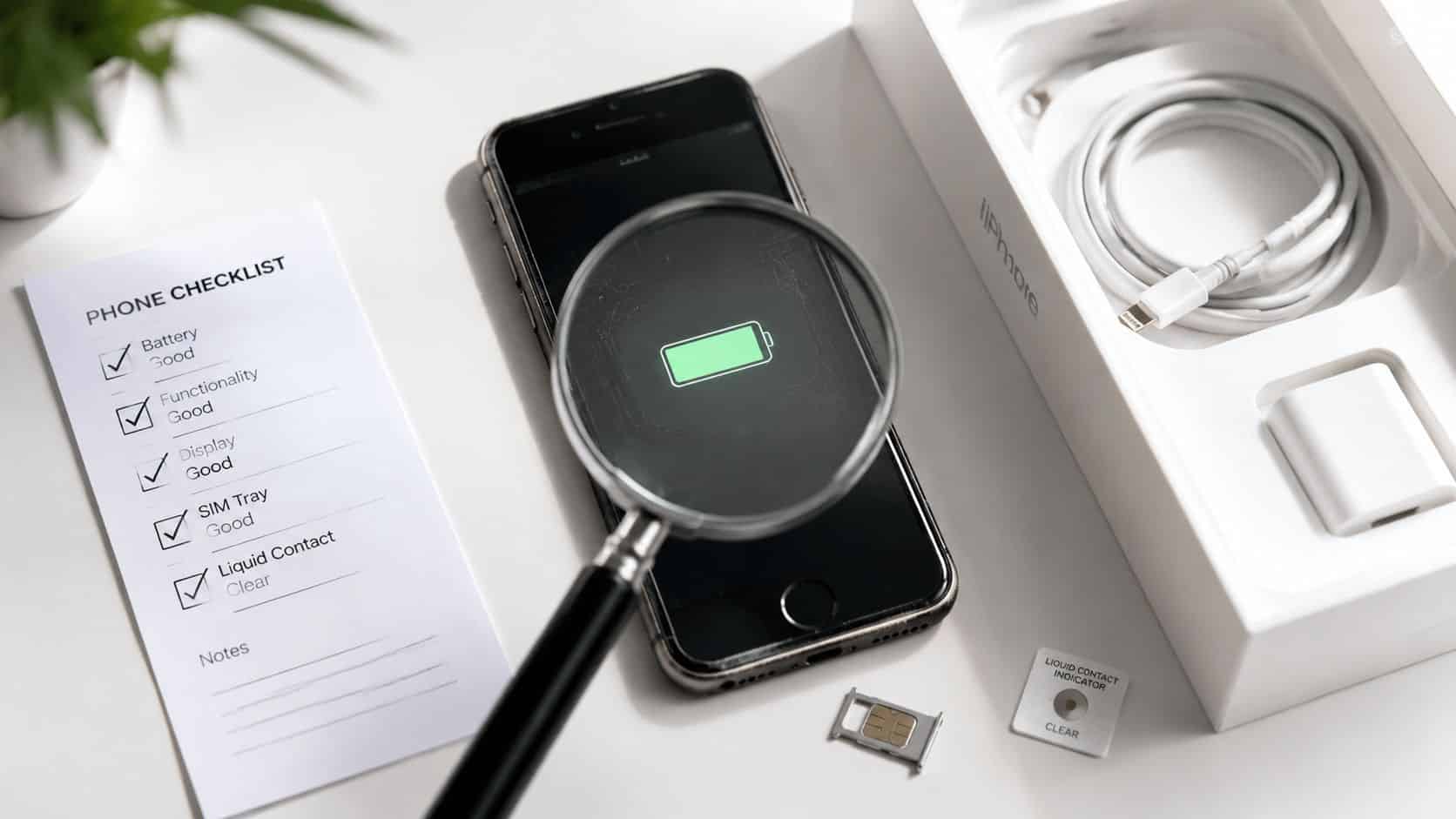
You’re probably looking at a used iPhone right now and wondering what actually matters before you hand over your money. Start with three things: battery health, Activation Lock, and signs of non-genuine parts. If any one of those is wrong, the cheap deal usually stops being cheap.
A good used iPhone can be excellent value. A bad one can mean poor battery life, hidden screen faults, awkward network issues, or a phone you can’t even set up.
The Short Version Your Essential Checklist
If you want the short answer on what to look for when buying used iPhone, check the battery, check the lock status, and inspect the screen properly. Everything else matters after that.
Quick Answer
- Battery first. Go to Settings > Battery > Battery Health & Charging and look for Maximum Capacity above 85%. Below that, you may be heading towards a battery replacement, and Apple’s UK battery service pricing runs from £77 to £129, with iPhone 13 from £99 on Apple’s UK page for battery service.
- Make sure it isn’t locked. If the iPhone is tied to someone else’s Apple ID, it’s effectively unusable. That’s a deal-breaker.
- Check for non-genuine parts. A battery health number alone isn’t enough. Look for warnings in the phone and check Parts and Service History if available.
- Inspect the display on a white background. Don’t just look for cracks. Look for discolouration, dead areas, odd brightness, and the faint green tint some OLED iPhones can show.
- Test the basics properly. Cameras, Face ID, charging port, speakers, microphones, volume buttons, mute switch, vibration and Wi-Fi all need checking.
- Confirm it’s SIM-free or unlocked. That gives you more flexibility across UK networks and usually helps future resale.
- Buy from a seller with grading, warranty and returns. Certified refurbished has become a much more established option, with the refurbished smartphone market growing by over 10% year-on-year globally while new iPhone shipments have been falling, as noted by Envirofone’s refurbished market overview.
Practical rule If a seller won’t let you check battery health, lock status and screen condition, walk away.
A used iPhone is usually a safer buy than people think, provided it has been properly tested. That matters even more in the UK, where iPhones made up 49% of the total mobile market as of November 2025, and iOS reached 56.9% market share in Great Britain, which supports resale value, accessory availability and long-term everyday usability through a very large user base on Finder’s UK iPhone statistics page.
If you want a day-one checklist after the phone arrives, keep this Used Mobiles 4 U iPhone guide saved on your phone.
Beyond the Grade What to Check on the Outside
“Like New”, “Very Good” and “Good” tell you part of the story, not all of it. Cosmetic grading mainly describes wear. It doesn’t tell you whether the screen has been poorly replaced, whether the frame has taken a hard knock, or whether the phone has had a rough life under a case.
The first thing I’d do is hold the iPhone at different angles under normal light. Deep dents around the corners matter more than light surface marks because impact damage often shows up there first. A scuffed edge is one thing. A bent corner, lifted screen edge or tiny gap between frame and display is another.

Screen faults that grading often misses
Most buyers only look for cracks. That’s too basic. Open a white screen and check for uneven colour, dark patches, flicker, ghosting and edge tinting. On OLED iPhones, especially 12, 13 and 14 series, a subtle green cast can show up under white backgrounds and medium brightness. It’s easy to miss in a quick handover.
A common example we see is a phone that looks tidy on first glance but shows odd colour shift once brightness comes down a little. That matters because display problems hurt resale and usually mean a full screen replacement rather than a quick fix.
Use a plain white background at around half brightness. If the screen looks green at the edges or uneven across the panel, don’t ignore it.
Buttons, cameras and frame condition
- Buttons should feel clean. Volume buttons, side button and mute switch should respond properly. Mushy or inconsistent clicks can point to wear, liquid exposure or previous repair work.
- Camera rings matter. Heavy scratches around the lenses often tell you the phone has been dropped or dragged across rough surfaces. Then test all lenses, not just the main camera preview.
- Port wear tells a story. Look into the charging port for compacted fluff, bent pins or a loose cable fit. If the cable only charges when held at an angle, expect trouble.
- Back glass damage isn’t just cosmetic. Even a neat-looking crack can affect rigidity, water resistance and trade-in value later.
Check for signs of liquid exposure
If you can inspect the phone in person, check the Liquid Contact Indicator. Its location varies by model, but it’s worth knowing whether the device has had water exposure. Sellers don’t always know, and some genuinely won’t. Others simply won’t mention it.
Water-damaged iPhones can work perfectly for a while, then develop charging issues, microphone faults, Face ID problems or intermittent battery drain weeks later. That’s one reason a proper refurbished device is usually safer than a casual marketplace buy.
The Essential Technical Checks You Must Not Skip
This is the part that saves people the most grief. A used iPhone can look spotless and still be the wrong buy. Software checks and hidden part warnings tell you far more than the polish on the frame.
Start in Settings, not with the seller’s description. If the phone can’t be opened and checked in front of you, you’re relying on trust when you don’t need to.

Battery health and parts history
Go to Settings > Battery > Battery Health & Charging. On a used iPhone in the UK, I’d want to see Maximum Capacity above 85%, and ideally 90% or higher. Once you get below 80%, battery degradation is significant enough that replacement is usually near.
That isn’t only about shorter run time. Lower health batteries can drop voltage under load and cause shutdowns during tasks like video recording or 4K streaming. If you’re buying an iPhone for work, travel, school runs or full-day use, that matters far more than a light scratch on the back.
There’s another point many buyers miss. Some used iPhones have had battery replacements with non-genuine cells. In the UK refurbished market, devices labelled with a replaced battery aren’t always fitted with Apple-certified parts, and that can lead to faster degradation, odd battery reporting and future warranty complications. Check Settings > General > About > Parts and Service History where available, and watch for Unknown Part warnings.
Bench note A healthy battery figure means less if the phone warns that the battery can’t be verified.
If you want a more focused battery checklist, this smart guide for refurbished iPhone buyers covers the warning signs clearly.
How to check a used iPhone before buying Quick Steps
- Open Battery Health. Go to Settings > Battery > Battery Health & Charging and read Maximum Capacity.
- Check Parts and Service History. Go to Settings > General > About and look for any battery or display messages.
- Confirm the phone is wiped. There should be no previous owner’s Apple account signed in.
- Check Activation Lock status. If Activation Lock is enabled or an Apple ID is still attached, don’t buy it. A locked iPhone is effectively unusable and may be stolen, as shown in this Activation Lock check walkthrough.
- Test Face ID or Touch ID. Set it up if possible, or at minimum confirm it works inside Settings.
- Insert a SIM or confirm network status. Make sure it’s SIM-free or unlocked if that’s what you need.
- Check the IMEI. Match the IMEI in Settings with the physical device details and make sure nothing looks inconsistent.
What works and what doesn’t
What works is simple, visible verification. What doesn’t is buying from photos alone, trusting “battery replaced” without checking parts history, or assuming a reset phone is automatically safe.
Also back up first if you’re testing a phone you already own before selling or replacing it. Buyers often forget that setup, reset and sign-out steps can affect data if done in the wrong order.
What Buyers Usually Ask Us About Used iPhones
What does refurbished actually mean
Used and refurbished aren’t the same thing. A used iPhone may simply be resold as-is. A refurbished iPhone should be tested, data-wiped, graded and checked for core functions such as charging, cameras, audio and biometric security.
That’s why the better refurbished sellers give you a clearer standard to buy against. You’re not just buying a phone. You’re buying the testing and the screening that happened before it was listed.
What should come in the box
- Phone condition. Expect the handset to match the stated cosmetic grade, not a nicer stock image.
- Cable or charger. This varies by seller, so check the listing rather than assume.
- Battery threshold. A sensible minimum battery standard matters more than a cheap plug thrown in the box.
- Clear network status. You want to know whether the phone is SIM-free or tied to a network.
What should warranty and returns really cover
Good warranty wording should cover faults that weren’t disclosed at sale. It shouldn’t leave you guessing whether charging faults, microphone problems or camera failures will be treated as your problem after a few days.
Returns matter just as much. Even a well-tested phone can feel wrong in the hand, have less storage than you now realise you need, or simply not suit the person you bought it for. A proper returns policy gives you room to catch that early.
Ask the plain question. If Face ID fails next week, what happens? A reputable seller should answer that without dancing around it.
A common example we see is someone buying privately because the upfront price looks lower, then spending days trying to sort out a charging issue, a hidden battery warning or a network lock. The headline saving disappears quickly when there’s no after-sales support behind the sale.
Our Experience Refurbishing This Model at Used Mobiles 4U
Across the UK, iPhones remain the most practical refurbished buy for a lot of people because the ecosystem is so established. As of November 2025, iPhones accounted for 49% of the total mobile market in the UK, and iOS reached 56.9% in Great Britain, which is one reason older iPhones continue to hold attention, accessory support and resale demand on this UK market share reference.
On the bench, though, the reality is much less about headlines and much more about wear patterns. One thing we regularly notice is that battery condition and previous repair quality tell you far more about a used iPhone than the model name on the box. Two phones of the same age can come in with completely different remaining life depending on charging habits, heat exposure and whether they’ve had decent parts fitted before they reach us.

What our technicians often see
- Battery wear first. This is still the most common issue on older iPhones. Some are honest, tired original batteries. Others have been replaced with parts that don’t age well.
- Screen replacements of mixed quality. We often see displays that technically work but have weaker brightness, poorer colour, or touch issues around the edges.
- Heavy-use signs around ports and speakers. A phone can look tidy from the front but show its age around the Lightning port, bottom screws and grille area.
- Face ID and camera faults after impact. Small drops can create bigger internal problems than buyers expect, especially if the outside damage looks minor.
How grade differences feel in real life
“Like New” should look close to what most people expect when they open the box. “Good” is where you accept visible wear to save money, but the phone still needs to perform properly. Cosmetic grade should never be used to excuse weak charging, poor microphones, failed Face ID or a battery that’s already near replacement territory.
Our technicians often see phones that are worth repairing and phones that simply aren’t. If a handset needs multiple major parts, the sensible route is usually replacement rather than stacking repair on top of repair. If it’s mainly cosmetic wear with solid internals, that’s often the sweet spot for value.
One clean repair is manageable. Several unknown repairs from different sources usually aren’t where you find peace of mind.
For buyers comparing specialist refurbished stock with a private listing, the main difference is process. The checks behind the phone matter. If you want to see what that looks like in practice, the Used Mobiles 4U Refurbishment Process shows the sort of testing and grading standards worth looking for from any seller.
Price vs Value Choosing the Right iPhone for Your Budget
Most people aren’t choosing between good and bad. They’re choosing between older and better value, or newer and a bit simpler to live with. That’s a better way to frame it.
The refurbished route is stronger now than it used to be. The global refurbished smartphone market is growing by over 10% year-on-year, while new iPhone shipments have been declining, which is one reason more UK buyers now treat certified refurbished as a normal purchase rather than a compromise, as outlined in this overview of the refurbished shift.

Older Pro or newer standard
- Choose iPhone 13 Pro if
• you care more about camera flexibility and a more premium feel
• you’re happy to buy slightly older hardware if the phone has been well tested
• you want stronger value than buying newer just for the sake of the number - Choose iPhone 14 if
• you’d rather keep things simpler with a newer standard model
• you don’t need the extra Pro camera setup
• you want a phone that will feel straightforward for everyday calls, apps, maps and photos
Storage, ports and everyday use
Don’t overpay for storage you won’t use, but don’t buy too small and regret it a month later. Parents buying a first iPhone often do well with a sensible middle ground. Business buyers usually care more about consistency, battery condition and network flexibility than cosmetic perfection.
Port type matters too. Some buyers still don’t mind Lightning because they already have the cables. Others want USB-C because they’re replacing newer devices and want fewer chargers in the bag. That isn’t a spec-sheet issue. It’s a daily convenience issue.
What we’d recommend
If you want the strongest balance for most people, buy the newest iPhone you can comfortably afford, but don’t sacrifice battery condition or proper testing to get there. A slightly older iPhone with clean battery health, genuine function checks and clear grading is usually a better buy than a newer one with unknown history.
If you’re comparing current options, this roundup of the best refurbished iPhones is a practical place to narrow it down by type of user rather than just model number.
Is a Used iPhone a Smart Buy in 2026
Yes, if you buy carefully. A used iPhone suits people who want solid day-to-day performance, reliable resale value and a lower upfront cost without gambling on an unknown private sale.
It’s a poor choice only if you ignore the basics. Check battery health, check for Activation Lock, check for non-genuine parts, and inspect the screen properly. If those are right, a refurbished iPhone is often the smarter buy. If you’re ready to compare properly tested options, start with a seller that shows grading, battery standards, warranty and returns clearly.
If you want a properly tested replacement phone, you can browse Used Mobiles 4 U for SIM-free refurbished iPhones with clear grading, UK support, warranty and returns. Written by James Waterston, 24 years in the mobile phone industry from customer service through to Sales Director of a global repair and recycling company. Now running Used Mobiles 4U for over 8 years. LinkedIn: James Waterston on LinkedIn
Meta description What to look for when buying used iPhone in 2026. Check battery health, Activation Lock, screen faults, warranty, grading and hidden part risks.
Looking for a refurbished phone?
Shop professionally tested refurbished iPhones and Samsung phones with 18 month warranty, 30 day returns and free UK delivery.
Browse Refurbished Phones






