





Guide to Charge Ipod Shuffle: Easy Steps 2026

07/07/2026

8 Mins

Found an old iPod Shuffle in a drawer and want to see if it still works? Yes, you can still charge an iPod Shuffle, but the main issue usually isn’t the player itself. It’s having the right cable for the exact model.
If you’re trying to charge iPod Shuffle without the original box or lead, start by identifying which Shuffle you have. Some use a dock, while later ones charge through the headphone socket with a special USB cable.
How to Charge Your iPod Shuffle
The simple answer is this. Plug the correct Shuffle charging cable into the player, then connect the USB end to a powered computer USB port or a standard USB wall charger.
If yours is a later Shuffle, the charging lead goes into the headphone jack, which catches a lot of people out because it looks like a normal audio socket. It isn’t just for headphones on those models. Apple used a special cable design, which is why random 3.5mm leads won’t do the job.
Practical rule: If the cable feels like a workaround, adaptor chain, or generic audio lead, it probably won’t charge the Shuffle properly.
The main thing is not to overthink it. You don’t need a fast charger, and there’s no clever setting to switch on. You just need the correct cable, a clean connection, and enough patience to see whether the battery still wakes up after years unused.
If you’re used to modern Apple kit, this catches people because the charging setup is nothing like current iPhones. Our refurbished iPhone charging guide shows how much simpler modern cable choices are by comparison.
The Short Version
- Identify the model: Early iPod Shuffles and later ones don’t use the same charging method.
- Check the socket: If your Shuffle has no obvious charging port, it may charge through the headphone jack.
- Use the proper cable: A standard 3.5mm audio lead won’t charge a later Shuffle. It needs the specific USB charging lead.
- Connect to USB power: Plug into a computer USB port or a normal USB wall adaptor.
- Watch the light: If the status light comes on, the battery is at least taking some charge.
- Leave it connected: Old batteries often need a while before they respond properly.
- If nothing happens: Suspect the cable first, then dirt in the jack, then battery failure.
If an old Shuffle doesn’t react straight away, that doesn’t always mean it’s dead. Dormant batteries can be slow to wake up, but a completely flat one may never recover.
How to Charge an iPod Shuffle Quick Steps
If you want the practical version, follow these steps in order. Don’t buy extra adaptors until you know which Shuffle you’ve actually got.
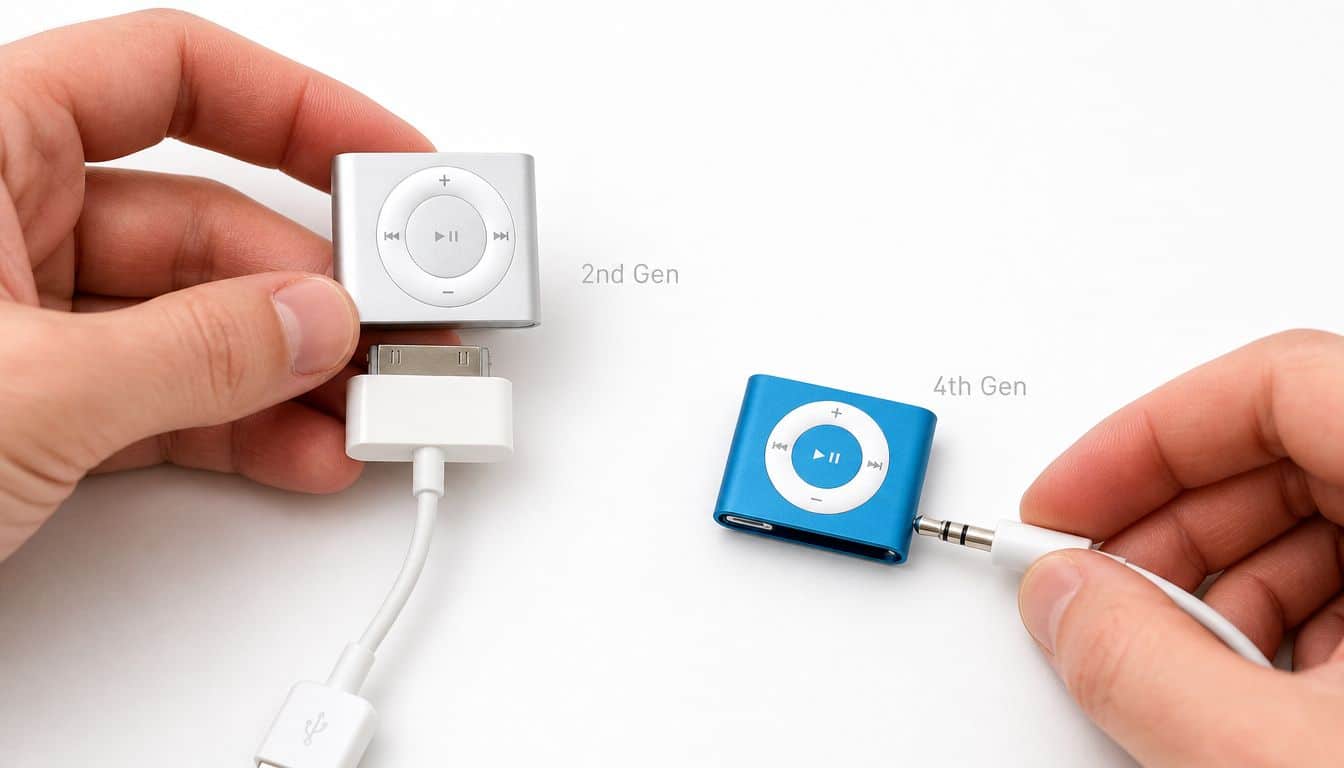
Work out which Shuffle you have
- Look at the shape first. The very early Shuffle looks more like a USB stick. The clip-on square ones are later. If yours is tiny, square-ish and has buttons on the front, it’s usually one of the later generations people most often ask about.
- Check for a visible dock or direct USB connector. Some older models connect differently from the later headphone-jack charging versions.
- If the only obvious socket is the headphone port, stop there. That usually means you need the dedicated 3.5mm-to-USB charging cable, not a normal audio lead.
Connect the right charging cable
- Use the correct lead for the model. For later Shuffles, the charging lead plugs into the headphone socket. The connection works because the jack uses a custom 4-pole arrangement, with left and right audio on pins 1 and 2, ground on pin 3, and charging on pin 4, allowing 5V DC input through a 3.5mm-to-USB cable via the headphone port design as described here.
- Plug the USB end into power. A computer USB port is fine. A normal USB mains adaptor is fine too. You don’t need anything fancy.
- Seat the plug firmly but gently. If it feels loose or crackly, don’t force it. A worn jack or poor-quality cable often causes the problem.
Give it time before judging the battery
- Leave it charging for a while. The 4th-generation iPod Shuffle has a built-in rechargeable lithium-ion battery with up to 15 hours of audio playback when full, a fast charge of about 2 hours to reach 80%, and about 3 hours for a full charge, based on the published product specifications from this iPod Shuffle spec sheet.
- Check the status light. If you see activity, that’s a good sign. If the light stays dead, try another USB power source, then another known-good cable if you have one.
- Test playback after charging. A Shuffle can appear to charge but still have a worn battery that drops quickly in use. If it switches off almost immediately after disconnecting, the battery has likely reached the end of its life.
A common mistake is assuming any 3.5mm cable will work because the port looks standard. It won’t. Another is writing the player off after a few minutes on charge when the battery has been dormant for years.
What We Commonly See with Old iPods
Old iPods usually arrive in one of two states. Either they still work surprisingly well, or they’ve sat so long that several small faults have piled up at once.
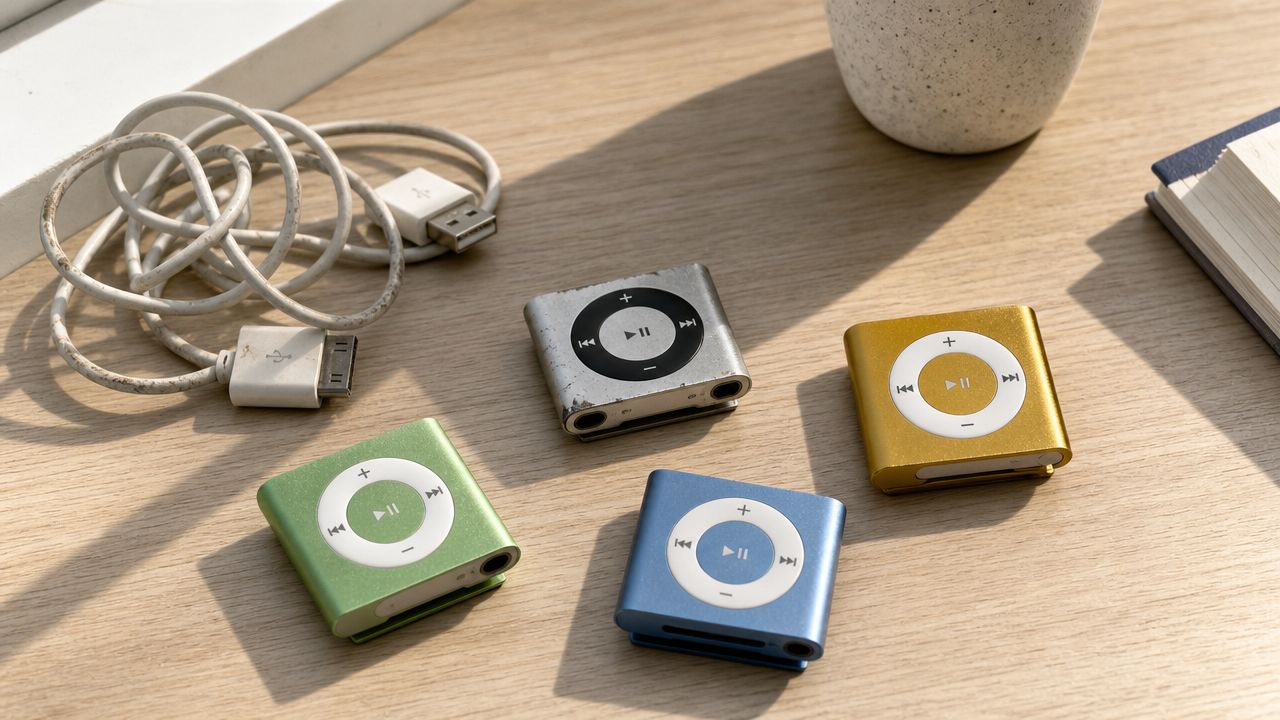
- Dead or fading batteries: The most common issue is simple age. The Shuffle may take a charge but only play briefly, or it may show no life at all.
- Dirty headphone jacks: Dust, pocket fluff and corrosion build up over time. On later models, that matters more because the charging path runs through the same socket.
- Worn contacts inside the jack: Failure to charge often comes down to degraded jack contacts on the later charging design, which is why some devices only charge if the plug is held at a certain angle.
- Bad replacement leads: Cheap third-party cables are hit and miss. Some fit poorly, some never establish a reliable charging connection.
- Sync and software problems: Sometimes the battery isn’t the only issue. The Shuffle powers on, but the music library or software side is corrupted and needs restoring through Apple’s desktop software.
A Shuffle that looks spotless can still be the worst one on the bench. Cosmetics don’t tell you much about battery condition.
One awkward point with later Shuffles is that the headphone port does double duty. That custom 4-pole setup is clever, but once the socket wears out, charging becomes unreliable even if the rest of the player still seems fine.
If you’ve got a drawer full of outdated gadgets and cables, it’s worth sorting them before you buy bits you may never use. Our Used Mobiles 4 U’s phone guide is aimed at phones, but the same logic applies to old tech generally. Keep what’s genuinely useful, and move on the rest.
Our Experience Refurbishing This Model at Used Mobiles 4U
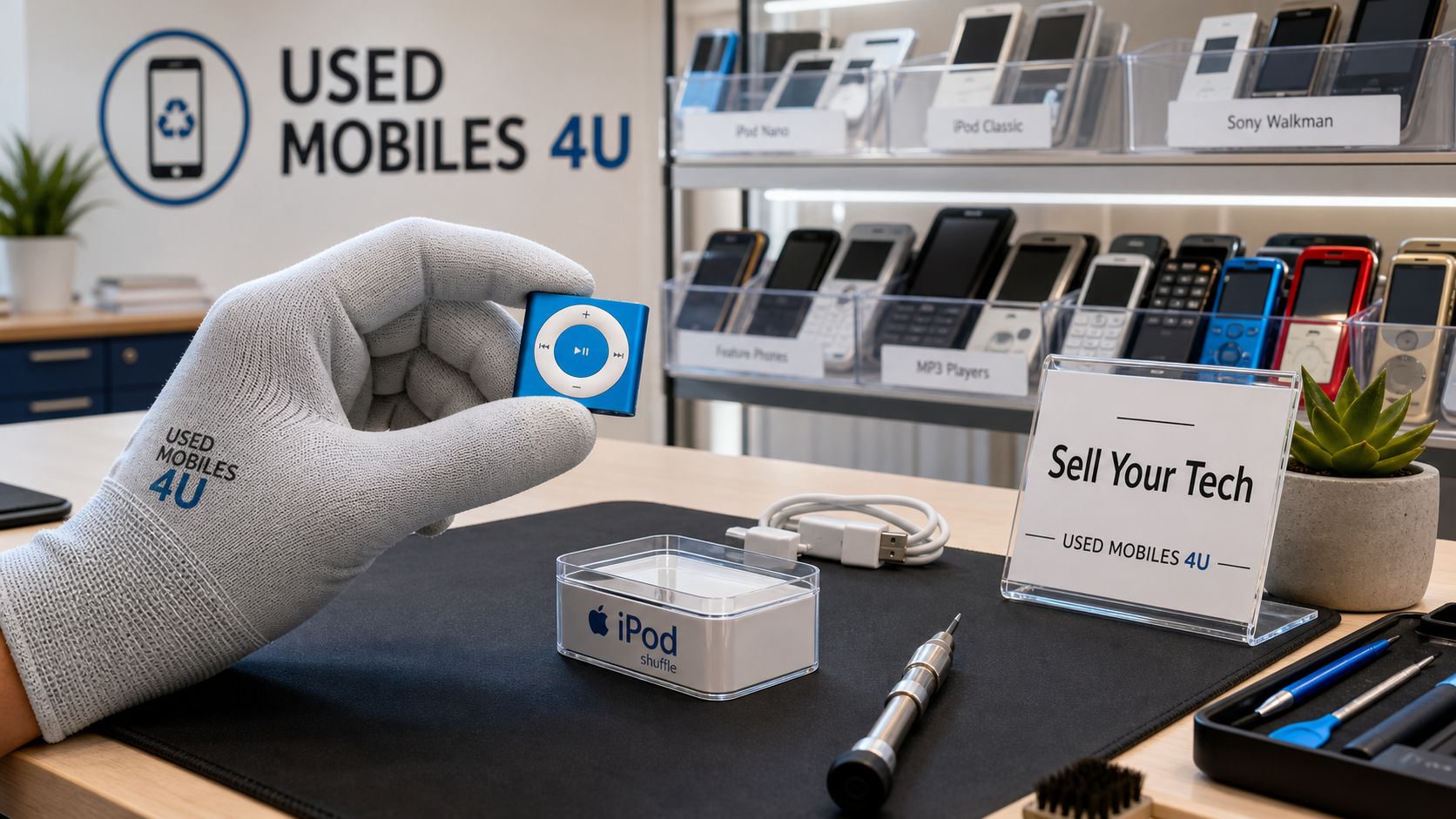
We don’t refurbish iPod Shuffles for resale in the way we handle phones, but we do see plenty of small Apple gadgets come through trade-in, recycling and clear-out bundles. That gives our technicians a pretty honest view of what still works, what only half works, and what isn’t worth chasing.
One thing we regularly notice is that old music players often fool people at first. They’ll light up, connect, and even start playing, but the battery drops away almost immediately once they’re unplugged. Unlike an iPhone, there’s no tidy battery health screen to check, so the only real test is charge, disconnect, and use it.
What our technicians usually notice
- Long storage is hard on batteries: A Shuffle left untouched for years may revive, but it may also hold only a very short charge.
- Cables cause more confusion than the player: People often bring in the wrong lead and assume the iPod is dead.
- Jack wear matters on later models: If charging only works when the cable is pushed just so, the socket is usually the weak point.
- Heavy use leaves clues: Scratched clips, polished buttons and loose jacks usually mean the player had a hard life.
A common example we see is someone wanting to revive a Shuffle for the gym or for a child who doesn’t need a full smartphone. Fair idea in principle. In practice, the battery often decides whether that plan survives the first outing.
Bench view: If the device needs a hard-to-find cable, has uncertain battery life, and may still need software work, replacement often makes more sense than repair.
That’s where the comparison with a modern refurbished phone becomes useful. Even an older, affordable smartphone gives you easier charging, easier file management, better battery diagnostics and proper support options. If you’re already leaning towards something more practical, our range of UsedMobiles4U iPhones shows the sort of step up most people end up preferring.
Is It Worth Bothering with an Old iPod Shuffle in 2026
If you already own one, yes, it’s worth a try. To charge iPod Shuffle successfully, you mainly need the right cable and a battery that hasn’t completely given up. For screen-free listening, it still has a certain charm.
If you’re thinking of buying one now, be realistic. The player is simple, but the practical downsides aren’t. Cables are awkward, batteries are old, and you’re dealing with hardware that’s well past the point where reliability can be assumed.
Choose an old iPod Shuffle if
- You already have one: Especially if the proper cable is still in the same drawer.
- You want basic music playback: No notifications, no apps, no distractions.
- You’re happy to accept limitations: It’s a revive-and-see project, not dependable modern kit.
Choose a refurbished phone instead if
- You need reliability: Daily use is easier with modern charging and battery support.
- You want a better backup device: Even an older smartphone is usually more practical.
- You’re buying rather than reviving: At that point, a refurbished phone is usually the smarter spend.
My honest view is simple. If you’ve found a Shuffle at home, charge it and see. If you’re about to spend time hunting cables and gambling on battery life, have a look at the best refurbished iPhones instead.
If your old tech isn’t worth the hassle, Used Mobiles 4 U is a sensible place to buy a tested, SIM-free refurbished phone with clear grading, UK support and warranty cover. If the Shuffle still works, great. If not, replacing it with something dependable is usually the better result.
Written by James Waterston, 24 years in the mobile phone industry from customer service through to Sales Director of a global repair and recycling company. Now running Used Mobiles 4U for over 8 years.
LinkedIn: James Waterston on LinkedIn
Meta description: Charge iPod Shuffle the easy way with practical steps, cable checks and honest advice on whether an old Shuffle is still worth reviving in 2026.
Looking for a refurbished phone?
Shop professionally tested refurbished iPhones and Samsung phones with 18 month warranty, 30 day returns and free UK delivery.
Browse Refurbished Phones






