





Refurbished Lenovo Laptop: Your 2026 Buyer’s Guide

25/07/2026

10 Mins
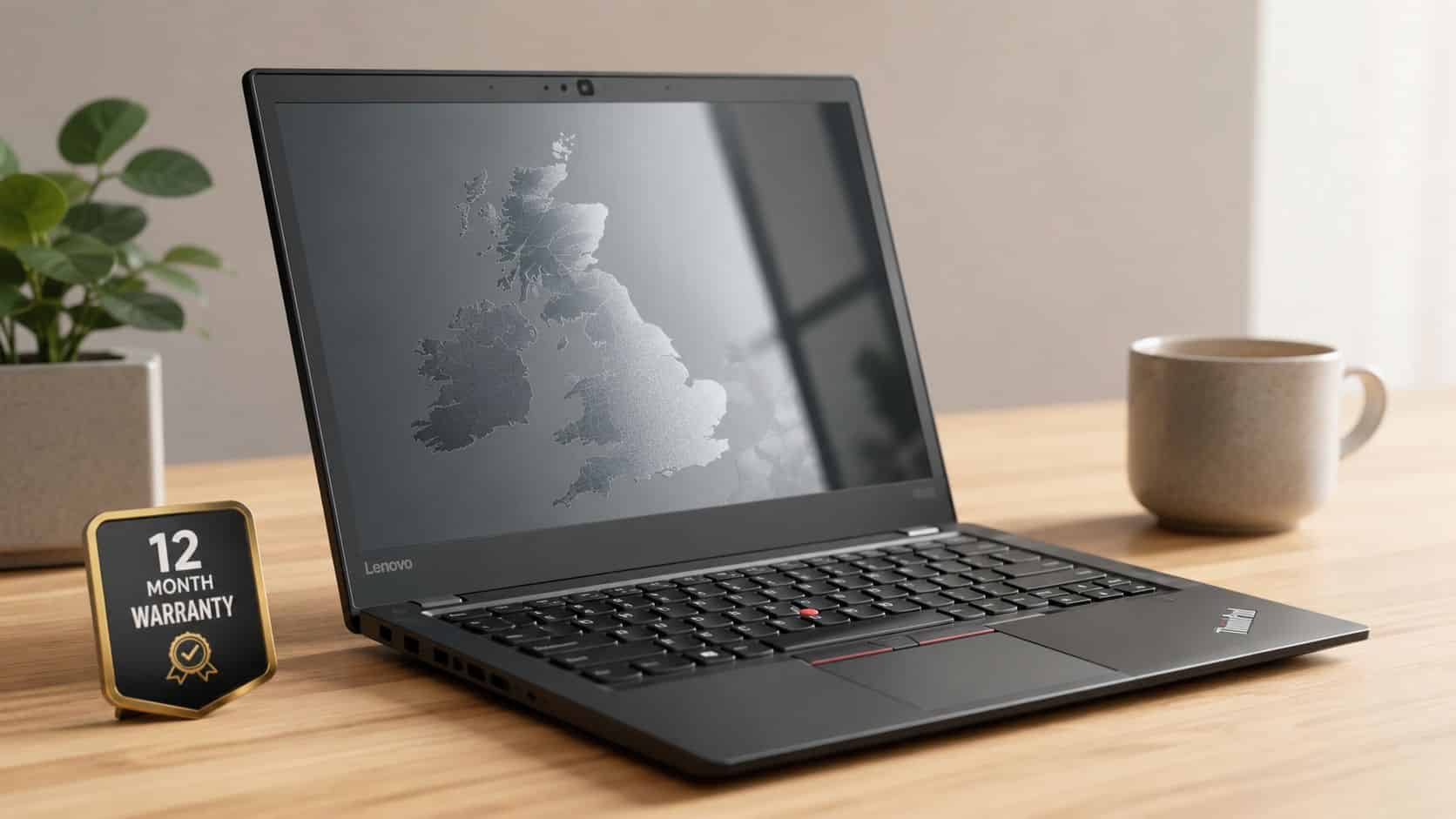
You're probably looking at a refurbished Lenovo laptop because you want something sturdier than a cheap new budget machine, but you don't want to pay full price for it either. That's sensible, as long as you buy the right model and insist on proper proof it's been tested, wiped and warrantied.
The Lenovo name covers a lot of ground, so the key question isn't just “is it refurbished?”, it's “which machine type, what battery condition, and what evidence comes with it?” Get those three right and a refurbished Lenovo can be a very practical buy.
What a Refurbished Lenovo Laptop Really Is in the UK
A **refurbished Lenovo laptop** is a pre-owned ThinkPad, IdeaPad or Legion machine that’s been inspected, repaired where needed, data-wiped and prepared for resale in the UK market. It’s not just a laptop that’s had a quick clean and a new listing photo.
In proper channels, these devices usually come from corporate lease returns, trade-ins or excess stock. That matters because the better units often have a known service history and a sensible upgrade path, rather than an unknown life on a marketplace.
The useful bit for buyers is simple. You're not just judging whether it turns on, you're judging whether it's been restored to a standard you can trust for daily use.
If you want the broader context on how refurbished devices are described and sold, you can also explore reliable pre-owned laptops. And if you're used to comparing phones first, the buying logic is similar to refurbished iPad buying tips, check the seller, the battery, the warranty and the wipe evidence before you hand over money.
Practical rule: a proper refurb is about function, sanitisation and warranty, not just appearance.
That's why this category exists at all. It gives buyers a way to access business-grade kit without paying new-money prices, and it gives sellers a clean route for returning good hardware to circulation.
Choosing the Right Lenovo Model and Specs for Real Use
Most buyers ask which Lenovo to get, but the better question is what the laptop will actually do each day. A ThinkPad, IdeaPad, Legion or Yoga all suit different buyers, and the same model family can hide very different machine types underneath the name.

Match the family to the workload
**ThinkPad** is usually the safe business choice. It’s the line most buyers want if they care about keyboard feel, durability and everyday reliability.
IdeaPad makes more sense for lighter home use. It's the sort of machine you'd choose for email, web browsing, streaming and schoolwork.
Legion is for gaming or graphics-heavy tasks, while Yoga suits someone who wants 2-in-1 flexibility and touch input. If the laptop needs to be carried around all day, the shape and weight matter as much as the processor.
For tax work, spreadsheets and long sessions in Office, a focused buying guide like laptops for tax professionals is worth reading alongside the Lenovo listing. For price hunting, the right comparison is often on Used Mobiles 4 U laptop deals, but only after you've matched the family to the job.
Turn the spec sheet into real life
**8 GB RAM** is fine for browsing, email and Office. **16 GB RAM** is the sweet spot for proper multitasking, and **32 GB** is for heavier workloads.
256 GB SSD feels tight if you keep lots of photos, installs or work files. 512 GB is a more comfortable day-to-day choice, especially if you don't want to manage storage constantly.
A recent Intel Core i5 or AMD Ryzen 5 is enough for most home and office users. The exact generation still matters, but the family and configuration should come before the badge on the lid.
Who should buy what
- Students: ThinkPad or IdeaPad, depending on budget and whether battery life or keyboard comfort matters more.
- Remote workers: ThinkPad with enough RAM for calls, browser tabs and Office all open together.
- Parents: IdeaPad for general home use, unless durability and typing comfort are the main concern.
- Small businesses: ThinkPad, especially if you want a standardised fleet that’s easy to support.
- Casual users: IdeaPad, unless you’re buying for something specific like design or gaming.
The machine type number matters because the same model name can hide different CPUs, screens and ports. Check the exact spec page before you pay, not after.
Our Experience Refurbishing Lenovo Laptops at Used Mobiles 4 U
One thing we regularly notice on the bench is that Lenovo business models age well mechanically. Hinges, chassis and keyboards often survive years of real use better than people expect, but batteries and keycaps are usually the first parts that show their age.
Our technicians often see ThinkPad T and X series units arrive with scuffed palm rests, worn keyboard legends and batteries that have drifted well below a practical level. Storage can still test healthy, but the drive often carries old profiles, domain joins and clutter from previous users, which is why every unit gets a clean operating system reinstall before resale.
What changes from grade to grade
A **Like New** Lenovo usually has near-perfect cosmetics and a battery that doesn’t raise eyebrows. A **Very Good** unit will show light wear, but it should still be fully functional.
A Good unit is where you expect more visible marks, and sometimes a keyboard, cover or other part has already been swapped. That isn't automatically a problem if the diagnostics, wipe and warranty all line up.
Bench note: we reject anything that doesn't meet a usable battery threshold unless a replacement is fitted and documented.
A common example we see is a small business refreshing its fleet with refurbished ThinkPads, then trading the older units through a sell-your-tech route so the upgrade cost stays predictable. That's usually a better outcome than stretching tired laptops for another year and then replacing them in a rush.
For the process side, see the Used Mobiles 4U Refurbishment Process. The point is simple, a good refurb is about restoring confidence in the machine, not just making it look tidy.
Understanding Grades, Warranty and What “Refurbished” Actually Means
UK sellers throw around **Like New**, **Very Good** and **Good**, but those labels mostly describe cosmetics. A grade letter tells you what the outside looks like, not whether the battery is healthy, the SSD is sound or the operating system has been rebuilt properly.
That distinction matters because Lenovo's own Certified Refurbished programme sets a much higher bar than a casual resale listing. Lenovo says each device goes through 35+ quality checks, uses genuine components, is wiped with NIST SP 800-88-compliant data sanitisation, and comes back with a renewed one-year depot warranty plus options for Premier Support and memory upgrades. Lenovo also describes a five-step workflow, inspect, data sanitise, refurbish, quality check and renew warranty, which is the sort of standard buyers should want to see from any serious seller. You can read that in Lenovo's own certified refurbishment materials and EMEA announcement, including the UK rollout into 16 markets across the region. Lenovo's EMEA certified refurbishment release and Lenovo certified refurbishment workflow.
What the grading should sit on top of
A proper refurbished unit should have a full diagnostic test, a battery health check, a documented wipe, a clean operating system install and a warranty that still means something after sale. Lenovo’s own guidance also points to condition categories such as **Like New**, **Very Good** and **Good**, plus a **1-year standard warranty** in certified channels.
What to ask before you pay
- Warranty length: ask how long it runs and whether parts and labour are included.
- Returns window: get the policy in writing before ordering.
- Wipe evidence: ask what standard was used and whether the device was reimaged from scratch.
- Battery threshold: ask for the current health figure, not just “battery tested”.
A cheaper laptop with no warranty or wipe evidence isn't a bargain. It's a risk you're paying to own.
How to Verify a Refurbished Lenovo Before You Buy, Quick Steps
- Match the exact machine type number. Use the seller’s listing and the Lenovo spec page to confirm the CPU, RAM and storage really are what you need. A model name on its own can hide different configurations.
- Ask for the battery health figure. Treat anything below a sensible threshold as a negotiation point unless the price or a replacement battery justifies it. Don’t settle for vague wording like “battery good”.
- Confirm the wipe standard. You want a clear answer on how the data was removed and whether the machine was reimaged before sale. If the seller can’t explain it cleanly, that’s a bad sign.
- Check the warranty and returns policy. Make sure you know how long it lasts, what it covers and who handles support if something fails. Keep that in writing.
- Verify the operating system. The device should boot into a genuine, activated system without odd activation prompts or missing features.
- Inspect the hardware points that fail first. Look closely at the screen, keyboard and ports for dead pixels, sticky keys, bent connectors or loose sockets.
- Review the seller properly. UK support channels and clear contact details matter more than glossy wording. If you can’t get straightforward answers, walk away.
If you're checking a machine that already has a profile on it, back up any personal data before anyone resets it. A used laptop should never depend on a stranger's old login still being present.
For a simple refresher on the reset side, see the guide to wiping a Windows laptop. The rule is plain, if the seller cannot answer these questions clearly, walk away.
Setup, Data-Wipe Checks and First 24 Hours With Your Refurbished Lenovo
Once the laptop is on your desk, don’t assume the hard part is done. The first day tells you more than the listing did, especially if you’re checking whether the refurbisher actually delivered what was promised.
Start with the physical details. The charger should be present, the lid should close cleanly, and the keyboard, trackpad and ports should all feel stable when you use them.
What to check in Windows
Open Command Prompt and run the battery report command, then compare **design capacity** with **full charge capacity** as a rough guide to remaining battery health. That won’t tell you everything, but it gives you a practical read on how tired the battery is.
Run the manufacturer's diagnostics if they're available, or use a trusted third-party tool to check the SSD's health and remaining life. A clean install with a genuine, activated operating system isn't optional, it's the baseline.
A proper wipe should mean you don't see old user accounts, files, browser profiles or stray settings from the previous owner. If any of that appears, the refurbisher's process has not been finished properly.
Red flag: if the laptop arrives with someone else's data still visible, treat that as a return issue, not a minor annoyance.
What should trigger a return
- Unexpected wear: the condition is materially worse than described.
- Low battery report: the battery health is weaker than you were led to expect.
- Missing charger: the sale said complete, but a key item is absent.
- Non-genuine activation: Windows isn’t activated properly or keeps prompting for attention.
The buyer should already have the warranty and returns policy in writing before the box is opened. If the laptop doesn't match that description within the cooling-off window, use it.
Is a Refurbished Lenovo Laptop Worth It The Verdict
A refurbished Lenovo laptop is worth buying if you want business-grade build quality, sensible specs and a clear saving, provided the seller can prove the battery, wipe and warranty are all in order. That’s especially true for students, remote workers, small businesses and parents who need a solid everyday machine rather than the latest flagship.
It's less suitable if you want current-generation graphics performance, factory-sealed packaging or a very specific modern feature set. In that case, a newer laptop may be the better fit even if it costs more.
The price gap is one reason buyers keep coming back to refurbished kit, and the market around it is large because the category makes sense. Broader market research values the global refurbished laptop market at USD 6.4 billion in 2025 and projects it to reach USD 11.7 billion by 2035 at a 6% CAGR. Refurbished laptops also typically sell for 30% to 50% less than comparable new models, which is why the category keeps growing, but only when the seller gives you proper checks and warranty cover. For the wider repair mindset on another brand, the same buyer logic applies when you read get expert MSI repair tips, because repairability, parts support and honest diagnostics always matter.
The three essentials remain unchanged: Battery health above a sensible threshold, documented data wipe, and a 12-month warranty from a UK-based refurbisher.
If those three are there, a refurbished Lenovo is a smart buy. If they're missing, keep looking.
Written by James Waterston, 24 years in the mobile phone industry from customer service through to Sales Director of a global repair and recycling company. Now running Used Mobiles 4U for over 8 years. LinkedIn: James Waterston on LinkedIn
A refurbished Lenovo laptop is worth it for the right buyer, but only when the machine type, battery health and warranty all stack up.
If you're ready to compare a refurbished Lenovo laptop against other UK options, take a look at the current stock at Used Mobiles 4 U, check the warranty and returns policy, and trade in your old device through the Sell Your Tech programme if you want to keep the upgrade cost down.
Looking for a refurbished phone?
Shop professionally tested refurbished iPhones and Samsung phones with 18 month warranty, 30 day returns and free UK delivery.
Browse Refurbished Phones






