





Royal Mail QR Code: How to Scan, Track and Stay Safe

24/07/2026

10 Mins
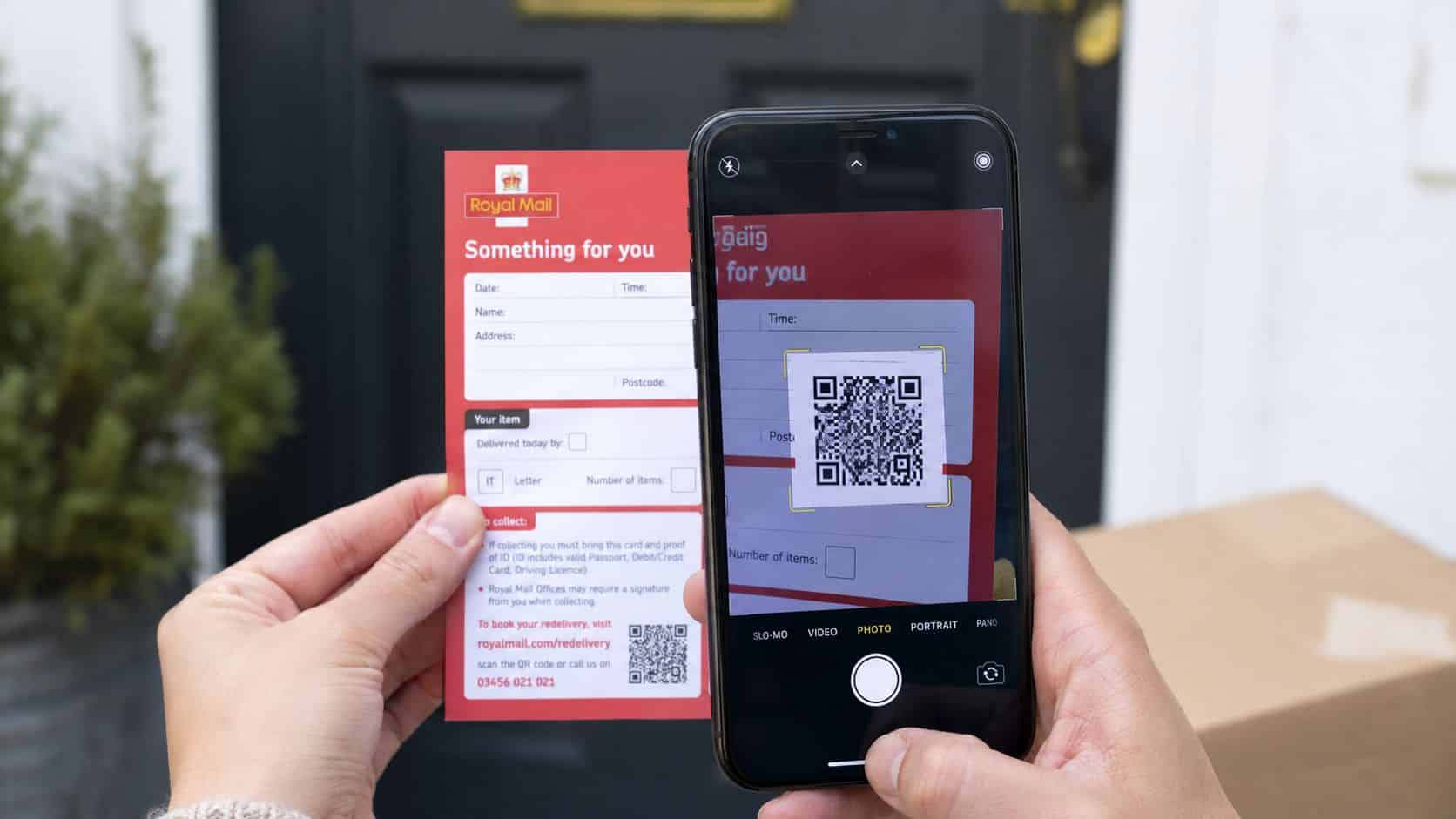
A Royal Mail QR code is a machine-readable square barcode that you scan with your phone to track a parcel, open stamp extras, or print a label at a Parcelshop. On a missed delivery card, the QR code is only the shortcut; the nine-digit code and postcode are what pull up the item.
If you've got a grey card on the mat or a delivery email open on your phone, the main job is to work out which Royal Mail QR flow you're in before you scan. That saves a lot of fiddling, and it stops people blaming the code when the issue is usually the screen, the booking reference, or the postcode entry.
What a Royal Mail QR Code Actually Does
The easiest way to think about a Royal Mail QR code is as a pointer, not the full answer. It stores a short reference that takes you to Royal Mail's own tracking or label page, then you finish the job by entering the extra details Royal Mail asks for.
That matters because people often expect the QR code itself to show the parcel status straight away. In practice, the code is usually just a doorway. For missed deliveries, the card and QR route work together, while on stamp products the barcode links to digital extras through the Royal Mail app and keeps the familiar stamp format intact, part of Royal Mail's 2022 switch to barcoded stamps and its “digital twin” approach described by Euronews and The Guardian.
The three places you'll actually meet one
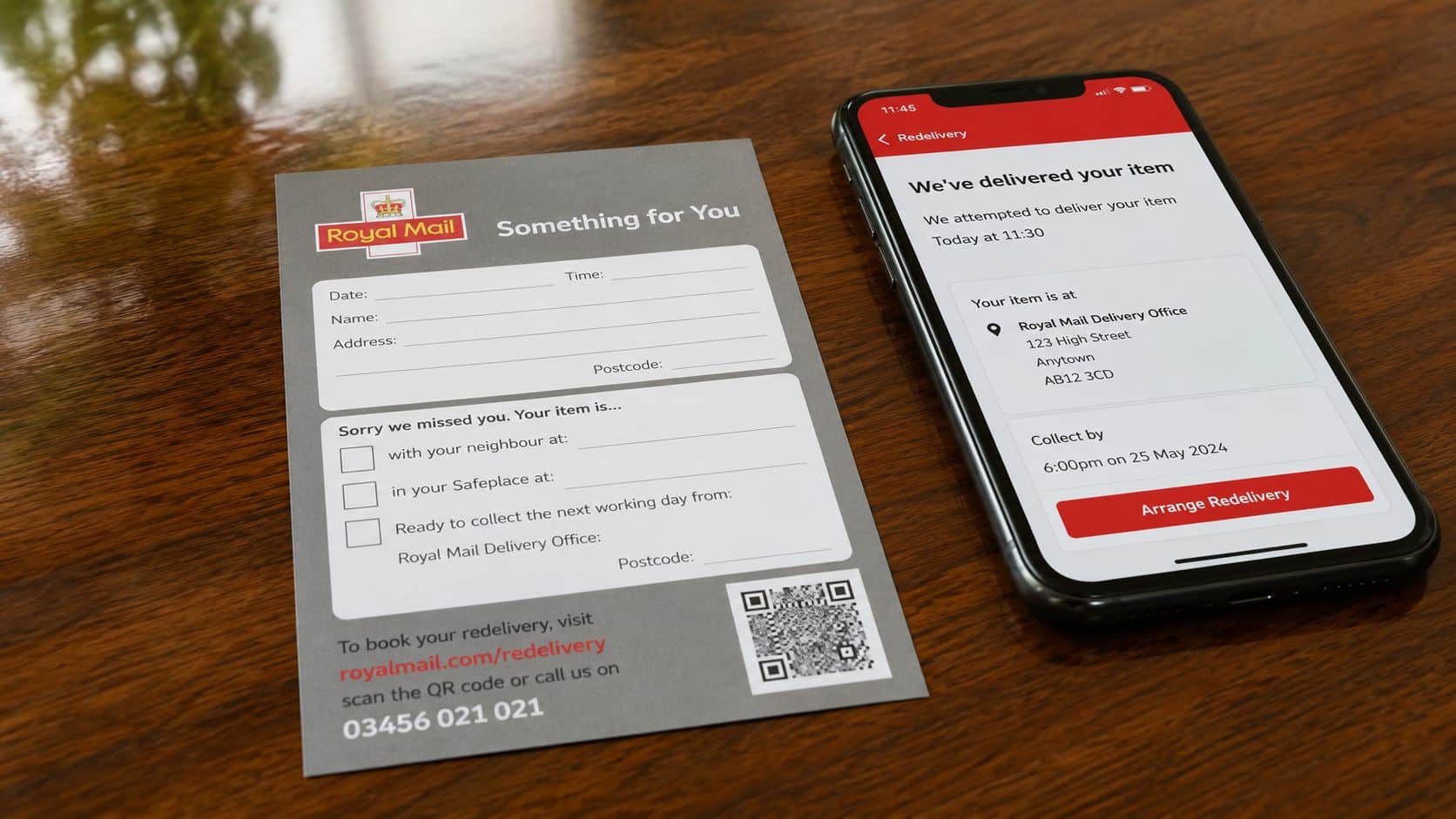
A customer usually sees a Royal Mail QR code in one of three places. First, on barcoded stamps from the February 2022 rollout onward, where the barcode links to digital content and app features. Second, on the grey Something for You missed-delivery card, where the QR helps you get to tracking with the nine-digit reference and postcode. Third, in Labels to Go, where the QR lives in your booking email and gets scanned at a Parcelshop, Parcel Locker, or Delivery Office to print the label on site.
If you're used to other QR systems, the pattern is a bit like event or welcome codes. A useful comparison is a Wedding QR codes setup, where the square code is only the bridge to the information, not the information itself.
Practical rule: if the card or email doesn't also give you the extra reference details Royal Mail asks for, don't assume the QR alone will solve it.
The honest reassurance is simple. The QR code itself is rarely the broken part. It's usually the postcode, booking reference, screen quality, or label condition that decides whether the scan works.
Scanning a Royal Mail QR Code on iPhone or Android
Start with the camera you already have in your pocket. On iPhone, open Camera, point it at the QR code, and wait for the banner or link to appear. On most Android phones, the process is the same, although some models route scanning through Google Lens inside the camera app rather than showing a separate QR prompt.
Hold the phone steady about 15 to 20 cm from the code, and keep the card flat if you can. That distance is usually enough for the camera to focus without turning the code into a blurry square, and it helps when you're scanning a delivery card with a slightly shiny surface. If the screen brightness is low, the camera often struggles before the Royal Mail page even loads.
The app route is better for repeat use
If you deal with parcels often, the Royal Mail app is the cleaner option. Download it from the App Store or Google Play, sign in or continue as a guest, allow camera access, then use the in-app scan function when prompted. For people who keep scanning the same delivery card more than once, the app route is usually less fiddly than bouncing between camera, email, and browser.
Screen issues cause a lot more trouble than the phone model itself. A dim display, glare from the card, a smudged lens, or a low-resolution screenshot are the true culprits. If the brightness is the problem on your handset, it's worth trying to fix screen brightness on any phone before you assume the QR is faulty.
Keep the code on a bright screen, not a half-dark one. Most failed scans are just focus and visibility problems.
There's also a useful clue in the web address. A valid Royal Mail scan should take you to a Royal Mail page or a link beginning ryml.me, not a random third-party domain. That same sort of careful QR handling is common in other trusted systems too, such as a digital welcome book QR code, where the code is only trustworthy if the destination is.
Tracking a Missed Parcel with the Something for You Card
The grey Something for You card is the one many individuals are really looking at when they search for a Royal Mail QR code. The QR is there to speed things up, but the card still depends on the nine-digit code and your delivery postcode to show the correct parcel status.
What to do in order
- Open the Royal Mail app or scan the QR with your phone camera.
- Enter the nine-digit code printed on the card.
- Type in the postcode exactly as Royal Mail asks for it.
- Read the status screen for the latest update.
- Keep the card until the parcel is in your hand, just in case you need to query the delivery.
The status wording can vary, but the message usually tells you whether the parcel has gone back to the depot, been left with a neighbour, or been put in a safe place. Scanning the QR more than once doesn't improve the result if the postcode or reference is wrong. The reference is the key, not the act of rescanning.
A common example we see is someone waiting for a refurbished phone, checking the app too early, and assuming the item has gone missing because the latest update hasn't caught up. Royal Mail status can lag, so the card is still your quickest proof if you need to challenge a delivery claim.
Hold on to the card until the parcel is physically in your hands. That's the cleanest way to avoid a long back-and-forth later.
For buyers, sellers, and repair customers, this matters because a missed parcel can be the difference between a smooth handover and a support ticket. If the status doesn't match what you expected, don't keep rescanning. Check the nine-digit code, check the postcode, then move on to the official tracking page.
Using Labels to Go When You Send a Phone Back
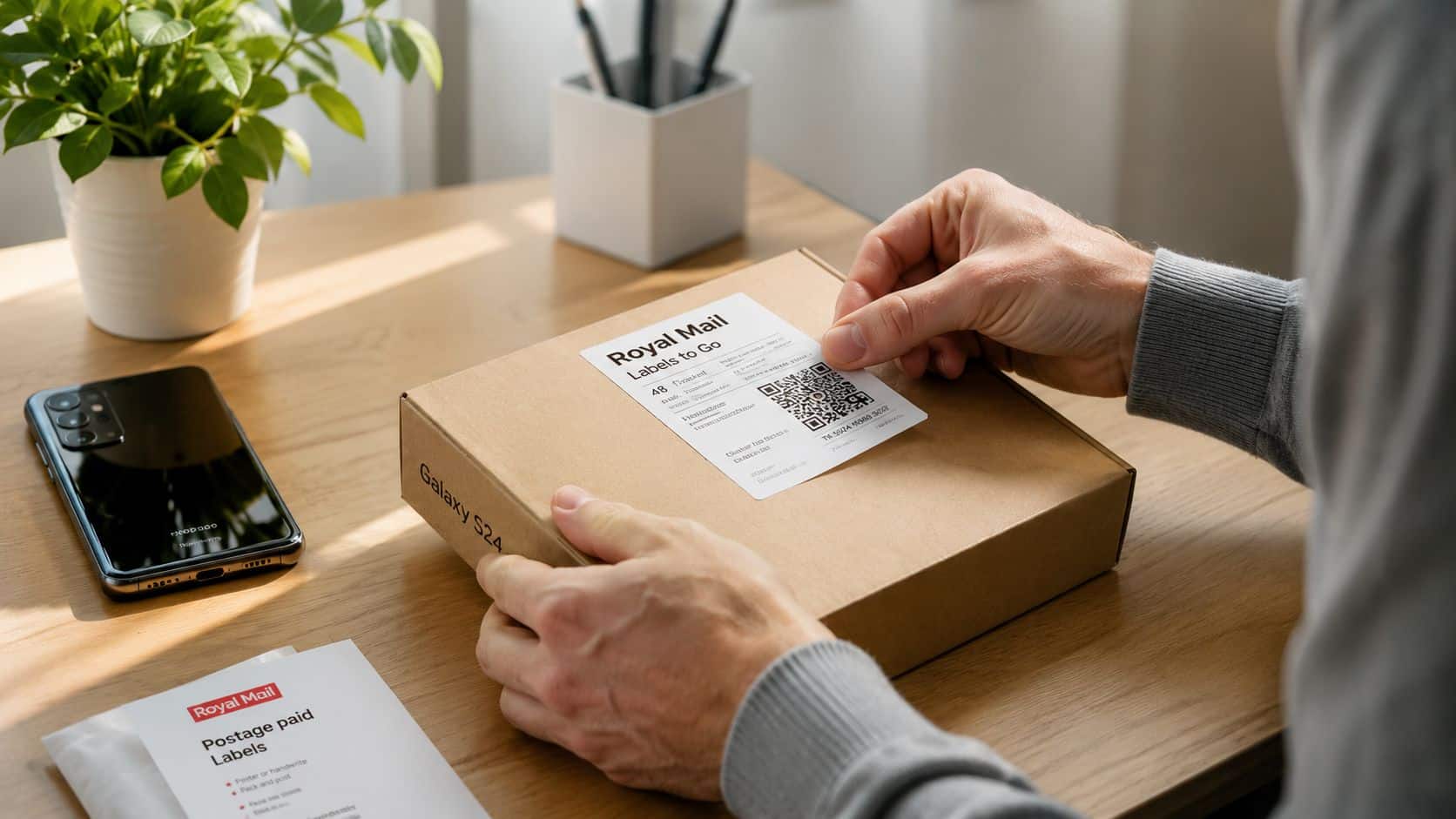
Labels to Go is the version you'll meet when you're sending a phone back, whether that's for a return, a repair, or a trade-in style booking. The QR code arrives in the booking confirmation email, not as a physical sticker, and you take that code to a Parcelshop, Parcel Locker, or Royal Mail Delivery Office to print the label on site.
That's the useful part. You don't need a home printer, and Royal Mail says the service is free once postage is paid. For people dealing with handsets, that often removes the biggest barrier, because nobody wants to tape a paper label to a device box and then find the printer has run out of ink.
The QR has to be physically readable at handover. Brightness, glare, folds, cracks, and low-resolution screenshots are the main failure points. A screenshot that looks fine on your sofa can fail at the counter if the screen is dim or the code is blurred by email compression.
The easiest way to avoid a wasted trip
Before you leave, open the email and make the QR full-screen. If you're worried about patchy signal or a dead battery, take a screenshot as a backup and keep the booking reference handy. If the scan still fails, the counter can often reprint the label from the reference details.
One thing we'd always do with a phone return is keep the device packed neatly and the QR ready before walking into the shop. A messy handoff creates delays, and delays are where mistakes happen.
A good place to read the wider process is our guide on how to ship phones for trade-in, because the same basics apply whether you're returning a handset or sending one for resale.
How to Tell a Genuine Royal Mail QR Code From a Scam
The safest way to treat any parcel QR is simple, distrust first, scan second. Royal Mail's own Something for You guidance says the QR should resolve to a link starting ryml.me, and you should verify the nine-digit code and postcode before using the tracking details on the page. If that matching step is missing, slow down.
Red flags that should make you stop
- Unexpected message: If the QR arrives in a text or email you weren't expecting, don't scan it straight away.
- Lookalike domain: If the link doesn't look like Royal Mail, or it pushes you to a strange website, leave it.
- Payment pressure: A real missed-delivery notice shouldn't demand random payment or personal details just to reveal basic parcel information.
- No nine-digit code: If the card or message has no matching reference, treat it as suspect.
- Poor context: A code that appears with spelling mistakes, odd branding, or mismatched wording is not worth trusting.
Police Scotland has also warned people not to scan QR codes from unfamiliar or unexpected sources and to go straight to the official company site when in doubt. That advice is sensible because QR-based phishing works by getting people to trust the scan before they've checked the destination.
If you're dealing with a used phone, the same caution applies twice over. You're already handling a device that might have personal data, payment apps, and email access on it, so the last thing you need is to tap a fake parcel link from the wrong screen. A guide on how to secure a used phone is worth keeping in mind if you regularly buy, sell, or return handsets.
Quick check: domain, nine-digit match, no payment prompt. If any one of those fails, don't scan.
That takes under ten seconds, and it filters out most bad codes before they ever become a problem.
Why Your Royal Mail QR Code Will Not Scan and How to Fix It
A Royal Mail QR code usually fails for a simple reason, and the fix is usually just as simple. If the code keeps refusing to read, the problem is often the message itself, not the camera. A damaged card, a corrupted screenshot, or the wrong type of Royal Mail page can all leave you staring at a QR that looks valid but will not do anything useful.
Match the problem to the fix
Start with the source, not the phone. If Royal Mail says the QR is unavailable, the booking has usually moved on to a different route, so the code is no longer the right option. In that case, use the printable label view, the booking reference, or the tracking page instead of trying to force the QR to work.
That matters a lot with missed-delivery cards and return labels. A customer can have the right parcel, the right postcode, and still get nowhere if they are looking at an outdated message or the wrong confirmation screen. I see this often with used handset returns, where the parcel details are correct but the user is trying to scan an old email attachment rather than the live Royal Mail page.
The clean fallback is to type royalmail.com/track-your-parcel into the browser and enter the nine-digit code by hand. If you are dealing with a return, go back to the booking reference or the label view and follow the current Royal Mail instructions from there.
If the QR keeps failing, stop scanning and go to the official Royal Mail tracking page manually.
If you are sorting out a refurbished phone order, keep the UsedMobiles4U iPhones page handy as well, because it helps separate a delivery issue from the device itself. A QR problem does not usually tell you anything about handset condition, it just means the postal route needs a different entry point.
Royal Mail QR Codes and Your Used Mobiles 4U Order
If you've ordered a refurbished iPhone or Samsung handset, the Royal Mail QR code usually appears in one of two places. On the way in, you may get a missed delivery card with the QR and nine-digit reference. On the way out, if you're returning a phone under warranty or within a normal returns window, Labels to Go lets you send it back without a printer.
That's the practical value of the system. It keeps delivery and returns moving without forcing you to print paperwork at home, and it gives you a paper trail when you need one. If the parcel is marked as left, with a neighbour, or at the depot, the QR plus postcode route is often enough to confirm what happened before you contact support.
A few quick answers people still ask
- Do Royal Mail QR codes expire? They can stop being useful if the booking, card, or email is outdated, so use the current message rather than an old one.
- Is this the same for international mail? Not in the same way, no, the UK QR flows here are mainly about domestic delivery, missed items, and label printing.
- Does scanning cost mobile data? Scanning itself doesn't cost anything, but opening the Royal Mail page can use a small amount of data if you're not on Wi-Fi.
For buyers comparing handsets, it's also worth remembering that delivery problems are separate from phone condition. If you're looking for a replacement device, you can compare options in UsedMobiles4U iPhones and choose the model that fits your budget and battery expectations.
The short verdict is straightforward. A Royal Mail QR code is a useful shortcut, but it's not the whole system. The nine-digit code, the postcode, and the official site are what get a parcel back on track.
Written by James Waterston, 24 years in the mobile phone industry from customer service through to Sales Director of a global repair and recycling company. Now running Used Mobiles 4U for over 8 years.
LinkedIn: James Waterston on LinkedIn
A Royal Mail QR code is handy, but it only works properly when the card, the code, and the phone are all in good shape. If you want a refurbished iPhone with UK delivery and a straightforward returns process, take a look at Used Mobiles 4 U.
Looking for a refurbished phone?
Shop professionally tested refurbished iPhones and Samsung phones with 18 month warranty, 30 day returns and free UK delivery.
Browse Refurbished Phones






