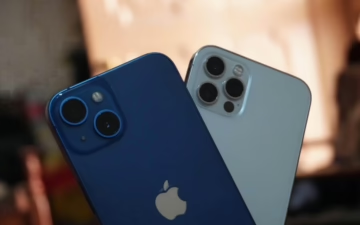
Apple’s iPhone 15 range, launched during the September 2023 “Wonderlust” event, marks a meaningful step forward in the evolution of the world’s most iconic smartphone. This year, Apple has leveled up the entry-level models by incorporating key features from the Pro range, while the Pro models themselves push the boundaries of mobile innovation. Whether you’re a casual user or a professional content creator, there’s an iPhone 15 for you.
If you’re considering whether to buy a new one or explore the growing market for a used iPhone, this comprehensive guide will help you understand the options and value available across the range.
🔍 What’s New Across the Line-Up?
2023 saw Apple reduce the divide between the standard and Pro models in a few important ways. For the first time, the Dynamic Island and a 48MP camera are available across all variants. Apple has also finally embraced USB-C ports for charging and data transfer, aligning with EU regulations and modern user demands.
Whether you buy new or opt for a used iPhone 15, these changes ensure you’re getting cutting-edge design and function.
These entry-level models are anything but basic, and even a used iPhone 15 Plus will feel premium, thanks to key upgrades borrowed from the Pro series.
🔧 Specifications at a Glance
📸 Camera Performance
The new 48MP sensor significantly upgrades photo quality. Even if you pick up a used iPhone, you’ll benefit from these enhancements, particularly for low-light shots and digital zoom.
🧠 A16 Bionic Chip & iOS 17 Synergy
The A16 chip ensures superb responsiveness and power efficiency. Users upgrading from older devices—or buying a used iPhone—will notice the speed immediately, especially when using features like Live Voicemail, NameDrop, and StandBy.
📝 User Experience
Even a used iPhone 15 feels modern thanks to the Dynamic Island, better cameras, and USB-C convenience. The main drawback remains the 60Hz refresh rate, but this won’t affect most daily tasks.
💡 Recommended For
First-time buyers seeking a modern iPhone experience
Existing Apple users trading up to a used iPhone 15 Plus for bigger screen and battery life
Budget-savvy shoppers who want value from a used iPhone
🧱 iPhone 15 Pro & Pro Max: The Pinnacle of Mobile Power
If performance, camera quality, and future-proofing are your top priorities, the iPhone 15 Pro range is the way to go.
That said, many users are now exploring the second-hand market for a used iPhone 15 Pro Max, which offers the full power suite at a more affordable price.
🔧 Pro-Level Features
3nm A17 Pro chip: unmatched mobile performance
5x telephoto zoom on Pro Max
Titanium build: lighter and stronger
ProRAW and ProRes support
USB 3.0 speeds with external drive compatibility
Whether brand new or a used iPhone 15 Pro, these are serious tools for content creators and power users alike.
📸 Advanced Photography
A used iPhone 15 Pro can handle complex photo workflows, with professional-grade image controls and support for external storage. The 5x zoom on the Pro Max is ideal for wildlife and travel photography.
🔌 USB-C: A Smart Move
Across all models, USB-C now powers faster charging and broader compatibility. Even with a used iPhone, this port allows you to charge devices, transfer data, and integrate with modern accessories.
📲 iOS 17 + iPhone 15 = Seamless Harmony
iOS 17 brings features that shine especially well on the iPhone 15 series, whether new or pre-owned. From real-time voicemail transcription to enhanced Airdrop and contact sharing, these are iPhones that feel smart and responsive.
Even a used iPhone will handle these features effortlessly thanks to the powerful A16 or A17 Pro chips.
📉 Buying a Used iPhone 15: What to Look For
If you’re leaning toward a used iPhone, here’s what to consider:
Battery Health: Check the battery’s maximum capacity in settings.
Genuine Parts: Ensure the phone uses original Apple components.
Warranty or AppleCare: Some used models may still be under coverage.
Unlocked vs Carrier Locked: Make sure it works with your provider.
Sites like Apple’s Certified Refurbished Store, Back Market, and trusted UK retailers offer peace of mind with warranties on used iPhone 15 devices.
🎨 Color Options
Even when shopping second-hand, a used iPhone 15 offers multiple stylish colors:
Standard: Pink, Yellow, Blue, Green, Black
Pro: Black Titanium, White Titanium, Blue Titanium, Natural Titanium
Choose the color that best matches your personality—or availability if you’re buying a used iPhone15 Pro Max.
🏁 Final Thoughts: Is a Used iPhone 15 Worth It?
In short—absolutely. Whether you go brand new or decide to purchase a used iPhone 15, you’re getting a device packed with features, performance, and future software support.
With Apple’s stellar software support and reliable hardware, a used iPhone 15 can be an incredibly smart choice for anyone seeking flagship performance at a more affordable price.
Making the Switch: Get the Best Used iPhones for Sale
Switching from Android to used iPhones for sale might seem a bit daunting at first, but it’s a path more and more people are choosing. With a wide range of used iPhones for sale, this offers a practical way to experience the Apple ecosystem without breaking the bank. Whether it’s the trusted build quality or the seamless integration with other Apple products, used iPhones pack in great value. Plus, it’s not just about functionality—there’s an undeniable prestige factor in the iPhone brand. Discover how to make this transition smoothly, while ensuring your new-to-you device meets all your needs.
Find more firsthand insights from those who’ve made the switch in this YouTube video.
Why Consider Switching to an iPhone?
Thinking about making the jump from Android to used iPhones for sale? There are a number of compelling reasons why you might want to consider taking the plunge. Let’s explore the standout benefits that might just tip the scales for you.
Enhanced Security and Privacy
One of the key advantages of iPhones is their reputation for enhanced security. When compared to Android, iOS consistently provides stronger safeguards. Apple’s closed ecosystem is less susceptible to malware and malicious apps, providing an additional layer of protection for your personal data. Regular updates further bolster security, ensuring that devices remain protected against the latest threats. This article highlights how Apple’s comprehensive security approach gives it an edge over Android. Not only does it protect your information, but it also offers peace of mind that your data isn’t being compromised.
User-Friendly Interface
Stepping into the world of iOS reveals a clean, user-friendly interface that’s a breeze to navigate. Apple focuses on a streamlined user experience, ensuring even the newest iPhone users find it intuitive. With transparent icons and a consistent design, the layout is both aesthetic and functional. The simplicity of iOS doesn’t mean it’s without depth; instead, it offers advanced features seamlessly integrated beneath a simplistic veneer. Enthusiastic discussions on its intuitive nature are common, as seen here.
Being a part of the Apple family offers more than just the brand name; the ecosystem itself is a major draw. Seamless integration across devices allows you to start a task on your iPhone and finish it on your iPad or Mac—like magic, but better. Imagine taking a call from your MacBook while your phone charges across the room or continuing an email drafting between gadgets. It’s not just about convenience; it’s about making technology work instinctively. Articles can elaborate on the benefits of such integration, and you’ll quickly see why so many people relish the seamless connectivity.
In exploring these benefits, it becomes clear why making the switch to a one of our iPhones could be a game-changer in your tech journey, offering not just a device, but a gateway to enhanced digital living.
Choosing the Right Used iPhone
Selecting the perfect used iPhone can feel like navigating a technology jungle. However, with careful consideration, you can uncover a device that meets your needs whilst ensuring value for money. Below we cover critical factors to ponder, where to snag the best deals and the significance of warranties.
Factors to Consider When Buying
When eyeing a used iPhone, several vital aspects should influence your decision:
Battery Health: Ensure the battery health is as high as possible to guarantee longer usage. A healthy battery should retain more than 80% of its original capacity. For more insight on this, check out this guide.
Cosmetic Condition: Small scratches are usually fine, but avoid devices with significant damage or chips as these might compromise the phone’s integrity.
Storage Options: Depending on your use case, aim for a storage capacity that accommodates your apps, photos, and files comfortably. Ample storage saves you unexpected headaches.
Where to Find Quality Used iPhones for Sale
Securing a quality used iPhone involves choosing the right sources. Here are reputable avenues to explore:
Certified Resellers: Platforms like Best Buy often carry certified refurbished phones that guarantee reliability.
Online Marketplaces: Sites such as Amazon and Gazelle provide extensive listings for used iPhones. Just make sure to check seller ratings and reviews.
Specialist Websites: Websites like Used Mobiles 4U specialise in used and refurbished Apple products, offering a selection that tends to be more reliable than general marketplaces.
Checking for Warranty and Return Policies
Before committing your cash, dive deep into the warranty and return policies:
Warranty: A good warranty should cover parts and labour for a suitable period, acting as a safety net if the phone breaks.
Return Policies: Look for flexible return options, especially a money-back guarantee within a certain period if you encounter any issues. This article tackles everything you need to know about understanding phone warranties.
Meandering through these aspects will ensure a smoother transition to your new iPhone, offering both excellent performance and peace of mind.
How to Transfer Data from Android to iPhone
Switching from an Android phone to used iPhones for sale is gaining popularity, given the allure of Apple’s tempting ecosystem. For many, a used iPhone presents an opportunity to access these benefits affordably, while still enjoying top-notch features. An integral part of this transition involves confidently and correctly transferring your data. Done properly, this step ensures your contacts, photos, apps and settings are neatly ushered into your new Apple device’s embrace.
Apple’s Move to iOS app is a frequently recommended tool to facilitate a seamless transition for users. Here’s how you can use it effectively:
Preparation: Make sure both devices have enough battery life to last the process—preferably over 70%. It’s wise to connect to Wi-Fi for stability.
Set Up your iPhone: Begin setting up your new iPhone. When you reach the Apps & Data screen, tap on “Move Data from Android”.
On Your Android Device: Install the Move to iOS app from the Google Play Store and open it.
Connect: When prompted, enter the code displayed on your iPhone. This creates a secure, private connection between the two devices.
Select Content for Transfer: Choose the data you wish to move across, be it contacts, message history, photos, or email accounts. Hit “Next” and await the transfer’s completion.
Further details and guidance can be found here. Using this app makes moving most data straightforward, but remember, some apps or media acquired through third-party sources may need to be re-downloaded on your new iPhone.
Manual Transfer Options
While Move to iOS offers ease, some users may prefer manual options either out of preference or necessity. Here’s how you can transfer essential content manually:
Contacts: Use your Android to export contacts to SIM, then import them on your iPhone. Alternatively, sync contacts via a cloud service like Google or use an exported VCF file.
Photos and Videos: Upload to a cloud service (e.g., Google Photos) from your Android, which can then be synced with your iPhone by downloading the relevant app.
Music: Transfer songs by syncing with iTunes on your computer before connecting your iPhone.
Documents: Use online services like Google Drive or iCloud to upload and download files across devices.
You can explore more detailed information here to further help with this process.
Checking if everything has migrated is crucial before concluding with your Android device. Ensure you test critical areas such as messages and contacts making sure they appear in their entirety. By adopting these carefully laid out steps, the technological transition becomes smooth and simplified, propelling you into the vibrant and interconnected Apple universe with minimal fuss.
Adjusting to iOS from Android
Making the switch from Android to used iPhones for Sale iOS is much like trading in your reliable hatchback for a stylish sports car. While they essentially serve the same function—getting you from A to B—each offers a distinct ride that’s worth understanding. The key isn’t just in adapting to the changes but relishing what feels new and exciting about your used iPhone. Here’s what to keep in mind as you gear up for this ride.
When it comes to customisation, iOS and Android are like chalk and cheese. Android is beloved for its open-playground vibe, giving users more freedom to tinker with system settings, use custom launchers, and tweak the interface in myriad ways. If you’ve ever swapped your home screen widgets on a whim, you know exactly how liberating that can feel. Unfortunately, iOS keeps a tighter lock on its doors, focusing instead on providing a streamlined, consistent user experience. Its home screen isn’t an open sandbox for you to play in; rather, it offers a curated presentation.
However, don’t consider this a drawback. Apple’s design prioritises ease of use and aesthetic consistency. This might feel limiting if you’re used to customising every pixel, but many enjoy the reduced clutter and unified design language that iOS provides. Discover more detailed insights on iOS vs Android customisation.
Understanding App Availability
A robust app ecosystem is often at the heart of mobile experiences, and switching to iOS necessitates awareness of app availability differences. Despite both platforms boasting millions of apps, each offers a unique app landscape shaped by different priorities. Apple’s App Store is lauded for a rigorous review process, which may delay app launches compared to Android. As a result, not all apps make a simultaneous appearance on both platforms.
Yet, an iOS advantage lies in app optimisation. Many developers craft apps to harness the powerful hardware of iPhones, thus enjoying outstanding performance and seamless integration. This might mean certain Android-exclusive offerings won’t carry over, but consider this an opportunity to explore new, iOS-only apps designed with creativity and precision.
Your favourite utilities may at times be missing, yet rest assured, there’s a host of equally valuable alternatives found in Apple’s vast app marketplace. Keep an eye on what’s trending and explore high-quality, polished apps you’d scarcely have heard of otherwise—often being surprised by what’s available first or exclusively on iOS.
In making the transition and embracing these differences, you’re not only adjusting to another way of engaging with your device, but you’re stepping into an ecosystem that thrives on intuitive user experiences and quality offerings.
Common Concerns When Switching
Switching from Android to used iPhones for sale might seem like a big leap, but understanding the common concerns will help ease any anxieties. Two major worries many face revolve around the associated costs and the differences in using a new operating system. Let’s tackle these myths and provide clarity.
When considering used iPhones for sale, cost is frequently a sticking point. Apple’s devices are often perceived as pricier compared to Android alternatives—a concern that’s justified, but not insurmountable. While a brand-new iPhone indeed commands a premium price, exploring the used market can reveal significant savings.
For instance, while new iPhones can exceed £1,000, models just a couple of years old are often available for half that price. In contrast, Android phones cover a broader price spectrum, with affordable options and high-end models alike. Consider what features you need; sometimes, a refurbished iPhone might offer the perfect balance between quality and affordability with robust options. So, don’t let first impressions deter you—take a closer look, and you might find the value in the prestige and longevity of an iPhone that does not quickly depreciate.
Learning Curve
Migrating to iOS may stir concerns about navigating a whole new interface, yet the journey doesn’t have to be stressful. To put it simply, yes, there is a learning curve when shifting from Android to used iPhones for Sale. But think of it as an opportunity to enhance your gadget know-how, not as a daunting challenge. Articles like these “Tips for Switching From Android to iPhone” illustrate how familiar you might already be with certain iOS features.
Expect differences primarily in app placement, notification styles, and operating gestures. However, Apple designs iOS with user-friendliness top-of-mind, reducing many of the complexities that tend to overwhelm. The learning curve is often smoothed out once users familiarise themselves with core functions, like the swipe and tap gestures, which aren’t too dissimilar from Android’s.
Moreover, the App Store frequently offers apps that simulate Android’s familiar features, easing the transition further. With just a bit of exploration, overcoming initial hesitations becomes more like re-discovering a new, exciting approach to mobile technology.
Embracing the Switch
Making the leap from an Android phone to used iPhones for sale may seem like swapping a trusty old pair of trainers for sleek ankle boots. Different, perhaps, but there’s undeniable excitement in the change. This transition isn’t just about getting a new gadget; it’s about joining an ecosystem known for quality, security, and a smooth user experience. Let’s wrap up what makes this switch so rewarding.
Savvy Selections in Buying a Used iPhone
A key benefit of switching to a used iPhone lies in value without compromise. Used iPhones for sale offer a premium device at a friendlier price, without losing the prestige associated with the Apple brand. For example, this article outlines multiple benefits, highlighting the reliability and performance that remain top-notch, even in a pre-owned device.
Savings don’t stop with the initial purchase. Apple’s commitment to long-lasting software support further extends the life of your device, assuring you get more out of any investment details here.
Unearthing New Ways of Interaction
As you settle into using an iPhone, embrace the logical and intuitive interface it’s known for. Switching from Android to used iPhones for Sale couldn’t be more straightforward with the Move to iOS app, which ensures that your precious memories and data make it over with ease. Indeed, the apps themselves may differ, but that’s an exciting opportunity—a chance to explore what iOS has to offer, from streamlined design to dedicated functionalities you might miss.
Navigating Hurdles with Ease
The main sticking point for many considering a switch is the potential for a learning curve. Think of it like working with a brand-new tool. A great resource, like this 10-Step Guide for Android Switchers, can be invaluable in easing this transition.
While concerns about cost can loom large, fear not. There is genuine value in purchasing used iPhones given their steady market retention and resale value. The reputation of a used iPhone transcends borders for good reason, giving confidence to those making this switch.
By surfacing exciting and streamlined opportunities through the journey, moving from Android to used iPhones for sale becomes more than just an exchange—it’s stepping into a whole new way of experiencing technology daily.
Is It Worth It to Sell My Old iPhone or Trade It In? [Pros & Cons]
As iPhones soar in popularity and price, many UK users face a decision: sell my iPhone outright or trade it in. Both options have their merits, but the best choice depends on individual needs and priorities. Trading in provides convenience and instant credit, possibly towards the latest gadgets, but often involves lower returns. Selling outright might fetch a better price, but requires effort and negotiation. Whether you’re after simplicity or maximum profit, weighing these pros and cons is key to deciding the smartest path for your iPhone’s next chapter.
Understanding the Trade-In Process
Trading in your iPhone is not just about offloading your old tech. It’s also a way to get some cost savings while being eco-friendly. Understanding the process can help you make smart choices and possibly get a good deal.
Where to Trade In Your iPhone
There are numerous places to explore when thinking, “I want to sell my iPhone.” Here’s where to start:
Apple: Apple Trade In offers a straightforward way to get a good value by either visiting an Apple Store or going online.
Mobile Networks: Providers like Vodafone have trade-in programmes where your phone’s value can go towards a new phone or plan.
Online Services: Websites such as Decluttr offer instant valuations and free shipping, making it hassle-free to sell your device.
These options cover both online and in-store methods to make trading in as convenient as possible.
Trading in can sound complicated, but when you break it down, it’s quite simple. Here’s a step-by-step look:
Initial Assessment: Start with checking your device’s condition. Online platforms often require you to select the gadget’s model and describe its physical and functional state. For instance, Apple does an assessment before offering a trade-in value.
Getting an Offer: Based on your description, you’ll get an estimate of what your phone is worth. Offers can vary widely depending on the phone’s condition and market demand.
Accepting the Offer: If the offer suits you, you’ll typically send in your device. In cases of in-store trading, the assessment is done on the spot, and you’ll receive credit immediately.
Send Off & Get Paid: For online trades, you’ll likely receive a pre-paid shipping package. Once the trader receives and inspects your device, the payment is processed. This could be as quick as a few days with services like Decluttr.
Expect some variability in processes between different services, but the basic steps often remain consistent across providers.
Pros of Trading in Your iPhone
Trading in your iPhone can be a fuss-free way to say goodbye to your old gadget while welcoming a new one with open arms. Choosing to trade instead of selling outright has several tempting benefits. Let’s explore how trading in can simplify your smartphone upgrade and provide environmental perks with ease.
Convenience of the Trade-in Process
Trading in your iPhone is like taking a shortcut when you’re in a rush. You get through the process without getting tangled in complex steps. All you need to do is pick an option online, receive a quote, and send in your phone. No back-and-forth negotiation, just straightforward steps, as outlined by Apple Trade In. The way it streamlines things is akin to hitting the fast-forward button on your TV remote.
Instant Discounts on New Purchases
Imagine handing over your old iPhone and instantly slashing through the price tag of your next purchase. That’s the magic of trade-ins. It feels like a VIP treatment, giving you savings right on the spot. This immediate payback can be a game-changer, allowing for easier budgeting and spending as noted here. Who doesn’t like a good deal served instantly?
Opting to trade in isn’t just about the numbers—it also helps Mother Earth by cutting down on e-waste. By choosing this route, you’re basically giving your old phone a second chance at life, contributing to a greener planet. It’s like planting a tree every time you trade in your iPhone, offering benefits beyond your individual gain.
No Hassle of Finding Buyers
Selling an iPhone outright can sometimes feel like hosting a yard sale. You need to advertise, negotiate prices, and deal with potential buyers. Skip all that drama by choosing a trade-in. Programs provide a simple and hassle-free method to exchange your iPhone, freeing you from this tedious process as described on sites like MusicMagpie. Trade-up programs cut out the middleman—the best way to keep it simple!
Thinking of an upgrade while avoiding the hustle? Let your fingers do the work and consider trading in for an easier, cleaner, and more affordable transition.
Cons of Trading in Your iPhone
While trading in your iPhone might seem like a quick and easy way to upgrade, there are several drawbacks to consider. Before jumping into a trade-in deal, it’s important to weigh these potential downsides against the benefits, especially when you could sell your iPhone and potentially get a better return.
Lower Financial Return
When trading in your iPhone, don’t be surprised if the return isn’t as high as you were hoping. Typically, trade-in values are lower than what you’d get if you decided to sell your iPhone outright. Why lose out on extra cash? Platforms like MusicMagpie or Compare and Recycle offer reliable options where you can sell your iPhone for a better price. Why settle for less when you could pocket more by selling directly to a third-party buyer?
Limited Options for Non-Apple Devices
Trade-in options might appear plentiful, but they often have restrictions based on what devices are accepted. For instance, if your iPhone isn’t the latest model or it isn’t in perfect condition, your trade-in options could be limited. Non-Apple devices or models that haven’t fared well in the market might not even be accepted through typical trade-in channels, making it harder for you to offload older tech. Are you willing to deal with limited options just to stick with the manufacturer’s trade-in programme?
Potential for Complicated Terms
Ever gone through pages of fine print before agreeing to something? Trade-ins can sometimes entail such complexities. Providers may have terms that aren’t initially obvious, like deductions for wear and tear or requirements that your new device purchase be on the same receipt. Before you know it, you’re tangled up in restricting conditions. Reading the fine print could save you from unexpected headaches.
Timing and Value Depreciation
You’ve probably heard the saying “timing is everything,” and it absolutely applies here. The longer you hold onto your old iPhone, the more it depreciates in value. Waiting to trade in might mean getting even less than you would currently. If you delay the trade, especially beyond a new model’s release, the value can drop significantly. Why risk losing more value when you could sell it at a better time?
Choosing the right method to get rid of your old iPhone isn’t just about immediate convenience. If you’re asking yourself, “Should I trade or should I sell my iPhone?” think about the longer-term impact on your wallet and the flexibility you desire in your options. For more on the pros and cons of Apple trade-ins, check out this article.
If you’re contemplating the idea of selling your iPhone, you may wonder whether to opt for a trade-in programme or sell it outright. Each choice comes with its own perks, but sometimes, selling your iPhone outright can be more rewarding. Let’s explore when this may be the better route.
High Demand Models
When a new iPhone hits the shelves, several people eagerly line up, while others begin to look at the second-hand market. If you own a recent model, people searching for a more affordable option could offer a competitive price compared to trade-in programmes. Models like the iPhone 15 frequently retain high value, making them appealing to direct buyers. With this in mind, it’s often worth checking how much you could get by selling on platforms such as Compare and Recycle, which presents offers from various buyers.
Choosing how much you wish to sell your iPhone for allows you more control over your financial gains. Unlike trade-ins which offer a fixed price, selling outright means you dictate terms. This is ideal for those willing to wait for the right buyer to come along who values the handset as much as you do. Websites like MusicMagpie can significantly aid in this process, as they enable you to set a competitive price.
Maximising Return for Rare Models
Have a limited edition iPhone or maybe an older series? You might find that collectors or tech enthusiasts are willing to pay extra for such rarities. While trade-ins might offer a standard price, direct sales could present an opportunity to fetch a premium. Models like the iPhone 11 have maintained popularity and demand for various reasons and are constantly sought after. If this is the situation you’re in, consider marketplaces that appreciate the uniqueness or historical value of your model.
Selling your iPhone outright can feel like jumping into the driver’s seat instead of just going along for the ride. Through strategic pricing and market analysis, you stand to receive more cash than typical trade-in values. So, before making a move, weigh these points and decide if the patience and effort of an outright sale align with your goals.
Conclusion
Deciding whether to trade in or sell your iPhone isn’t just about getting the most money—it’s about what best fits your lifestyle and needs. Each option has its own perks and downsides, and what works for one person might not work for another. That’s why it’s worth taking a moment to weigh up the pros and cons before making a decision.
Selling Outright
If you’re aiming to maximize your profit, selling outright might be your best bet. Platforms like Gazelle and Swappaoffer a marketplace where you can sell your iPhone directly to another person, often netting you more money than a trade-in would. However, this can take more time and effort, with the added step of ensuring your ad reaches potential buyers and possibly negotiating prices.
The Trade-In Option
Trading in offers convenience and speed. Retailers like Apple Store offer straightforward trade-in programs, where you apply the value directly toward a new device, eliminating the hassle of listing and negotiating. You might sacrifice some cash in exchange for this ease and guaranteed value.
Personal Considerations
What it ultimately boils down to are your personal circumstances. Are you okay with doing a bit of legwork for a bigger payout? Or do you value the simplicity and immediacy of a trade-in? Maybe you just want the peace of mind that comes with knowing your upgrade is already in-store. Take your time to think about which route makes the most sense for your present situation.
Start by considering your priorities: Is it time or is it money? Reflecting on what’s most important to you will bring clarity to your decision-making process.
Think About Timing
If you do decide to sell my iPhone, remember that timing can impact the value. New iPhone releases can cause older models to drop in value almost instantly. Selling just before a launch could be beneficial if you’re opting for this route.
Taking these insights into account can significantly benefit your decision-making process regarding whether to trade in or sell your iPhone. It’s not just about immediate gain—it’s also about aligning with your personal beliefs and preferences.
Sometimes it is important to have help Troubleshooting your Used iPhone. Often display a myriad of important messages that users encounter on a daily basis. These messages can range from software updates and app notifications to critical warnings about system errors, battery issues, network connectivity problems, and even hardware malfunctions. Understanding the reasons behind these display messages is crucial. This will help aid effective troubleshooting and ensuring the optimal functionality of your Used iPhone.
In this article, we delve into the top reasons why iPhones show these important display messages. We will also explore various categories of notifications and alerts that users may encounter while using their devices.
1. Troubleshooting you Used iPhone : Software Updates and Notifications
Technology is kind of like your clingy friend who constantly needs attention. Your iPhone is no different. It loves to remind you of its existence through important display messages. Here are a couple of reasons why your phone just can’t seem to stop bugging you:
1.1 Firmware Updates
Firmware updates are like the phone’s version of hitting the gym. They keep your iPhone in tip-top shape by fixing bugs, improving performance, and enhancing security. So, when your iPhone bombards you with notifications to update, think of it as your phone’s way of saying, “Time for a software workout!”
1.2 App Updates
Ah, those pesky app updates. Troubleshooting Your Used iPhone can top your phone letting you know when your favourite apps have new features, bug fixes, or security patches available. It’s like getting a little nudge from your phone saying, “Stay up to date, buddy!”
2. App-Specific Alerts and Messages
Your iPhone isn’t just a sleek piece of tech – it’s also a messenger of all things app-related. Here’s why it loves to ping you with important display messages and how best you should be Troubleshooting your Used iPhone:
2.1 In-App Notifications
Picture this: You’re in the middle of a heated game or a crucial messaging session, and suddenly, bam! An in-app notification pops up. Your iPhone just wants to make sure you don’t miss out on any updates, messages, or alerts within the app itself. It’s like having a personal assistant right in your pocket.
2.2 Push Notifications
Push notifications are like the enthusiastic friend who never stops talking (looking at you, group chat notifications). They keep you in the loop about everything from breaking news to your favorite app’s latest sales. So next time your iPhone bombards you with push notifications, think of it as your phone’s way of saying, “Hey, pay attention!”
3. System Errors and Warnings
Your iPhone isn’t all rainbows and butterflies; it has its fair share of grumpy days too. Here’s why it might show you those not-so-friendly system messages:
3.1 System Crash Messages
Nobody likes a party pooper, especially when it’s your iPhone crashing on you. Those system crash messages? Yeah, they’re your phone’s way of saying, “Oops, something went wrong.” It’s like a digital cry for help – time to hit the troubleshooting button!
3.2 Low Memory Alerts
Ever tried fitting too many clothes in a small suitcase? Your iPhone knows that feeling too well. When it’s running low on memory, it’ll send you those pesky low memory alerts. It’s like your phone’s way of saying, “Clean up your clutter, I need space to breathe!”
4. Battery and Power Management Notifications
Your iPhone is a high-maintenance friend when it comes to power – it just can’t live without a constant charge. Here’s why it loves to remind you about battery-related matters:
4.1 Low Battery Warnings
Low battery warnings are your phone’s way of saying, “I’m running on fumes here, buddy!” Your iPhone hates being stranded without power, so it’ll give you a heads-up when it’s time to plug in and recharge. It’s like your phone’s version of waving a little white flag.
4.2 Power Adapter Messages
Ever wondered why your iPhone gets chatty when you plug it in? Those power adapter messages are there to let you know that your phone is happily juicing up and getting ready for action. It’s like your iPhone saying, “Thanks for the energy boost, pal!”
5. Network Connectivity Issues and Notifications
5.1 No Internet Connection Alerts
Ever felt that sinking feeling when your iPhone notifies you about having no internet connection right when you need it the most? Yep, we’ve all been there. Whether you’re trying to send a crucial message or stream your favourite show, this alert pops up like the ultimate party pooper. This means you should start troubleshooting your Used iPhone ASAP.
5.2 Weak Wi-Fi Signal Notifications
That moment when you’re blissfully browsing the web, and suddenly your iPhone hits you with the news that the Wi-Fi signal is weak. It’s like your phone is politely saying, “Hey, just a heads up, things might get a bit shaky from here on.” Thanks for the heads up, iPhone.
6. Security and Privacy Alerts
6.1 Security Breach Warnings
Picture this: you’re happily scrolling through your apps when suddenly your iPhone decides it’s time for a reality check and throws a security breach warning your way. It’s like having a tiny digital bodyguard looking out for you in the vast cyber world.
6.2 Privacy Policy Updates
Ah, the classic privacy policy update notification – the digital version of those lengthy terms and conditions you scrolled through without reading. Your iPhone cares about your privacy — even if it means bombarding you with notifications about policy changes. Thanks for the heads up, Apple.
7. Storage Capacity and Memory Warnings
7.1 Storage Full Messages
The dreaded “Storage Full” message – a chilling reminder that your iPhone’s memory is as full as your inbox after Black Friday sales. It’s like your phone is telling you, “Hey, maybe it’s time to Marie Kondo your digital life a bit.”
7.2 Memory Usage Notifications
Just when you thought you were living your best digital life, your iPhone swoops in with those memory usage notifications. It’s like a virtual parent saying, “Do you really need all those apps open at once?” Thanks for keeping us in check, iPhone.
8. Hardware Malfunctions and Display Errors
8.1 Screen Burn-in Issues
When your Used iPhone starts showing signs of screen burn-in, it’s like a digital tattoo that won’t fade – a reminder of your phone’s endurance through countless scrolling sessions. Time to give your screen some R&R, perhaps and read our guide on troubleshooting your Used iPhone?
8.2 Touchscreen Malfunction Warnings
Your Used iPhone’s touchscreen malfunction warning is the digital equivalent of your phone giving you the cold shoulder. It’s like your phone saying, “Hey, can you ease up on the furious tapping for a bit?” Maybe it’s time to give those fingers a break, and your iPhone some love.In conclusion, being able to Troubleshoot your Used iPhone and understand its display important messages can empower users to address issues promptly and optimise their device’s performance. By recognising and understanding the various notifications and alerts that may appear on their screens,
Used iPhone users can navigate their devices more effectively, ensuring a seamless and efficient mobile experience. Trouble shooting your Used iPhone helps you to Stay informed. This also helps you become proactive in managing your iPhone’s display messages to make the most of your device’s capabilities and functionalities.
Once you have read through this article feel free to brand our Huge Range of Used iPhones now.
Order Today
By continuing to browse our site, you agree to the use of our cookies.
This website uses cookies to improve your experience while you navigate through the website. Out of these, the cookies that are categorized as necessary are stored on your browser as they are essential for the working of basic functionalities of the website. We also use third-party cookies that help us analyze and understand how you use this website. These cookies will be stored in your browser only with your consent. You also have the option to opt-out of these cookies. But opting out of some of these cookies may affect your browsing experience.
Necessary cookies are absolutely essential for the website to function properly. These cookies ensure basic functionalities and security features of the website, anonymously.
Cookie
Duration
Description
cookielawinfo-checkbox-analytics
11 months
This cookie is set by GDPR Cookie Consent plugin. The cookie is used to store the user consent for the cookies in the category "Analytics".
cookielawinfo-checkbox-functional
11 months
The cookie is set by GDPR cookie consent to record the user consent for the cookies in the category "Functional".
cookielawinfo-checkbox-necessary
11 months
This cookie is set by GDPR Cookie Consent plugin. The cookies is used to store the user consent for the cookies in the category "Necessary".
cookielawinfo-checkbox-others
11 months
This cookie is set by GDPR Cookie Consent plugin. The cookie is used to store the user consent for the cookies in the category "Other.
cookielawinfo-checkbox-performance
11 months
This cookie is set by GDPR Cookie Consent plugin. The cookie is used to store the user consent for the cookies in the category "Performance".
viewed_cookie_policy
11 months
The cookie is set by the GDPR Cookie Consent plugin and is used to store whether or not user has consented to the use of cookies. It does not store any personal data.
Functional cookies help to perform certain functionalities like sharing the content of the website on social media platforms, collect feedbacks, and other third-party features.
Performance cookies are used to understand and analyze the key performance indexes of the website which helps in delivering a better user experience for the visitors.
Analytical cookies are used to understand how visitors interact with the website. These cookies help provide information on metrics the number of visitors, bounce rate, traffic source, etc.
Advertisement cookies are used to provide visitors with relevant ads and marketing campaigns. These cookies track visitors across websites and collect information to provide customized ads.





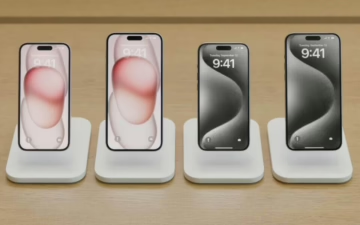
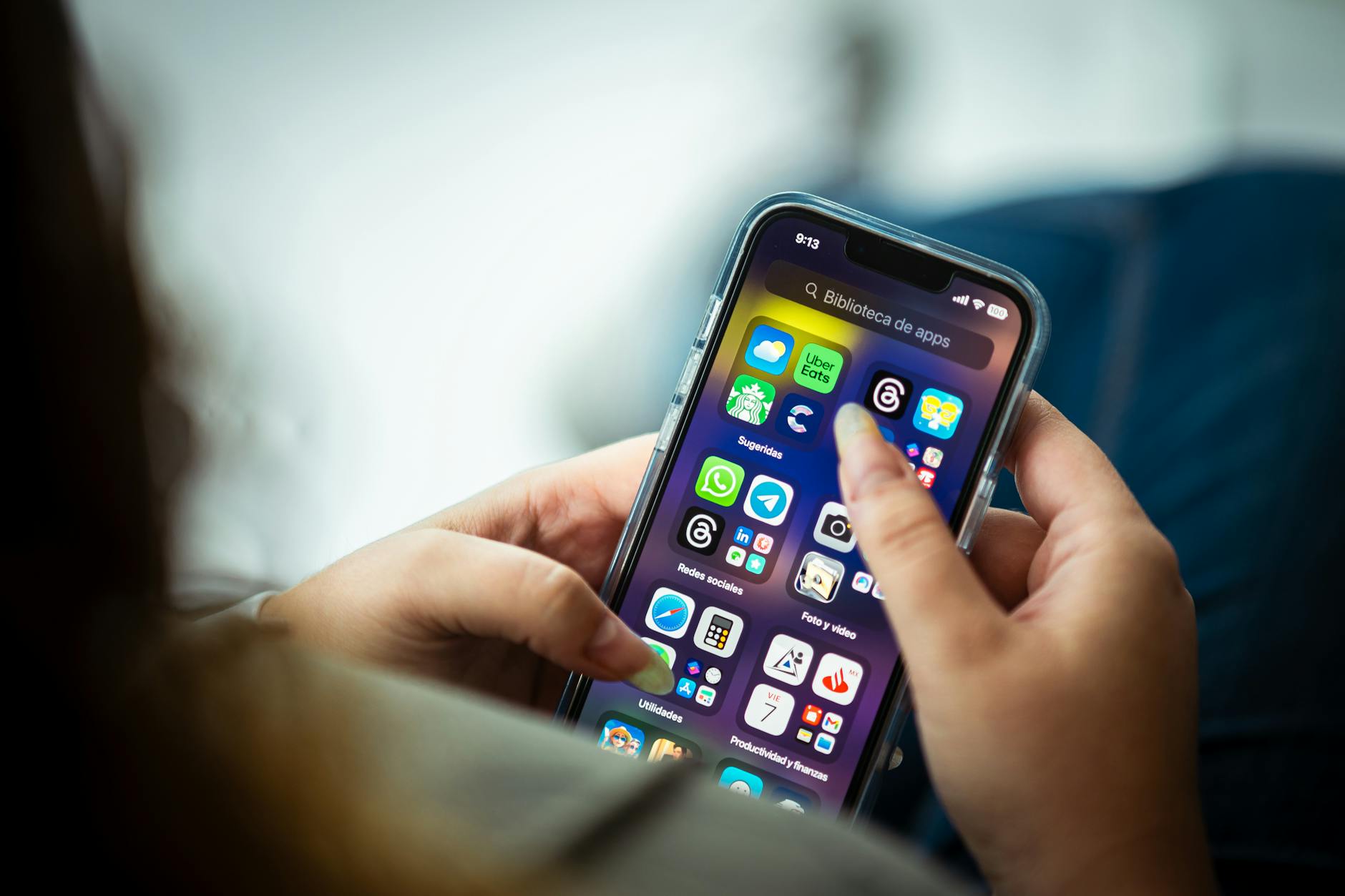 Photo by
  Photo by

 Photo by
  Photo by
  Photo by
  Photo by