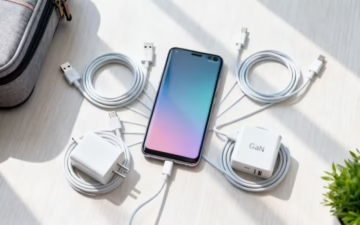
How to Choose the Right Android Phone Charger
Just bought a refurbished Android mobile and found no charger in the box? Don't worry, this is quite common now. This guide will help you pick the right charger to get your mobile powered up quickly and safely. The key thing to know is that most modern Android phones use a small, oval-shaped connector called USB-C. To get the fastest charge, you just need to match the charger's power—measured in watts (W)—with what your phone can handle.
What to Know Before You Buy an Android Phone Charger
Trying to find the right Android phone charger can feel a bit overwhelming, especially with all the different plugs, power ratings, and brand names out there. But it’s much simpler than it looks. Whether you’ve picked up a nearly new Samsung or one of our best budget Android phones, getting the right charger is key to filling up your battery quickly and safely.
The good news is that the industry has mostly settled on one main type of connector, which makes life easier. A few years ago, you had to juggle different cables for different brands, but today, most new devices have thankfully adopted a single standard.
Key Things to Check
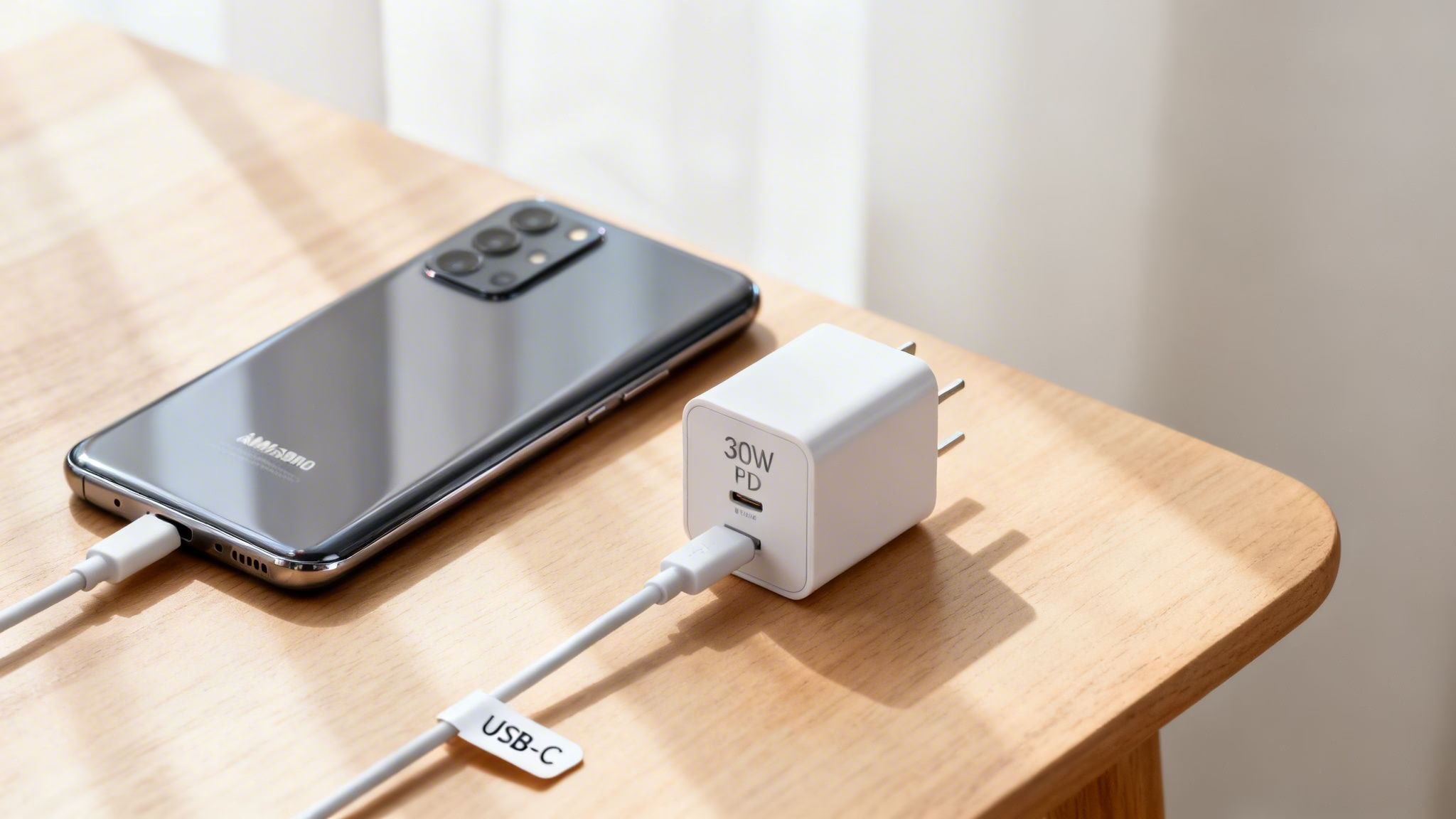
When you're looking for a new charger, there are just a few details you need to get right. Paying attention to these will save you from the classic frustration of super-slow charging or, even worse, buying a cable that doesn’t even fit.
Here’s a quick checklist of what to look for:
- Connector Type: Does your mobile have a modern, oval-shaped USB-C port or the older, trapezoid-shaped Micro-USB port? Most phones from the last few years use USB-C.
- Wattage (W): This number tells you how much power the charger can deliver. A higher number generally means faster charging, but only if your phone is built to handle it.
- Fast Charging Standard: Look for names like Power Delivery (PD) or Qualcomm Quick Charge. To get top speeds, your phone and charger need to speak the same "language".
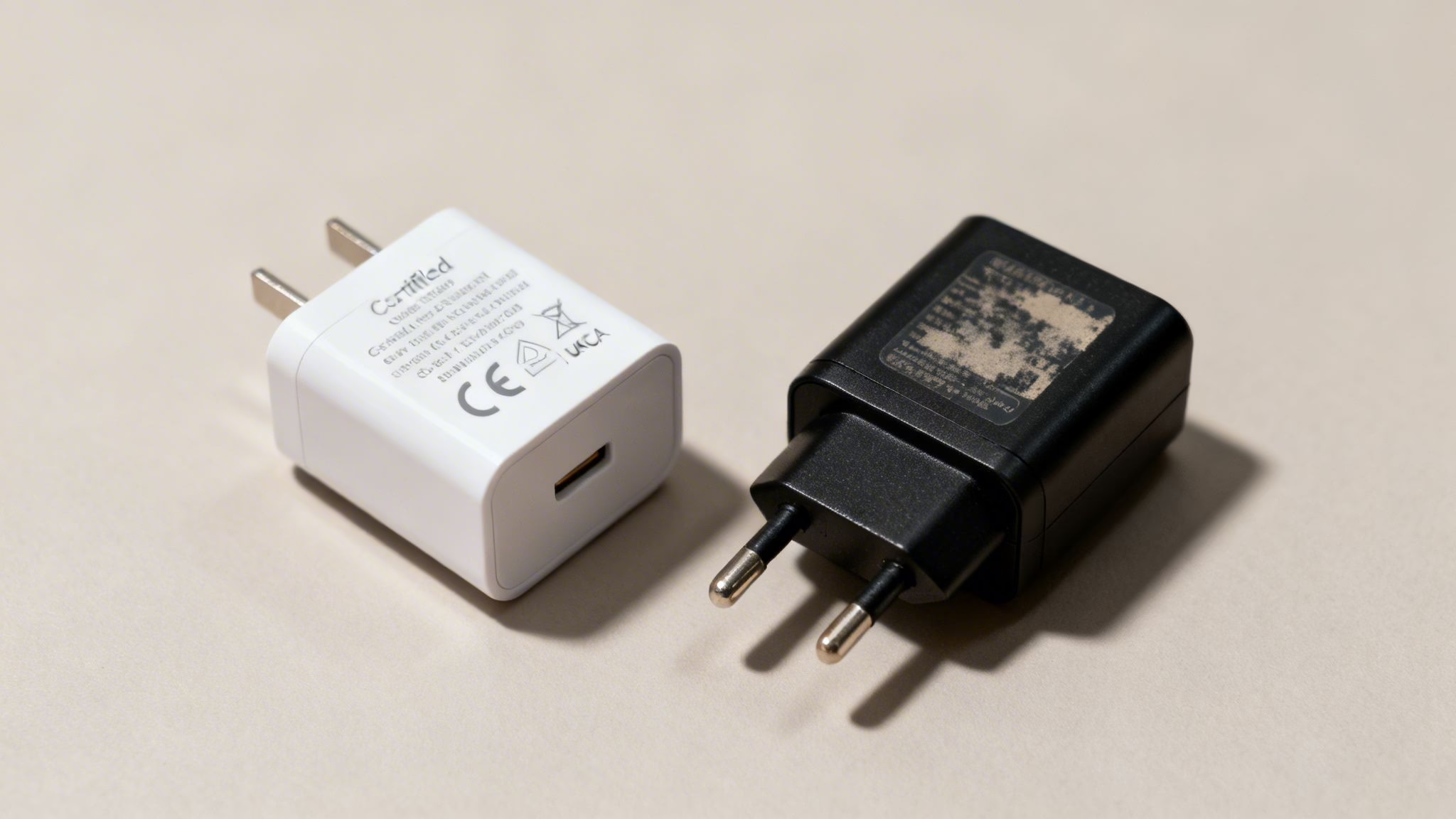
- Safety Marks: Always check for UKCA and CE marks on the plug. This is your proof that the charger has been properly tested and meets UK safety standards, protecting your phone from damage.
We’ve seen it countless times: a customer buys a fantastic refurbished phone but then grabs the cheapest charger they can find online, only to wonder why it takes all day to charge. For instance, a customer with a Google Pixel 7 was using an ancient 5W charger from an old mobile and found it painfully slow. Switching to a 30W Power Delivery charger made a huge difference, getting their phone to 50% in about half an hour.
A common myth we hear is that a high-wattage charger will damage an older phone. This isn't true. A modern, powerful charger is perfectly safe to use with any device; the phone will simply draw the maximum power it’s designed for, and no more.
Why Most New Chargers Are USB-C
If you’ve bought a new or refurbished mobile recently, you might have noticed the charging port looks a little different. For years, the Android world used the trapezoid-shaped Micro-USB connector. Now, almost every new device—from top-tier Samsung flagships to budget-friendly Motorola mobiles—features a small, oval-shaped port called USB-C.
This change isn’t just for looks; USB-C is a huge leap forward. The most obvious benefit is that it's reversible. You can plug the cable in either way up, finally ending that daily fumble of trying to get the connector in correctly. It’s a small detail that makes a big difference.
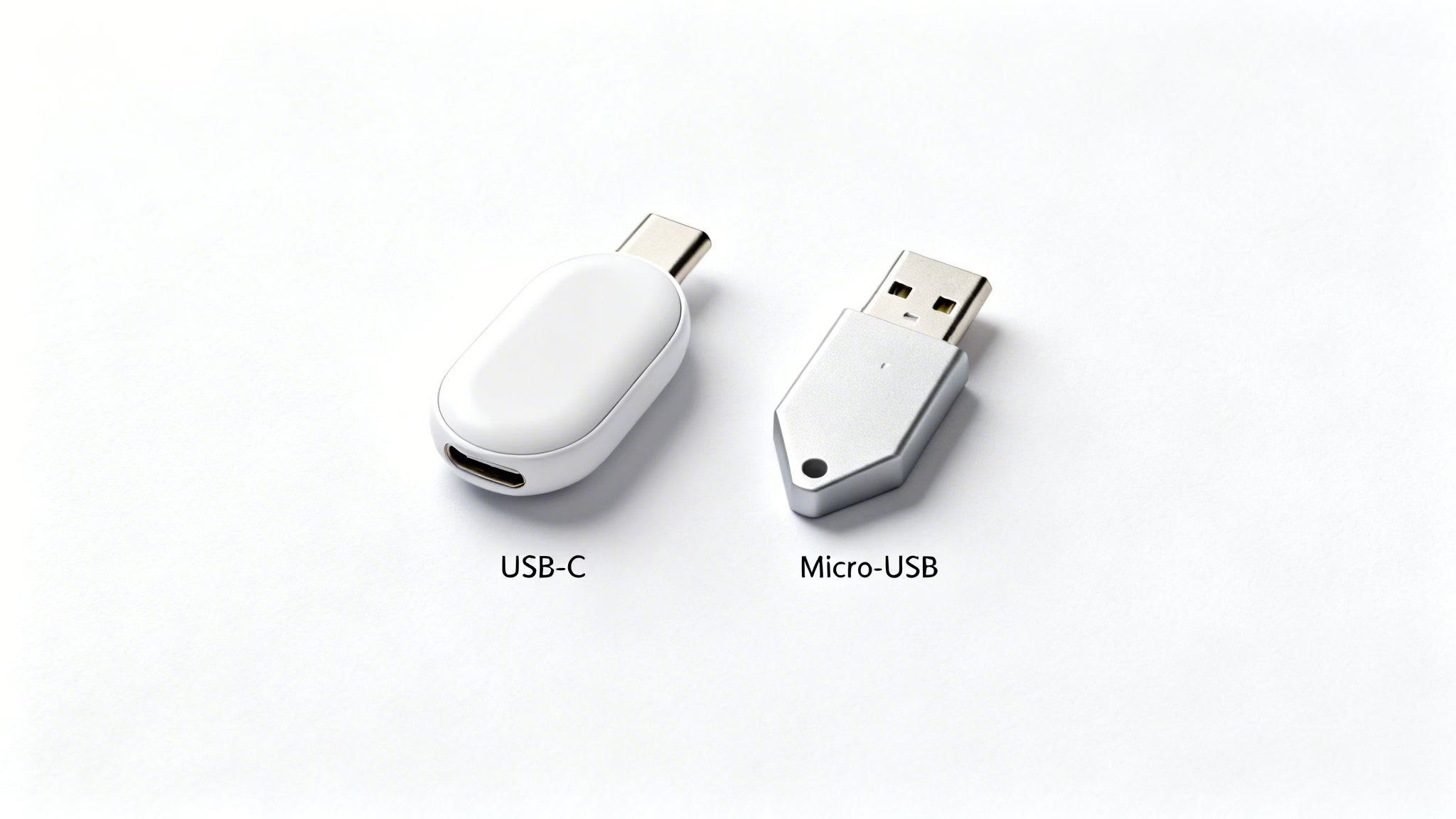
But the real magic is what’s happening on the inside. USB-C is far more powerful and versatile than the old Micro-USB. It’s the key that unlocks the fast charging speeds we’ve come to expect from modern phones.
Why USB-C Is Now the Standard
The move to USB-C has been happening for a while, but now it’s official. New UK regulations mean that most new electronic devices sold here, including mobiles, must use a USB-C charging port. This is fantastic news for all of us, as it means you’ll soon be able to use a single android phone charger for your mobile, tablet, and maybe even your laptop.
Here’s why the industry has fully embraced it:
- Faster Charging: USB-C can handle a lot more power. It’s the foundation for modern fast-charging standards like USB Power Delivery (PD), letting you charge your battery to 50% in as little as 30 minutes.
- Quicker Data Transfer: It’s not just about power. USB-C also moves data, like photos and videos, between your phone and computer at much higher speeds.
- Universal Compatibility: The end goal is one cable for everything. This standardisation cuts down on e-waste and makes life simpler, a topic we cover in our guide on USB-C vs Lightning for iPhones.
While this standardisation is great, it does create a common point of confusion, especially if you’re buying an older or more budget-friendly refurbished phone.
Example Scenario: A Common Mix-Up
A customer recently bought a refurbished Samsung Galaxy A5 from 2017—a brilliant, affordable device. He also bought a new, high-speed USB-C charger, thinking he was all set. He called us, frustrated, because the new cable simply wouldn’t fit his phone. The Galaxy A5 (2017) was one of the last popular models to use the older Micro-USB port. It was an easy mistake to make.
Before you buy a new Android phone charger, always double-check the charging port on your mobile. While most newer models are USB-C, many excellent refurbished phones made before around 2018 still use Micro-USB. It’s a simple check that can save you a lot of hassle.
Understanding Watts and Amps for Faster Charging
When you look at an android phone charger, you’ll probably see a jumble of technical terms like watts (W), amps (A), and volts (V). It can feel a bit like a science lesson, but it’s pretty simple once you know what you’re looking at. Understanding these numbers is the secret to charging your mobile as quickly and safely as possible.
Think of it like water flowing through a pipe. Volts (V) are the water pressure, while Amps (A) are the flow rate. Wattage (W) is the total power you get when you combine them (Watts = Volts x Amps). It’s this wattage figure that really tells you how fast your phone is going to charge.
Why Wattage Matters
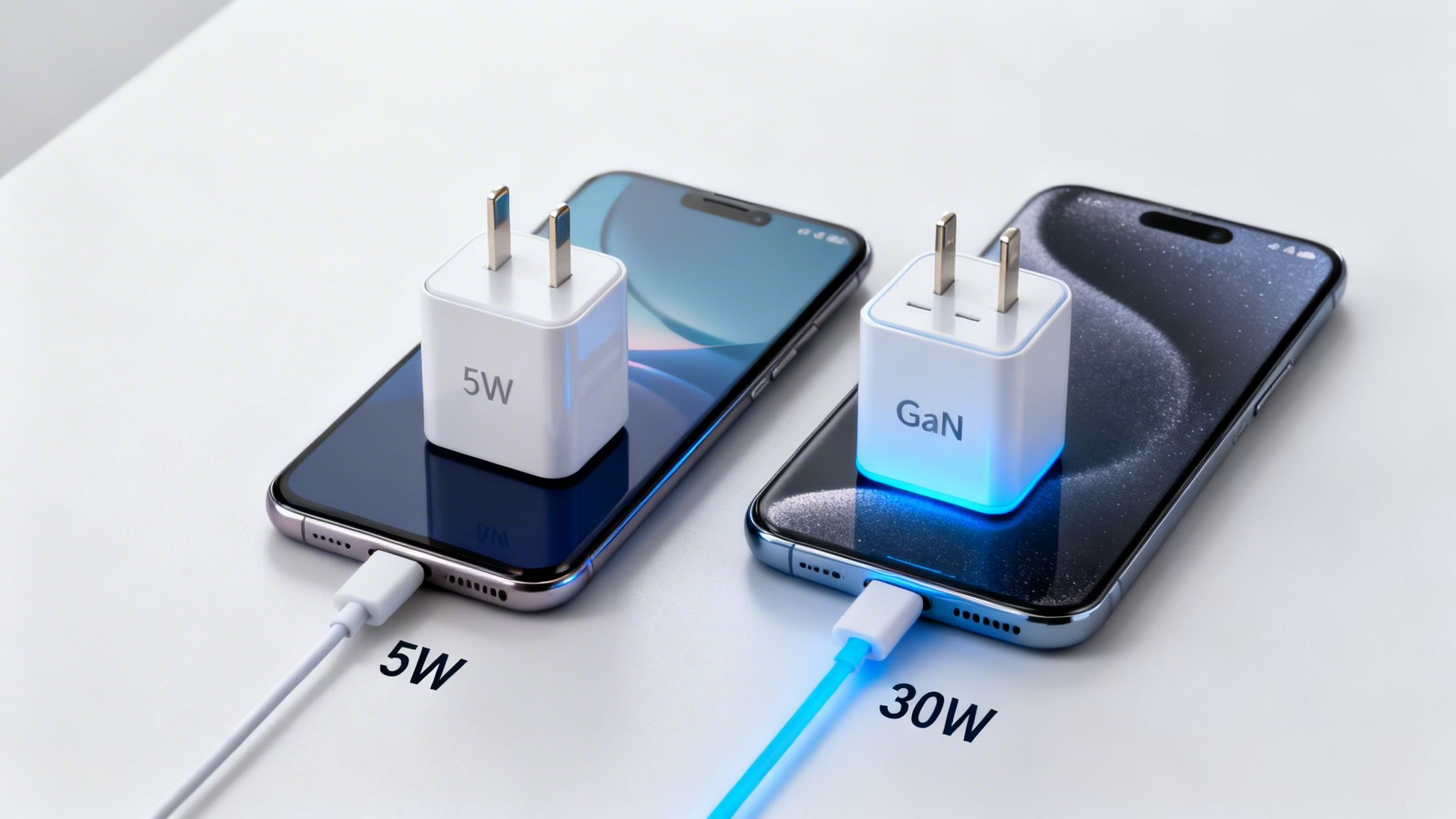
A modern 30W charger can deliver power worlds faster than an old 5W charging brick that came with phones years ago. Of course, your mobile has to be built to handle that extra power in the first place. If you're curious about the technical details, there are great resources online for decoding power adaptor specifications.
One question we get all the time is whether it's safe to use a powerful new charger on an older refurbished device. The answer is yes. Your phone’s internal circuitry is smart. It "talks" to the charger and will only draw the maximum amount of power it was designed for. Plugging a 45W Samsung charger into an old Motorola that only supports 15W won’t cause any harm; it will just charge at its usual 15W speed.
This means you don't need to stress about damaging your battery with a high-wattage charger. Your phone is always in control. If you're looking for a phone with great stamina to begin with, you might want to check out our guide on the best Android phones for battery life.
The Rise of GaN Chargers
Not long ago, high-wattage chargers were big, clunky bricks. That's all changed thanks to a material called Gallium Nitride, or GaN. GaN is a semiconductor that's far more efficient at conducting electricity than the traditional silicon used in old chargers.
This breakthrough efficiency delivers two huge benefits:
- Smaller Size: GaN chargers pack a much bigger punch into a smaller plug. A modern 30W GaN charger can be the same size as an old 5W brick, which is perfect for travel.
- Less Heat: Because they're so efficient, GaN chargers waste less energy as heat. They run cooler, which is better for the charger’s lifespan and safer to have plugged in.
For anyone with a refurbished mobile, a GaN charger is a really smart investment. It's a modern, future-proof choice that will fast-charge your current phone and likely any other gadgets you pick up in the next few years.
Decoding Fast Charging Standards
Ever looked at the packaging for an android phone charger and seen terms like ‘Quick Charge’ or ‘Power Delivery’ and felt a bit lost? Think of these as different "languages" that phones and chargers use to communicate. To get the fastest charging speeds, your phone, charger, and cable all need to speak the same language.
This might sound complicated, but for most Android phones, it really boils down to two main technologies. Working out which one your phone uses is the key to getting a full battery in record time.
The Two Main Fast Charging Players
In the Android world, you'll mainly come across two big names when it comes to fast charging. While some brands have their own marketing terms, the tech underneath is usually one of these.
USB Power Delivery (USB-PD): This is the universal, open standard. Google uses it for its Pixel phones, and Samsung uses it for its latest flagships. Because it's built into the USB-C spec, it’s becoming the go-to for almost everyone. This is great news, as it means one good USB-PD charger can fast-charge a huge range of devices.
Qualcomm Quick Charge: This standard was created by Qualcomm, the company behind the Snapdragon processors found in many Android phones. For a long time, Quick Charge was the top dog in fast charging. It’s still very common, especially in refurbished phones from brands like Motorola, LG, and older Samsung models.
The most important thing to remember is that you must match the standard for the fastest charge. A phone that needs Qualcomm Quick Charge will only charge slowly with a standard USB-PD plug, and a Google Pixel won't hit top speed with a Quick Charge-only adapter.
Why Matching Standards Is So Important
We see this mix-up all the time. A customer got in touch recently after buying a lovely refurbished Google Pixel 6. He was using the fast charger from his old Motorola, which supported Qualcomm Quick Charge, and couldn't figure out why his new Pixel was taking ages to charge.
The problem was a simple mismatch. The Google Pixel 6 uses the USB-PD standard for fast charging. Although his old charger was powerful, it couldn't "talk" to the Pixel in the right language to unlock those higher speeds. As soon as he switched to a compatible 30W USB-PD charger, his phone started charging correctly—hitting about 50% in just 30 minutes.
When in doubt, check your phone’s original specs online. A quick search for your model name plus "charging standard" will usually give you the answer. For most modern Android phones, however, investing in a good-quality USB-PD charger is your safest and most future-proof bet.
How to Spot a Safe and Reliable Android Phone Charger
When you're hunting for a new Android phone charger, it’s tempting to just grab the cheapest one you can find online. But not all chargers are made equal, and a cheap, uncertified one can be more than a bad bargain—it can be a real risk to your phone and even your home.
The good news is that spotting a safe, reliable charger is straightforward once you know what to look for. In the UK, the most important symbols to find on any charger are the CE and UKCA marks. These aren’t just random letters; they’re your guarantee that the product has been tested and meets the strict safety standards for sale in the UK and Europe.
The Dangers of Counterfeit Chargers
Counterfeit chargers might look the part, but inside they are often dangerously put together with cheap, substandard components. These knock-offs can cause serious problems:
- Overheating: Shoddy wiring and a lack of safety circuits can cause the charger to get dangerously hot, creating a genuine fire hazard.
- Battery Damage: The unstable power supply from a fake charger can degrade your phone's battery health much faster than a certified one.
- Slow Charging: They almost never deliver the wattage they promise, leaving you with painfully slow charging speeds.
We had a customer get in touch recently, worried that the battery on his refurbished Samsung phone was performing poorly. It turned out he was using an unbranded, cheap charger from a big online marketplace. As soon as he switched to a reputable one, his charging stabilised.
Practical Tips for Spotting a Fake
Have a good look at the text printed on the charger itself. Counterfeits often have spelling mistakes or blurry logos. The safety marks might look a bit 'off' or be missing entirely. A genuine charger will feel solid and well-made, whereas a fake often feels light and plasticky.
This principle of prioritising safety and quality isn't just for phones. The core idea is the same whether you're charging your Android or looking for safe, fast charging tips for electric moped chargers. Always go for certified products over cheap imitations.
Ultimately, your safest bet is to stick with chargers from the phone manufacturer itself or from well-known, reputable brands like Anker, Belkin, or UGREEN. A quality charger is a small price to pay for the safety of your mobile and peace of mind.
Advice for Owners of Refurbished Mobiles
Grabbing a great deal on a refurbished Android mobile is a smart move. But when you open the box, you might notice the android phone charger is missing. This is now standard practice for many manufacturers trying to cut down on electronic waste, so you’ll often need to buy one separately.
Getting a high-quality, universal USB-C charger is a brilliant, future-proof step. With UK regulations now making USB-C the standard for new mobiles, it simplifies your tech life enormously.
Getting the Most from Your Refurbished Device
When you buy a refurbished mobile, you want to be sure it’s going to last. Choosing a device from a trusted seller means it has been through a thorough Refurbishment and Testing Process, giving you peace of mind. This also frees up your budget to invest in quality accessories that will protect your phone and charge it properly.
A Smart Solution for Families and Small Businesses
We often hear from customers struggling to charge multiple devices at once. A family might have a mix of Samsung, Google, and Motorola phones, creating a messy tangle of cables and plugs all fighting for the same sockets.
A fantastic, cost-effective fix is a multi-port GaN charger. These compact power hubs can replace three or four bulky charging bricks with one single, neat unit. A single 65W or 100W GaN charger with multiple USB-C ports can fast-charge a laptop, a tablet, and a couple of phones all from one wall socket. It’s an ideal setup for a busy household, reducing clutter while ensuring every device gets the power it needs.
For instance, one of our customers runs a small delivery business and bought several refurbished Motorola phones for his drivers. Instead of buying individual chargers for each, he got a couple of multi-port GaN chargers for their base. This simplified their charging station, saved money, and made sure the drivers’ phones were always fully charged and ready for the day.
Frequently Asked Questions About Android Chargers
Sorting through the world of Android chargers can be confusing. To help clear things up, we've gathered the questions we hear most often from our customers.
Can I Use a Charger With More Watts Than My Phone Needs?
Absolutely. It’s completely safe. Your mobile has clever, built-in safeguards that manage how much power it draws, so it will only take what it can handle. Plugging into a more powerful android phone charger won’t cause any harm at all; your phone will simply charge at its own top speed.
Can I Use a Different Brand’s Charger?
Generally, yes. As long as you stick to a charger from a reputable, certified brand and it has the correct USB-C connector for your phone, it should work perfectly fine. For the best fast charging results, just double-check that the charger supports your phone's specific charging standard, like USB-PD.
Why Is My Phone Charging So Slowly?
Slow charging is a common frustration, but the fix is often simple. It's usually down to a poor-quality cable, a weak charger, or even just dust and lint stuck inside the charging port. Before you do anything else, try a different, certified cable and a more powerful charger. If the problem persists, carefully cleaning out the port with a non-metallic tool like a wooden toothpick often does the trick.
How Can I Make My Charging Cables Last Longer?
The key is to avoid putting stress on the cable, particularly at the connector ends where the wires are most fragile. When you unplug your phone, always get a firm grip on the hard plastic plug itself—never pull on the wire. When you’re storing it, loosely coiling the cable is much better than wrapping it tightly around the plug. This simple habit helps prevent the internal wires from breaking over time.
If you’re still not sure which charger is right for your refurbished phone, our team at Used Mobiles 4 U is always happy to help.
Written by James Waterston — 24 years in the mobile phone industry from customer service through to Sales Director of a global repair and recycling company. Now running Used Mobiles 4 U for over 8 years.
LinkedIn:
https://uk.linkedin.com/in/james-waterston-9039a21a