





Polishing Scratches Out of Glass: A Practical Repair Guide

01/08/2026

8 Mins

You've probably noticed a scratch on a phone screen and wondered if a quick polish will make it disappear. Sometimes it will, but only if the mark is on the surface. If your fingernail catches, polishing scratches out of glass usually won't solve it, and pushing harder can make the finish worse.
Quick Answer
- Light surface scuffs on simple glass can sometimes be improved with careful polishing.
- Deep scratches that catch a fingernail usually need abrasive removal first, not just polish.
- Modern phone screens are risky to polish because coatings can be stripped or dulled.
- For trade-in phones, a safer repair or replacement often makes more sense than experimenting.
The Fingernail Test and Quick Answer on Polishability
If you’ve just spotted a scratch on a phone screen, watch face, or glass table top, the first thing to do is stop rubbing it. Run a clean fingernail across the mark. If the nail catches, the damage is below the surface and polishing alone isn’t enough, because polishing removes only a very thin layer of glass rather than filling the scratch. Industry guidance puts that resurfacing pass at about 50 to 100 microns, which is useful for light scuffs and haze, not deep damage. [repair scratches like a pro](https://www.themobilebuff.com/blog/diy-car-scratch-remover)
That’s the same practical logic behind the fix scratched smartphone display advice we give customers all the time. A scratch that disappears when you clean it is usually dirt in the mark, not actual glass damage. A scratch that stays visible after cleaning, and especially one your nail catches, is a different job entirely.
Quick verdict on whether to polish
- Polish it if the mark is a light surface scuff and the glass has no sensitive coating you care about.
- Pause and assess if the scratch is visible but your nail barely glides over it.
- Walk away from DIY polishing if the nail catches cleanly, the screen has coatings, or the glass is part of a phone you rely on daily.
There’s also a practical point here. Scratch removal is usually a gradual process, not a single buff. Fine wet sanding often starts around 2000 grit and may progress to 3000 and 5000 grit before final polishing, so the method is more about controlled abrasion than magic paste. If you want the same kind of thinking applied to glass care, the general approach used to remove scratches from glass still begins with cleaning, testing, and very light pressure.
Practical rule: if the scratch catches a fingernail, treat it as a structural mark, not a surface blemish.
Why Phone Screens Are Riskier Than Window Glass
Most scratch-polishing guides are written for windows, tables, or car glass, but that’s not where UK customers usually feel the pain. They’re looking at a scratched smartphone they use for banking, photos, messages, and work. That matters because 94% of UK adults use a smartphone, so a bad polishing attempt can affect almost anyone’s main device. Ofcom’s 2024 Adults’ Media Use and Attitudes report shows just how normal that dependence has become.
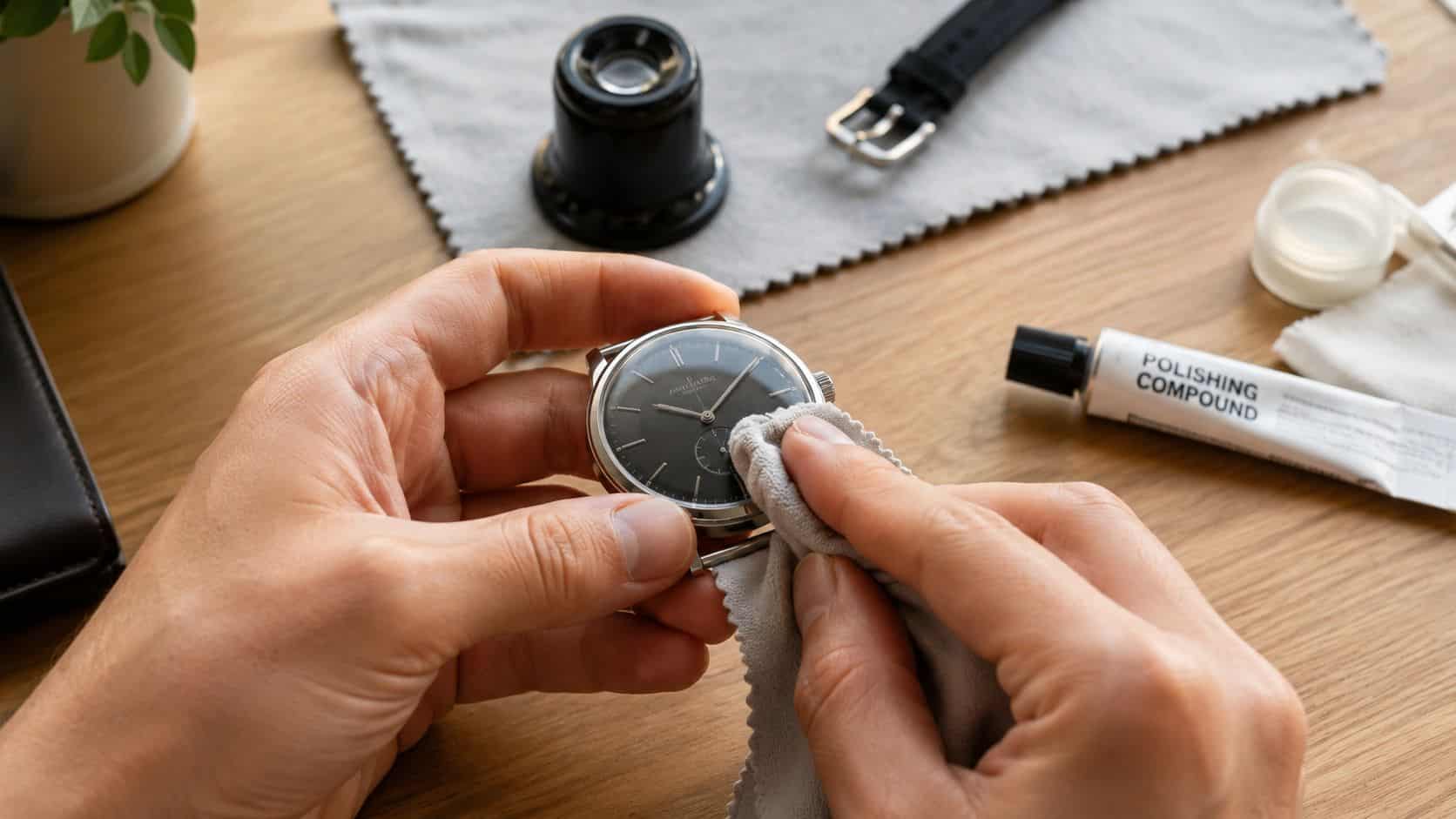
Phone screens aren’t plain glass in the way a window is. They can have oleophobic coatings that help fingerprints wipe away, anti-reflective layers that improve visibility, and tempered or laminated construction that doesn’t respond kindly to aggressive abrasion. Polish the top layer too hard and you can strip the coating, leave a cloudy patch, or create a screen that feels sticky and shows marks more easily.
What the coating loss means in daily use
That coating isn’t just a technical detail. It changes how the screen feels in the hand, how easily it wipes clean, and how readable it is outdoors. If you’ve ever seen a phone that looks “clean” but still catches glare badly or feels patchy under your thumb, that’s often a sign the surface finish has been altered.
Some polishing advice also ignores the fact that modern screens can be layered and fragile in ways older glass wasn’t. UK-facing repair content often talks about generic glass and says to test depth with a fingernail, but it rarely answers the real question customers ask at the counter, which is whether polishing will damage a smartphone display more than it helps. For mobile devices, that risk is very real.
The safe takeaway is simple. On a phone, the question isn’t only “Can the scratch be reduced?” It’s also “What does the polish do to the screen’s coating and day-to-day usability?” If that trade-off is bad, the scratch may be less annoying than the repair attempt.
How to Polish Light Scratches Out of Glass Safely
Use this only on suitable glass surfaces, like a watch face, a glass shelf, or older plain glass where coatings aren’t a concern. For phone screens, especially newer smartphones, be cautious. If the mark is minor and the glass is the right type, the process should be slow and controlled, not energetic.
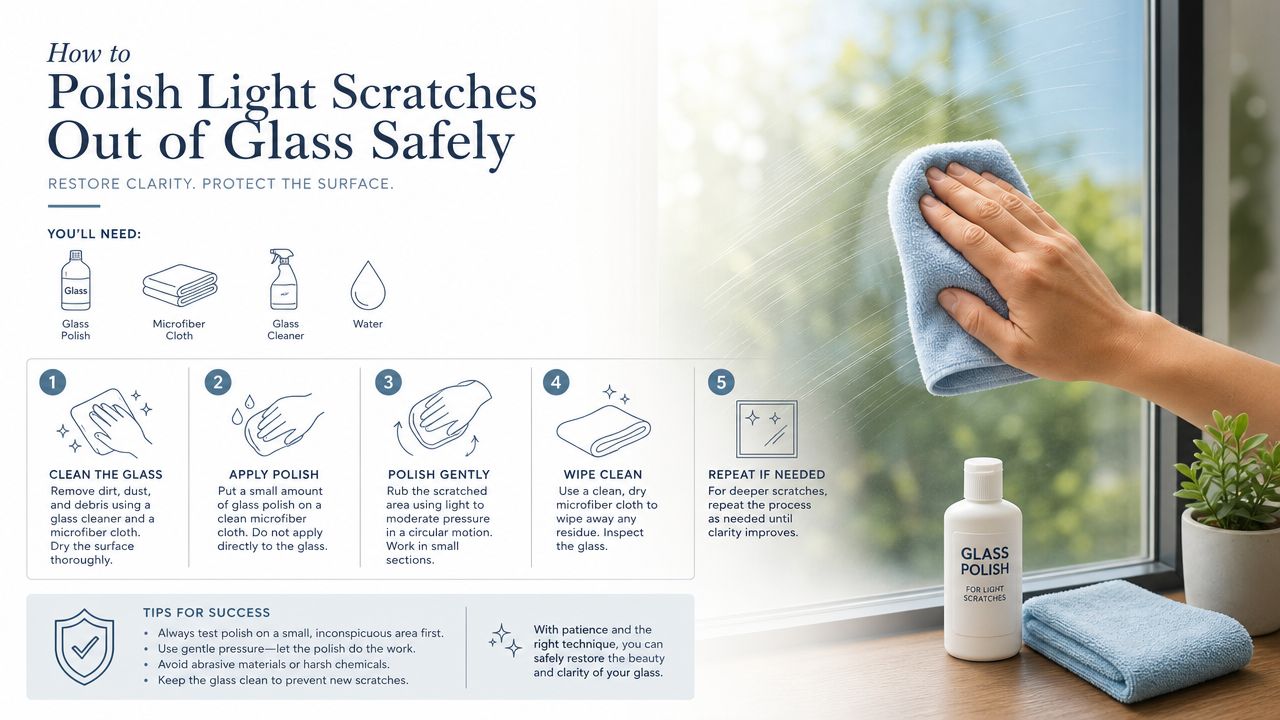
- Clean the area first. Use a clean microfiber cloth and remove dust, grit, and any film around the scratch. If you polish over grit, you can drag more marks into the surface.
- Mix a mild paste. Home Depot’s guidance uses baking soda and water in a 1:1 ratio, or a small amount of toothpaste or metal polish, for light marks on glass. Keep the compound modest, because too much paste just creates a messy slurry.
- Apply with a soft cloth. Work the paste gently in small circles. Don’t lean on it. Heavy pressure is one of the quickest ways to leave fresh haze or extra scratches.
- Check often. Wipe the area clean every few passes so you can see whether the scratch is actually improving. If the mark isn’t changing, stop before you make the surrounding glass look worse than the original scratch.
- Move to multi-stage refinement if needed. Deeper but still polishable marks usually need wet sanding first, often starting around 2000 grit and moving to finer grades before final polishing. UK-facing repair guidance also points to cerium oxide after abrasive refinement when the scratch has gone beyond shallow-surface territory.
The real mistake is treating polish like a shortcut. It isn’t. It’s a controlled abrasion process, and the control matters more than the product name. If you want a lower-risk route for old media discs instead of a screen, have a look at the safer options for skipping CDs rather than pushing a harsh compound onto the wrong surface.
Don’t chase perfection on the first pass. If the scratch is shallow, a little improvement is often the sensible win.
DIY Polishing Versus Professional Repair or Replacement
The decision usually comes down to the surface you’re dealing with and how much you care about the finish afterwards. For plain glass, DIY polishing can be a fair attempt on light marks. For a smartphone screen, the downside is bigger, because you’re not just polishing glass, you’re risking the coating, the touch feel, and the appearance of the display.
What professionals do differently
Technical glass repair guidance from Pilkington describes a progressive abrasive approach with careful inspection between stages, because uneven work can introduce optical distortion. That’s the main difference between workshop glass restoration and a casual at-home buff. A professional is trying to control the surrounding area as much as the scratch itself.
For phone screens, replacement often makes more sense than chasing a scratch out of the top layer. If the display is badly marked, the coating is already compromised, or the phone is headed for sale, a screen swap or a refurbished replacement can protect value better than a risky experiment.
We see this logic play out a lot with trade-in devices. A customer brings in a handset with a scratched front glass, hopes it’ll polish out, and then realises the safer choice is either a proper repair or moving to a refurbished phone with warranty. In that kind of case, it’s often smarter to compare the cost of fixing the device with the value of moving on to another handset through a trusted refurbisher like Pine Country Window Cleaning glass repair for glass-restoration context, then use a phone-specific repair or replacement decision for the handset itself.
How to choose the right route
- Choose DIY polishing if the glass is plain, the scratch is light, and you can afford a cosmetic risk.
- Choose professional repair if the mark matters, the surface is awkward, or you want the work inspected between stages.
- Choose replacement if the screen has coatings, the scratch is deep, or the device still needs to look tidy for resale.
If you want to see how we handle devices before they’re listed again, our Refurbishment and Testing Process shows the kind of checks that matter more than a quick polish. That’s also where the screen condition, touch response, camera clarity, and charging performance all get weighed together.
What We Commonly See on Scratched Trade-In Phones
One thing we regularly notice is that customers underestimate how much a screen’s top layer tells us about the phone’s history. Light pocket scratches are common, especially on phones that have lived without a protector. Deeper marks usually come from keys, grit, or a drop onto a rough surface like gravel.
By the time a handset comes in for trade-in, the difference between Like New and Good is often the front glass. A screen with only faint marks may still present well, but once the coating looks patchy or the scratch line catches the light at an angle, the phone feels used even if the rest of it is tidy. That’s why screen condition has such a direct effect on resale presentation.
- Light scuffs usually point to normal day-to-day use and are often worth protecting early.
- Visible lines or patches can suggest deeper wear than the customer realised.
- DIY polish attempts often show up as cloudy zones, uneven shine, or altered feel under the finger.
A common example we see is a customer who tries toothpaste on a scratched display before trading it in. Under inspection, the scratch may look slightly softer, but the area around it can show polish haze or a flattened coating. That doesn’t help the sale, and it can sometimes make the device look more tired than it did before the attempt.
If you’re thinking about whether to keep a device, repair it, or move it on, it’s worth looking at the get the best price for your old options before you start sanding at the glass. A tidy screen often does more for value than a risky home fix.
Prevention Tips and Final Verdict on Glass Polishing
Prevention beats repair here. A decent screen protector, a case with raised lips, and a habit of not throwing keys or coins in the same pocket as your phone will save you more trouble than any polishing paste. Use a microfiber cloth for cleaning, not anything abrasive that drags grit across the surface.
Final verdict: polishing scratches out of glass can be worth trying on simple, non-coated glass with light surface marks. On modern smartphone screens, the risk of stripping coatings or creating visible distortion usually outweighs the benefit, so a repair or replacement is normally the cleaner answer.
If you’re unsure, don’t guess with the only phone you’ve got. A scratched display on a refurb candidate is often better handled as a repair, a trade-in decision, or a replacement handset with warranty.
Written by James Waterston, 24 years in the mobile phone industry from customer service through to Sales Director of a global repair and recycling company. Now running Used Mobiles 4U for over 8 years.
LinkedIn: James Waterston on LinkedIn
If you're weighing up whether to keep polishing, repair the screen, or replace the handset, take a look at the refurbished phones and trade-in options at Used Mobiles 4 U. You'll find practical help for scratched, used, and refurbished phones, plus a straightforward route to move on from a device that's no longer worth tinkering with.
Looking for a refurbished phone?
Shop professionally tested refurbished iPhones and Samsung phones with 18 month warranty, 30 day returns and free UK delivery.
Browse Refurbished Phones






