





Second Hand iPhones Buying Checklist: What to Look Before You Buy

22/05/2026

8 Mins
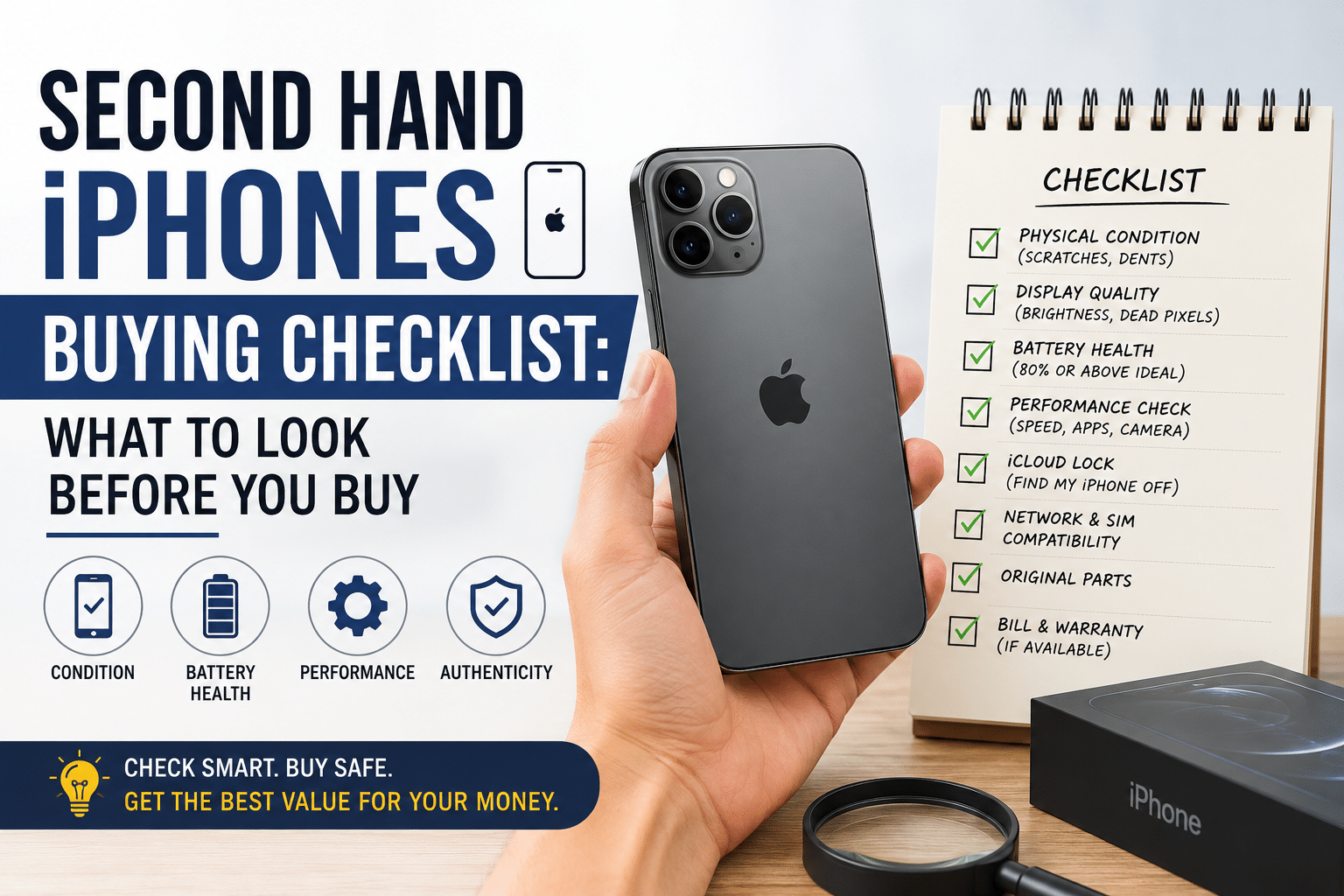
Thinking about buying a second hand iPhone but not sure where to start? You are not alone. The second-hand phone market in the UK has grown enormously, and with Apple devices holding their value longer than almost any other brand, it is easy to feel overwhelmed when trying to figure out what to check, what to avoid, and where to buy safely.
The good news? A second hand iPhone, when bought correctly, is one of the best-value tech purchases you can make. Did you know that the UK second-hand smartphone market was valued at over £1.4 billion in 2023 and is continuing to grow year on year, driven largely by demand for pre-owned Apple devices?
In this guide, we have put together a thorough, no-nonsense buying checklist to help you confidently buy second hand iPhones, so you get a great device at a great price, without the stress.
Key Takeaways
- Always check the IMEI before buying to confirm the phone isn’t stolen, blacklisted, or on unpaid finance.
- Battery health should be 85% or above, anything lower means a costly replacement is likely due soon.
- Never pay before the seller removes their Apple ID, an active iCloud lock makes the phone completely unusable.
- Grading labels aren’t standardised, always ask the seller exactly what Grade A, B, or C means before committing.
- Buy from a reputable retailer like Used Mobiles 4 U for warranty protection and legal rights under the Consumer Rights Act 2015.
Why More People in the UK Are Choosing Second Hand iPhones
It is not hard to see why used iPhones for sale are flying off shelves. A brand-new iPhone 15 Pro can set you back over £1,000. A refurbished or second hand version of the same model — or one just a generation older — can cost a fraction of that price, sometimes under £400, and perform almost identically in day-to-day use.
Here is why buying a second hand iPhone makes sense for most people:
Significant cost savings: often 30–60% less than buying new
Same iOS software support: Apple supports its devices for many years, meaning older models still receive updates
Eco-friendly choice: extending a device’s life reduces electronic waste
Wide availability: from cheap iPhones UK-wide to premium refurbished Apple phones with warranties
Whether you are looking for a budget daily driver or a recent flagship at a reduced price, the second-hand market has something for everyone. The key is knowing what to look for.
Second Hand iPhones Buying Checklist: The Essential Points to Cover
This is the core of our guide — a detailed checklist you can use whether you are buying online or in person. Run through every point before you hand over any money.
1. Check the IMEI Number First
The IMEI (International Mobile Equipment Identity) is your first line of defence. Every iPhone has a unique IMEI number, and checking it takes only a couple of minutes.
How to find the IMEI:
- Go to Settings > General > About on the phone itself
- Dial *#06# and it will appear on screen
- Check the SIM card tray — it is often printed there too
Once you have the IMEI, run a free check on a site like checkmend or imei. You are looking to confirm:
- The phone has not been reported stolen
- It is not blacklisted by a UK network
- It is not still on finance (unpaid contracts can mean the device gets blocked)
- The network lock status — is it locked to a specific carrier or unlocked?
Never skip this step. It is the single most important thing you can do when buying a pre-owned iPhone UK.
2. Inspect the Physical Condition Carefully
When buying in person, take your time with this. When buying online, make sure the seller provides clear, detailed photos and an honest condition description.
Exterior checks:
- Look at the screen in natural light — scratches, chips, and pressure marks are easier to spot outdoors
- Check the corners and edges of the frame for dents or bends
- Inspect the camera lenses — cracks or deep scratches affect photo quality
- Check all buttons: volume, mute switch, and the side button should all click firmly
- Make sure the ports (Lightning or USB-C) look clean and undamaged
Screen quality:
- Look for dead pixels or discolouration — swipe through a few different coloured backgrounds
- Check for “burn-in” on OLED models (a faint ghost image of a previous display)
- Test touch sensitivity across the full screen, especially in the corners
Grading systems are commonly used for refurbished iPhones UK. Most sellers use grades like A, B, and C — but these are not standardised, so always ask the seller exactly what their grading criteria means.
3. Test All the Hardware and Key Features
A phone can look fine on the outside and still have internal issues. Always test these features thoroughly before buying a second hand iPhone.
Battery health:
This is crucial. Go to Settings > Battery > Battery Health & Charging. A brand-new iPhone starts at 100%. Anything above 85% is generally considered good. Below 80%, Apple’s own system may show a “Service Recommended” message.
Battery replacements do cost money (typically £50–£90 if done through Apple), so factor this in when negotiating the price.
Camera:
Open the camera app and test:
- Front and rear cameras
- Video recording
- The flash (in a darker area)
- Zoom function (on models with optical zoom)
Connectivity:
- Connect to Wi-Fi and browse a page
- Enable Bluetooth and pair with a device
- Test the speaker and microphone — make a call or use voice memos
- Check Face ID or Touch ID is working
- Insert your SIM card if possible
Charging:
Plug in a charger and confirm the phone charges normally. Check that wireless charging (MagSafe on newer models) works if applicable.
4. Verify Apple ID and iCloud Activation Lock
This is non-negotiable. If a previous owner has not removed their Apple ID, you could end up with a phone that is completely unusable — even if it works perfectly otherwise.
How to check:
- Go to Settings and look at the top of the screen. If there is an Apple ID name and email there that is not yours, the previous owner is still signed in.
- You can also check iCloud: if the phone shows up under someone else’s account as “Find My iPhone” active, walk away.
Always ask the seller to sign out of their Apple ID in front of you (or arrange this remotely before payment). After purchase, you should be able to set up the device fresh as if it were new.
5. Confirm the Software Version and Check for Modifications
Check that the iPhone is running an up-to-date, genuine version of iOS. Go to Settings > General > Software Update.
Also, be wary of signs that the software has been tampered with. Jailbroken iPhones (where the software has been modified to bypass Apple’s restrictions) can introduce security risks, stability issues, and will often cause problems with future updates.
Indicators of a jailbroken phone can include unfamiliar apps installed, unusual battery drain, or the presence of unofficial app stores like Cydia.
If you are buying refurbished Apple phones from a reputable dealer rather than a private seller, this is far less likely to be an issue, reputable sellers test and restore devices to factory settings before sale.
Where to Buy Second Hand iPhones in the UK
Once you know what to check, the next question is where to buy. There are a few main options:
Refurbished retailers (recommended): Buying from a specialist refurbished phone retailer gives you the most protection. Reputable sellers like Used Mobiles 4 U test, grade, and often warranty their devices, giving you confidence that the phone has been properly inspected before it reaches you.
Marketplaces (buyer beware): Sites like eBay, Facebook Marketplace, and Gumtree have plenty of used iPhones for sale, but they come with varying levels of risk. Always use the checklist above, insist on meeting in person for cash purchases, and use PayPal Goods & Services for any online transactions (never bank transfer to a stranger).
Apple’s own refurbished store: Apple sells certified refurbished iPhones with a warranty and replacement parts, though stock is limited and prices are closer to new.
For the best balance of price, quality, and peace of mind, a specialist UK refurbished phone retailer is usually the smartest choice.
Second Hand iPhones: Understanding Grades and What They Mean
If you have been searching for cheap iPhones UK or refurbished Apple phones online, you will have come across grading terms. Here is a quick breakdown of what to expect:
Always ask the seller to clarify what their grading means. At Used Mobiles 4 U, grades are clearly defined so you know exactly what you are getting before you buy.
Red Flags to Avoid When Buying Pre-owned iPhones UK
Even with a good checklist in hand, it helps to know the warning signs of a dodgy deal.
Watch out for:
- Prices that seem too good to be true — a £150 iPhone 14 should raise immediate questions
- Sellers who will not let you check the IMEI or rush you through the process
- No Apple ID logout before sale — this is a serious red flag
- Cracked screen or damaged ports that the seller downplays as “minor”
- No returns policy — reputable sellers offer at least a short returns window
- Vague or no description of condition when buying online
If anything feels off, trust your instincts and walk away. There are always more second hand iPhones available.
Ready to Find Your Perfect Second Hand iPhone?
Now that you have the full buying checklist, you are well-equipped to make a smart, confident purchase. Whether you are after the latest model or a reliable older device to save money, second hand iPhones offer incredible value — as long as you know what to look for.
At Used Mobiles 4 U, every pre-owned iPhone UK goes through a thorough inspection and grading process, so you can shop with confidence. Browse our full range of refurbished iPhones today and find the right device at the right price — with the peace of mind you deserve.
FAQs
Q1. What is the most important thing to check when buying a second hand iPhone? The IMEI check is the single most important step. It confirms the phone has not been stolen, is not blacklisted, and is not still on finance — all of which could leave you with a useless device.
Q2. Is 80% battery health acceptable on a used iPhone? It is borderline. Apple’s own recommendation is that battery health below 80% warrants service. Aim for 85% or above, and use any reading below 85% to negotiate the price down.
Q3. What does “unlocked” mean for a second hand iPhone? An unlocked phone can be used with any UK network’s SIM card. A locked phone will only work with one specific carrier. Unlocked phones are generally more desirable and worth slightly more.
Q4. Are refurbished iPhones from specialist retailers better than private sales? Generally, yes. Reputable retailers like Used Mobiles 4 U test and grade their devices, often offer a warranty, and have a clear returns policy — making the purchase significantly less risky than buying from a stranger online.
Q5. Can I return a second hand iPhone if there is a problem? If buying from a UK business (online or in-store), you have legal rights under the Consumer Rights Act 2015, including the right to a refund within 30 days if the item is not as described. Always buy from sellers who clearly state their returns policy.
Looking for a refurbished phone?
Shop professionally tested refurbished iPhones and Samsung phones with 18 month warranty, 30 day returns and free UK delivery.
Browse Refurbished Phones






