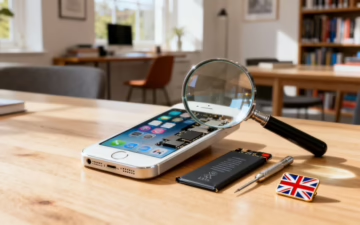
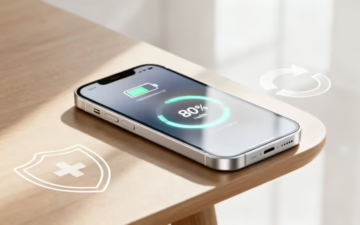
Meta description: Compare refurbished iPhone 15 Pro Max vs 15 Pro in the UK, covering size, cameras, battery, value, and safer buying tips, plus trade-in and recycling options.
Buying a refurbished iPhone 15 Pro Max vs 15 Pro UK isn’t just a spec sheet choice. It’s more like picking the right coat for British weather. Both keep you warm, but one feels better for your day.
The good news is simple: both phones share the same core power, yet they feel different in the hand and in your pocket. That’s why refurbished iPhones can be such a smart buy. You can choose the model that fits your life, not just your budget.
If you’re scanning listings of used iPhones, cheap iPhones, or second-hand iPhones, this guide will help you pick with confidence.
Refurbished iPhone 15 Pro Max vs 15 Pro UK: the key differences that actually matter
At a glance, the iPhone 15 Pro and iPhone 15 Pro Max are close cousins. They share Apple’s Pro-grade build, the same chip family, and a similar design language. However, a refurbished purchase makes the small differences feel bigger, because you’re often deciding whether the extra cost earns its keep.
Before getting lost in details, it helps to anchor the comparison in everyday use.
Feature
iPhone 15 Pro
iPhone 15 Pro Max
What it means day-to-day
Display size
Smaller
Larger
Pro feels nimble, Pro Max feels cinematic
Weight and handling
Easier one-handed
Heavier and wider
Pro suits commutes, Pro Max suits two-handed use
Telephoto zoom
Strong
Stronger (exclusive 5x)
Pro Max wins for distant shots
Battery headroom
Very good
Better
Pro Max tends to last longer between charges
Base storage (typical)
Lower
Higher
Pro Max can suit heavy photo and video users
Apple’s own side-by-side view is the cleanest way to confirm the current spec list, so check Apple’s iPhone comparison tool before you buy.
If you mostly shoot people, pets, food, and city scenes, the 15 Pro is already “more than enough”. If you chase far-away subjects, the Pro Max starts to justify itself.
One more point that’s easy to miss: screen size changes how a phone fits into life. The Pro Max can feel like carrying a small paperback. The Pro is closer to a slim diary.
The camera choice: when the Pro Max earns its keep (and when it doesn’t)
People often start with cameras, because it’s the feature you notice on day one. Both models take excellent photos, and in good light they can look almost identical. The difference shows up when your subject is far away, or when you want a portrait without stepping into the road.
The iPhone 15 Pro Max’s stand-out feature is its longer optical zoom (the reason many buyers choose it). That extra reach suits:
A parent at the back of a school hall, trying to capture a solo on stage.
A football match from the sidelines.
A weekend walk when you spot a detail high on a building.
On the other hand, the iPhone 15 Pro often feels better for “quick camera” moments. It’s lighter, easier to steady one-handed, and simpler to pull from a pocket on the move. If you mainly shoot close to medium distance, you may never miss the Pro Max zoom.
Refurb buyers also need to think about camera condition. A listing can say “fully working” and still have tiny lens marks that flare in sunlight. That’s why it’s worth buying from a retailer that grades devices clearly and backs it with a warranty. For a model-focused perspective, see the Used Mobiles 4U iPhone 15 Pro Max review, which frames what the Pro Max is best at once it’s no longer “brand new”.
If you want a wider view of how refurbished flagships stack up, KnowYourMobile’s comparison is a useful read, even if it’s not Pro vs Pro Max, because it highlights the practical value of buying refurbished: refurbished flagship comparison.
Battery, comfort, and long-term value in the UK refurb market
Battery life is where the iPhone 15 Pro Max quietly wins. A bigger phone makes space for a bigger battery, so the Pro Max often suits long days out, travel, and heavy camera use. Meanwhile, the Pro can still last a full day for many people, especially if you’re not filming lots of video.
Comfort, though, is personal. The Pro Max is brilliant for maps, spreadsheets, and Netflix on a train. Yet after a week, some people notice the weight. If your phone lives in a jacket pocket, you might not care. If it lives in your jeans, you probably will.
Now add the refurb angle. With refurbished iPhones, value isn’t only about the price tag. It’s also about what you get for your money:
Condition grades: Look for clear grading and honest photos, not just “mint” claims.
Battery health: Ask what minimum battery standard is used, or whether batteries are replaced when needed.
Warranty and returns: UK online buyers usually benefit from protections under the Consumer Contracts Regulations (often a 14-day change-of-mind window with reputable sellers), plus a meaningful warranty.
If you’re weighing “iPhones for sale” pages and feel overwhelmed, a mainstream round-up can help you spot common traps and fair expectations, such as The Independent’s guide to best refurbished iPhone deals.
It’s also smart to be honest about your alternatives. If you mainly want a big screen and a decent camera for less money, Cheap Android Phones can offer strong value, and a used Samsung flagship can feel surprisingly premium. Still, if you want long software support and smooth resale later, the iPhone route often stays simpler.
Finally, don’t ignore where your current device fits in. Many buyers fund an upgrade when they sell your tech rather than leaving it in a drawer. If you’re thinking “sell old iPhone” or “trade-in iPhone”, decide what matters more: maximum cash from a private sale, or the ease of a retailer process where you trade-in my old phone and move on. If your handset is on its last legs, you might prefer to recycle my old iPhone instead of forcing one more sale.
Conclusion: choosing the right refurbished model (plus FAQs)
If you want the best all-rounder for daily life, the refurbished iPhone 15 Pro is the easier carry and still feels top-tier. If you care about battery headroom, a bigger screen, and that longer zoom, the refurbished iPhone 15 Pro Max earns the extra spend.
Either way, buy from a UK seller that grades devices clearly, offers a real warranty, and makes returns straightforward. Then, use your old handset wisely, trade-in my old phone if convenience matters, or recycle it if it’s ready to retire. Above all, buy for your routine, not just the headline feature.
FAQs
Is the iPhone 15 Pro Max worth it over the 15 Pro when buying refurbished?
Yes, if you’ll use the larger display, longer zoom, and extra battery regularly. Otherwise, the 15 Pro often feels like the “sweet spot”.
Are refurbished iPhones the same as used iPhones?
Not always. Used iPhones can be sold as-is. Refurbished iPhones are typically tested, cleaned, and graded, and often come with a warranty.
How do I find cheap iPhones without risking a bad buy?
Prioritise clear grading, warranty length, and returns. A suspiciously low price often hides poor battery health or cosmetic issues.
Should I trade-in iPhone or sell it privately?
A trade-in iPhone option is quicker and simpler. A private sale can pay more, but it takes time and effort.
What about second-hand iPhones versus a used Samsung?
If you want iOS and long support, choose an iPhone. If you want variety and lower prices, a used Samsung can be a strong pick, especially among Cheap Android Phones.
This guide will help you choose the right refurbished iPhone SE for your needs and budget. We'll cover the differences between the SE generations, explain what cosmetic grades mean, and show you the essential checks to make before you buy, like battery health and warranty.
By the end, you'll know what to look for, where to find a trusted UK seller, and how to set up your new mobile with confidence.
Why a Refurbished iPhone SE is a Smart Choice
The iPhone SE has always had a special place in Apple’s lineup. Its appeal is simple: it packs modern, powerful tech into a classic, pocket-friendly design. When you choose a refurbished model, you’re taking an already great-value mobile and making it even more affordable.
Take the latest iPhone SE (3rd Gen), for instance. It runs on the A15 Bionic chip—the exact same processor found in the much pricier iPhone 13 series. Buying refurbished means you get that excellent speed and efficiency, but without the high price tag.
This value makes refurbished iPhones SE a fantastic option for many people. They are a brilliant first mobile for kids—durable and capable—or an ideal second phone for work or travel.
The Financial and Practical Benefits
The most obvious benefit is the cost. A new iPhone can be a significant expense, but a refurbished model gives you the same core Apple experience for a fraction of the price. It's a sensible way to either save money or get a higher-spec model than your budget would otherwise allow.
Let’s take a realistic example. Sarah, a small business owner, needs to get reliable mobiles for her team of three. Buying brand new is financially out of the question. By choosing refurbished iPhone SE (2nd Gen) models, she can equip her staff with modern, secure devices that run all the latest apps, all while keeping costs down.
Beyond the price, you get other practical perks too:
Proven Design: The SE’s classic shape, with its familiar Home button and Touch ID, is still popular for being comfortable and easy to use.
Software Support: Apple is excellent at providing iOS updates for many years, and the SE models are no different. Your mobile will stay secure and compatible with new apps for a long time.
Compact Size: In a world of large screens, the SE’s pocketable size is a huge selling point for anyone who prefers a smaller, one-handed device.
For more general advice on buying a pre-owned Apple device, our complete guide to refurbished iPhones is a great place to start.
An Environmentally Conscious Decision
Opting for a refurbished mobile is also a positive move for the planet. A huge amount of energy and raw materials go into manufacturing a new smartphone from scratch.
By purchasing a refurbished device, you extend the lifespan of a perfectly good mobile, preventing it from becoming e-waste prematurely. It’s a simple but effective way to reduce your environmental footprint. This approach keeps electronics in use for longer, which is a much more sustainable model than the constant cycle of producing and discarding them.
Decoding the Different iPhone SE Generations
Choosing the right refurbished iPhone SE can feel a bit tricky, as all three generations look very similar. You have models from 2016, 2020, and 2022, and while they share that classic design, the technology inside is quite different.
The real differences come down to the processor (the 'chip'), camera capabilities, and network speeds. A newer chip doesn't just make the mobile feel faster; it also determines how long Apple will support it with major iOS updates. That’s important for security and ensuring your apps work properly for years to come.
iPhone SE Generations at a Glance
To help clarify things, this simple table breaks down what each generation of the iPhone SE offers. This should help you quickly spot which model fits your needs and budget.
Feature
iPhone SE (1st Gen, 2016)
iPhone SE (2nd Gen, 2020)
iPhone SE (3rd Gen, 2022)
Processor
A9 Chip
A13 Bionic Chip
A15 Bionic Chip
Display
4.0-inch Retina HD
4.7-inch Retina HD
4.7-inch Retina HD
Rear Camera
12MP Wide
12MP Wide with Portrait Mode
12MP Wide with Smart HDR 4
Network
4G LTE
4G LTE Advanced
5G
Authentication
Touch ID
Touch ID
Touch ID
iOS Support
Ended at iOS 15
Supported on current iOS
Supported on current iOS
As you can see, the leaps in processing power are significant. The jump from the A9 chip in the first-gen to the A13 Bionic in the second is a night-and-day difference, giving you a much faster and smoother experience. The A15 Bionic in the third-gen then pushes its performance into the same league as the much pricier iPhone 13 series.
Which SE Generation Is Right for You?
So, which one should you choose? It all comes down to how you’ll be using your mobile. There’s no single "best" option, just the one that’s best for your situation.
The iPhone SE (1st Gen, 2016) This model is now a vintage device. It’s the most affordable, but its A9 chip is slow by today’s standards, and it stopped receiving major iOS updates after iOS 15. This means it misses out on modern security patches and some newer apps simply won't run. It’s okay as a basic device for calls and texts, but we generally wouldn't recommend it for everyday use today.
The iPhone SE (2nd Gen, 2020) For most people, this is the sweet spot. The A13 Bionic chip is still a fantastic performer, easily handling tasks like browsing, social media, and streaming video. It runs the latest version of iOS perfectly well and has a respectable camera with features like Portrait Mode. If you’re looking for brilliant value and solid, reliable performance, a refurbished iPhone SE from 2020 is an excellent choice.
The iPhone SE (3rd Gen, 2022) This is the most powerful and future-proof of the lot. Its main advantages are the A15 Bionic chip and 5G connectivity. The A15 chip is a powerhouse, ensuring the mobile will feel fast for years and receive iOS updates for a very long time. Adding 5G means you get the fastest possible mobile data speeds, as long as you have a 5G plan and are in a coverage area.
If you plan on keeping your phone for three years or more, or if you’re a heavier user who wants the best performance, spending a little extra on a refurbished iPhone SE 2022 model is a wise investment.
Essential Checks Before You Buy a Refurbished iPhone SE
Before you buy, a few practical checks will help you avoid disappointment and ensure you’re getting a great device. The three most important things to check are the cosmetic condition, battery health, and the seller’s warranty and returns policy.
The UK's refurbished phone market has grown significantly, built on trust and value. For example, you can find a refurbished SE (3rd Gen) for well under £200—a massive saving on its original price, often with a solid warranty and good battery life.
Understanding Cosmetic Grades
Reputable sellers use a grading system to describe a phone's physical appearance. The names might change slightly between sellers, but they all follow a similar logic. Understanding these terms is key to setting your expectations for refurbished iPhones SE.
Pristine or Like New: This is the top tier. The phone should look virtually identical to a brand-new one, with no scratches, scuffs, or marks on the screen or body.
Very Good or Excellent: On this grade, you might find some very faint, minor signs of use, like tiny micro-scratches that you can only see if you look closely. The screen should be flawless.
Good: This grade often offers the best value. The mobile will show some signs of use, such as small scratches or scuffs on the body or screen, but nothing that affects how it works.
Remember these grades are purely cosmetic. No matter the grade, a professionally refurbished mobile should be 100% functional. We’ve put together a full guide that explains these grades in more detail here: refurbished iPhone grades in the UK.
Checking the Battery Health
This is one of the most critical checks. A worn-out battery will spoil the experience of an otherwise perfect mobile. For any refurbished iPhone, you should look for a battery with at least 80% of its original maximum capacity.
Anything below that and you’ll find the mobile struggles to last a full day of normal use. Any good seller will either state the battery health percentage clearly or guarantee a minimum level (e.g., "minimum 80% capacity"). If you can’t see this information, ask them directly before you buy.
Warranty and Returns Policy
A warranty is your safety net and a clear sign that the seller stands behind the quality of their phones. Never buy a refurbished mobile that doesn't come with at least a 12-month warranty. This gives you peace of mind that if an unexpected hardware fault occurs, you're covered for a repair or replacement.
Just as important is a straightforward returns policy. UK consumer law protects you, but a good seller makes the process easy. Check if they offer a no-quibble return period, like 14 or 30 days, just in case the phone isn’t what you expected or you simply change your mind. It’s a strong indicator of a trustworthy business.
A quick pre-purchase checklist:
Is the phone unlocked? An unlocked phone gives you the freedom to use a SIM card from any network.
Has it been data-wiped? The seller must confirm the device has been professionally wiped of all data from the previous owner. If you plan to sell your old phone, our guide on how to reset an iPhone shows you how to do this securely.
Is it activation-locked? The phone must not be tied to a previous owner’s Apple ID.
Where to Find Trusted Sellers of Refurbished iPhones SE
Finding a trustworthy seller is probably the most important step when you decide to buy a refurbished iPhone SE. In the UK, you have a few main options, from network providers to specialist online retailers. While big marketplaces might show tempting prices, they often come with risks like no warranty or poor-quality phones.
Knowing the pros and cons of each will be the difference between getting a great deal and ending up with a problem.
Comparing Your Buying Options
Where you buy your mobile from affects the quality of the device and the support you receive afterwards. Here’s a breakdown of the main options.
Manufacturer Certified Programmes: Apple’s own certified refurbished store is the gold standard for quality. Any device comes with a new battery, a new outer shell, and a full Apple warranty. The catch is that this premium quality comes at a premium price, and stock of older models can be hard to find.
Network Providers: Major UK networks like EE, Vodafone, and O2 often sell refurbished phones. The quality is generally reliable, and you can sometimes get a good deal with a contract. However, their prices aren't always the most competitive, and their range can be limited.
Online Marketplaces: Platforms like eBay or Facebook Marketplace can be a source of very cheap phones. But this is easily the riskiest route. You’re usually buying from a private individual, which often means no warranty, no professional testing, and no proper returns policy.
Specialist Refurbished Retailers: This is where companies like Used Mobiles 4 U come in. We focus only on providing high-quality, professionally tested refurbished devices. This allows us to offer a good balance of competitive pricing, reliable quality, and solid customer protection.
The Benefits of a Specialist UK Retailer
Buying from a dedicated UK-based company gives you clear advantages. First is the guarantee of quality. At Used Mobiles 4 U, every single refurbished iPhone SE goes through a huge range of diagnostic tests to ensure it's 100% functional. We also provide clear cosmetic grading so you know what the phone will look like, and every device comes with a 12-month warranty.
Another key benefit is local support and fast delivery. If you have a question or an issue, you’re talking to a team right here in the UK. Plus, we provide fast, tracked delivery, so you’ll get your phone quickly and securely. You can learn more about the different places to buy from in our detailed guide on where to buy refurbished iPhones.
Finally, a specialist retailer can offer more value. Many of our customers offset the cost of their new device by selling their old one. With our Sell Your Tech programme, you can trade in your old mobile for cash, making the upgrade even more affordable.
Setting Up Your Refurbished iPhone SE
Once your refurbished iPhone SE arrives, getting it set up is a quick and simple process. Let's walk through the first few steps, from checking the device to moving your data across.
Before you turn it on, take a good look at the phone. Does its physical condition match the grade you ordered? A quick check now can save hassle later. If something doesn't look right, contact the seller straight away.
If all is good, find the SIM tray on the side of the iPhone. Pop it open with a SIM tool, insert your nano-SIM card, and power on the phone. You’ll be greeted by Apple’s "Hello" screen, which begins the setup process.
Transferring Your Data
Warning: Always back up your old mobile before you start any data transfer. This is your safety net to prevent losing photos, contacts, or messages if something goes wrong. Do not skip this step.
If you have an old iPhone, create a fresh backup first by going to Settings > [your name] > iCloud > iCloud Backup and tapping Back Up Now.
After connecting to Wi-Fi and setting up Touch ID on your new SE, you’ll reach the "Apps & Data" screen. This is where you choose how to bring your old information onto your new mobile.
From an Old iPhone to Your New SE
Moving from another iPhone is incredibly simple with Apple’s Quick Start feature.
Keep your old iPhone nearby with both Wi-Fi and Bluetooth switched on.
Place it next to your new refurbished iPhone SE, and a "Set Up New iPhone" box will appear on your old screen.
Follow the on-screen prompts. You'll use your old iPhone's camera to scan an animation on the new SE, which securely pairs them.
You’ll then get the option to transfer your data directly from device to device, which is usually the fastest method.
For a more detailed walkthrough, check out our guide on how to transfer data to a new iPhone.
Switching From an Android Mobile
Coming from an Android? Apple has made this straightforward with its Move to iOS app.
On your Android phone, go to the Google Play Store and download the Move to iOS app.
During your iPhone SE setup, tap Move Data from Android on the "Apps & Data" screen.
Open the Move to iOS app on your Android. Your iPhone will display a code.
Enter that code on your Android phone. The devices will connect, and you can choose what to transfer, such as contacts, messages, and photos.
Once the transfer is complete, your iPhone will finish the setup. If you hit any problems, our guide to troubleshooting a used iPhone has plenty of helpful advice.
Your Top Refurbished iPhone SE Questions Answered
Here are some straightforward answers to the questions we get asked most often about buying a refurbished iPhone SE.
Is a Refurbished iPhone SE as Good as a New One?
When bought from a reputable seller, a high-quality refurbished iPhone SE offers the same performance as a new device. The only real difference is cosmetic; depending on the grade, you might see minor signs of use. Every phone we sell is rigorously tested to ensure it works perfectly, professionally data-wiped, and comes with a 12-month warranty.
What Is a Good Battery Health for a Refurbished iPhone?
You should look for a refurbished iPhone with a battery health of 80% or higher. Apple considers this the level for optimal performance, ensuring the battery will last a typical day. Any good seller will be upfront about this, and we guarantee every phone we sell meets this minimum 80% capacity.
Can I Return a Refurbished iPhone if I Change My Mind?
Yes. Reputable UK retailers must have a clear returns policy. We offer a simple returns process, allowing you to send the device back if you change your mind or it isn't what you expected. A fair returns policy is a sign of a trustworthy seller.
Ready to find a great deal? Explore our full range of professionally tested refurbished iPhones SE at Used Mobiles 4 U and get a top-quality device with a 12-month warranty.
Written by James Waterston — 24 years in the mobile phone industry from customer service to Sales Director of a global repair & recycling company; now running Used Mobiles 4 U for 8+ years. LinkedIn
Meta description: Find the best refurbished Samsung phones under £200 in the UK for 2026, including what to buy, what to avoid, and how to trade in your old phone safely online today.
A phone under £200 doesn’t have to feel like a compromise. In fact, refurbished samsung phones can feel like finding a tidy, well-kept car that’s already taken the biggest hit in depreciation.
As of March 2026, the sweet spot is clear: aim for a model that still feels quick, takes decent photos, and won’t nag you with a dying battery. Below, you’ll find what to look for, which Samsung models are genuinely worth your money, and how to squeeze extra value out of the phone you already own.
What “good” looks like under £200 (and what to check first)
At this price, you’re buying value, not hype. The best refurbished Samsung phones under £200 usually come from the Galaxy A series (balanced and practical) or an older Galaxy S model (more premium build, stronger cameras).
Start with the basics that affect day-to-day happiness:
Battery and charging: A tired battery turns a bargain into a chore. Ask about battery health, or at least the seller’s battery checks. Fast charging support matters too.
Network and unlocking: Make sure it’s unlocked for UK networks. Also check whether you need 5G, or if solid 4G is enough.
Cosmetic grade versus screen quality: Small scratches on the frame are fine. A poor screen isn’t. Prioritise display condition over “mint” corners.
Warranty and returns: A 12-month warranty and a clear returns process are worth more than a slightly lower price.
It also helps to buy from a specialist retailer that tests devices properly, rather than a random listing. If you want a quick sense of what refurb standards can include, Compare and Recycle’s guide to best refurbished smartphones for any budget is a useful yardstick.
A simple rule: if the listing is vague about testing, battery, or warranty, assume you’re the quality control.
Once you know what “good” looks like, choosing the right model gets much easier.
Best refurbished Samsung phones under £200 in the UK (realistic 2026 picks)
Prices move weekly, so think in bands rather than exact figures. For current stock, it’s easiest to browse a curated range like the Used Mobiles 4U Samsung collection, then filter by condition and storage.
Here are the models that tend to make the most sense under £200 in 2026.
Samsung Galaxy S23 (only if you spot a genuine bargain)
Seeing a refurbished Galaxy S23 under £200 is rare, but it does pop up during clearances. When it does, it’s one of the best buys for compact size, speed, and camera quality. Check for genuine UK stock, a clean IMEI, and a strong warranty. If the condition is “fair”, focus on screen quality first.
Samsung Galaxy A52s 5G (the sensible all-rounder)
The A52s 5G sits in a brilliant middle ground. You get a smooth screen, reliable cameras, and enough performance for banking apps, maps, and streaming. It’s also a comfortable phone to hold, which matters more than people admit. For an idea of how UK refurb listings describe grades and warranty, see this example page for a refurbished Galaxy A52s at Laptops Direct.
Samsung Galaxy A53 5G or A33 5G (longer-life picks)
If you want a phone that feels “current” without chasing flagship specs, the A53 5G and A33 5G are often the safer bet. They’re usually less flashy than an S series phone, but they’re steady, modern, and great for everyday use. Look for 128GB storage if possible, because 64GB fills up fast with photos and WhatsApp media.
Samsung Galaxy S20 FE 5G (best-value “older premium”)
The S20 FE 5G is a strong option if you want a more premium feel without premium cost. It’s often the phone people describe as “still fast enough” even years later. You’ll usually get better cameras than a budget A series model, although condition can vary a lot. Pay extra for a cleaner screen.
To make the trade-offs easier, here’s a quick comparison.
Model (typical under £200)
Best for
Watch-outs
Galaxy S23 (rare deal)
Flagship speed and cameras
Verify condition and warranty carefully
Galaxy A52s 5G
Balanced all-round use
Battery condition varies by unit
Galaxy A53 5G / A33 5G
Practical, modern daily phone
Cameras are “good”, not flagship
Galaxy S20 FE 5G
Premium feel for less
Screen burn-in on poorly kept units
If you’re tempted by very old models (for example, Galaxy S7 or S8), keep expectations grounded. They can work for calls and basic apps, but long-term security support is the bigger concern.
How to stretch your £200 further (and what to do with your old phone)
A refurbished phone is already good value, but a few choices can make it feel like a steal.
First, don’t skimp on storage. For most people, 128GB is the comfort zone. Next, pair your phone with a SIM-only deal, because it keeps monthly costs low and avoids paying interest through bundles. Also, if you’re buying a used Samsung, a decent case and screen protector on day one saves money later.
Switching from Apple? Many shoppers cross-shop Cheap Android Phones against refurbished iPhones, especially if they’re used to iMessage. If you’re still considering refurbished iPhones, you’ll also see used iPhones, cheap iPhones, and second-hand iPhones listed as alternatives, plus plenty of “iPhones for sale” ads. The best approach is the same: choose a trusted seller, check warranty, then prioritise battery and screen.
Finally, don’t leave your old handset in a drawer. If you want to sell your tech, or you’re thinking “should I recycle my old iPhone?”, a trade-in can knock a real chunk off your upgrade cost. Used Mobiles 4U has a dedicated page to trade in your device (handy if you want to trade-in my old phone, complete a trade-in iPhone, or simply sell old iPhone without the hassle of meet-ups).
Conclusion and quick FAQs
Buying refurbished isn’t about settling. It’s about paying for the parts you actually feel every day, like a good screen, stable performance, and a battery you can trust. Pick the right model, buy from a retailer with a proper warranty, and you’ll get refurbished samsung phones value that’s hard to beat under £200.
FAQs
Is a refurbished Samsung under £200 good for banking apps?
Yes, if you choose a reasonably recent model and keep it updated. Prioritise phones with a clear warranty and a clean software setup.
Should I avoid older Galaxy S models like the S7 or S8?
For basic use, they can still work. However, limited security updates make them a weaker long-term choice in 2026.
What condition grade should I choose?
“Good” or better is a safe target for most buyers. If you go “fair”, pay attention to the screen, not just the frame.
Is it better to trade in or sell privately?
Private sales can pay more, but they take time and carry risk. A trade-in is simpler if you want speed and less hassle.
Getting a new or refurbished Android mobile is exciting, but the thought of moving all your photos, contacts, and apps can feel like a chore. This guide will walk you through several reliable ways to transfer data from Android to Android, ensuring nothing important gets left behind.
Your Pre-Transfer Checklist
Before you begin, a little preparation goes a long way. Spending a few minutes on these steps can help you avoid common headaches like a failed transfer or losing your files.
For example, a customer might buy a great refurbished Samsung phone to replace an older model, get excited to start, and then halfway through the transfer, their old mobile's battery dies. It’s a common problem, but thankfully, it's very easy to prevent.
Key Preparation Steps
A successful transfer starts with a solid foundation. Before you try any of the methods below, make sure you can tick off these simple but crucial items.
Charge Both Mobiles: Plug in both your old and new mobiles. You'll want at least a 50% charge on each, as transferring data can be demanding on the battery.
Connect to Stable Wi-Fi: Most transfer methods rely on a wireless connection, so connect both devices to a strong home Wi-Fi network. A weak signal can cause transfers to stall or fail.
Know Your Mobile Models: It's helpful to know the make and model of both your old and new mobiles. Moving from one Samsung to another, for instance, is often easier with their dedicated tool. If you're not sure about your Samsung, check our guide on how to identify your Samsung phone model.
Warning: Always Back Up First Before you do anything else, create a complete backup of your old mobile. A backup is your safety net. If the transfer fails or something goes wrong, you'll have a secure copy of all your files ready to be restored.
Create a Fresh Backup
The most reliable way to secure your data is with a Google Backup. On your old Android mobile, go to Settings > Google > Backup. You should see an option for ‘Backup by Google One’. Make sure it’s switched on, then tap the ‘Back up now’ button to create a fresh copy of your important data.
Using Your Google Account for a Simple Transfer
For most people, the simplest way to move everything to a new Android mobile is with your Google account. It’s built into every Android and backs up essentials like your contacts, calendar, app list, and even your Wi-Fi passwords.
When you switch on your new or refurbished Android for the first time, the setup wizard will ask you to sign in with your Google account. It will then offer to restore from a backup. Just follow the prompts, and your new mobile will start pulling down all that saved information, making a new device feel like your old one in minutes.
Make Sure Your Backup Is Fresh
For this to work flawlessly, ensure the backup on your old mobile is current. An old backup won't include recent changes. To force a fresh backup right before you switch:
Open the Settings app on your old mobile.
Scroll down and tap Google.
From there, tap Backup.
Check that the 'Backup by Google One' toggle is on, then tap the ‘Back up now’ button.
What Does Google Backup Actually Cover?
It helps to know what Google brings across and what it might leave behind. This lets you decide if you need a second method, like a manual transfer for your large video collection.
We had a customer, Sarah, buy a refurbished Google Pixel from us. She used the Google restore and was thrilled to see her contacts and apps appear automatically. A few days later, she realised a folder of work documents she’d saved in her mobile’s 'Downloads' folder was missing. Her experience shows why it's important to know the scope of your backup.
Here’s a quick overview of what your Google Account backup usually saves:
Data Type
What It Covers
Google Contacts
Any contact saved to your Google account.
Google Calendar
Your appointments and events will sync.
Apps & App Data
A list of your installed apps is restored, and most will redownload. For some apps, settings are also restored.
Device Settings
Wi-Fi passwords, wallpaper, and display settings are often carried over.
Call History
A log of your recent calls.
SMS Text Messages
This is typically included, but it's always worth checking your backup settings to be sure.
For moving your entire photo and video library at full quality, you’ll also want to make sure you’re using Google Photos. While a Google backup is an essential safety net, other tools might be a better fit if you need a more complete transfer.
Using Manufacturer Tools Like Samsung Smart Switch
While a Google backup is a great all-rounder, phone manufacturers often have their own specialised tools. If you're moving from one Samsung to another, their Samsung Smart Switch app is your best option.
Smart Switch is incredibly thorough, moving not just contacts and apps but also photos, messages, call logs, and even your home screen layout. It's a powerful way to make a new Galaxy feel like your old one almost instantly.
Why Smart Switch Is So Popular
Samsung has a huge presence in the UK mobile market. According to StatCounter, Samsung held a 32.76% market share in early 2024, making it a top choice for many.
For anyone wondering how to transfer data from Android to Android when both mobiles are from Samsung, Smart Switch is the definitive answer. The process is simple, whether you use a cable or go wireless.
Using Smart Switch with a Cable
You can transfer data wirelessly, but a wired connection is almost always faster and more reliable. All you need is a USB-C to USB-C cable (or a USB-A to USB-C cable with an adapter).
The app guides you through the process, but here’s what to expect:
Open Smart Switch on both mobiles (it’s usually pre-installed).
On your old mobile, tap Send data. On your new mobile, tap Receive data.
Choose Cable as your connection method.
Connect the two mobiles with your USB cable. You might need to tap 'Allow' on the screen.
Your new mobile will show a list of everything you can transfer. Select what you want to bring across.
Tap Transfer and keep both mobiles connected until it's finished.
Other manufacturers also offer transfer tools, though many now rely on Google's built-in system.
Google Pixel: When you set up a new Pixel, it prompts you to connect your old mobile with a cable for a direct transfer.
Motorola: Motorola used to have a 'Migrate' app but now integrates the transfer process into the standard Android setup.
If you're switching brands—say, from a Motorola to a Samsung—the Google Account method we covered earlier is often the most reliable path.
Transferring Files Directly with Nearby Share
Sometimes you don't need a full system restore. You might just want to move a few photo albums or documents without the fuss of a complete transfer. For these moments, Android’s built-in Nearby Share feature is the perfect tool.
Nearby Share works like Apple’s AirDrop, creating a quick, direct link between two Android mobiles. It’s not about cloning your old mobile; it's about hand-picking exactly what you want to bring across.
How to Use Nearby Share
Using the feature is straightforward. It’s a standard part of most modern Android mobiles, so there’s nothing extra to install.
On both your old and new mobiles:
Swipe down from the top to open your Quick Settings panel.
Find and tap the Nearby Share icon. You may need to edit the panel to add it.
The first time you use it, you'll need to turn it on and set your device's visibility.
Once enabled on both devices, sending files is easy.
On your old mobile (with the files):
Find the file you want to send (e.g., a photo in your gallery).
Tap the Share icon (usually three connected dots).
From the menu, choose Nearby Share.
Tap the name of your new mobile when it appears.
On your new mobile, a notification will ask you to Accept the incoming file. Tap Accept, and the transfer will begin. It's a very practical skill when learning how to transfer data from Android to Android without a full backup. All transfers are encrypted, and you have to approve every request, so it is a safe and private way to share between your devices.
Manual Transfers Using SD Cards or a Computer
Sometimes a more hands-on approach makes sense, especially with older mobiles or if you prefer having direct control over your files. Manual methods are a solid fallback if your Wi-Fi is patchy or you have a lot of data to move.
Warning: Always Back Up First Before starting a manual transfer, please ensure you have a complete backup of your old mobile. It’s easy to accidentally delete or overwrite files when moving them by hand.
Using a MicroSD Card
If both your old and new mobiles have a microSD card slot, this method is straightforward. Many budget-friendly or older Android models include this feature.
Open your mobile’s file manager app (often called 'My Files' or 'Files').
Go to your internal storage and find the files you want to move (e.g., in the 'DCIM' folder for photos).
Select the files, tap ‘Move’ or ‘Copy’, then navigate to your SD card and paste them there.
Once your files are on the card, eject it, pop it into your new mobile, and copy the files to its internal storage.
Transferring via a Computer
Using a PC or Mac as a middleman is another powerful technique for anyone wondering how to transfer data from Android to Android. This approach is great for large media libraries.
Connect your old mobile to your computer with its USB cable. You may need to swipe down on your mobile’s screen and change the USB connection mode to ‘File Transfer’. Your mobile will then appear as a drive on your computer, letting you drag and drop folders to your desktop. Once that's done, disconnect the old mobile, plug in the new one, and drag the files across. If you're struggling with data storage during a manual transfer, you could also consider external storage solutions.
Don't Forget App-Specific Transfers
A general file transfer won't move your app data, like your WhatsApp chat history. This is a common point of frustration.
To avoid this, you must use the app’s own backup feature. For WhatsApp:
On your old mobile, open WhatsApp and go to Settings > Chats > Chat backup.
Tap ‘Back up’ to save your chats to your Google Drive.
When you set up WhatsApp on your new mobile, it will detect this backup and ask if you want to restore it.
Securely Wiping Your Old Mobile After the Transfer
Once you’re certain all your data is safe on your new mobile, the final job is to wipe your old one clean. This permanently erases your personal information to protect your privacy, which is essential if you plan to sell it, trade it in, or give it to someone else.
A factory reset is the standard way to do this, but simply hitting the reset button can cause problems. Modern Android mobiles have Factory Reset Protection (FRP), which is tied to your Google account. If you don't remove your account first, the mobile could become locked and unusable for the next owner. This simple step disables FRP and ensures the phone is truly clean and ready for its next life.
The Correct Wiping Process
Remove Your Google Account: Go to Settings > Accounts and backup > Manage accounts. Find your Google account, select it, and tap Remove account.
Perform the Factory Reset: Go to Settings > General Management > Reset. Choose Factory data reset, scroll to the bottom, and tap Reset.
After the reset, the mobile will restart as if it were brand new, free of your personal data. Following these steps is a critical part of knowing how to transfer data from android to android safely.
Here are some quick answers to the questions we hear most often from our customers.
How long does a transfer take?
It depends on your method and how much data you have. A Google Cloud restore over good Wi-Fi can take 15 to 60 minutes. A direct cable transfer using a tool like Samsung Smart Switch could move 20GB of data in as little as 15-20 minutes. For the fastest and most reliable transfer, always use a direct cable connection if you can.
Will my WhatsApp chats transfer automatically?
No. Your WhatsApp chats are not included in a standard Google backup. Before you switch mobiles, you must create a manual backup inside the app itself.
Open WhatsApp on your old mobile.
Go to Settings > Chats > Chat backup.
Tap the Back up button.
When you install WhatsApp on your new mobile, it will ask if you want to restore this backup. Don't skip this step.
What if my old mobile has a broken screen?
This is tricky, but not always a lost cause. If the mobile still powers on and the screen responds to touch, try using a USB-C to HDMI adapter to mirror the display on a TV and a Bluetooth mouse to control it. However, if the mobile is dead, your only hope is a recent cloud backup. This is why regular backups are your most important safety net. You can also learn more about the differences between mobile operating systems and their backup options, which is useful for troubleshooting.
Ready for an upgrade? At Used Mobiles 4 U, we offer a wide range of certified refurbished Android and Apple devices, all fully tested and backed by a 12-month warranty. Find your next phone and enjoy great value at Used Mobiles 4 U.
Written by James Waterston — 24 years in the mobile phone industry from customer service to Sales Director of a global repair & recycling company; now running Used Mobiles 4 U for 8+ years. LinkedIn
This article will help you choose, check, and buy a used or refurbished iPhone in the UK with confidence. We’ll cover what device grades mean, why a warranty is important, and the essential checks to make before you buy, so you can find a great mobile at a fair price.
How to Confidently Choose a Second Hand iPhone
This guide will break down everything you need to know about buying second hand iPhones in the UK. We'll help you get to grips with:
Device grades and what they really mean for the mobile's quality and price.
What to look for in a warranty to make sure your purchase is properly protected.
The crucial checks you need to perform to avoid getting stuck with a faulty or locked mobile.
The core principles of smart purchasing are the same whether you're buying a phone or another high-value item. Applying strategies for buying used items confidently helps secure a reliable device you'll be happy with. By the end of this guide, you'll have all the practical knowledge needed for choosing the best used mobile phone that fits your needs and budget.
Why More People Are Choosing Used iPhones
Opting for a used iPhone over a brand-new one is becoming a popular and sensible choice across the UK. The biggest reason is the cost, as you can often find a premium model for significantly less than its original price tag.
But this shift isn't just about saving money. It's also a better move for the planet. Choosing a refurbished mobile reduces e-waste and lessens the environmental strain that comes from manufacturing new devices.
With a growing market for professionally tested and graded iPhones, you no longer have to sacrifice performance for price. That’s especially true when you buy from a trusted retailer who backs their mobiles with a solid warranty.
The Financial and Environmental Benefits
The main driver behind the rise in second hand iPhones in UK homes is clear: outstanding value for money. A top-tier iPhone that felt out of reach when it was first released suddenly becomes far more affordable a year or two down the line.
This approach gives you two clear benefits:
Financial Sense: You get all the powerful tech and premium features without paying the full price.
Eco-Friendly Choice: You extend the life of a perfectly good mobile, keeping it in use and out of a landfill.
A Rapidly Growing Market
The demand for used mobiles is soaring. The UK's refurbished phone market is set to grow significantly, with high-end models leading the charge as people hunt for the latest tech at a big discount.
This growth is great news for you as a buyer. It means more choice, better quality checks, and more reliable mobiles on the market than ever before. You can dive deeper into the rise of second-hand phones in the UK in our detailed article.
Understanding iPhone Grades and Warranties
When you start looking for a used iPhone, you’ll quickly see terms like ‘Like New,’ ‘Excellent,’ or ‘Good.’ These are part of a grading system that tells you about the phone’s physical condition, and the grade directly affects the price.
Think of it like a condition report for a used car. A ‘Like New’ or ‘Grade A’ phone should be almost impossible to tell apart from a brand-new one. On the other hand, a ‘Good’ or ‘Grade C’ device will show signs of its previous life—perhaps a few light scratches or small scuffs—but it will be 100% functional. It's a good idea to check how each retailer defines their grades, as there isn’t a single, universal standard.
Decoding the Grades
The grading system gives you a clear choice between cosmetic perfection and a better price. A mobile with a few minor scratches on the back will work just as well as a flawless one, but it will leave more money in your pocket.
Here’s a simple table to show you what these grades generally mean.
A Simple Guide to Refurbished iPhone Grades
Grade
Cosmetic Condition
Typical Price Point
Best Suited For
Like New (Grade A)
Pristine condition. No visible scratches or marks on the screen or body.
Highest
Someone who wants a new-phone experience without the new-phone price tag.
Excellent (Grade B)
Very light signs of use. Maybe faint micro-scratches, only visible up close.
Mid-Range
The perfect balance between a great-looking phone and smart savings.
Good (Grade C)
Noticeable signs of wear, like visible scratches or small dents on the frame.
Lowest
Anyone who prioritises function over form and wants the biggest possible discount.
For a more detailed look at how we classify our phones, you can read our full guide to refurbished phone grades to see what to expect.
The Importance of a Solid Warranty
Just as important as the phone’s grade is its warranty. Any reputable seller of used iPhones will offer one, and it’s your main safety net if something inside the device goes wrong. A warranty is a promise that the mobile has been thoroughly tested and is free from functional defects.
For refurbished mobiles in the UK, a 12-month warranty is standard. This covers issues that aren’t your fault, like problems with the battery, a faulty charging port, or software glitches that a reset can't fix.
A key point to remember is that a warranty won't cover accidental damage. If you crack the screen or drop it in water, that’s not covered. The warranty is there to protect you from unexpected hardware failures. Always read the warranty terms before you buy.
Where to Safely Buy Your Used iPhone in the UK
Where you buy your second-hand iPhone from is the most important decision in the process. Get it right, and you’ll have a fantastic mobile for years. Get it wrong, and you could end up with an expensive paperweight. Your two main options are certified refurbishers and private sellers on online marketplaces.
Certified Refurbished Retailers: The Safest Option
Certified refurbishers are professional businesses that specialise in testing, repairing, and selling used electronics. For anyone looking to buy second hand iphones in uk, this is the most reliable route.
When you buy from a specialist retailer, you get a mobile that has been through a multi-point inspection. Technicians check everything from the battery and camera to the speakers and screen. They also perform a secure data wipe.
Most importantly, you get two key benefits: a solid warranty (usually for 12 months) and a clear returns policy. If something unexpected goes wrong, you have a clear path to getting a repair, a replacement, or your money back.
Online Marketplaces: The Higher-Risk Option
Online marketplaces like eBay, Gumtree, or Facebook Marketplace can look tempting. You'll see listings for used iPhones at very low prices, but this route is full of potential problems.
You’re usually buying directly from a private individual. That means no professional checks, no guaranteed data wipe, and no warranty. Once you’ve paid, you have little protection if things go wrong.
Here are a few common issues:
Activation Lock: The phone could still be tied to the last owner's iCloud account, making it unusable.
Hidden Faults: A seller might not mention a faulty charging port or a screen that flickers.
Stolen Devices: You could buy a mobile that gets blacklisted a week later, meaning it can’t connect to any network.
No Returns: A private seller is under no obligation to give you a refund if you change your mind or find a fault.
While some platforms offer buyer protection, making a claim can be a long process with no guarantee of success. Our guide on the best place to buy a used iPhone digs into this topic in more detail.
The Essential Checks to Perform Before You Buy
Before you hand over any money, it's vital to run through a few simple checks. These steps will confirm the iPhone is legitimate, in good working order, and ready for you to use. A reputable seller will have already done these checks, but it pays to know what to look for yourself.
Check the Battery Health
The battery is the heart of any mobile. A worn-out battery won't hold its charge, which can be frustrating. Apple makes it easy to check its condition.
You can see this for yourself by going to: Settings > Battery > Battery Health & Charging. Look for the Maximum Capacity percentage. A healthy battery should show a capacity of 80% or higher. Anything below this is considered degraded by Apple.
Physically Inspect the Device
Next, give the iPhone a proper look-over. Take a moment to inspect the details and check for any damage that wasn't mentioned in its grade description.
Pay close attention to these spots:
The Screen: Look for deep scratches, cracks, or discolouration.
The Body: Check the frame and back for dents, scuffs, or bending.
Ports and Buttons: Test the volume buttons, power button, and charging port.
Camera Lenses: Check that the front and back camera lenses are clear and free from scratches.
Verify the IMEI Number
Every mobile has a unique IMEI (International Mobile Equipment Identity) number. This is how you check if the device has been reported as lost or stolen. If it has, it will be 'blacklisted' and won't be able to connect to any UK network.
To find the IMEI, go to Settings > General > About. Once you have the number, you can use a free online IMEI checker to verify its status. Knowing a phone's history is key; you can learn more about iPhone depreciation trends here.
The Most Important Check: Activation Lock
This last check is a deal-breaker. An iPhone that's still Activation Locked is unusable. It’s a security feature from Apple’s Find My service that links an iPhone to the owner's Apple ID. If the previous owner hasn't removed their account, you won't be able to set it up.
Warning: Risk of data loss. Before you begin setting up your new phone or transferring data, always ensure the previous owner’s data has been fully wiped. It is best practice to perform a factory reset yourself. Back up any existing data first.
To ensure the phone is not locked, ask the seller to show you that Find My is turned off. They can check this by going to Settings > [their name] > Find My > Find My iPhone. If it’s off and the phone greets you with the "Hello" setup screen, you're good to go. For more help, see our guide to reset the iPhone.
Smart iPhone Choices for Parents and Businesses
Buying used iPhones is also a smart move for families and businesses. Whether you're a parent considering a child's first mobile or a business owner equipping a team, refurbished devices offer a great balance of performance, reliability, and cost savings.
For most day-to-day use, you don't need the absolute latest model. What you need is a dependable, secure, and familiar device that gets the job done without stretching your budget.
A Sensible First Phone for Children
Giving a child their first mobile can feel like a big step, and the cost of a brand-new iPhone is often a hurdle. A second-hand model is an ideal choice. An older, refurbished device like an iPhone SE or an iPhone 12 gives them all the essential features without the premium price tag.
These models are fully compatible with Apple’s parental controls, which are easy to manage. You can set screen time limits, stop app purchases, and filter web content. Opting for a refurbished iPhone is also a lower-risk investment if the phone gets dropped or lost.
Cost-Effective Solutions for Businesses
For any business, keeping costs down is a priority. Buying refurbished iPhones is a shrewd financial move that allows you to equip your team with powerful, secure devices while significantly reducing your outlay.
Here's a realistic example: a small marketing agency needs to provide five new team members with work mobiles. Instead of spending over £4,000 on new models, the owner opts for 'Grade A' refurbished iPhones for around £2,250, complete with a 12-month warranty. The business saves nearly half the cost without compromising on performance. Businesses might also look into other technology branded products to support their operations.
After You Buy: Setup, Protection, and Your Old Mobile
So, your new-to-you iPhone has arrived. Taking a few final moments to set things up properly is the last piece of the puzzle. It’s your chance to get everything running smoothly, understand your consumer rights, and decide what to do with your old mobile.
First, get your personal data from your old phone to your new one. If you're coming from another iPhone, the Quick Start feature is a simple way to transfer everything wirelessly.
Warning: Risk of data loss. Before you start transferring data, always back up your old phone first. Think of it as a safety copy of your photos, contacts, and apps. This protects you from any issues during the transfer.
Getting Set Up and Staying Protected
Once your data is on your new iPhone, look at the warranty and returns policy from the retailer. These are your safety net if you spot a fault.
Understand Your Warranty: A reputable seller will offer at least a 12-month warranty. Take a minute to read the terms. It should cover hardware failures but not accidental damage. Our guide to warranties explains this in more detail.
Check the Returns Policy: Know how long you have to send the phone back if it’s not what you expected. Good sellers offer a clear returns window.
If you run into any snags during setup, don't panic. Our guide on how to troubleshoot a used iPhone gives you practical steps for fixing common issues. And if you need help moving your information, our instructions on how to transfer data will walk you through it.
What to Do with Your Old Mobile
Now that your new iPhone is up and running, what about the old one? Instead of letting it gather dust, you could trade it in. Many retailers will give you cash or credit for your old device.
This puts some money back in your pocket and is better for the environment. Trading in ensures your old mobile gets a new life or is recycled safely, keeping harmful materials out of landfills.
Got Questions? We’ve Got Answers
Buying a second-hand mobile can bring up a few questions. To help, here are some straight answers to the questions we hear most often from people looking for second hand iPhones in the UK.
What Is a Good Battery Health for a Used iPhone?
You should look for a battery health of 80% or higher. Anything less and Apple considers the battery degraded, meaning it will drain faster.
You can find this by going to Settings > Battery > Battery Health & Charging. A reputable seller will guarantee a minimum battery health, so always ask before you buy.
Is Buying From a Marketplace Safe?
It can be a gamble. While you might find a bargain on places like Facebook Marketplace, you’re usually dealing with a private seller. That means no warranty, no returns policy, and no guarantee of what you’re getting.
The risk of ending up with a mobile that has hidden faults or is locked to another account is much higher. It’s usually safer to buy from a certified refurbisher that offers a warranty and a clear returns process.
How Do I Check if a Second Hand iPhone Is Stolen?
Every phone has a unique IMEI number. Ask the seller for it – they can find it by going to Settings > General > About.
Once you have the number, use a free online IMEI checker. These services can tell you if the phone has been reported lost or stolen by a mobile network. If it has, it will be blacklisted and won’t connect to any UK network.
Do Refurbished iPhones Receive iOS Updates?
Yes, absolutely. A refurbished iPhone is a pre-owned device that has been checked and tested. It functions just like a brand-new one.
This means it gets the same official iOS software updates directly from Apple. As long as the model is still supported by Apple, you’ll receive every new feature and security patch.
Written by James Waterston — 24 years in the mobile phone industry from customer service to Sales Director of a global repair & recycling company; now running Used Mobiles 4 U for 8+ years. LinkedIn
Thinking about getting a refurbished desktop PC? This guide explains what to look for so you can find a great value machine for your home or office. We'll cover what "refurbished" means, how to choose the right specifications, and how to find a trustworthy UK seller.
A refurbished PC desktop is a pre-owned computer that's been professionally tested, repaired, cleaned, and restored to full working order. We’ll show you what matters so you can buy a high-quality machine with confidence.
Why Choose a Refurbished Desktop PC?
Buying a refurbished desktop is a practical way for UK shoppers to get more for their money. A refurbished PC is a machine that has been returned, professionally overhauled, and put back on sale. This is very different from simply buying a "used" computer from a private seller.
A professionally refurbished machine goes through a strict process. This includes diagnostics on all components, securely wiping all data from the previous owner, and replacing any parts that don't meet performance standards. This process ensures the desktop you get is fully functional and ready to use, usually with a fresh installation of the operating system.
New vs. Refurbished Desktop at a Glance
To make things clearer, here’s a quick snapshot of the key differences between buying a brand-new desktop and a professionally refurbished one.
Attribute
Brand-New PC Desktop
Refurbished PC Desktop
Cost
Full retail price.
Can be significantly less than new.
Condition
Pristine, unused.
Fully tested, may have minor cosmetic signs of use.
Reliability
Untested in real-world use, potential for factory faults.
Field-tested and quality-checked by technicians.
Warranty
Typically 12 months from the manufacturer.
Typically 12 months from a reputable seller.
Environmental Impact
High carbon footprint from manufacturing.
Low environmental impact by extending a product’s life.
Both options provide a reliable machine with warranty protection, but the refurbished route offers excellent value for money.
The Main Advantages of a Refurbished PC
The benefits go beyond the initial price tag. While cost is a major factor, there are several other practical reasons to choose a refurbished model.
Significant Cost Savings: This is the most obvious benefit. You can get a much more powerful machine for your budget or simply save money compared to the price of an equivalent new model.
Proven Reliability: A new device can have unforeseen factory flaws. A refurbished PC desktop has already been in use, and the refurbishment process acts as a second, intensive layer of quality control, catching and fixing potential issues.
Environmental Responsibility: Choosing refurbished tech is a smart way to how to reduce electronic waste (e-waste). You're extending the life of a perfectly good machine and cutting down the carbon footprint tied to manufacturing new hardware.
Peace of Mind with Warranties: Reputable UK sellers back their products with a warranty, usually for a full 12 months. This gives you the same security you’d get when buying new. You can learn about how warranties work in our guide to understanding refurbished phones.
For most people, the combination of a lower price, tested performance, and a solid warranty makes a refurbished PC desktop a smart and secure investment for work, study, or home use.
Understanding the Refurbished Grading System
When you browse for a refurbished PC desktop, you’ll notice a grading system. This is a simple way to describe the cosmetic condition of the machine, so you know what you’re getting.
Crucially, these grades are about appearance, not performance. A professionally refurbished computer, whether it’s Grade A or Grade C, has been fully tested and is in perfect working order on the inside. The grade just tells you how much cosmetic wear is visible on the outside.
What the Grades Mean
While some sellers might use different names, the system usually follows a standard A, B, and C structure. This helps you balance how the machine looks with how much you want to spend.
Grade A (Excellent): These are the best available. A Grade A refurbished PC desktop will look almost new. You might find a very minor mark on the case if you look extremely closely, but it will be in excellent condition.
Grade B (Very Good): This is often the best balance of value and condition. A Grade B machine will have light signs of use, like minor scuffs or small scratches on the casing. These marks are purely cosmetic and have no impact on performance.
Grade C (Good): A Grade C machine is fully functional but shows more obvious signs of previous use. You can expect more noticeable scratches, scuffs, or even small dents on the case. For many buyers, this is a great trade-off, as these desktops offer the biggest savings.
The grading system is all about cosmetics. Every machine, regardless of grade, goes through the same testing and refurbishment process to ensure all internal parts work perfectly.
Which Grade Should You Choose?
The right grade for you depends on your priorities and where the PC will be used. The system is very similar to how phones are categorised, which you can read more about in our guide to refurbished phone grades.
For a refurbished PC desktop, think about these scenarios:
A Customer-Facing Office
If the PC will be on a reception desk where clients can see it, a Grade A machine is a good choice. Its near-perfect appearance projects a professional image.
Home Use or a Back Office
For a home setup or in an office where the tower is tucked under a desk, a Grade B machine is an excellent choice. You'll save money, and any minor scuffs will be out of sight.
Maximum Savings
If your only goal is getting a reliable computer for the lowest price, then Grade C is your best option. Imagine a small business owner who needs a PC for accounts in the stockroom. A few scratches on the case are a fair trade-off for a significant cost saving.
Choosing a lower-grade refurbished PC desktop is a practical way to get more power for your budget. Since the internal hardware is guaranteed to work, you can put more of your money towards better specs—like more RAM or a faster processor—instead of paying a premium for a perfect-looking case.
Weighing the Benefits and Risks
Deciding on a refurbished desktop PC involves balancing value against potential risks. Understanding both sides helps you make a confident purchase.
The most obvious benefit is the cost saving. A refurbished PC can be significantly cheaper than buying the same model new. This means you can either save money or get a much more powerful machine than your budget would normally allow.
The Clear Advantages
Beyond the price, a refurbished machine has several other practical benefits.
A More Sustainable Choice: Opting for refurbished is an environmentally friendly choice. You're extending the life of good hardware, which reduces the demand for new manufacturing and helps cut down on e-waste. You can learn more in our guide on how to reduce electronic waste.
Access to Business-Grade Hardware: Many refurbished desktops come from corporate upgrades. These PCs were built for office use, meaning they often have higher-quality, more reliable components than consumer-grade models.
Proven Performance: A new PC could have a factory fault. A refurbished one has already been used and put through its paces. The refurbishment process itself is an intensive quality check, where a technician ensures any potential issues are found and fixed.
Understanding and Avoiding the Risks
While the benefits are compelling, it’s important to be aware of the potential downsides. The biggest risk when buying a refurbished PC desktop is not the computer itself—it's who you buy it from.
The main concern is the warranty. If you buy from a marketplace seller or a private individual, you might get a very short warranty, or none at all. If a part fails, you could be left with no support and a repair bill.
Another potential issue is the hardware's condition. A less reputable seller might not replace ageing components like the hard drive or power supply. This can lead to them failing sooner than they should.
To protect yourself, always buy from a reputable UK retailer. A trustworthy seller will provide a comprehensive warranty of at least 12 months and have a clear, fair returns policy. This security cancels out much of the risk, giving you similar peace of mind to buying new.
The demand for these reliable machines is growing. According to Grand View Research, the UK personal computer market is set for expansion, and refurbished models are a key part of that growth. For smart UK shoppers, a well-sourced refurbished pc desktop offers tested performance at a great price. You can see more data on the UK personal computer market outlook on Grand View Research.
How to Match PC Specs to Your Daily Needs
Choosing the right refurbished desktop is about matching its power to your purpose. You don't want to overspend on features you'll never use. Paying for a top-end graphics card is a waste if you only browse the web, just as a basic processor will be frustrating if you're trying to edit videos.
The key is to identify what you'll be doing most often and find a machine that handles those tasks. This starts with understanding the core components: the processor (CPU), memory (RAM), and storage. The CPU is the engine, RAM is the workspace for juggling tasks, and storage (ideally an SSD) is the filing cabinet. Getting the balance right is crucial.
For Everyday Home and Student Use
If you're buying a PC for web browsing, emails, streaming TV, and homework, you don't need a powerhouse. A modern, entry-level refurbished desktop will be more than capable.
CPU: An Intel Core i3 or AMD Ryzen 3 processor is a great starting point.
RAM: 8GB of RAM is the minimum you should aim for. This lets you have a few browser tabs open alongside other apps without the system slowing down.
Storage: A 256GB Solid State Drive (SSD) is essential. SSDs are much faster than older hard drives (HDDs), meaning your PC will boot up in seconds and apps will launch quickly.
For the Busy Home Office
When your PC is your main tool for work, you need more power for multitasking. Juggling video calls, large spreadsheets, multiple browser windows, and business software requires a system that won't stutter.
CPU: Step up to an Intel Core i5 or AMD Ryzen 5. These processors are built for more demanding workloads.
RAM: 16GB of RAM is the sweet spot for office productivity. It gives you the headroom to switch between numerous applications without lag.
Storage: A 512GB SSD is a wise move. It provides plenty of space for your work files and programs while keeping the system responsive.
For Gamers and Creative Professionals
Gaming and creative work like video editing or graphic design are the most demanding tasks. You’ll need to invest in more powerful and specialised components, especially the graphics card.
A dedicated graphics card (GPU) is non-negotiable. It handles all the visual heavy lifting, from rendering 3D worlds in games to speeding up video exports. For gamers, buying a refurbished PC can be a smart move, as it lets you get high-end parts for a lower price.
Recommended Specs For Your Use Case
Use Case
CPU (Processor)
RAM (Memory)
Storage (SSD Recommended)
Graphics Card
Home/Student
Intel Core i3 / AMD Ryzen 3
8GB
256GB
Integrated (Onboard)
Home Office
Intel Core i5 / AMD Ryzen 5
16GB
512GB
Integrated (Onboard)
Gaming
Intel Core i7 / AMD Ryzen 7
16GB+
1TB
Dedicated (NVIDIA/AMD)
Video/Photo Editing
Intel Core i7 / AMD Ryzen 7
32GB+
1TB+
Dedicated (NVIDIA/AMD)
This table provides a solid baseline, but for serious creative work or competitive gaming, you may want to aim higher, especially with RAM and the graphics card.
CPU: An Intel Core i7/i9 or AMD Ryzen 7/9 will deliver the raw power needed for these intensive tasks.
RAM: While 16GB is a good minimum, we'd recommend 32GB for serious gaming and professional creative work.
Storage: A fast 1TB NVMe SSD is ideal. It ensures quick game load times and makes handling large project files easy.
Graphics Card (GPU): Look for a dedicated GPU from NVIDIA (like a GTX 16-series or RTX 20/30-series) or AMD (like an RX 5000/6000-series). This is the single most important component for gaming performance.
For the most demanding professional jobs, you might look into purpose-built machines. For these needs, you can explore refurbished workstations that offer more robust capabilities. While we're focused on desktops here, the same logic applies to laptops. You can learn more in our guide on the best refurbished laptops in the UK.
Finding a Trustworthy UK Seller for Your Refurbished PC
Where you buy your refurbished desktop is just as important as the PC itself. A good seller is your safety net, ensuring the machine you get is affordable, reliable, and ready to use.
What to Look For in a Seller
When choosing where to buy your refurbished pc desktop, stick to established UK businesses. Look for a company with a physical address and a customer service number. These details show they are a legitimate operation.
Independent customer reviews are very helpful. Don’t just look at testimonials on the seller’s site—check platforms like Trustpilot or Google Reviews. Reading recent feedback gives you a genuine feel for other customers' experiences. A solid warranty is non-negotiable. A minimum 12-month warranty is the standard and shows the seller has confidence in their products.
Key Seller Checks Before You Buy
Before you buy, run through this quick checklist. A good seller will have this information easy to find on their website.
Clear Returns Policy: Find and read their returns policy. A reputable seller will offer a returns window of at least 14 days, giving you time to test the machine.
Detailed Product Descriptions: Vague listings are a warning sign. A professional seller provides all the details, including cosmetic grade, what’s in the box (keyboard, mouse, power leads), and how they test their machines.
Actual Photos vs. Stock Images: Be wary of sellers using generic manufacturer photos. The best refurbishers often show high-quality images of the actual grade of machine you’re buying.
UK-Based Support: If something goes wrong, you want to talk to someone in the UK. Check that their customer support is available during UK business hours.
A Real-World Example
Sarah, a freelance designer, was looking for a powerful but affordable Mac for her home studio. She saw a refurbished pc desktop on a large online marketplace for a very low price. But the description was vague, the photos were generic stock images, and it only came with a "30-day seller guarantee."
Feeling uneasy, she found a specialist UK refurbisher instead. Their price was a little higher, but the listing had a detailed Grade A description, photos of a similar-grade unit, a 12-month warranty, and hundreds of positive Trustpilot reviews. Sarah chose the specialist seller, knowing the peace of mind was worth the small extra cost. This shows how prioritising a solid warranty and a reliable seller leads to a better result.
Your Final Pre-Purchase Checklist
You've done your research, figured out what you need, and have a promising PC in mind. Before you buy, run through one last quick checklist to make sure there are no surprises.
First, do a final spec check. Go back to the list you made earlier—for home use, the office, or gaming—and compare it against the machine you're about to buy. A quick check now saves hassle later.
Confirm the Finer Details
Once you're confident about the specs, look closely at the product listing.
Read the Full Description: Pay attention to the cosmetic grade. Does the seller's description of ‘Grade B’ match your expectations?
Check What’s Included: The listing should be clear about what’s in the box. Does it come with a power lead, keyboard, and mouse, or will you need to buy them separately?
Verify the Software: Make sure a fresh, genuine copy of the operating system (like Windows 11) is already installed.
This diligence means you know exactly what to expect when you unbox your refurbished PC desktop.
Warning: Before you move files from your old computer to the new one, always back everything up first. A complete backup of your important data protects you from accidental loss during the transfer.
Final Checks on the Seller and Warranty
The seller’s promises are as important as the PC’s hardware. For branded models, you can sometimes perform checks like an HP serial number warranty check to understand its history.
Next, double-check that the seller offers at least a 12-month warranty. Find and re-read their returns policy, too. And for good measure, do one last search for recent reviews of the seller on an independent site.
When your refurbished PC desktop arrives, set it up right away. Test everything. Plug devices into all the USB ports, connect to your Wi-Fi, and open the programs you’ll use most. This helps you spot any issues while you’re still within your return window. If you need help moving files, our guide on how to transfer data has some useful principles, and our guide on troubleshooting a used iPhone can also be helpful for general problem-solving.
Frequently Asked Questions
Here are the answers to some common questions about buying a refurbished PC, covering quality, warranties, and upgrades.
Is a Refurbished PC as Good as a New One?
Functionally, yes. A high-quality refurbished machine from a reputable seller will perform just like a new one with the same specifications. The main differences are its cosmetic history and its lower price.
Every recommended refurbished PC desktop goes through extensive testing. Any components that don't meet performance standards are repaired or replaced. When you buy from a seller who offers a solid warranty, a refurbished PC is a reliable alternative to buying new.
What Warranty Should I Look For?
In the UK, a trustworthy seller should offer a 12-month warranty as a minimum on refurbished desktops. A full year’s warranty shows that the seller is confident in the quality of their refurbishment process. Be very wary of anyone offering less than 12 months.
Can I Upgrade a Refurbished Desktop PC?
Yes. One of the best things about desktop PCs is that most are designed to be easily upgraded. You can add more RAM (memory) or install a larger SSD for more storage later on. This is a great way to extend the life of your refurbished PC desktop as your needs change.
Be aware that some very compact "mini PCs" or all-in-one models can have limited upgrade options. If you think you might want to upgrade later, it's a good idea to check that specific model's potential before you buy.
At Used Mobiles 4 U, we bring the same commitment to quality and transparency to all our certified refurbished tech. While we specialise in mobile phones, the principles of excellent value, rigorous testing, and solid warranties apply across the board. Explore our range of devices today at https://usedmobiles4u.co.uk.
Written by James Waterston — 24 years in the mobile phone industry from customer service to Sales Director of a global repair & recycling company; now running Used Mobiles 4 U for 8+ years. LinkedIn
This guide will help you find a great deal on a MacBook Air in the UK. We will explain the differences between new, used, and refurbished models, show you which models offer the best value, and give you a simple checklist for inspecting a device before you buy.
Your Guide to Buying a Cheap MacBook Air
Think of this as your practical roadmap to confidently finding a great deal on a MacBook Air in the United Kingdom. We’ll cut through the jargon and give you the straightforward advice you need to make a smart purchase.
Choosing the right machine isn’t just about grabbing the lowest price. It’s about knowing what you’re getting for your money. A cheap MacBook Air might be a nearly-new model with a big discount, or it could be an older machine that's perfect for lighter tasks. We’re here to help you work out which is the right fit.
What This Guide Covers
Our aim is to give you everything you need in one place. We'll explore the key differences between buying new, used, and professionally refurbished laptops, helping you decide which route matches your budget and expectations.
This guide will show you how to:
Understand the real value when comparing new and refurbished MacBooks.
Identify which models offer the best performance without breaking the bank.
Learn how to inspect a device before buying with our simple checklist.
Make sense of refurbished grades and what they mean for the laptop's condition.
Know what a good warranty looks like and why it's so important.
Why Finding the Right Deal Matters
Here’s a realistic example. A university student in Manchester needs a reliable laptop for their studies but has a limited budget. They see a very cheap MacBook Air on a private selling site, but it comes with no warranty or returns policy. That's a huge gamble that could end with a faulty machine and no way to get their money back.
By understanding the market, you can avoid these risks. A certified refurbished MacBook Air from a trusted UK seller gives you the performance you need at a much lower price, and it comes with a warranty for peace of mind.
We’ll also explain the best times of year to look for a discount and how trading in your old tech can bring the cost down even further. To get an idea of what's available, feel free to browse our current range of second-hand Apple laptops.
New Versus Refurbished: Which Is Right for You?
When you’re looking for a MacBook Air, the main question is often whether to buy new or go for a refurbished model. It really comes down to what you value more: the feeling of a brand-new device or a significant saving.
A factory-fresh MacBook Air is perfect, straight from the box with all the latest tech. But that perfection comes at a premium price.
On the other hand, choosing a refurbished model from a trusted seller can keep hundreds of pounds in your pocket. You get a top-quality laptop that, in practice, performs just as well as its brand-new equivalent. This makes finding a good, cheap MacBook Air a realistic goal.
What Does Refurbished Actually Mean?
It’s important to know that ‘refurbished’ isn’t just another word for ‘used’. A used laptop from a private seller on a marketplace is a gamble. It’s sold as-is, with no real guarantee about its condition or hidden faults.
A certified refurbished device is completely different. It’s a pre-owned laptop that’s been returned, then put through a detailed process before it can be sold again. This isn't just a quick clean. It involves:
Full diagnostic testing to find any hardware or software problems.
Professional repairs with genuine parts to fix any issues.
A thorough clean to get it looking its best.
Secure data wiping so no trace of the previous owner remains.
Certification to confirm it meets strict quality standards.
This process ensures the machine you get is fully functional and reliable. It’s also a more sustainable choice; understanding what happens to recycled electronics highlights the environmental benefits of giving a device a second life.
The Financial Benefits of Refurbished
Let’s be honest, the biggest attraction of a refurbished cheap MacBook Air is the cost saving. The savings can be substantial, putting premium Apple tech within reach for many more people.
For example, it's common to find recent models on the refurbished market for hundreds of pounds less than their original retail price. That's money you could either save or use to upgrade to a higher-specification model you couldn't afford if buying new.
New vs Certified Refurbished MacBook Air: A Quick Comparison
To make the decision a bit easier, here’s a straightforward table breaking down the key differences.
Feature
New MacBook Air
Certified Refurbished MacBook Air
Cost
Full retail price.
Significant discount, often saving hundreds of pounds.
Condition
Pristine, untouched in sealed packaging.
Excellent condition, though may have minor cosmetic signs of use.
Warranty
Standard 12-month Apple warranty.
Typically a 12-month warranty from the seller.
Packaging
Original Apple box and accessories.
Often comes in generic packaging, but includes a charger.
Environmental Impact
Higher carbon footprint due to new manufacturing.
Lower environmental impact by extending the device's life.
Choosing refurbished is a practical way to get a high-performance Apple laptop without the high price. It’s a great route for students, freelancers, or anyone who wants a reliable and affordable MacBook. If you’re keen to see what's out there, our guide on the best refurbished laptops in the UK is a good place to start.
Understanding Refurbished Grades and Warranties
When you start browsing for a cheap MacBook Air, you'll quickly come across terms like ‘Grade A’, ‘Pristine’, or ‘Good’. These are part of a grading system that tells you about the cosmetic condition of the laptop. Understanding these grades is key to finding the perfect balance between price and appearance.
A trustworthy seller uses these grades to give you a clear picture of what you’re buying. While the MacBook’s internal components will have been fully tested and are guaranteed to work perfectly, the grade refers only to how it looks on the outside.
What Do Refurbished Grades Mean?
While the exact terms can vary slightly between sellers, they generally follow a similar pattern. A higher grade means fewer cosmetic flaws, while a lower grade points to more visible signs of use. Remember, no matter the grade, the MacBook Air will be 100% functional.
Here’s a simple breakdown of what these grades typically mean:
Pristine (or Grade A): This is the top tier. The device is in exceptional condition and looks almost brand new. You won’t find any noticeable scratches or scuffs.
Very Good (or Grade B): This grade offers great value. The MacBook Air might have light, minor signs of wear, like faint scratches on the casing. The screen will be in excellent condition.
Good (or Grade C): This is your most budget-friendly option. A Grade C device will show obvious signs of use, such as noticeable scratches or small dents. However, it has been thoroughly tested and is in perfect working order.
Opting for a 'Very Good' or 'Good' grade is a smart way to save even more on an already affordable machine. You can explore our full range of refurbished MacBook Air models to compare conditions and prices for yourself.
Why a Warranty Is Your Safety Net
Just as important as the grade is the warranty. It's your proof that the seller stands behind the quality of their products. Buying a refurbished MacBook Air from a reputable retailer like Used Mobiles 4 U means it will almost always come with a warranty, usually for 12 months.
Think of a warranty as your safety net. It transforms your purchase from a potential gamble into a sound investment, ensuring your affordable MacBook Air is a reliable machine.
This is the single biggest difference between buying from a professional seller and a private individual. A private sale is ‘sold as seen’, leaving you with no protection if a fault appears later. With a warranty, you have a clear process for getting any issues sorted, giving you peace of mind.
A standard 12-month warranty covers hardware faults not caused by accidental damage, such as problems with the logic board, battery, screen, or keyboard. It won’t cover a cracked screen from a drop or water damage. A solid warranty shows a retailer's confidence in their testing process.
Which MacBook Air Model Gives You the Best Value
With many models to pick from, getting genuine value means choosing the right MacBook Air. The options range from older Intel-based laptops to the newer, more powerful Apple Silicon (M1, M2, and M3) versions. We'll help you pinpoint the model that hits the sweet spot between price and performance.
The good news is that for most people, the decision is surprisingly straightforward. We’ll show you why certain models are a great investment, while others are an unnecessary expense or a poor choice that will feel dated too quickly.
The Apple Silicon Sweet Spot: The M1 MacBook Air
For anyone searching for a truly cheap MacBook Air without sacrificing modern performance, the M1 model (released in late 2020) is an excellent choice. This was the laptop that marked Apple's shift from Intel processors to its own chips, bringing a massive leap in power and battery life.
Even several years on, the M1 chip is incredibly capable. It handles everyday tasks like web browsing, streaming video, and writing with ease, and can even manage some light photo and video editing. Its fanless design means it runs silently, and the battery life is superb.
The M1 MacBook Air remains the best-value option for the vast majority of people. It provides more than enough power for common tasks, feels modern, and is now available at an attractive price on the refurbished market.
Unless you are a creative professional who regularly needs to perform complex 4K video edits or 3D rendering, it's very unlikely you'll push the M1 to its limits. Choosing a refurbished M1 model is a smart way to get a powerful, modern laptop without overspending.
What About the M2 and M3 Models?
The M2 (2022) and M3 (2024) MacBook Air models bring improvements, including a newer design, a slightly larger screen, an upgraded webcam, and faster performance. The performance boost is noticeable for heavy-duty tasks, but for day-to-day use, the difference between an M1 and M2 is less dramatic.
Here's a quick way to think about it:
Consider an M2 or M3 if: You need the extra graphics power for video editing or design work, you frequently move huge files, or you simply want the latest design.
Stick with the M1 if: Your main activities are web browsing, emails, office apps, and streaming. The money saved by choosing a refurbished M1 is significant.
If you're still weighing your options, our comparison guide on the MacBook Air vs the MacBook Pro can help clarify which type of Apple laptop is the right fit for your workload.
A Word of Warning on Intel-Based Models
While their prices can be tempting, we advise against buying any MacBook Air models released before 2020. These laptops use older Intel processors and have some serious drawbacks.
Their performance is noticeably slower than even the base M1 model, and their battery life is often poor. Most importantly, Apple has started phasing out software support for these older machines. This means they won't get the latest macOS updates, leaving them less secure and unable to run the newest apps.
Your Essential Pre-Purchase Inspection Checklist
Before you pay for a second-hand MacBook Air, especially from a private seller, you must spend a few minutes checking it. While buying from a professional retailer comes with the security of testing and a warranty, a private sale leaves you on your own.
A few simple tests can be the difference between getting a great deal and inheriting an expensive problem. We'll walk you through everything, from the physical condition to essential software checks.
Physical and Hardware Checks
First, give the MacBook a proper visual inspection. Check the body for any big dents or deep scratches, paying attention to the corners. Minor scuffs are normal for a used device, but major damage can be a red flag.
Next, open it up and look at the screen for:
Scratches: Run your eyes over the display for any deep marks.
Dead Pixels: Open a plain white or black background to spot any pixels that are stuck on one colour or won’t light up.
"Stagelight" Effect: On some models, check the bottom of the screen for an uneven, patchy "stage light" pattern. This can indicate a failing backlight cable, which is a costly fix.
Now for the keyboard. Open a text document and type on every key to ensure they all register properly and don't stick. Do the same for the trackpad—test its click and make sure it tracks your finger smoothly. Lastly, check all the ports (USB-C, headphone jack) to ensure they aren't damaged.
Battery Health and Software Checks
For a portable laptop, the battery is very important. A worn-out battery will keep you tied to a power socket. Checking its health is simple on a Mac.
Here’s how to see the battery’s condition:
Click the Apple menu in the top-left corner.
Go to System Settings > Battery.
Under Battery Health, look for the ‘Maximum Capacity’ percentage.
A healthy battery should have a maximum capacity of 85% or higher. If it’s much lower, you'll probably need to replace it soon, adding an unexpected cost.
The Most Important Check: Activation Lock
This last check is critical. You must make sure the MacBook Air isn’t still locked to the previous owner's Apple ID. If it has an Activation Lock, it will be completely useless to you.
Ask the seller to prove they have fully signed out of their iCloud account. You can check this by going to System Settings > [their name]. If you see a name at the top, they haven’t signed out. A Mac that’s ready for a new owner should greet you with the initial setup screen.
Warning: Before you move your data to any new device, always make sure you have a complete backup of your old machine. If you need help with this, our guide on transferring data to your new Mac can make the process simple and secure.
When and Where to Find the Best Deals
Finding a great price on a cheap MacBook Air is about being strategic. While good deals can appear anytime, certain periods throughout the year consistently bring bigger savings for UK buyers.
Seasonal sales are your best opportunity. Events like Black Friday in November and the Boxing Day sales in late December are prime times for bargain hunting. Retailers get competitive, leading to price drops on new and refurbished models.
Timing Your Purchase
Another smart time to buy is right after Apple announces a new model. When a new generation of MacBook Air is released, retailers are keen to shift their older stock. This is a brilliant chance to get last year's model—still a fantastic machine—at a much lower price.
For example, when the M3 MacBook Air launched, prices for the excellent M2 models dropped noticeably. This pattern gives you an easy way to get a nearly-new laptop for less. Price history websites like CamelCamelCamel can help you track these trends.
Where to Look for Deals
Beyond major sales, you can find great deals in the clearance sections of reputable tech retailers. These are often ex-display models or customer returns that are in perfect condition but can't be sold as new. Setting up stock alerts on refurbished specialist websites can also help you find a bargain.
Trade-In Your Old Tech
Don't forget the value in your old gadgets. Many retailers, including us at Used Mobiles 4 U, have trade-in programmes where you can swap your old mobile, tablet, or laptop for a discount. It’s a straightforward way to knock even more off the cost of your upgrade.
Before you buy, it’s always worth getting a quote for your old device. Combining a sale price with a trade-in discount is one of the most effective ways to get the best deal possible.
Common Questions About Buying a MacBook Air
Still have a few questions? Here are the answers to some of the most common queries we get about finding a deal on a MacBook Air.
What Battery Life Can I Expect?
This is a very common question. Any reputable seller will have tested the battery, and you should aim for a refurbished MacBook Air that holds at least 85% of its original maximum capacity. Thanks to the efficiency of the Apple Silicon models, this still provides enough power for a full day of typical use.
Is an Older M1 Chip Still Good Enough?
Yes. For most people, the M1 chip is more than powerful enough for daily tasks for years to come. It handles web browsing, streaming, and word processing with ease. It remains a fantastic value choice and will feel much faster than any older Intel-based MacBook.
What Does 'Certified Refurbished' Mean?
This term is what separates a professional reseller from a private seller. A certified refurbished MacBook Air has gone through a strict, multi-point process to ensure it works perfectly. This typically includes:
Full diagnostic testing to find any hardware issues.
Professional cleaning and repairs using high-quality parts.
A final check to guarantee full functionality.
This process, backed by a warranty, turns a potentially risky second-hand purchase into a smart, reliable investment.
At Used Mobiles 4 U, we make buying a quality refurbished MacBook simple and safe. All our devices are expertly tested and come with a 12-month warranty, so you can shop with complete confidence.
Explore our range of certified refurbished MacBooks at Used Mobiles 4 U.
Written by James Waterston — 24 years in the mobile phone industry from customer service to Sales Director of a global repair & recycling company; now running Used Mobiles 4 U for 8+ years. LinkedIn
This guide explains what to look for when buying a refurbished iPhone 15 Pro in the UK. It covers cosmetic grades, battery health, warranties, and the key checks to perform when your mobile arrives, helping you buy with confidence.
Choosing a refurbished mobile is a popular option for UK shoppers, and it’s easy to see why. A refurbished iPhone 15 Pro gives you top-tier features—like the A17 Pro chip and titanium frame—for a fraction of the original price.
Before we get into the details, it helps to be clear on what exactly a refurbished phone means. In short, it's a pre-owned mobile that has been professionally tested, repaired if needed, and restored to full working order.
What to Check Before You Buy
Here’s a practical checklist to follow when choosing a refurbished iPhone 15 Pro. These are the key points that separate a great purchase from a risky one.
1. The Cosmetic Condition (Grade)
Retailers use grades like ‘Like New’, ‘Excellent’, or ‘Good’ to describe a phone’s appearance. It’s important to remember these grades are only about cosmetics—every device, regardless of grade, is tested to be 100% functional.
Like New: Looks practically untouched. No visible scratches or marks.
Excellent (or Very Good): May have faint micro-scratches, usually invisible when the screen is on. This is often the best balance of value and condition.
Good: Will have more noticeable signs of use, like light scratches or small scuffs on the frame. It's the most budget-friendly option.
For example, a customer named David wanted a powerful mobile for his son but knew it would live in a sturdy case. He chose a refurbished iPhone 15 Pro in 'Good' condition, saving the most money without worrying about minor cosmetic marks that would be covered anyway. To learn more, see our guide on what each refurbished grade actually means.
2. Battery Health Guarantee
Battery life is a common concern with used mobiles. A trustworthy seller will guarantee a minimum battery health level. Look for a promise of at least 80% maximum capacity. Any lower, and Apple considers the battery to be degraded.
You can check this on the iPhone by going to Settings > Battery > Battery Health & Charging. If a phone’s battery is below the 80% threshold, a professional refurbisher will fit it with a new one, restoring its health to 100%. Our guide on refurbished iPhone battery health explains this in more detail.
3. Warranty and Returns Policy
A warranty is your safety net. Avoid any seller that doesn't offer one. A reputable UK business will provide a 12-month warranty as standard, covering hardware faults that aren't caused by accidental damage.
A clear returns policy (usually 14-30 days) is also essential. This allows you to send the mobile back for a full refund if it isn’t what you expected, giving you peace of mind when buying online. This protection is something you simply don't get from a private seller on a marketplace.
Once your refurbished iPhone 15 Pro is delivered, take a few minutes to check it over before transferring your data.
Inspect the cosmetic condition: Check the screen, frame, and back of the phone under a light. Make sure its appearance matches the grade you ordered.
Test the core functions: Power it on and test the screen's touch response, all the buttons (including the Action button), the front and back cameras, speakers, and microphones.
Check battery health: Go to Settings > Battery > Battery Health & Charging to confirm the maximum capacity is 80% or higher.
Test your SIM card: Insert your SIM to make sure it connects to your network for calls and mobile data. This confirms the phone is unlocked.
Warning: Back Up Before You Transfer Always back up your old mobile before moving your data to the new one. This is the only way to prevent accidental data loss during the transfer process. You can find help in our guide on how to safely transfer your data to a new iPhone.
If you run into any problems during these checks, our guide to troubleshooting a used iPhone may help, or you can contact the seller immediately.
Why a Refurbished iPhone 15 Pro is a Smart Buy
The most obvious benefit is cost. A refurbished iPhone 15 Pro can save you hundreds of pounds compared to buying new. This makes its high-end features more accessible.
Feature
Why It Matters on a Refurbished Model
A17 Pro Chip
Flagship performance for gaming and apps at a mid-range price.
Pro Camera System
Access professional-grade photography without paying the "new phone" premium.
Titanium Frame
Enjoy a lighter, more durable design that feels premium for a lower cost.
USB-C Port
Get the modern, universal charging standard found on the latest models.
Software Support
With iOS updates expected until around 2030, your mobile will stay secure and current.
Choosing refurbished is also a more sustainable option, as it extends the life of a device and reduces e-waste. By following this practical advice, you can find a high-quality refurbished iPhone 15 Pro that offers fantastic value and reliability.
Written by James Waterston — 24 years in the mobile phone industry from customer service to Sales Director of a global repair & recycling company; now running Used Mobiles 4 U for 8+ years. LinkedIn
This guide explains how to get a mobile phone unlocked from the Tesco Mobile network. Whether you've bought a used phone that's locked, or you want the freedom to use a different network's SIM card, we will walk you through the process step by step.
Understanding Tesco Mobile’s Unlocking Policy
Before you start, it’s helpful to understand Tesco Mobile’s rules. Knowing where you stand, especially if you’ve bought a used mobile and aren't the original owner, will make the process much smoother.
Like most UK networks, Tesco Mobile has specific criteria. The rules change slightly depending on whether the phone was on a pay-monthly contract or a pay-as-you-go plan. Getting this right from the start saves time and potential delays.
Eligibility for Pay-Monthly Customers
If the phone is on a pay-monthly contract with Tesco Mobile, the policy is simple. You can request an unlock at any point during the contract, and it is completely free. There are no hidden charges or conditions, no matter how long the contract has been active.
This is a real plus, as some networks used to make you wait a set period or even pay off your entire contract first. With Tesco Mobile, you can get the process of unlocking Tesco Mobile phones started whenever you need to, which is great for flexibility.
Conditions for Pay-As-You-Go Users
For anyone on a pay-as-you-go plan, the rules are a bit different. To qualify for a free unlock, the phone needs to have been used with an active Tesco Mobile SIM for at least 12 months.
If you need to unlock it before that 12-month mark, Tesco Mobile will ask for a £10 fee to cover their admin costs. If you’re not in a hurry, waiting for the year to be up is the most cost-effective way to do it.
What Are the Costs Involved?
To break down the costs, it’s very straightforward:
Pay-Monthly Customers: Unlocking is free from day one of the contract.
Pay-As-You-Go Customers: Unlocking is free after the phone has been used with a Tesco Mobile SIM for 12 months.
Pay-As-You-Go (Under 12 Months): There’s a £10 fee to unlock the device.
This clear pricing helps you know what to expect. If you've picked up a pre-owned phone and its history is a mystery, it's wise to factor in that potential £10 cost if you need to pop a different SIM in right away.
Timelines for Unlocking
Tesco Mobile officially says an unlock can take up to 7 working days. This gives them time to process the request with the phone's manufacturer, such as Apple or Samsung.
In our experience, iPhone unlocks are often quicker, sometimes sorted within 48 hours. This happens because the unlock is handled remotely by Apple. Android phones, on the other hand, might need a Network Unlock Code (NUC), and that can take closer to the full 7-day estimate.
It’s always a good idea to be patient and plan ahead. If you’re going on holiday and want to use a local SIM, don’t leave the unlock request until the day before you fly.
How to Prepare and Request Your Unlock
Before you ask for your phone to be unlocked, you need a couple of key bits of information. Getting organised now will make the request process with Tesco Mobile much easier.
The single most important piece of information is your phone's IMEI number. This 15-digit code is your phone's unique fingerprint. Tesco Mobile needs it to identify the exact device in their system and process the unlock.
Finding Your IMEI Number
There are a few simple ways to find your IMEI. The quickest method works on almost any phone.
Just open your phone's dialler, as if you were about to make a call, and type in *#06#. Your IMEI should pop up on the screen immediately. It’s a good idea to write this number down.
If that doesn't work, you can find it in your phone's settings:
For iPhones: Go to Settings > General > About. Scroll down, and you'll see the IMEI listed.
For Android Phones: This is usually found under Settings > About Phone > Status. You might need to tap on 'IMEI information' to reveal the number.
Submitting the Request Online
The easiest way to get this done is by using Tesco Mobile's official online unlocking form. Just head to their website, find the form, and fill in the fields with your details and the phone's IMEI.
Be extra careful when entering the IMEI – one wrong digit and the request will fail. It’s always worth double-checking it before you hit submit.
Once you’ve sent it off, you'll get a confirmation email with a reference number. Keep this, as it’s useful if you need to follow up later. The process of unlocking Tesco Mobile phones is now officially underway. If you aren't sure if your phone is locked, it's worth checking first with our simple guide on how to tell if a phone is unlocked.
Completing the Unlock on Your iPhone or Android
Once you get the confirmation email from Tesco Mobile, you’re on the home straight. The final steps happen on your phone, and the process is a little different depending on whether you have an iPhone or an Android.
Finalising the Unlock on an iPhone
For iPhone users, the process is usually automatic. After Tesco Mobile processes your request, they notify Apple, who adds your phone's IMEI to its global database of unlocked devices.
The easiest way to complete the unlock is by putting in a non-Tesco SIM card (from another network like EE, Vodafone, or Three).
Warning: Potential for Data Loss Before you begin, always back up your iPhone. There's a small risk of data loss if something goes wrong and you need to restore your phone. To back up, go to Settings > [your name] > iCloud > iCloud Backup and tap 'Back Up Now'.
Insert a SIM card from a different network.
Connect to a Wi-Fi network.
Your iPhone will then activate. If the unlock was successful, it will connect to the new network. You should see the new network's name at the top of your screen. If you're not sure it worked, our guide on how to check if an iPhone is unlocked can help.
Completing the Unlock on an Android Phone
With most Android phones, the final step involves entering a Network Unlock Code (NUC). Tesco Mobile will have sent you this code in their confirmation email. This may also be called a SIM Unlock PIN.
Turn your Android phone off.
Take out the Tesco Mobile SIM card and insert a SIM from another network.
Switch the phone back on.
Your phone should show a prompt asking for a "Network Unlock Code" or "SIM Network Unlock PIN".
Carefully type in the NUC that Tesco Mobile emailed you and tap ‘Unlock’. Your phone is now permanently unlocked.
Troubleshooting Common Unlock Issues
Even with a straightforward process, you can sometimes hit a snag. Most of these issues are simple to sort out by double-checking your details. The first thing to do is review the information you submitted, as a single wrong digit in the IMEI is a common reason for a request to be rejected.
When Your Unlock Request is Rejected
It’s frustrating to get a rejection email, but it usually happens for a clear reason.
Incorrect IMEI: This is the most common reason. Resubmit the form with the correct 15-digit number.
Pay-As-You-Go Rules Not Met: If you’re on a PAYG plan, the SIM must have been active in that phone for 12 months for a free unlock. If not, you’ll either need to pay the £10 fee or wait.
Account Issues: A phone linked to an account with an outstanding balance may not be unlocked until the bill is settled. This can happen with used phones if the previous owner's account is still tied to the device.
If you’ve checked all of these and are still stuck, contact Tesco Mobile’s customer support with your request reference number and IMEI handy.
Official vs. Third-Party Unlocking Services
When an official unlock hits a wall, it’s tempting to search online for a third-party unlocking service. While some of these services are legitimate, many are not, and it's a risky path to take.
Feature
Official Tesco Mobile Unlock
Third-Party Unlocking Service
Guaranteed Success
Yes, if criteria are met.
No guarantee.
Risk to Warranty
No risk. This is the manufacturer-approved method.
High risk. Unofficial methods can void your refurbished phone warranty.
Device Safety
100% safe. No risk of software damage.
Potential to "brick" the phone or cause issues.
Cost
Free or a fixed £10 fee.
Varies, often more expensive.
Permanence
The unlock is permanent.
Unlock might be temporary and reversed by a future software update.
Sticking with the official process for unlocking Tesco Mobile phones is always the safest bet. It's a method approved by the manufacturer and guaranteed to work without harming your device. If you've bought a used device and are running into other problems, our guide on troubleshooting a used iPhone can offer more help.
So, Your Phone Is Unlocked. What Now?
You’ve received the confirmation from Tesco Mobile and followed the steps — your phone should now be free. Now it's time to confirm the unlock worked and make the most of your newly liberated device.
Putting Your Unlocked Phone to the Test
The easiest way to confirm the unlock is to try a SIM card from a different network. You don’t need to sign up for a new contract; just borrow one from a friend or family member for a few minutes.
Grab a different SIM: Find a SIM from another UK network like Vodafone, EE, O2, or Three.
Pop in the new SIM: Power off your phone, swap the Tesco Mobile SIM for the new one, and switch your phone back on.
Check for a connection: Your phone should connect to the new network. Look for the network's name at the top of your screen (e.g., "Vodafone UK").
Make a test call: To be absolutely sure, try making a quick call. If it goes through, your phone is officially unlocked.
This simple check removes any doubt. If you see an error like "SIM Not Supported," revisit the troubleshooting steps, as something might have gone wrong.
Boosting Your Phone’s Resale Value
An unlocked phone has a higher resale value, as it is more appealing to buyers who want the freedom to choose any network. Unlocked phones often sell faster and for a better price than their network-locked counterparts.
Final Thoughts
Successfully unlocking Tesco Mobile phones opens up a world of choice. You can now shop around for the best SIM-only deals, use local SIMs when travelling, and sell your phone for a higher price. If you are moving to a new device, a good next step is to transfer your data to a new phone, making sure no important contacts or photos get left behind.
Using official channels is the safest and most reliable method. It protects your warranty and guarantees a permanent unlock without risking damage to your device. If you're curious about the differences between locked and unlocked phones, our guide on refurbished iPhone locked vs unlocked status provides more detail.
Written by James Waterston — 24 years in the mobile phone industry from customer service to Sales Director of a global repair & recycling company; now running Used Mobiles 4 U for 8+ years. LinkedIn
This article will help you understand what you should expect to pay for a used or refurbished iPhone 14 Pro in the UK. We'll cover how the price is affected by factors like condition and storage, and explain how to find a reliable mobile that fits your budget.
What's the Current iPhone 14 Pro Price?
Understanding the current iPhone 14 Pro price is the first step to finding a good deal. Since its UK launch in 2022, its value has dropped considerably, which is great news for anyone looking to buy a high-quality refurbished model today.
How Much is a Refurbished iPhone 14 Pro in the UK?
When the iPhone 14 Pro launched in September 2022, the starting price was £1,099 for the 128GB model. As publications like The Independent reported, this significant price hike in the UK was linked to inflation and exchange rates at the time.
Fortunately, the situation is very different now. Today, the iPhone 14 Pro price for a refurbished model is much more affordable. You can get the same high-performance mobile for a fraction of its original cost.
Typical Refurbished iPhone 14 Pro Prices
The price of a refurbished iPhone 14 Pro mainly depends on two things: its storage capacity and cosmetic condition. A mobile with more storage or in better condition will naturally cost a little more.
Here is a general guide to what you might expect to pay.
Storage Capacity
Like New Condition (Refurbished)
Good Condition (Refurbished)
Original Launch Price (2022)
128GB
~ £730 – £780
~ £670 – £720
£1,099
256GB
~ £790 – £840
~ £730 – £780
£1,209
512GB
~ £860 – £910
~ £800 – £850
£1,429
Please note: these are estimated price ranges and can vary based on stock and current promotions.
As you can see, the savings are significant. A 'Like New' 128GB model can save you over £300 compared to its original price. If you are looking for the best possible value, a 'Good' condition device offers the same performance with even greater savings.
Key Factors That Determine the iPhone 14 Pro Price
The iPhone 14 Pro price you see is based on a few important factors. Understanding these will help you find a deal that suits your needs and budget when shopping for a used or refurbished model.
Thinking about these elements helps you decide what's most important to you. Do you need a lot of storage for photos and videos, or would you prefer to save money on a mobile with a few cosmetic marks that works perfectly?
Storage Capacity
One of the biggest factors influencing the price is the phone's internal storage. An iPhone 14 Pro with more space will cost more. The models are available in several sizes:
128GB: The base model, which is ample for most people's everyday use. It's the most budget-friendly option.
256GB: A good middle-ground for those who download music and films or shoot a lot of video.
512GB & 1TB: Aimed at power users and professional creators who need to store large files and 4K videos on their device. These models have the highest price.
Condition and Grade
For refurbished mobiles, the cosmetic condition is a major factor in the price. All our devices are 100% functional, but their outward appearance can differ. We use a clear 'grade' to describe this.
A 'Like New' mobile will be cosmetically flawless and will have a higher price. A 'Good' grade device may have minor scuffs or light scratches but offers the same performance at a lower cost, providing excellent value. To learn more, read our complete guide to refurbished grades.
Warranty and Unlocked Status
A refurbished iPhone 14 Pro that includes a warranty is a much safer choice than buying from a private seller. All our mobiles come with a 12-month warranty as standard, which adds value and protects your purchase. We also have further information on our warranties for used iphones.
Finally, check if the phone is 'unlocked'. An unlocked mobile is not tied to a specific network (like EE, O2, or Vodafone), so you can use any SIM card. This flexibility adds to the device's value. Considering these factors can also help you figure out how much your current phone is worth for a trade-in.
How to Save Money on Your iPhone 14 Pro
While choosing a refurbished model is the best way to get a lower iPhone 14 Pro price, a few other simple strategies can help you save even more.
Trade In Your Old Mobile
One of the most effective ways to reduce the cost is to trade in your old mobile. Instead of leaving your previous phone in a drawer, you can turn it into credit towards your new purchase.
Warning: Resetting your iPhone will erase all data permanently. Always make a full backup first. To back up your data, go to Settings > [your name] > iCloud > iCloud Backup and tap Back Up Now. If you need help, our guide on how to transfer data to a new iPhone can walk you through it.
After backing up, you can safely wipe your old phone by going to Settings > General > Transfer or Reset iPhone > Erase All Content and Settings.
Buying Outright vs. Contract
Buying your phone outright and pairing it with a cheap SIM-only deal is almost always cheaper in the long run than a 24-month network contract. While low monthly payments seem attractive, the total cost can be much higher. To find a good deal, you can check our guide to the cheapest iPhone deals in the UK.
Understanding Depreciation
New electronics, especially phones, lose value over time. This is called depreciation. By choosing a refurbished model, you avoid the sharpest drop in value that happens in the first year. Research from sites like Compare and Recycle has shown that some iPhone 14 Pro models lost up to 50% of their value in the first year alone. This is the main reason why a refurbished mobile is so much more affordable.
For example, a student needs a reliable mobile for their studies but has a tight budget. They choose a 'Good' condition refurbished iPhone 14 Pro. They get all the power and features of a premium phone at the lowest possible price, and the money they save can go towards their data plan.
Is a Refurbished iPhone 14 Pro Right For You?
Choosing a refurbished mobile is a practical way to own a high-spec device without the high-end cost. The iPhone 14 Pro remains a very capable mobile, with a fast processor, excellent camera, and premium features that hold up well today.
By understanding what affects the iPhone 14 Pro price, from storage and condition to the benefits of buying unlocked, you can make a choice that suits your needs perfectly. With a 12-month warranty included, you get both great value and peace of mind.
Written by James Waterston — 24 years in the mobile phone industry from customer service to Sales Director of a global repair & recycling company; now running Used Mobiles 4 U for 8+ years. LinkedIn
This guide explains if an iPhone 12 mini refurbished is a good choice for you. We'll cover its features, what 'refurbished' means for quality, how to check the condition, and what to look for in a trustworthy UK seller.
Why a Refurbished iPhone 12 Mini is a Good Idea
Is buying a refurbished iPhone 12 mini still a practical choice today? For many people, the answer is a clear yes. It offers premium features like an excellent OLED screen and a powerful A14 Bionic chip in a size that’s easy to use with one hand, all for a much lower price.
Here, we'll walk through how to understand seller grades, check battery health, and find a deal that includes a solid 12-month warranty. The value offered by an iPhone 12 mini refurbished makes it an excellent option for a wide range of users.
Who Is This Mobile For?
This compact mobile is a great fit for a few types of people:
Parents: It’s a capable and durable first mobile for a teenager, but without the high cost of a brand-new device.
Budget-Conscious Buyers: Ideal for anyone who wants the Apple experience but doesn't need the very latest model.
Small-Handed Users: If you miss being able to comfortably use your mobile with one hand, this is the perfect size.
The biggest benefit of a refurbished mobile is the cost saving, but there are other advantages too. You can learn more in our guide on the smart reasons to buy refurbished phones.
Long-Term Value and Software Support
A common question is about how long an older iPhone will be supported. The good news is that Apple provides software updates for its devices for many years. The iPhone 12 mini, first released in late 2020, is expected to receive iOS updates until at least 2027.
This means you get a mobile that remains secure, modern, and compatible with the latest apps for years to come. It makes an iPhone 12 mini refurbished a sound long-term choice.
This long support window is a key reason why refurbished Apple products hold their value so well and remain useful.
Understanding What 'Refurbished' Really Means
The word ‘refurbished’ is often confused with ‘used’, but they are very different. A refurbished mobile is a device that has been returned, professionally tested, and restored to full working order. It's not just a second-hand phone passed from one person to another.
An iPhone 12 mini refurbished from a reputable seller goes through a detailed process to ensure it meets a high standard of quality before it reaches you.
What Happens During Refurbishment
When a mobile is refurbished by a specialist like Used Mobiles 4 U, it undergoes a series of rigorous checks. This is a thorough, multi-point diagnostic test covering every component.
Here's what our technicians do:
Functionality Checks: The camera, microphone, speakers, and all buttons are tested to make sure they work correctly.
Battery Health: The battery is checked to ensure it holds a strong charge. Any that fall below our standard are replaced.
Screen Condition: The display is inspected for responsiveness and any defects.
Connectivity: Wi-Fi, Bluetooth, and mobile network connections are all verified.
After testing, any faulty parts are replaced. The device is then securely data-wiped and cleaned, so it’s completely fresh for its next owner. If you want to learn more, read our full guide on what refurbished means for an iPhone.
The purpose of refurbishment is to bring a pre-owned device back to a 'like-new' functional state. This gives you confidence that the mobile you receive will work reliably.
Choosing an iPhone 12 mini refurbished also has a positive environmental impact. By giving a perfectly good device a new lease of life, you’re helping to reduce electronic waste. This makes it a practical and sustainable way to own a premium device without the premium cost.
Key Features of the iPhone 12 Mini
Don’t let its small size fool you; the iPhone 12 Mini is a powerful device. Inside is the A14 Bionic chip, which still has more than enough performance for today’s apps, games, and iOS updates. It’s what keeps the mobile feeling smooth and responsive.
The 5.4-inch Super Retina XDR display is another highlight. It's sharp, vibrant, and a big improvement on the older LCD screens found on models like the iPhone SE. This OLED technology makes everything look great, from photos to videos.
A Camera That Still Impresses
The dual-camera system is one of the mobile's best features. It has a 12MP Wide and a 12MP Ultra-Wide lens, supported by software features like Night mode and Deep Fusion.
What does this mean for your photos?
Crisp, detailed daytime shots: The main camera is excellent for everyday pictures, capturing great detail and realistic colours.
Good low-light photos: Night mode brightens up evening and indoor shots without making them look unnatural.
High-quality video: It records in 4K Dolby Vision HDR, meaning your videos will look incredibly vivid and clear.
For anyone who wants strong performance in a mobile that fits in one hand, buying an iPhone 12 mini refurbished means you get these premium features without compromise. You can find more detail in our guide on the best features of the iPhone 12 series.
The device also supports 5G, which keeps it future-proof by enabling faster downloads and streaming where available. This blend of performance, camera quality, and a pocket-friendly size is what makes it such a practical choice.
How to Check a Refurbished Mobile's Condition and Battery Health
When looking at refurbished mobiles, understanding the condition is key to finding the right balance between price and quality. Let’s look at what seller grades mean and how you can check the battery health yourself once the mobile arrives.
Every refurbished phone we sell comes with a cosmetic grade. This is a simple label that tells you what to expect in terms of appearance—from a device that looks brand new to one that shows some signs of use.
Understanding the Grades
Sellers use a straightforward grading system to describe a mobile’s physical state. The names might vary slightly, but they generally follow this pattern:
Pristine (or Like New): This is the top grade. You won't find any visible scratches or marks on the screen or body.
Very Good: You might see a few tiny, faint marks, but you'd have to look very closely.
Good: This grade often offers the best value. The mobile will show some signs of use, like light scratches on the casing or screen, but it is 100% functional.
For example, Sarah is buying a first mobile for her son. She chooses a ‘Good’ condition iPhone 12 mini refurbished. It has all the same features and performance as a new one, but at a lower price that makes a few cosmetic scuffs easy to accept. She can then transfer data from his old mobile knowing it’s a reliable device.
Checking the Battery Health Yourself
The battery is a vital part of any mobile. While any good seller will have checked it, you should always check it yourself when the device arrives.
Warning: Before you transfer your data, always check the battery health first. To avoid any risk of data loss, make sure you have a recent backup of your old mobile before starting any data transfer process. You can learn how to reset your old iPhone safely after you've moved everything across.
To see the battery's status, follow these steps:
Go to Settings > Battery.
Tap on Battery Health & Charging.
You’ll see a percentage next to ‘Maximum Capacity’. This shows how much charge the battery can hold compared to when it was new. For an iPhone 12 mini refurbished, anything above 80% is considered healthy and should last a full day with normal use. You can learn more about interpreting battery health settings in our dedicated guide.
Finding the Right Price for Your Refurbished iPhone 12 Mini
A refurbished iPhone 12 mini is a great way to get Apple technology for less, but it helps to know what a fair price is. Good value isn't just about the lowest price; it's the combination of cosmetic condition, storage size, and the peace of mind from a solid warranty.
What Influences the Price?
The cost of a refurbished iPhone 12 mini depends on two main things: its cosmetic grade and its internal storage. A ‘Pristine’ model will cost more than a ‘Good’ one, just as a 128GB version will be more expensive than a 64GB model.
Think about it like this:
Condition: A mobile that looks new costs more. One with visible wear offers bigger savings.
Storage: More space for your photos and apps comes at a higher price. If you mainly use iCloud and stream media, a 64GB model is often the most cost-effective choice.
Spotting a Good Deal in the UK Market
The refurbished market moves quickly, but the iPhone 12 Mini remains a popular choice for UK buyers. At its launch in late 2020, the 64GB model started at £699. Today, you can find models in fair condition for as little as £149 on some sites. You can find more detail on these refurbished iPhone deals to see how prices have changed.
Remember that the cheapest option isn't always the best value. A slightly higher price from a trusted retailer often includes a 12-month warranty, free delivery, and UK-based support.
To make your upgrade more affordable, consider trading in your old mobile. This can reduce the cost of a refurbished iPhone 12 mini even further by turning your old tech into a discount on your new device.
Why a Trusted UK Retailer Matters
Where you buy your refurbished mobile is just as important as the model you choose. A low price from an unknown seller might seem tempting, but the real value lies in the guarantees that protect you after your purchase.
Choosing a trusted, UK-based retailer means you’re getting a quality device backed by local support. When you buy an iPhone 12 mini refurbished from a reputable seller, you're not just getting a mobile; you're getting a promise of quality.
The Peace of Mind a Warranty Provides
The single most important thing to look for is a warranty. A private seller offers no protection if the mobile develops a fault. A trusted retailer, however, stands by its products.
At Used Mobiles 4 U, every device we sell comes with a full 12-month warranty. This covers any unexpected hardware faults, giving you the same peace of mind you’d get buying new. If you do run into issues, our guide on troubleshooting a used iPhone can help. For full details, you can read more about what our refurbished iPhone warranties cover.
A warranty turns a purchase into a safe investment. It's the difference between hoping for the best and knowing you're protected.
What Else to Look For
Beyond the warranty, a good retailer offers a complete service that makes the process smooth and straightforward.
Here’s what you should expect:
Transparent Grading: You need to know the exact cosmetic condition of the mobile before you buy. Clear grading means no surprises.
Fast, Free Delivery: We provide free Royal Mail delivery on all orders, ensuring your new mobile arrives quickly and securely.
UK-Based Support: If you have a question or an issue, you want to speak to someone in the UK who can help.
Straightforward Returns: A clear returns policy means that if the mobile isn’t right for you, sending it back is simple.
These elements are what make buying an iPhone 12 mini refurbished a positive experience.
Got Questions? We've Got Answers
Here are some straightforward answers to common questions about the refurbished iPhone 12 mini.
Is the iPhone 12 Mini Still a Good Mobile in 2024?
Yes. The A14 Bionic chip is still very powerful and handles modern apps and the latest iOS updates with ease. Combined with its 5G connectivity, OLED screen, and great camera system, it remains a capable mobile for most people's daily needs.
Will a Refurbished iPhone 12 Mini Come in Its Original Box?
Probably not. To keep costs down and reduce waste, refurbished mobiles are usually sent in a secure, plain box with a charging cable. The product description will always state what’s included.
Is the iPhone 12 Mini Battery Life Good Enough?
For its compact size, the iPhone 12 mini refurbished has good battery life that will last an average user a full day. The A14 chip is power-efficient, and reputable sellers guarantee the battery health will be at a minimum of 80% of its original capacity. Heavy users might need to top up in the evening, but for most people, it will last from morning until night.
Can I Return a Refurbished iPhone if I'm Not Happy?
Yes. Any trusted UK retailer like Used Mobiles 4 U will have a clear returns policy, usually for 14 or 30 days. This allows you to send the mobile back for a full refund if it’s not what you expected or you’ve changed your mind.
This returns policy, along with a full 12-month warranty against faults, gives you a proper safety net. You're covered from the moment of purchase and for the long term.
It's this combination of consumer rights and seller guarantees that makes buying a quality iPhone 12 mini refurbished a secure and sensible decision.
Ready to find the perfect compact mobile? Explore our full range of iPhone 12 mini refurbished models at Used Mobiles 4 U and get a 12-month warranty and free UK delivery as standard.
Written by James Waterston — 24 years in the mobile phone industry from customer service to Sales Director of a global repair & recycling company; now running Used Mobiles 4 U for 8+ years. LinkedIn
This guide will help you find the best business mobile phone deals UK companies can get by comparing contract types, refurbished versus new phones, and calculating the true cost. We’ll show you how pairing a certified refurbished phone with a flexible SIM-only plan can reduce costs without compromising on quality or reliability.
Your Guide to Smarter Business Mobile Choices
Choosing the right mobiles for your company means juggling cost, performance, and flexibility to find a solution that works for your team and your budget. This can feel complicated with so many different contracts, handsets, and network offers available.
My goal here is to cut through the noise and give you practical information to make a confident decision.
Why Look Beyond Brand New Phones?
The UK mobile market has shifted in recent years. As prices for new flagship phones continue to rise, many businesses are turning to the refurbished market as a more cost-effective option.
This trend offers a significant opportunity for savings. You can get top-tier devices from brands like Apple and Samsung that have been fully tested, data-wiped, and are backed by a solid warranty. You can read more on these market trends to understand what this means for buyers.
This guide will walk you through:
The key differences between various mobile contract types.
Why certified refurbished phones are a practical choice for businesses.
How to figure out the true cost of your devices over their lifespan.
By the end, you'll be better equipped to find the best business mobile phone deals UK providers are offering, without getting caught up in confusing sales jargon.
First, Define Your Business Mobile Needs
Before looking at contracts or handsets, it's important to understand what your business actually needs. Taking time to assess this now can save you money and hassle later on. A good deal is only good if it fits what your team does every day.
Think about how your employees work. Does your team work remotely, using a lot of mobile data for video calls and cloud access? Or are they mainly office-based, making calls and needing data only occasionally? A clear picture of these habits is the starting point for finding a suitable deal.
Hardware: What Do You Really Need?
The phone is just as crucial as the data plan, and a "one-size-fits-all" approach often leads to wasted money. Consider the different roles within your company. For example, staff working on a construction site will need durable phones with long battery life. In contrast, a marketing team might prioritise high-quality cameras for creating content.
Start by creating a simple checklist for your teams:
On-Site & Field Staff: Is durability, water resistance, and long battery life the main priority?
Sales & Client-Facing Teams: Is a premium appearance, a high-quality camera, and fast performance more important?
Office & Remote Staff: Do they just need reliable connectivity, good multitasking capabilities, and perhaps a larger screen?
This exercise helps prevent you from paying for advanced features your staff won't use.
A Practical Example
Imagine a small logistics company with ten drivers. They don’t need the latest flagship phone. They need reliable devices for navigation, taking proof-of-delivery photos, and communication. A deal for certified refurbished iPhone 12s paired with a sensible data plan would be a good fit.
This option is cost-effective, the phones are powerful enough for the job, and the money saved can be reinvested in the business. It’s a more practical choice than getting locked into expensive contracts for new phones with unnecessary features. By defining your needs first, you can focus on finding a solution that delivers real value.
Once you have a handle on your hardware and data requirements, you can consider how to manage these devices. Using solutions like Intune Mobile Management for your Business can simplify security and deployment.
You might also find some employees need to use both a work and a personal number. Our guide on what is a dual SIM phone explains how to manage this on a single device. Thinking through these details now will help you find an effective and affordable deal.
New Phones vs Certified Refurbished Phones
One of the biggest decisions is whether to choose new or certified refurbished handsets. This affects not just your budget but also your company's environmental impact and future flexibility. The appeal of a new phone is clear, but it comes with a premium price tag that adds up when buying for multiple employees.
Certified refurbished phones are a practical alternative. This term describes a phone that has been professionally checked, tested, and restored to full working order. It is different from simply buying a second-hand phone from an individual seller.
What Does "Certified Refurbished" Mean?
A reputable supplier will put refurbished devices through a thorough process:
Full Functional Testing: Every function is tested, including battery health, screen responsiveness, cameras, microphones, and Wi-Fi connectivity.
Secure Data Wipe: All data from the previous user is securely and professionally erased, so the device is a clean slate for your business. For more detailed steps on this, you can check our guide on how to reset an iPhone.
Cosmetic Grading: Phones are graded on their appearance, from 'Like New' to 'Good'. This transparency allows you to choose a flawless device or save more money on one with minor signs of wear.
Warranty: A reliable refurbished phone will always come with a warranty. A 12-month warranty is a common standard, offering similar peace of mind to buying new.
This process addresses common concerns about reliability, security, and performance, making refurbished phones a sound business choice.
The Impact on Your Budget and the Environment
The most obvious benefit is cost. You can get high-quality phones for a fraction of their original price. This allows you to either reduce your mobile phone spending or provide your team with higher-spec devices than you might otherwise afford. For any business looking for the best business mobile phone deals UK wide, this is a key strategy.
Choosing refurbished also has environmental benefits. It extends the life of a device, reducing e-waste and the carbon footprint associated with manufacturing a new phone.
A Realistic Customer Scenario
Consider a small marketing agency with a team of five. They need iPhones for their work but find the cost of five new iPhone 14s too high. Instead, they purchase five certified refurbished iPhone 13 Pro models in 'Like New' condition.
They save a significant amount of money compared to buying new. Each phone comes with a full 12-month warranty and is powerful enough for their creative tasks. The money saved can be invested back into the business, and they are not tied into long-term contracts.
Picking the right phone is only half the battle; pairing it with the wrong contract can be a costly mistake. Let’s walk through the different mobile tariffs to help you find a suitable deal.
Pay-Monthly Handset Contracts
These are the familiar deals where a new phone is offered for a small upfront cost, bundled into a single monthly payment for calls, texts, and data. These contracts usually last 24 or 36 months.
However, the phone is not free. Its cost is spread across the monthly payments. To see the total cost, multiply the monthly payment by the full contract length. It is often cheaper to buy the handset separately and use a SIM-only deal.
SIM-Only Deals: The Flexible Choice
With a SIM-only deal, you just pay for a SIM card and a monthly allowance of data, calls, and texts. Because you are not paying off a handset, the monthly price is much lower. This approach offers two main benefits for businesses:
Cost Savings: Your monthly outgoings are lower because you aren't paying for a new, top-of-the-range phone over two or three years.
Flexibility: SIM-only contracts are often shorter, with many on a 30-day rolling basis. This gives you the freedom to switch networks if a better offer becomes available.
This makes SIM-only deals a great match for certified refurbished phones. You buy your hardware at a lower price, own it from day one, and then choose a low-cost airtime plan that fits your team's needs.
Business-Specific Contract Features
Networks often offer plans with features designed for businesses. A shared data pool is one useful feature to look for. Instead of each employee having a fixed data limit, a shared plan combines everyone's data into one large pot for the whole team to use. This is more efficient and can prevent you from paying for unused data.
When you're searching for the best business mobile phone deals, always ask about corporate accounts and bulk pricing. If you're buying for five or more employees, you may be able to negotiate a better price than what's advertised.
Reading the Small Print
Before signing any contract, take the time to read the details. Hidden charges can make a seemingly good deal more expensive.
Keep an eye on these three things:
Annual Price Increases: Most contracts include a clause allowing the provider to increase your bill each spring, usually linked to inflation plus a few extra percent.
Early Exit & Upgrade Fees: Ask about the cost of leaving a contract early or upgrading a phone before the term is up. These fees can be high.
Roaming Charges: If your team travels internationally, roaming policies are critical. Charges for use abroad can vary significantly between networks.
The UK mobile market is competitive, which can work in your favour. According to Ofcom, the main operators offer a range of business-focused tariffs. You can read Ofcom’s mobile market review for more context.
Calculating the Total Cost of Ownership (TCO)
The advertised monthly fee is rarely the full story. To find a genuinely good deal, you need to understand the Total Cost of Ownership (TCO). This means looking beyond the monthly payment to calculate the total amount you'll spend over the device's lifespan.
Thinking this way helps you compare different options fairly and uncovers hidden expenses. It’s a key step in finding the best business mobile phone deals UK providers have to offer.
What Goes into TCO?
A proper TCO calculation should include several factors:
Upfront Hardware Cost: The price of the phone, whether you’re buying a certified refurbished model outright or paying for a new handset as part of a contract.
Monthly Plan Costs: The total cost of your SIM plan over the expected life of the device (usually 24 or 36 months).
Insurance and Protection: The cost of any policies to cover accidental damage, loss, or theft.
Potential Repair Costs: It's wise to estimate what an out-of-warranty repair might cost.
Device Resale Value: A quality phone often retains its value better, meaning you can recover some of the cost when you upgrade.
Considering these factors gives you a clearer picture of your total investment. Thinking about long-term IT Asset Management best practices from the start can also help keep costs down.
TCO in a Real-World Scenario
Let's compare two options for a business with 20 employees.
Option A: New Phones on Contract The business gets 20 new high-end smartphones on a 36-month contract at £40 per user, per month.
Monthly Cost: 20 users x £40 = £800
Total Contract Cost: £800 x 36 months = £28,800
At the end of the contract, the business has spent a large sum and does not own the phones.
Option B: Certified Refurbished Phones with SIM-Only The business buys 20 certified refurbished phones of a similar model for £400 each and pairs them with a SIM-only deal at £10 per user, per month.
Upfront Hardware Cost: 20 phones x £400 = £8,000
Monthly SIM Cost: 20 users x £10 = £200
Total SIM Cost over 36 months: £200 x 36 = £7,200
Total Spend: £8,000 + £7,200 = £15,200
In this scenario, the refurbished route saves the business £13,600 over three years. They also own the handsets and can resell them, further reducing the total cost. This shows how calculating the TCO reveals the true value of a deal. For more on this, check our guide on the true price of second-hand iPhones.
Understanding Support, Warranty, and Returns
When a phone used for business fails, you need it sorted out quickly. Good after-sales care is crucial to minimise downtime. A warranty provides an essential safety net. New handsets usually come with a 12 or 24-month manufacturer's warranty. For a certified refurbished phone, a 12-month warranty should be the minimum you accept.
What to Look for in Business Support
When looking for the best business mobile phone deals UK providers have, support is as important as the hardware. A UK-based support team is beneficial as they operate during your working hours.
For business customers, look for providers that offer more than standard support:
Dedicated Account Managers: A single point of contact who knows your account can resolve issues more efficiently.
Next-Day Replacements: If a key employee's phone fails, getting a replacement quickly can prevent major disruption.
Remote Troubleshooting: Good tech support can often fix software issues over the phone, saving you time and hassle.
The Returns and Repair Process
The process for getting a faulty phone sorted needs to be simple. A reputable seller will have a clear returns system.
Warning: Before sending any phone for repair or return, you must back it up first. There is a risk that the device will be wiped during the repair process, and any data not backed up could be lost permanently.
To back up an iPhone to iCloud:
Go to Settings > [your name] > iCloud.
Tap on iCloud Backup.
Make sure the toggle is on, then tap Back Up Now.
Consider a small building firm that bought ten refurbished phones. When one device stopped charging, their supplier's next-day replacement service meant they had a new handset the following morning with minimal disruption. That’s the kind of support that keeps a business running smoothly. For more information, you can read our guide on what a warranty for refurbished phones covers.
Common Questions About Business Mobiles
Here are some common questions businesses have when choosing mobile phone deals.
Do I need a large team to get a business plan?
No. Many providers offer plans for sole traders and small teams of one to five employees. You can still get business benefits like VAT invoices and shared data pools that aren't available with personal contracts.
Are refurbished phones safe for business use?
Yes, provided you buy from a reputable supplier. A certified refurbished phone is professionally data-wiped, tested, and restored to factory settings. A solid warranty is a good indicator of the supplier's confidence in their product, ensuring the device is secure and reliable.
Can we mix and match different phones for our team?
Yes, and it's often a good idea. A one-size-fits-all approach is rarely the most efficient or cost-effective. A sales team might need a better camera, while warehouse staff may only need a tough, reliable device for calls. A good provider can help you build a fleet of phones suited to each job role.
Is it worth getting insurance for business mobiles?
It can be a sensible choice, particularly for high-end handsets or for staff who work out in the field. Accidental damage can be expensive to repair. However, you should compare the policy excess with the likely repair cost. For lower-value phones, keeping a spare handset on hand might be a cheaper alternative to a monthly insurance premium.
How can my team use work and personal numbers on one phone?
Dual SIM technology allows a phone to use two SIMs at once. This can be two physical SIM cards or a physical SIM and an eSIM (a digital SIM). This setup allows employees to have separate work and personal numbers on a single device, making it easier to disconnect after work hours without needing to carry two phones. If your team needs to move data between devices, our guide on how to transfer data from one iPhone to another provides clear, step-by-step instructions.
Written by James Waterston — 24 years in the mobile phone industry from customer service to Sales Director of a global repair & recycling company; now running Used Mobiles 4 U for 8+ years. LinkedIn
This website uses cookies to improve your experience while you navigate through the website. Out of these, the cookies that are categorized as necessary are stored on your browser as they are essential for the working of basic functionalities of the website. We also use third-party cookies that help us analyze and understand how you use this website. These cookies will be stored in your browser only with your consent. You also have the option to opt-out of these cookies. But opting out of some of these cookies may affect your browsing experience.
Necessary cookies are absolutely essential for the website to function properly. These cookies ensure basic functionalities and security features of the website, anonymously.
Cookie
Duration
Description
cookielawinfo-checkbox-analytics
11 months
This cookie is set by GDPR Cookie Consent plugin. The cookie is used to store the user consent for the cookies in the category "Analytics".
cookielawinfo-checkbox-functional
11 months
The cookie is set by GDPR cookie consent to record the user consent for the cookies in the category "Functional".
cookielawinfo-checkbox-necessary
11 months
This cookie is set by GDPR Cookie Consent plugin. The cookies is used to store the user consent for the cookies in the category "Necessary".
cookielawinfo-checkbox-others
11 months
This cookie is set by GDPR Cookie Consent plugin. The cookie is used to store the user consent for the cookies in the category "Other.
cookielawinfo-checkbox-performance
11 months
This cookie is set by GDPR Cookie Consent plugin. The cookie is used to store the user consent for the cookies in the category "Performance".
viewed_cookie_policy
11 months
The cookie is set by the GDPR Cookie Consent plugin and is used to store whether or not user has consented to the use of cookies. It does not store any personal data.
Functional cookies help to perform certain functionalities like sharing the content of the website on social media platforms, collect feedbacks, and other third-party features.
Performance cookies are used to understand and analyze the key performance indexes of the website which helps in delivering a better user experience for the visitors.
Analytical cookies are used to understand how visitors interact with the website. These cookies help provide information on metrics the number of visitors, bounce rate, traffic source, etc.
Advertisement cookies are used to provide visitors with relevant ads and marketing campaigns. These cookies track visitors across websites and collect information to provide customized ads.